MiniMax H3 Max is a video model that animates a still image into a short clip with a synced ambient soundtrack. You hand it an ending frame, describe the camera move, the motion, and the sound you want, and it renders a 5–15 second shot that lands on that frame. Optionally you also hand it a starting frame, and the model interpolates a deterministic opening-to-ending morph.
This guide is three copy-paste prompt recipes for the image-to-video route, each with the exact input frame(s), the full prompt, and the real clip we rendered from it — nothing here is a mock-up. Every prompt and image below was written and generated by us on hiapi so you can lift the structure directly.
How MiniMax H3 Max image-to-video actually works
It is a single asynchronous task call. You POST to https://api.hiapi.ai/v1/tasks, poll the returned taskId until the status is success, then download the video from the output URL (the link is time-limited, so save the bytes right away).
The thing that trips people up: on the image-to-video route, last_frame_image is the required field — it is the shot the clip resolves to. first_frame_image is optional and pins the opening frame when you want full start-to-end control. A few more rules worth knowing before you write a prompt:
- The frame sets the aspect ratio. When you pass a frame image, do not also send
aspect_ratio— the API rejects the two together. Crop your input image to the shape you want the video. resolutionis480P,768P, or1080P.durationis a whole number of seconds from 5 to 15.- Audio is prompt-driven. Describe the ambience ("soft rain on glass, distant city hum") and the model adds a matching track; say "no speech" if you don't want dialogue.
A minimal request body looks like this:
{
  "model": "minimax-h3-max/image-to-video",
  "input": {
    "prompt": "Slow push-in toward the sign; neon reflections ripple on wet pavement. Ambient rain, no speech.",
    "last_frame_image": "https://your-cdn.example.com/ending-frame.jpg",
    "resolution": "480P",
    "duration": 5
  }
}
Add "first_frame_image": "https://.../start.jpg" when you want to control the opening shot too (Recipe 3). Everything else below is about writing the prompt so the motion, framing, and sound actually read.
Recipe 1 — Cinematic reveal from a single hero frame
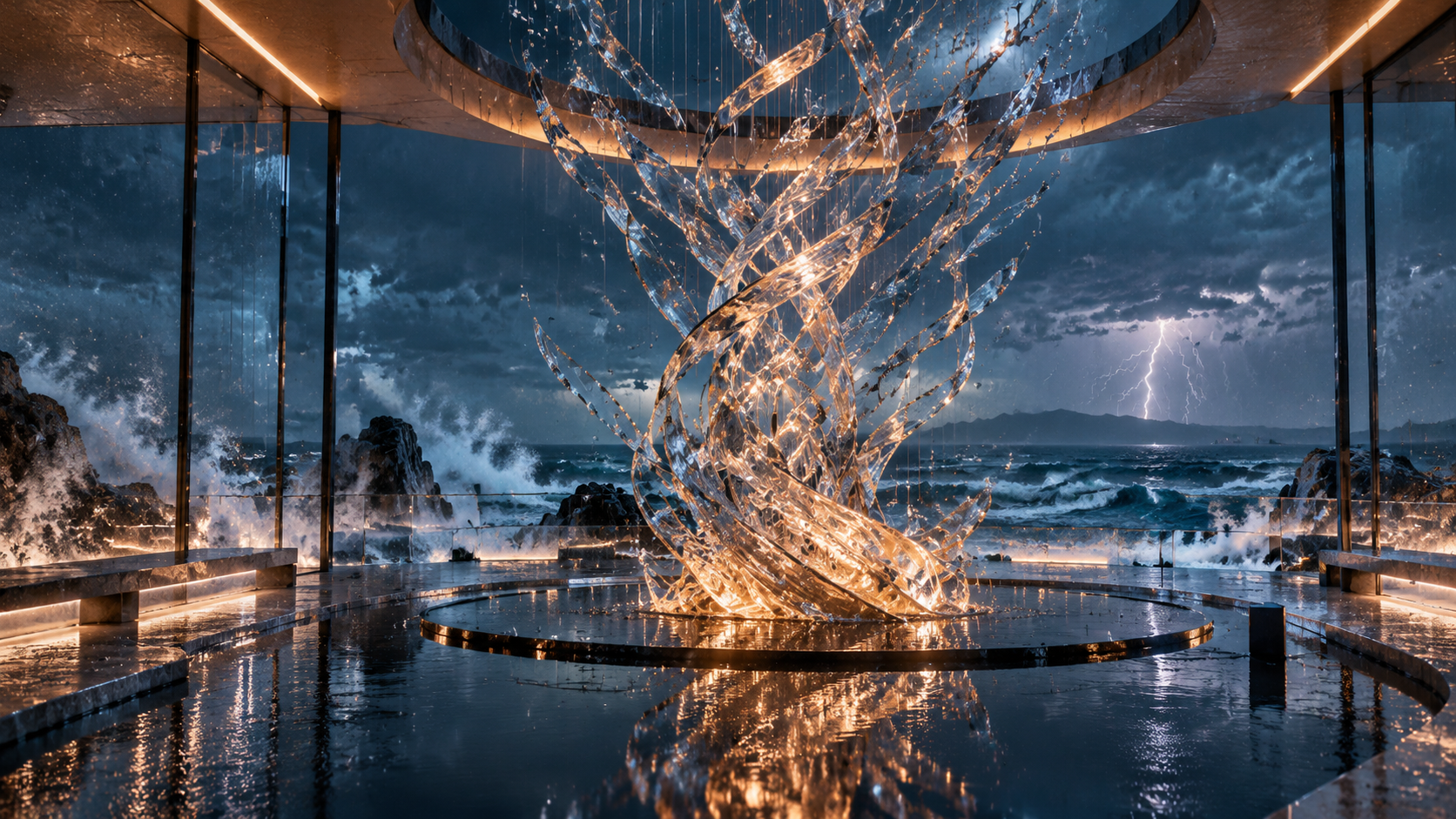
Use this when you have one "money shot" and want the camera to arrive at it. You supply only the ending frame and let the prompt choreograph the move that leads there.
Input frame (used as last_frame_image):
Rendered clip (768P, 5s):
Prompt (copy-paste):
Begin low, inches above a mirror-black reflecting pool, then glide forward and crane
upward into a slow wide orbital reveal of a glass pavilion suspended over a stormy ocean
at blue hour. A kinetic crystal sculpture unfurls in a gentle spiral, refracting warm
amber light through cool teal mist; rain streaks the glass and distant lightning flickers
on the horizon. Physically accurate reflections and refractions, volumetric light,
controlled natural motion, stable geometry, seamless temporal consistency, premium
commercial finish, subtle film grain, no people, no logos, no text, no cuts, no flicker.
Ambient sound: low ocean rumble, soft rain on glass, delicate crystal resonance, no speech.
Why it works:
- One continuous camera sentence. "Begin low … glide forward … crane upward into a slow wide orbital reveal" gives the model a single, unambiguous path instead of competing moves.
- The ending frame is the anchor, so the prompt only has to describe the journey to it — the sculpture is allowed to "unfurl," which is what creates visible motion between the start the model invents and the frame you supplied.
- A tight negative list ("no cuts, no flicker, no text") keeps a 768P luxury look from degrading into a montage.
- Rendered at 768P because this is the hero shot; the cover of this article is a single frame pulled straight from it.
Recipe 2 — Atmospheric push-in with ambient sound
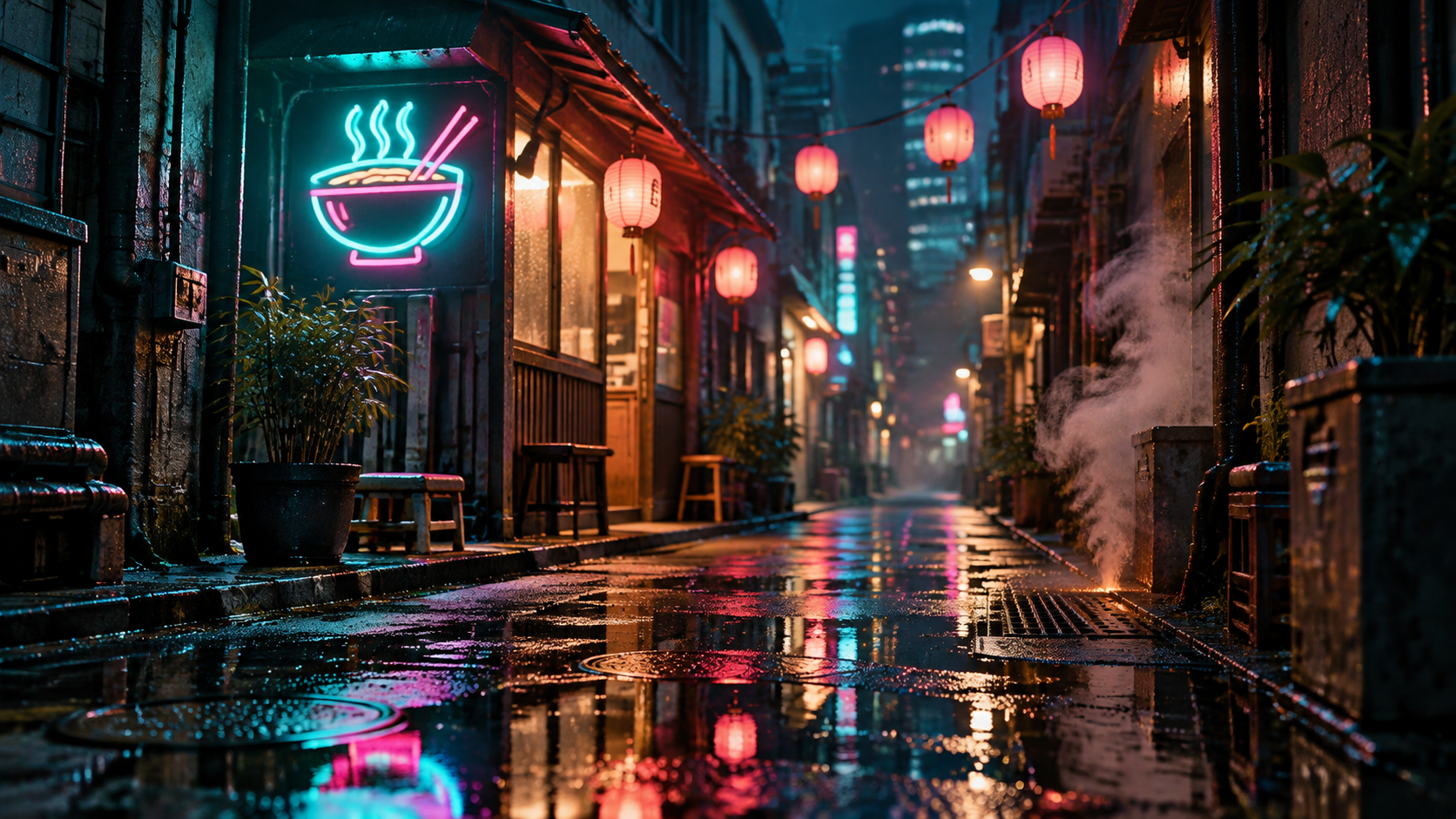
The everyday workhorse: a slow dolly that makes a static scene feel alive, carried as much by the soundtrack as by the motion. Again, only a last frame is needed.
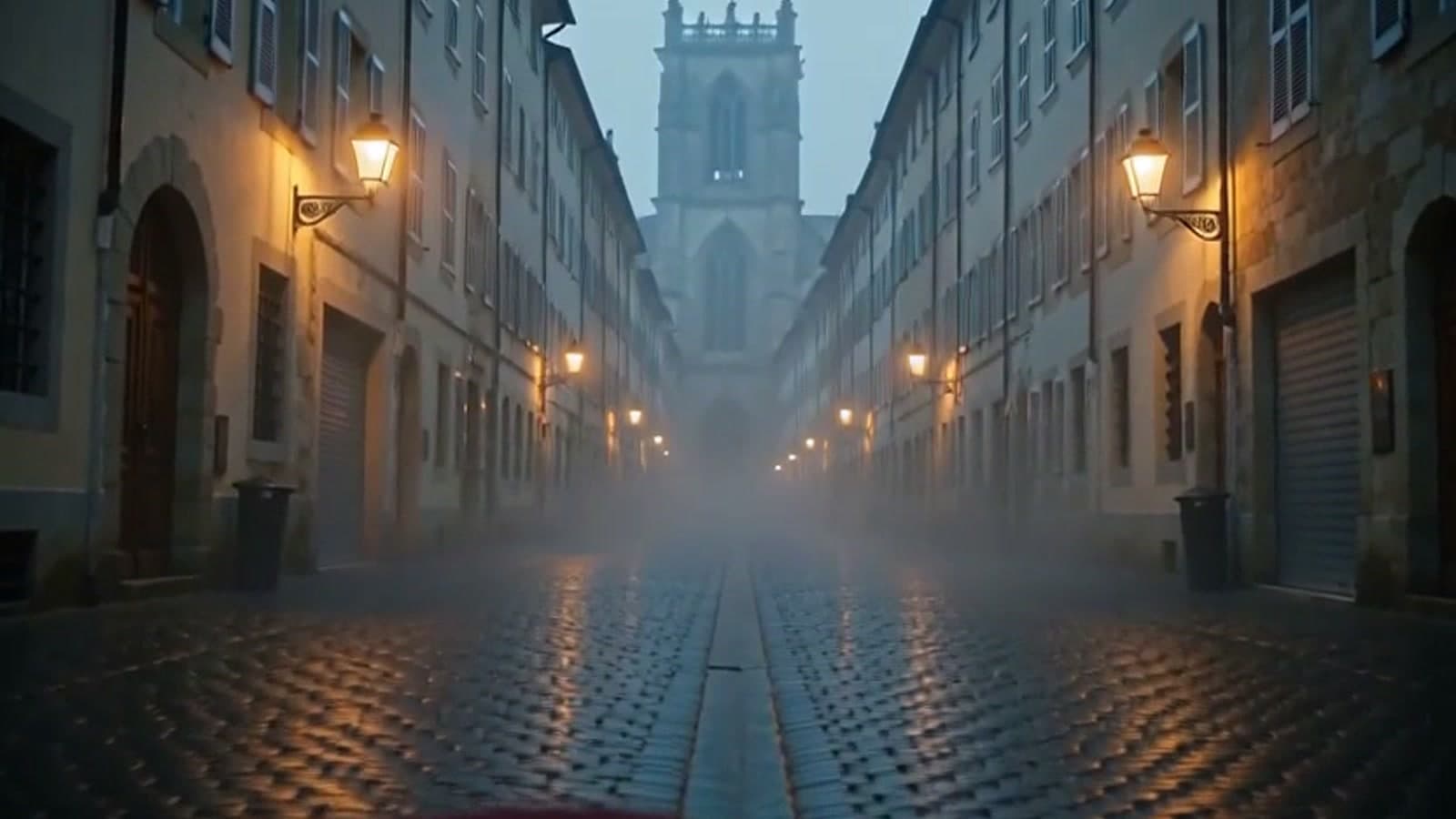
Input frame (used as last_frame_image):
Rendered clip (480P, 5s):
Prompt (copy-paste):
A slow, steady dolly forward down a rain-soaked neon alley at midnight, puddles rippling
underfoot as the camera drifts toward a glowing teal-and-magenta noodle-shop sign. Steam
curls from a street vent, paper lanterns sway gently, neon reflections shimmer on the wet
pavement. Cinematic teal-orange grade, shallow depth of field, light haze, photoreal 35mm
look, controlled motion, stable geometry, no people, no readable text, no cuts.
Ambient sound: steady rain, distant city hum, faint sizzling steam, no speech.
Why it works:
- One slow move + many small motions. The camera does one thing (dolly forward), while rippling puddles, curling steam, and swaying lanterns supply the micro-motion that sells realism without the frame drifting.
- The audio line is doing real work. "Steady rain, distant city hum, faint sizzling steam" is what turns a wet-street render into a place. This is the single biggest upgrade over image models.
- 480P is the right default while you iterate — at $0.072/s a 5-second test is about 36 cents, so you can tune wording cheaply before committing to a 768P or 1080P keeper.
Recipe 3 — First + last frame interpolation (the signature control)
This is what sets H3 Max apart from "animate my photo" models: give it both a first and a last frame and it renders a controlled morph between the two. Perfect for before/after transformations where you need the exact start and the exact end.
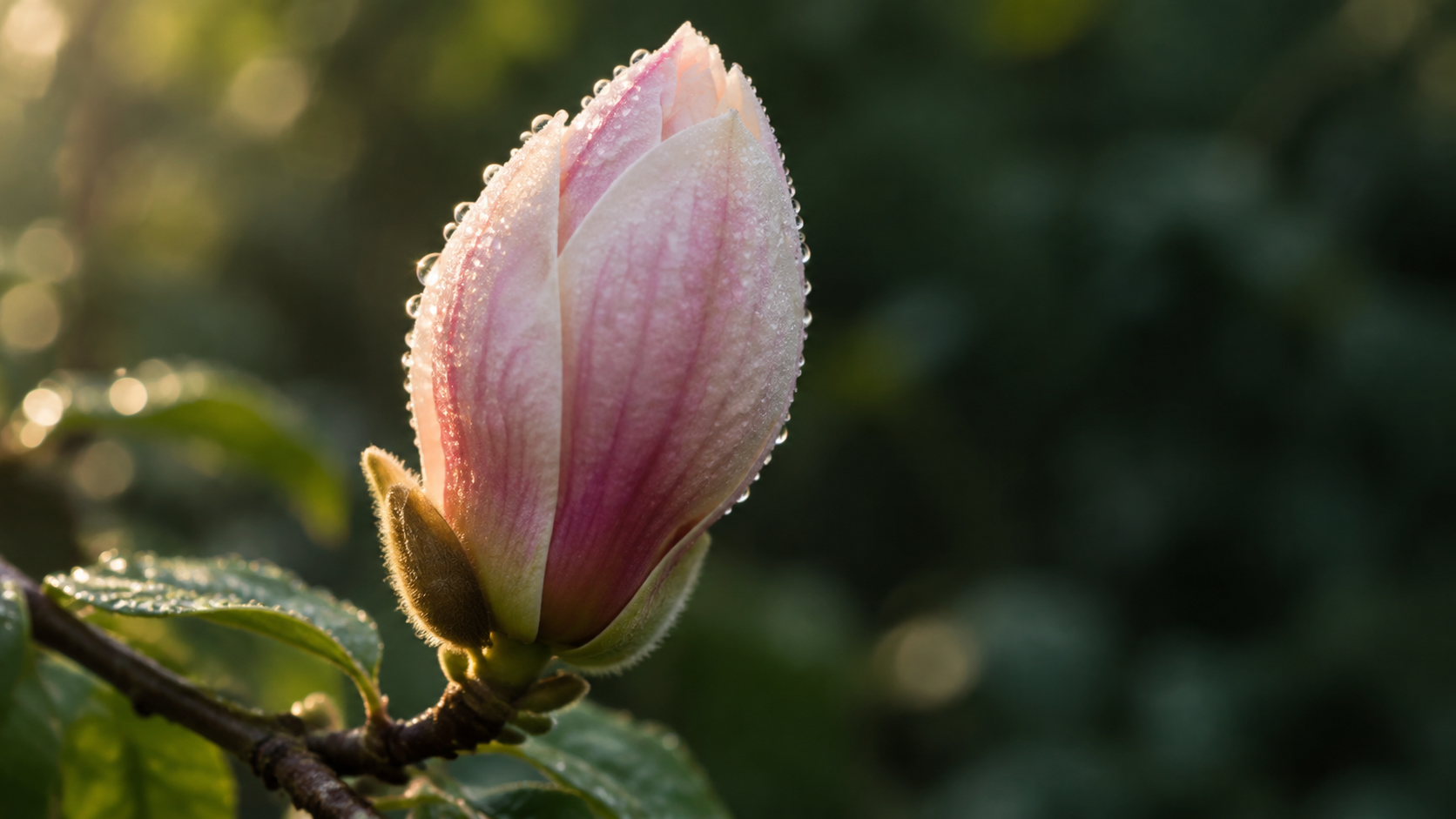
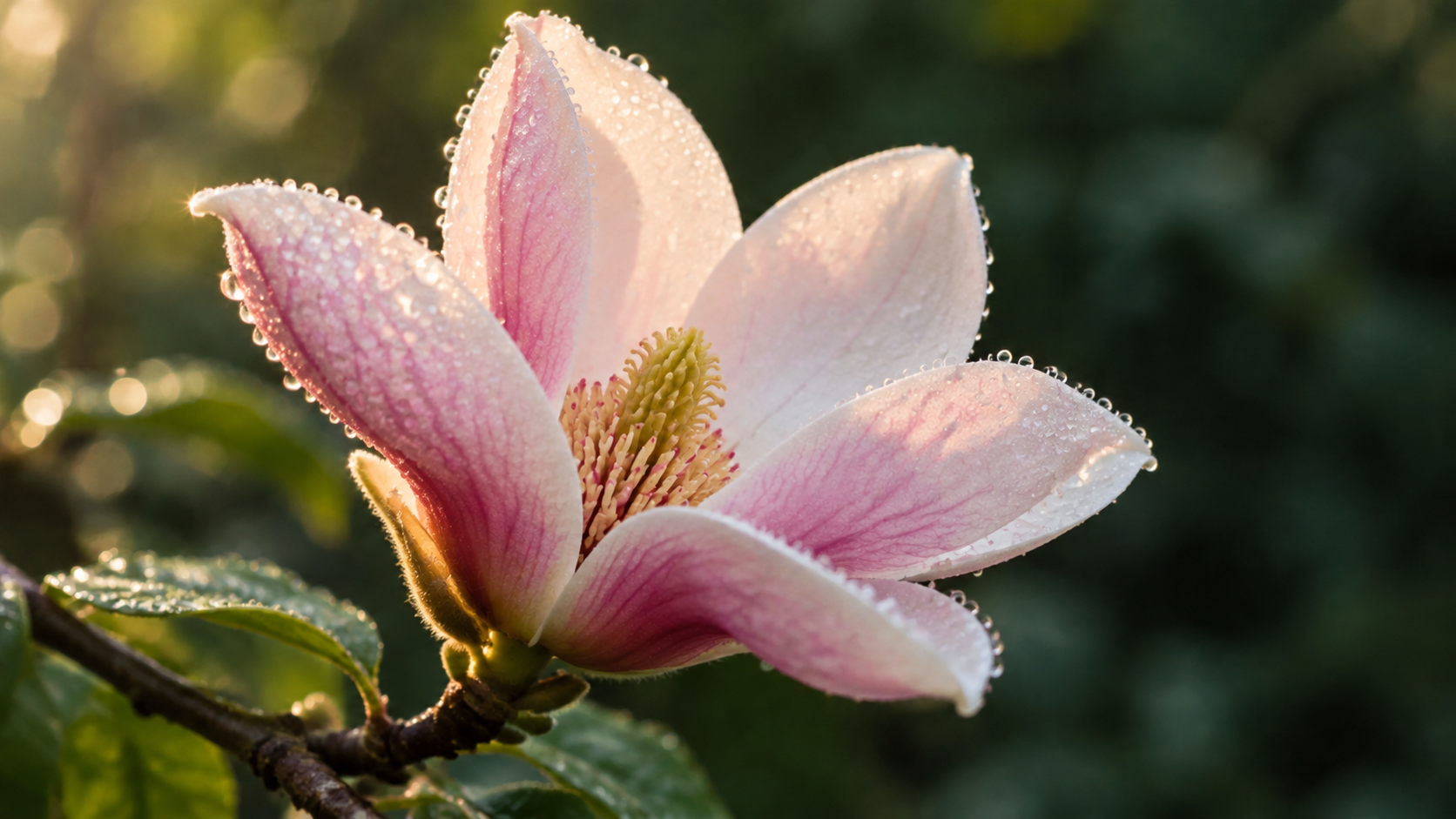
We generated the opening frame, then edited that same frame into its "after" state so the composition, lighting, and background stay identical — the only thing that changes is the subject.
First frame (first_frame_image) → Last frame (last_frame_image):
Rendered clip (480P, 5s):
Prompt (copy-paste):
A macro time-lapse of a single magnolia blossom opening at dawn: dew-covered petals slowly
unfurl from a tight bud to a full open bloom, revealing the pale stamen center, while soft
morning rim-light warms the scene and the branch sways almost imperceptibly in a gentle
breeze. Keep the same framing and background throughout, photoreal botanical detail, smooth
continuous motion, stable focus, no people, no text, no cuts.
Ambient sound: soft dawn birdsong, faint breeze through leaves, no speech.
Why it works:
- Two frames = deterministic endpoints. You're not hoping the model lands somewhere reasonable; you've told it exactly where to start and stop. The prompt only has to describe how to travel between them ("slowly unfurl … smooth continuous motion").
- Keep the frames consistent. Because our last frame was an edit of the first (same branch, angle, light), the interpolation reads as one flower blooming rather than a cut between two photos. Mismatched frames produce a jarring morph.
- "Keep the same framing and background throughout" tells the model the only thing allowed to change is the flower — this stops the camera from wandering.
Dialing it in
- Write a shot, not a caption. Name the camera move, the subject motion, the light, and the sound — in that order. Captions ("a blooming flower") give the model nothing to animate.
- Budget by resolution, iterate at 480P. Prompt wording rarely needs more than 480P to evaluate; lock the wording, then re-render the keeper at 768P or 1080P.
- Hold duration at 5s while tuning. Longer clips cost linearly more and give motion more room to drift. Extend to 10–15s only once the move and audio read right.
- Don't fight the ratio. Crop the input frame to 16:9, 9:16, or 1:1 before upload; the clip inherits that shape, and sending
aspect_ratioalongside a frame is an error. - Negatives matter for polish. "no cuts, no flicker, no text, no people" reliably removes the artifacts that make AI video look AI.
Pricing
MiniMax H3 Max image-to-video bills per requested video second, by resolution (as of 2026-10):
| Resolution | Price / second | 5-second clip |
|---|---|---|
| 480P | $0.072 | $0.36 |
| 768P | $0.115 | $0.575 |
| 1080P | $0.229 | $1.145 |
So the three clips in this guide — one 768P and two 480P, all 5 seconds — cost about $1.30 of video combined. Check the live number on the hiapi pricing page before you budget a batch; per-second rates are the figures that move.
FAQ
Do I have to supply both frames?
No. On the image-to-video route, last_frame_image is required and first_frame_image is optional. Use last-frame-only (Recipes 1 and 2) for "arrive at this shot," and both frames (Recipe 3) when you need a controlled start-to-end morph.
What resolutions and durations are supported?
resolution is 480P, 768P, or 1080P; duration is a whole number of seconds from 5 to 15.
Does it generate sound? Yes — describe the ambience in the prompt and the model adds a matching audio track. Add "no speech" to keep it dialogue-free. All three clips here shipped with their own ambient tracks.
How do I set the aspect ratio?
The input frame decides it. Crop the frame to the shape you want; do not send an aspect_ratio field together with a frame image.
I just want text-to-video, no input image. Use the MiniMax H3 Max text-to-video route instead — same prompt discipline, no frames required. If you're weighing H3 Max against other video APIs, our Seedance 2.5 vs 2.0 comparison walks through how to pick a per-second video model.
Start generating
Grab one hero frame, write it as a shot with a camera move and an audio line, and send it to the MiniMax H3 Max image-to-video API. Start at 480P to tune the wording, then re-render your keeper at higher resolution. Full request and polling details are in the hiapi docs.