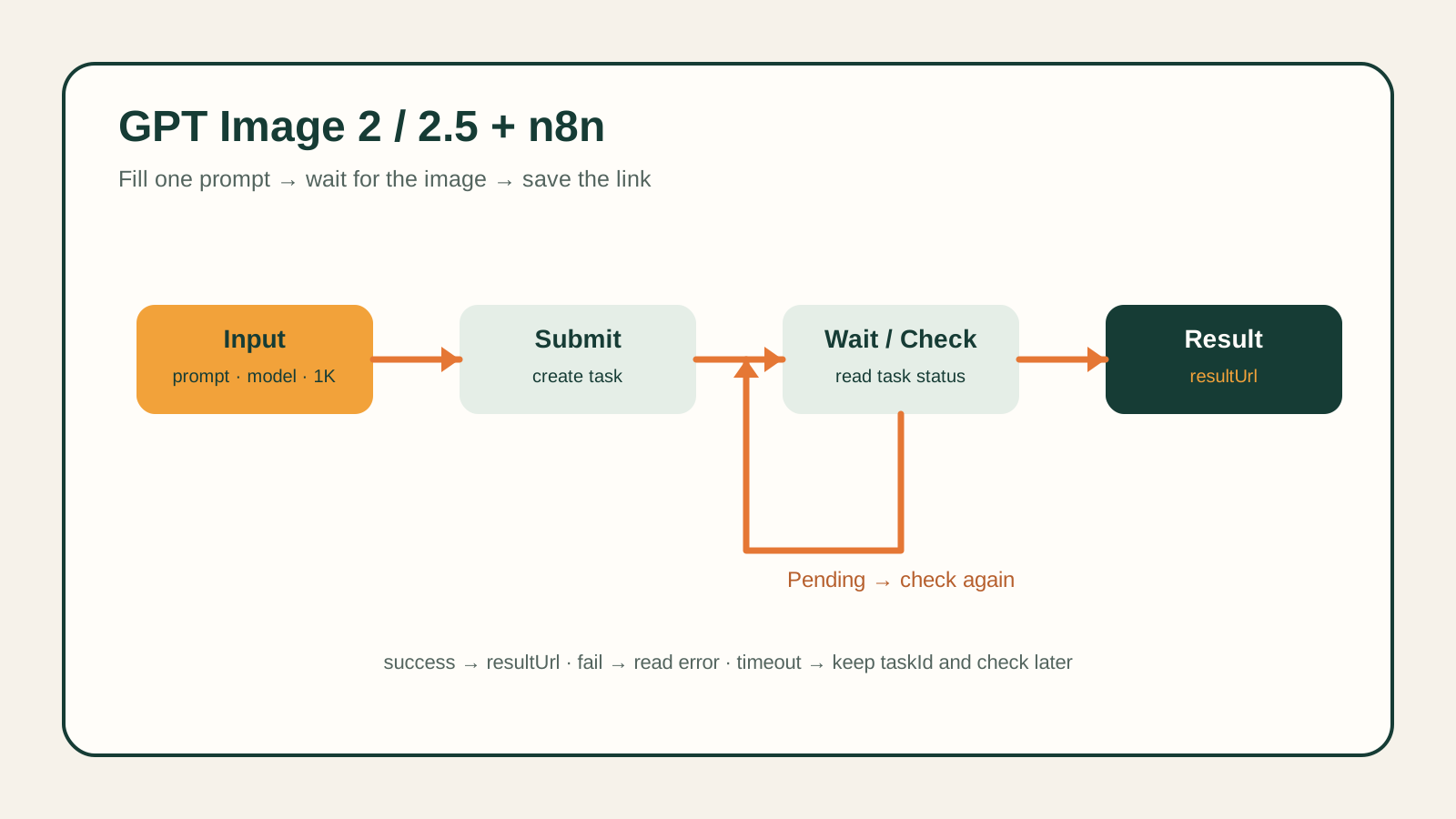
qwen-audio-3.0-tts-flash is Alibaba's low-latency text-to-speech tier, exposed on hiapi for building voice agents, AI assistant replies, and other latency-sensitive speech workflows. This walkthrough shows the exact request that works, the full input schema, and how to move from a quick test to a production integration.
What you need
- A hiapi API key (
sk-...) from your hiapi dashboard. curlor Python withrequests— no SDK required.
hiapi routes every generation model through one endpoint family: POST /v1/tasks to create a job, then either poll GET /v1/tasks/<id> or receive a callback once it's done.
Minimal working example
curl -X POST https://api.hiapi.ai/v1/tasks \
  -H "Authorization: Bearer sk-<your-api-key>" \
  -H "Content-Type: application/json" \
  -d '{
    "model": "qwen-audio-3.0-tts-flash",
    "input": {
      "text": "Hello, this is a test of the hiapi text to speech API.",
      "voice": "longanhuan_v3.6"
    }
  }'
A successful call returns a task id right away — synthesis happens asynchronously:
{"code":200,"data":{"taskId":"tk-hiapi-01KZ59P6KDXAXJMGW832X0M2R2"},"message":"success"}
Poll for the result:
curl https://api.hiapi.ai/v1/tasks/tk-hiapi-01KZ59P6KDXAXJMGW832X0M2R2 \
  -H "Authorization: Bearer sk-<your-api-key>"
Once synthesis finishes, status flips to success and output[0].url holds the audio file:
{
  "code": 200,
  "data": {
    "status": "success",
    "storage": "temp",
    "output": [
      {
        "type": "audio",
        "url": "https://temp.hiapi.ai/7c6ttvrbpt/01KZ59P6KDXAXJMGW832X0M2R2-0.mp3",
        "expireAt": 1786415395
      }
    ]
  },
  "message": "success"
}
storage: "temp" means the URL is short-lived — in testing, expireAt was set roughly 7 days after created. Download the file to your own storage as soon as the task succeeds; don't treat the returned URL as a permanent link.
Python version
import time
import requests

API_KEY = "sk-<your-api-key>"
BASE = "https://api.hiapi.ai/v1"
headers = {"Authorization": f"Bearer {API_KEY}", "Content-Type": "application/json"}

resp = requests.post(f"{BASE}/tasks", headers=headers, json={
    "model": "qwen-audio-3.0-tts-flash",
    "input": {
        "text": "Hello, this is a test of the hiapi text to speech API.",
        "voice": "longanhuan_v3.6",
    },
})
task_id = resp.json()["data"]["taskId"]

while True:
    task = requests.get(f"{BASE}/tasks/{task_id}", headers=headers).json()["data"]
    if task["status"] == "success":
        audio_url = task["output"][0]["url"]
        break
    if task["status"] in ("failed", "error"):
        raise RuntimeError(task)
    time.sleep(1)

audio_bytes = requests.get(audio_url).content
with open("output.mp3", "wb") as f:
    f.write(audio_bytes)
Full input schema
Only text and voice are required — everything else is optional and defaults to the model's standard behavior if omitted.
| Field | Type | Required | Values |
|---|---|---|---|
text | string | yes | the text to speak |
voice | string (enum) | yes | longanhuan_v3.6, longjielidou_v3.6, loongeva_v3.6, loongjohn |
format | string (enum) | no | pcm, wav, mp3, opus |
sample_rate | integer (enum) | no | 8000, 16000, 22050, 24000, 44100, 48000 |
volume | integer | no | 0–100 |
There's no speed or pitch parameter — sending either returns a schema error (additional properties not allowed). If you need pacing control, adjust it in the source text (punctuation, pauses) rather than via a request field.
Pricing is $0.03 per 1,000 characters, billed by Alibaba's effective character count rather than per request or per audio second — see current numbers on the hiapi pricing page.
Production notes
Use a callback instead of polling once you're past testing — it's cheaper on your infra and avoids polling delay:
{
  "model": "qwen-audio-3.0-tts-flash",
  "input": { "text": "...", "voice": "longanhuan_v3.6" },
  "callback": { "url": "https://your-server.com/hooks/tts", "when": "final" }
}
callback.when only supports "final" (fires once, on completion) — there's no intermediate-progress callback for this model.
Handle auth errors explicitly. An invalid or unauthorized key returns HTTP 401 with a structured body:
{
  "error": {
    "code": "permission_denied",
    "message": "This API key cannot use the selected model. Please check permissions or use another key. ...",
    "type": "hiapi_error",
    "request_id": "..."
  }
}
Check error.code programmatically rather than matching on the message text, since wording can be refined over time.
Idempotency. Task creation isn't idempotent on your side — retrying an identical request creates a new task and bills again. If your caller can retry, generate the request client-side once and store the returned taskId before retrying on network failure.
See hiapi's API docs for the shared conventions across all /v1/tasks models (auth, polling limits, callback signing).
FAQ
Is qwen-audio-3.0-tts-flash synchronous or asynchronous?
Asynchronous. POST /v1/tasks returns a taskId immediately; the actual audio is ready moments later, retrievable via polling or callback. In testing, short text (under ~20 characters) typically completed within a few seconds.
What audio formats can I get back?
pcm, wav, mp3, or opus, set via input.format. If you omit it, the model uses its default encoding.
Can I control speaking speed or pitch?
Not through this model's API — there's no speed or pitch field, and the schema rejects unknown properties. Use punctuation and phrasing in the input text to shape pacing.
How long is the output audio URL valid?
The task response is storage: "temp"; the expireAt timestamp in the output object is roughly 7 days after creation in testing. Download and store the file yourself if you need it longer-term.
Which voices are available?
Four fixed options: longanhuan_v3.6, longjielidou_v3.6, loongeva_v3.6, and loongjohn. Any other value returns a validation error listing the accepted set.
How is it billed? Per 1,000 characters of input text (Alibaba's effective character count), at $0.03/1K as of this writing — confirm current pricing on the pricing page, since rates can change.