GPT Image 2.5 FlareFrom $0.050/image
Choose a model, enter your prompt, and see the result.
HiAPI Blog
HiAPI
Generate it with HiAPI
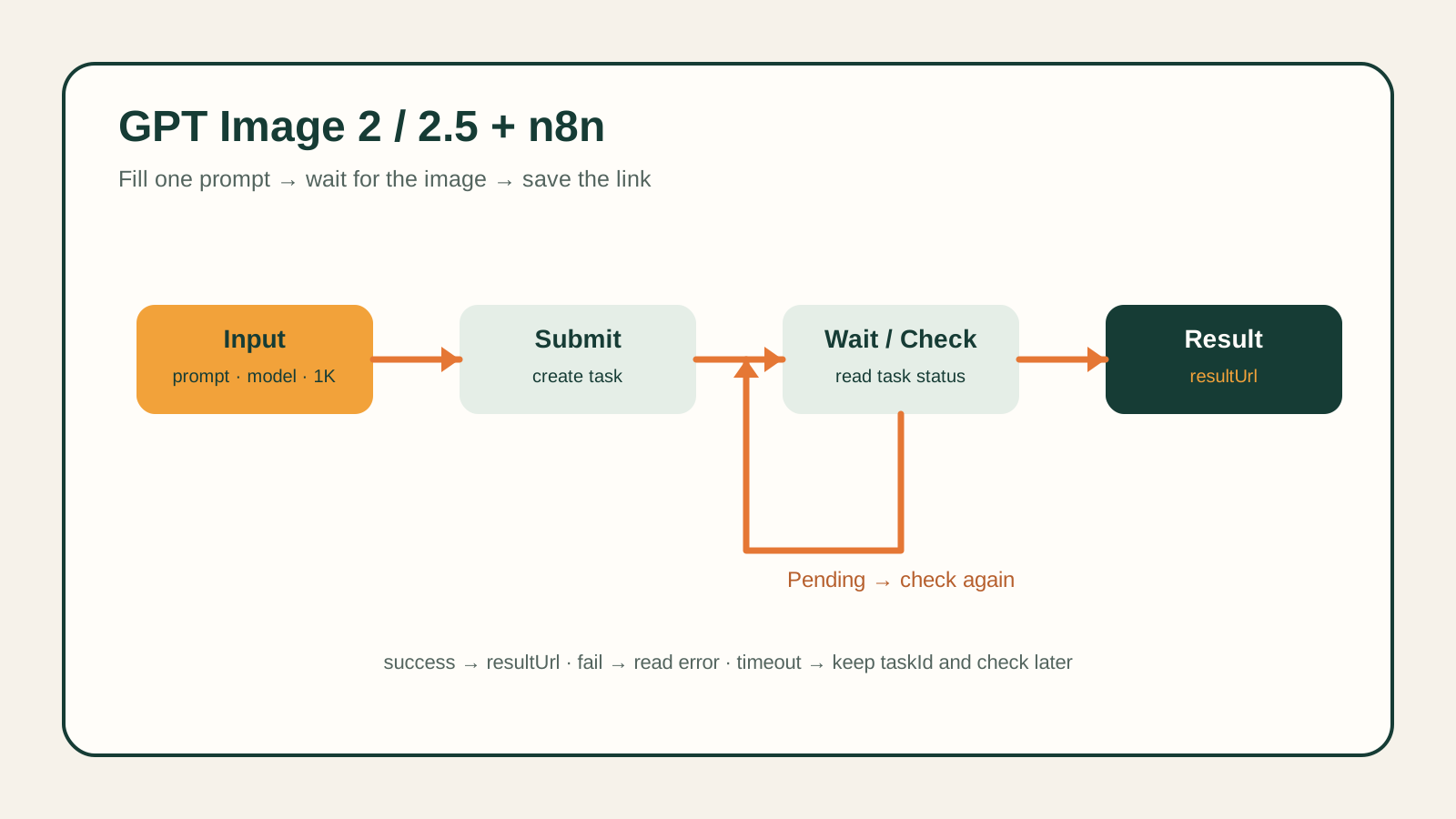
qwen-audio-3.0-tts-plus is a text-to-speech model reached on hiapi through the platform's unified async task queue — the same POST /v1/tasks endpoint used for image and video generation, not a separate audio API. You submit text, get a taskId back immediately, then poll or wait on a callback for a downloadable audio file URL. This tutorial gets you a working request in curl and Python, verified end-to-end against the live API, then covers the production patterns you actually need: callbacks vs. polling, idempotent retries, and the exact error shapes to handle.
A script that submits text to qwen-audio-3.0-tts-plus, waits for the task to finish, and downloads the resulting audio — plus the parameter reference and error-handling patterns for turning that script into a real integration.
Prerequisite: an hiapi API key. Grab one from the hiapi dashboard — every request below authenticates with Authorization: Bearer sk-<your-key>.
Create the task:
curl -s -X POST https://api.hiapi.ai/v1/tasks \
  -H "Authorization: Bearer $HIAPI_KEY" \
  -H "Content-Type: application/json" \
  -d '{
    "model": "qwen-audio-3.0-tts-plus",
    "input": {
      "text": "Welcome to hiapi, the unified API for AI models.",
      "voice": "longanlingxin"
    }
  }'
{"code": 200, "data": {"taskId": "tk-hiapi-01KZ59B7ZJ7012PXB5J9GE1QE7"}, "message": "success"}
Then poll GET /v1/tasks/<taskId> with the same bearer token until data.status leaves "processing". For this model that took about 5 seconds in testing:
curl -s https://api.hiapi.ai/v1/tasks/tk-hiapi-01KZ59B7ZJ7012PXB5J9GE1QE7 \
  -H "Authorization: Bearer $HIAPI_KEY"
{
  "code": 200,
  "data": {
    "taskId": "tk-hiapi-01KZ59B7ZJ7012PXB5J9GE1QE7",
    "status": "success",
    "model": "qwen-audio-3.0-tts-plus",
    "storage": "temp",
    "created": 1785810231,
    "completed": 1785810236,
    "output": [{"type": "audio", "url": "https://temp.hiapi.ai/.../01KZ59B7ZJ7012PXB5J9GE1QE7-0.mp3", "artifactId": "66654", "expireAt": 1786415036}]
  },
  "message": "success"
}
output[0].url is a real, downloadable MP3 (content-type: audio/mpeg — confirmed by fetching it directly). It's a temporary link: with storage left at its default "temp", expireAt lands almost exactly 7 days after created, so download the bytes and store them yourself if you need the audio longer-term.
import os
import time
import requests

API_BASE = "https://api.hiapi.ai/v1/tasks"
headers = {"Authorization": f"Bearer {os.environ['HIAPI_KEY']}"}

resp = requests.post(
    API_BASE,
    headers={**headers, "Content-Type": "application/json"},
    json={
        "model": "qwen-audio-3.0-tts-plus",
        "input": {
            "text": "Welcome to hiapi, the unified API for AI models.",
            "voice": "longanlingxin",
        },
    },
    timeout=30,
)
resp.raise_for_status()
task_id = resp.json()["data"]["taskId"]

while True:
    task = requests.get(f"{API_BASE}/{task_id}", headers=headers, timeout=30).json()["data"]
    if task["status"] == "success":
        audio_url = task["output"][0]["url"]
        break
    if task["status"] == "fail":
        raise RuntimeError(task["error"])
    time.sleep(2)

audio_bytes = requests.get(audio_url, timeout=60).content
with open("output.mp3", "wb") as f:
    f.write(audio_bytes)
The input object accepts exactly these fields — the API rejects anything else with a 400, so don't carry over parameter names from other TTS providers:
| Field | Required | Type / values |
|---|---|---|
text | yes | string |
voice | yes | one of "longanlingxin", "longanlufeng" (only two voices currently live on this model) |
format | no | one of "pcm", "wav", "mp3", "opus" — defaults to mp3 if omitted |
sample_rate | no | one of 8000, 16000, 22050, 24000, 44100, 48000 |
pitch | no | number, 0.5–2 |
volume | no | number, 0–100 |
Every bound and enum above came from the API's own validation errors — pass an invalid voice or an out-of-range pitch and hiapi tells you exactly what's allowed:
{"code": 400, "data": null, "error_code": "INVALID_REQUEST", "message": "invalid input: voice: value must be one of 'longanlingxin', 'longanlufeng'"}
There's no emotion, speed, or SSML-style control field on this model — a request carrying them fails with "additional properties '...' not allowed".
For anything beyond a quick script, skip polling and let hiapi push the result. Add a callback object to the task-creation request:
{
  "model": "qwen-audio-3.0-tts-plus",
  "callback": {"url": "https://example.com/hiapi/callback", "when": "final"},
  "input": {"text": "Welcome to hiapi.", "voice": "longanlingxin"}
}
"final" is currently the only supported value for when — hiapi POSTs to your callback.url once, whether the task succeeds or fails, and you read the same task-detail shape from that payload as you'd get from polling GET /v1/tasks/<taskId>. Omit callback entirely to poll yourself instead, as in the examples above.
Also worth knowing: task output defaults to storage: "temp" (the file lives roughly a week, as shown by the expireAt values above). Set "storage": "persistent" on the task if you need the audio to stay retrievable long-term — persistent storage is billed by size, so download-and-store-yourself is often cheaper for one-off generations.
POST /v1/tasks accepts an Idempotency-Key header (up to 255 bytes). Retrying the same request with the same key under the same account creates the task only once — a replay returns the original taskId instead of billing a second generation. Use this for retrying after a timeout or a 5xx, where you genuinely don't know if the first request landed:
curl -s -X POST https://api.hiapi.ai/v1/tasks \
  -H "Authorization: Bearer $HIAPI_KEY" \
  -H "Content-Type: application/json" \
  -H "Idempotency-Key: tts-job-42" \
  -d '{"model": "qwen-audio-3.0-tts-plus", "input": {"text": "...", "voice": "longanlingxin"}}'
An invalid or unauthorized key returns HTTP 401 with hiapi's standard error envelope (verified against this model directly):
{"error": {"code": "permission_denied", "message": "This API key cannot use the selected model...", "request_id": "...", "type": "hiapi_error"}}
Bad input payloads return HTTP 400 with error_code: "INVALID_REQUEST" and a message that names the offending field, as shown in the schema section above — branch on error_code / error.code, not on the human-readable message text. If a task reaches a terminal "fail" status instead of failing at creation, the task-detail response carries the same shape under data.error (code + message) rather than a top-level error key.
POST /v1/tasks contract, including headers, callbacks, and idempotency.Authorization header and key scoping work platform-wide.429 behavior and Retry-After.Is audio generation different from hiapi's image/video task API?
No — same POST /v1/tasks queue, same create-then-poll-or-callback flow, same output[0].url shape. Only the output[0].type ("audio" here) and the input schema differ per model.
What happens if I don't set format?
You get an MP3 — confirmed by omitting it in testing. Set format explicitly if you need wav, pcm, or opus.
Can I stream audio back instead of waiting for the task to finish? No. This model only exposes the standard create/poll/callback task flow — there's no streaming parameter in its input schema, and generation is fast enough (a few seconds for short text) that polling every 1-2 seconds is usually enough.
How long does the output URL stay valid?
About 7 days by default (storage: "temp"), based on the gap between a task's created and expireAt timestamps. Download the audio promptly, or set "storage": "persistent" on the task if you need it retrievable longer-term.
Why did my request fail with "additional properties ... not allowed"?
The schema is strict — this model only accepts text, voice, format, sample_rate, pitch, and volume. Parameters from other TTS APIs (like emotion or speed) aren't recognized here and will 400.
Where do I find current pricing? On the pricing page — this tutorial deliberately doesn't hardcode a per-character or per-request cost since pricing can change.