Generating an image from scratch is a solved problem. The harder job — the one that actually shows up in production pipelines — is editing: change this one thing, keep everything else. seedream-5.0-lite/image-to-image is built for exactly that: instruction-based edits with up to 14 reference images, and non-edited areas that stay put.
This post is three copy-paste edit recipes, one per editing job that matters: a precise local edit, a multi-reference composite, and a text replacement. Every "after" image below is the first generation from the exact prompt shown — one take per edit, no reruns, no cherry-picking. The "before" images were generated with the model's text-to-image sibling, so you can reproduce this entire post end-to-end for about a quarter.
If you want the model's t2i side — posters, menus, text rendering — we covered that in six t2i prompt recipes. This one is all editing.
The 30-second setup
The edit endpoint runs on hiapi's async task API: create a task with your reference image URLs, poll it, download the result.
curl -X POST https://api.hiapi.ai/v1/tasks \
  -H "Authorization: Bearer $HIAPI_API_KEY" \
  -H "Content-Type: application/json" \
  -d '{
    "model": "seedream-5.0-lite/image-to-image",
    "input": {
      "prompt": "YOUR EDIT INSTRUCTION",
      "image_urls": ["https://your-host.com/input.jpg"],
      "aspect_ratio": "3:2",
      "resolution": "2K"
    }
  }'
# → {"data": {"taskId": "..."}}

curl https://api.hiapi.ai/v1/tasks/TASK_ID \
  -H "Authorization: Bearer $HIAPI_API_KEY"
# poll until "status": "success", then download output[0].url
Four things worth knowing before your first edit:
image_urls,aspect_ratioandresolutionare all required. Omit any of them and the API returns a 400 that names each missing field (image_urls: missing required field "image_urls"; …). The URLs must be publicly reachable.resolutionaccepts only"2K"or"4K". Sending"1K"returns400: resolution: value must be one of '2K', '4K'— same rule as the t2i endpoint. Every image in this post is 2K.- Match
aspect_ratioto your input. All our references are 3:2, so every edit requests 3:2 back. Fighting the input's geometry wastes your edit on a re-crop. - The output URL expires. Download the file as soon as the task succeeds; don't hot-link it.
Pricing is flat $0.035 per image regardless of how many reference images you send — see the pricing table. Budget a minute or two of polling per 2K edit rather than expecting a synchronous response.
Recipe 1: The precise local edit
The job: change one object's material and color, leave the rest of the scene alone. This is the bread-and-butter edit for product variants — and the recipe where most edit models quietly redraw your whole scene.
The input, generated with t2i:
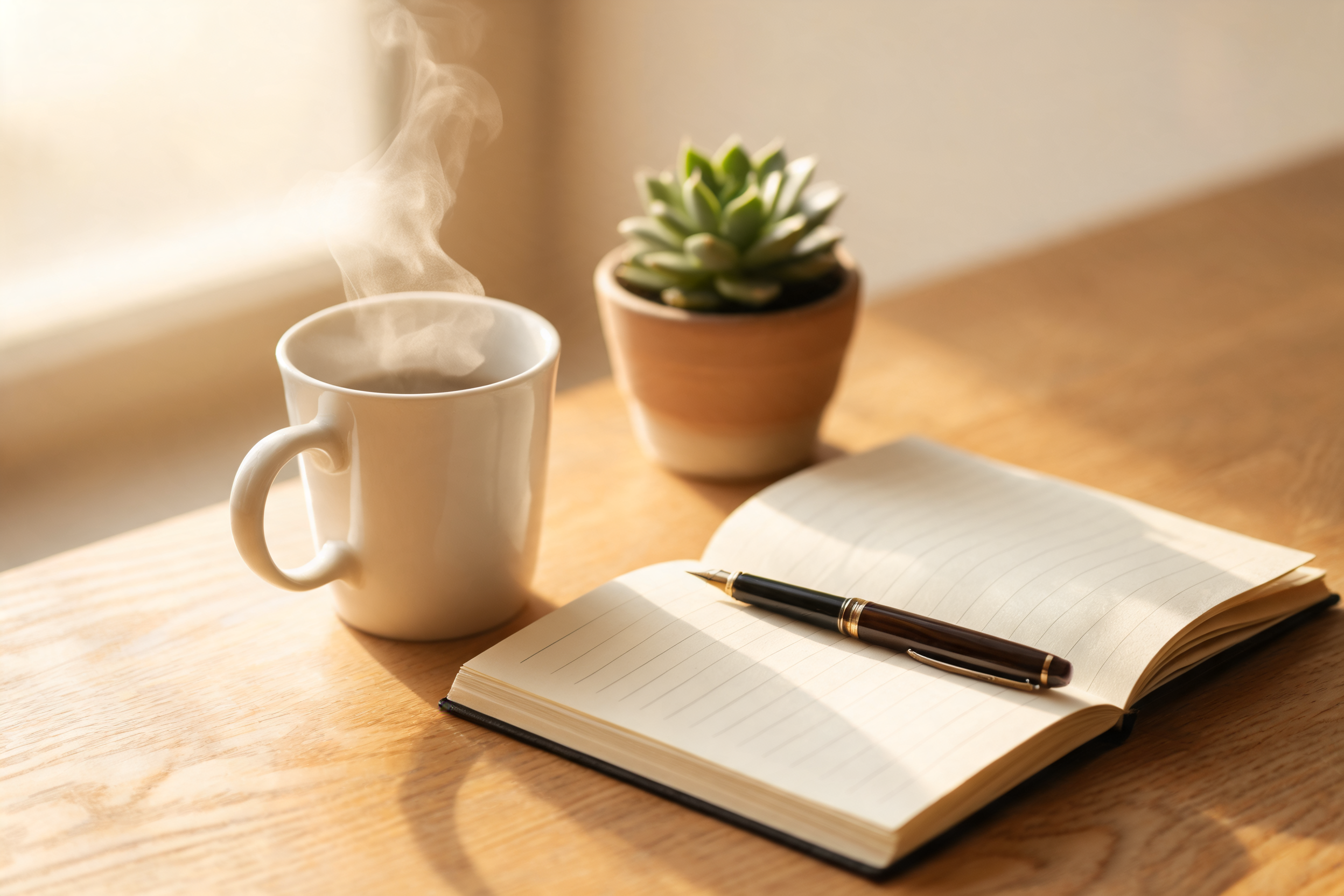
The edit instruction:
Change the matte white ceramic mug into a deep cobalt blue glazed mug
with a glossy reflective finish, keep the steam, the oak desk, the open
notebook, the fountain pen, the succulent, the lighting and the camera
angle exactly unchanged, photorealistic
First take:
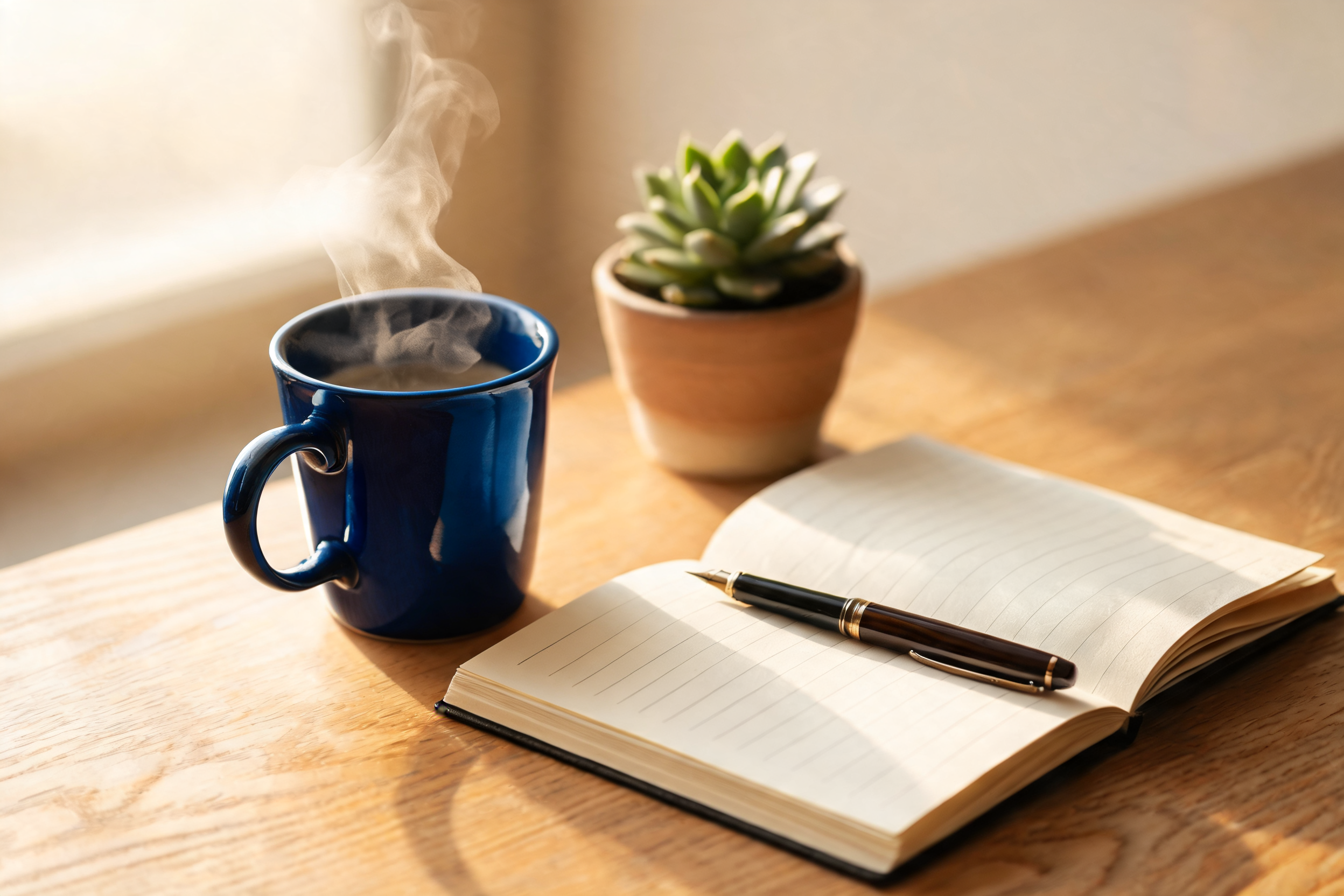
The mug went from matte white to glossy cobalt — new specular highlights and all — while the notebook, pen nib, succulent and the window light stayed where they were. Note the prompt's three-part shape: name the target ("the matte white ceramic mug"), state the change ("deep cobalt blue glazed, glossy"), then enumerate what must not move. That keep-list is not decoration; it's what pins the rest of the frame. Fine details the model re-renders (the steam wisps, for instance) will differ at the pixel level even when the layout holds — plan tolerances accordingly.
Recipe 2: The multi-reference composite
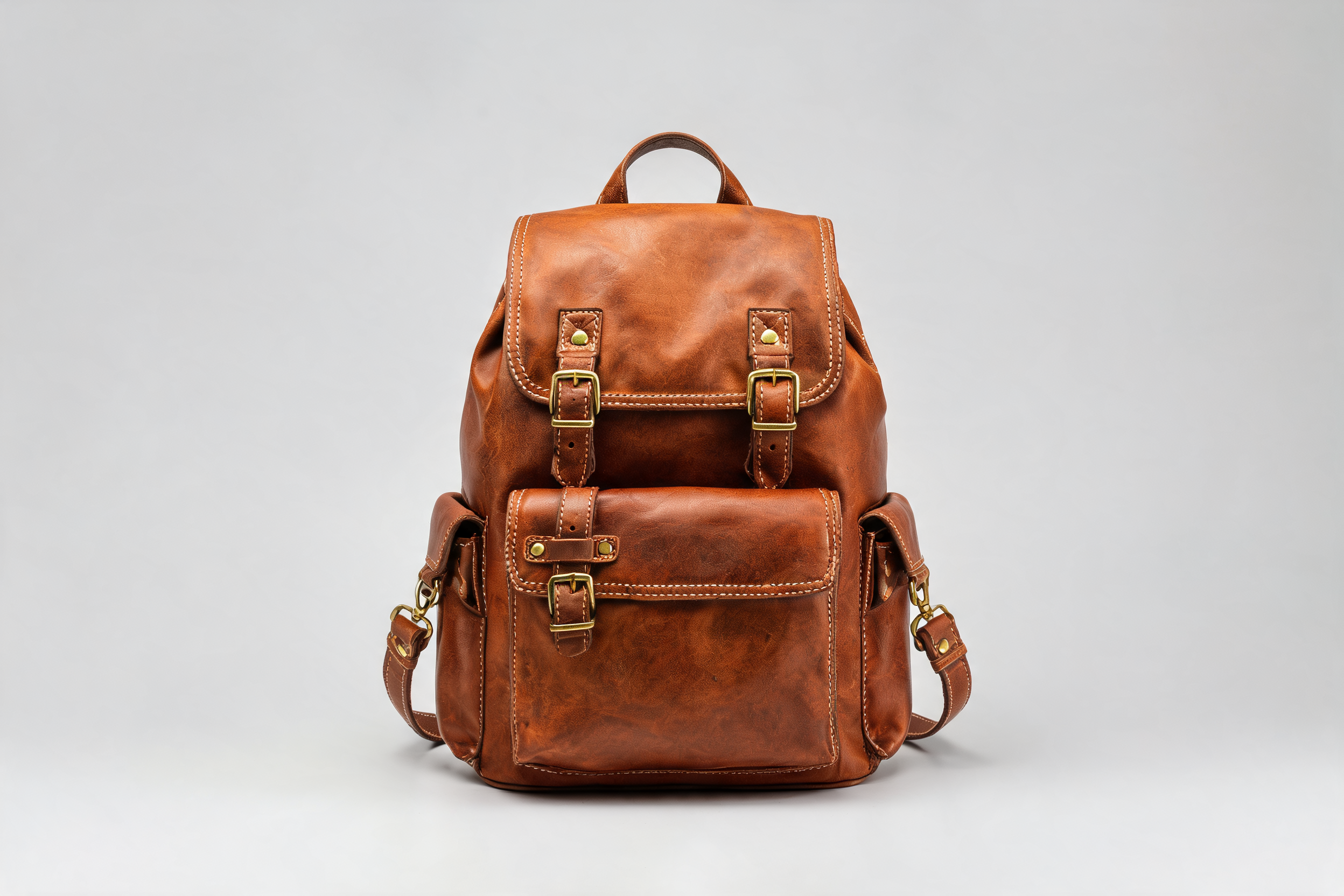
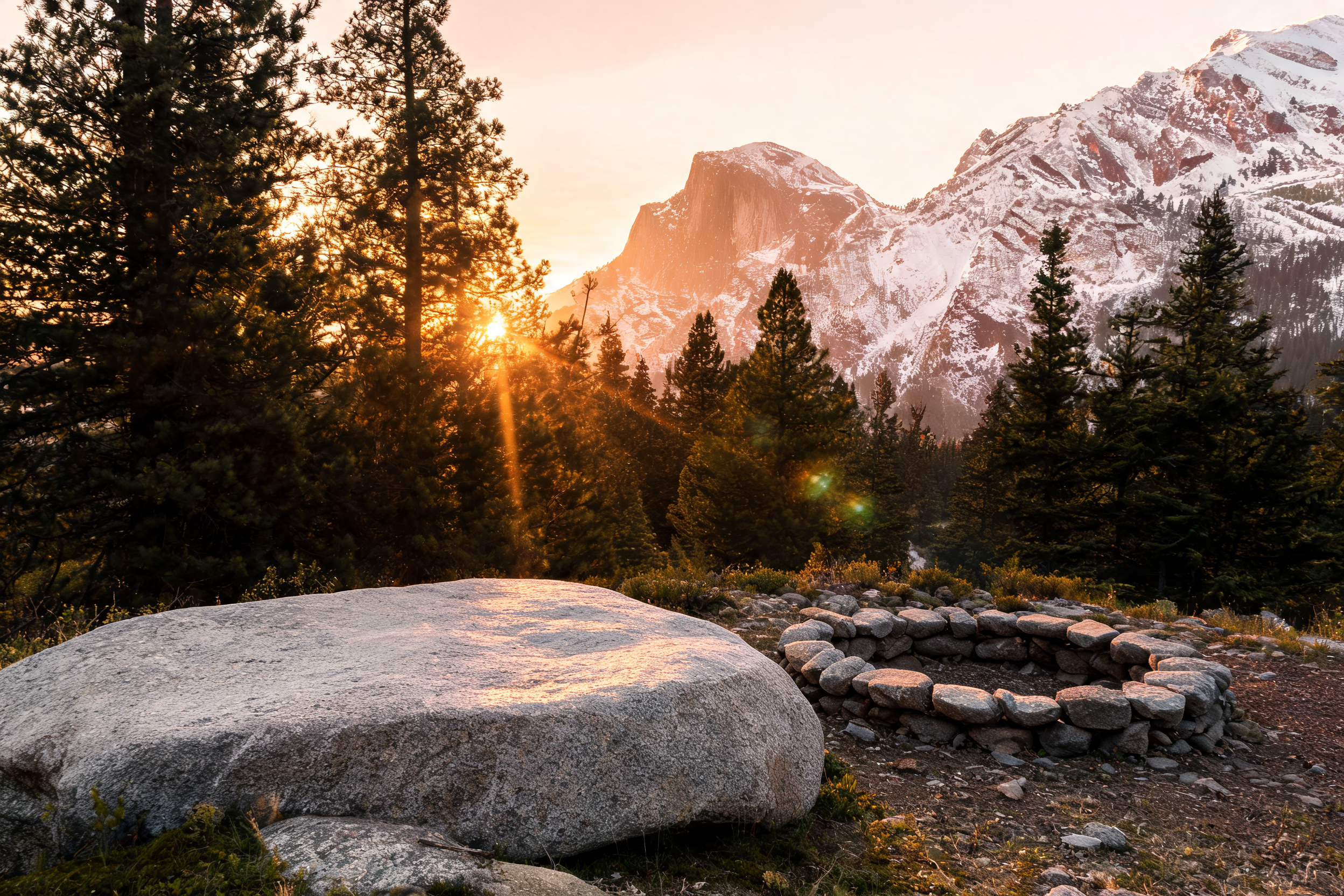
The job: take a subject from one image and place it into a scene from another. seedream-5.0-lite accepts up to 14 reference images in one call; here we use two.
Reference 1 — the subject, a studio product shot:
Reference 2 — the scene:
The edit instruction — note the ordinals, which is how you address each reference:
Take the leather backpack from the first image and place it on the flat
granite boulder in the campsite scene from the second image, leaning
naturally at a slight angle, relit to match the warm golden-hour sunlight
with a soft shadow falling across the rock, keep the stone fire ring,
pine forest and mountain peaks unchanged, photorealistic composite
First take:
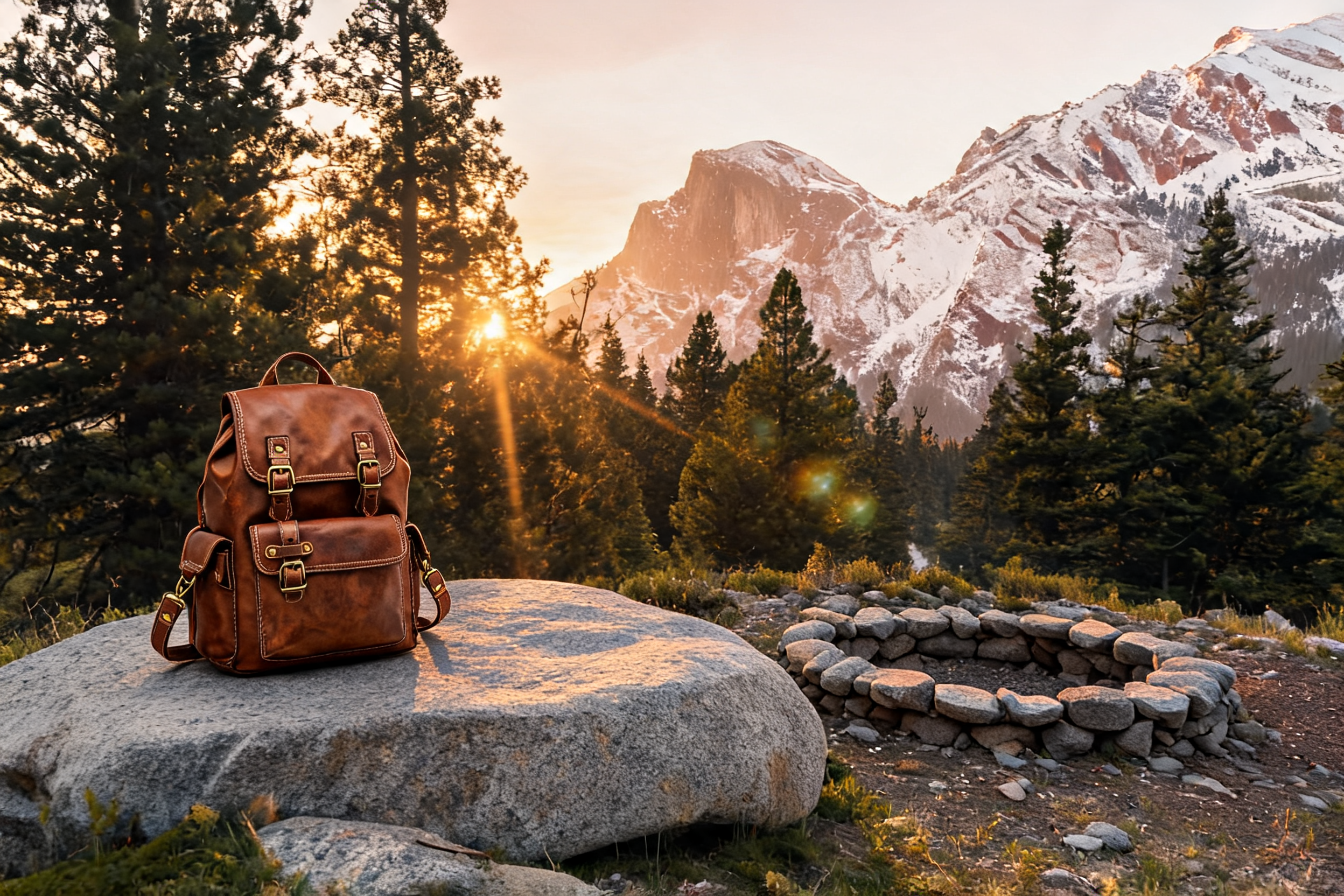
The backpack kept its buckles, stitching and strap details from the studio shot, but was relit from studio-diffuse to warm directional sun, with a contact shadow on the granite. The fire ring, treeline and peaks carried over untouched. Two things to expect from any multi-ref composite: the model re-poses the subject slightly to sit naturally in the scene (ours leans a bit more than the studio shot), and it re-renders lighting globally rather than pasting pixels. If you need the subject pixel-identical, this is the wrong tool — what you get instead is a composite that doesn't look like a paste job.
Recipe 3: The text replacement
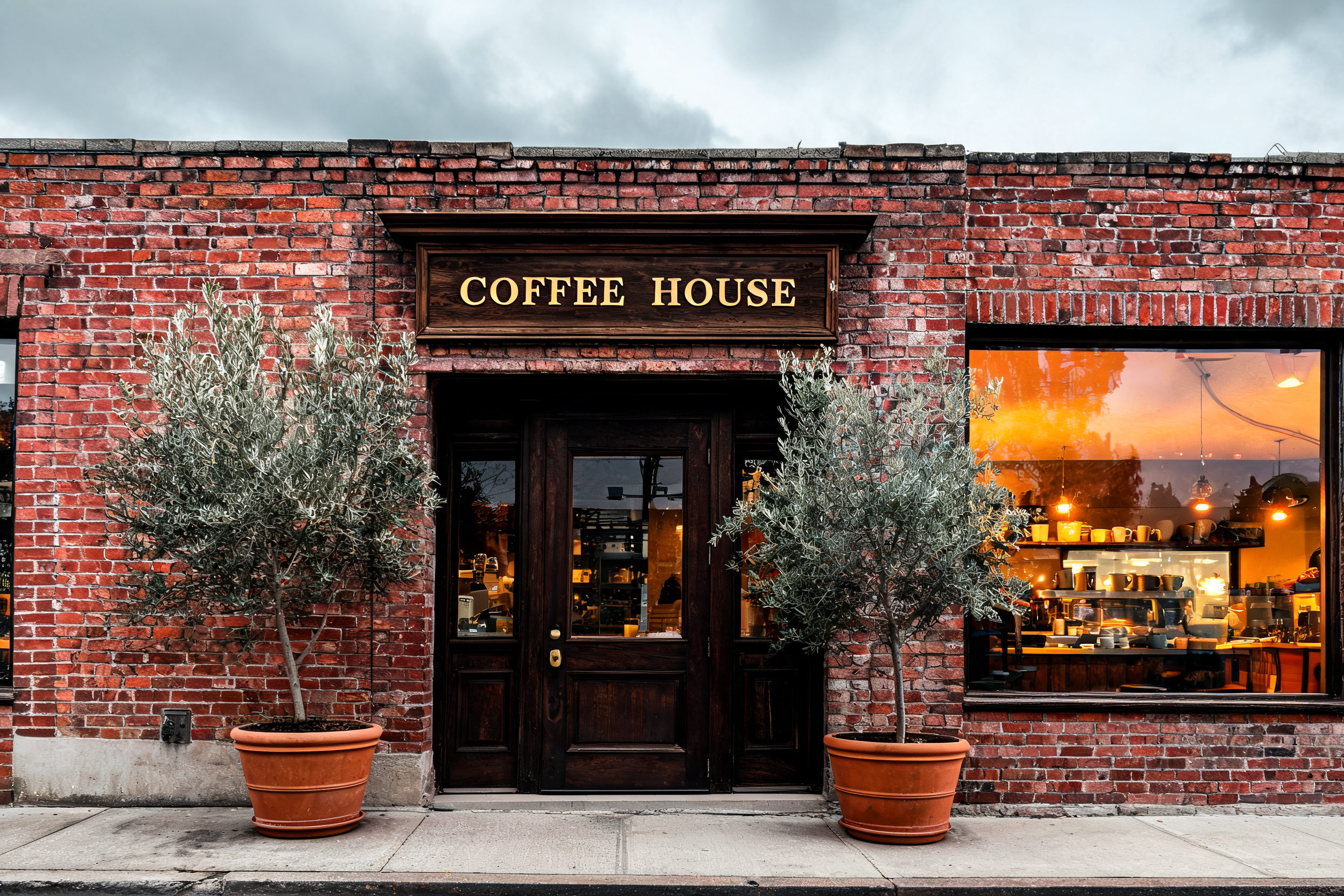
The job: swap the words on a sign without rebuilding the storefront. Seedream's headline strength is text rendering, and it carries into the edit endpoint.
The input:
The edit instruction:
Replace the text on the wooden sign above the door so it reads
'BAKERY CORNER' in the same gold serif lettering style and size, keep
the sign shape and wood texture, the brick facade, the glowing window,
the olive trees and the overcast lighting exactly unchanged,
photorealistic
First take:
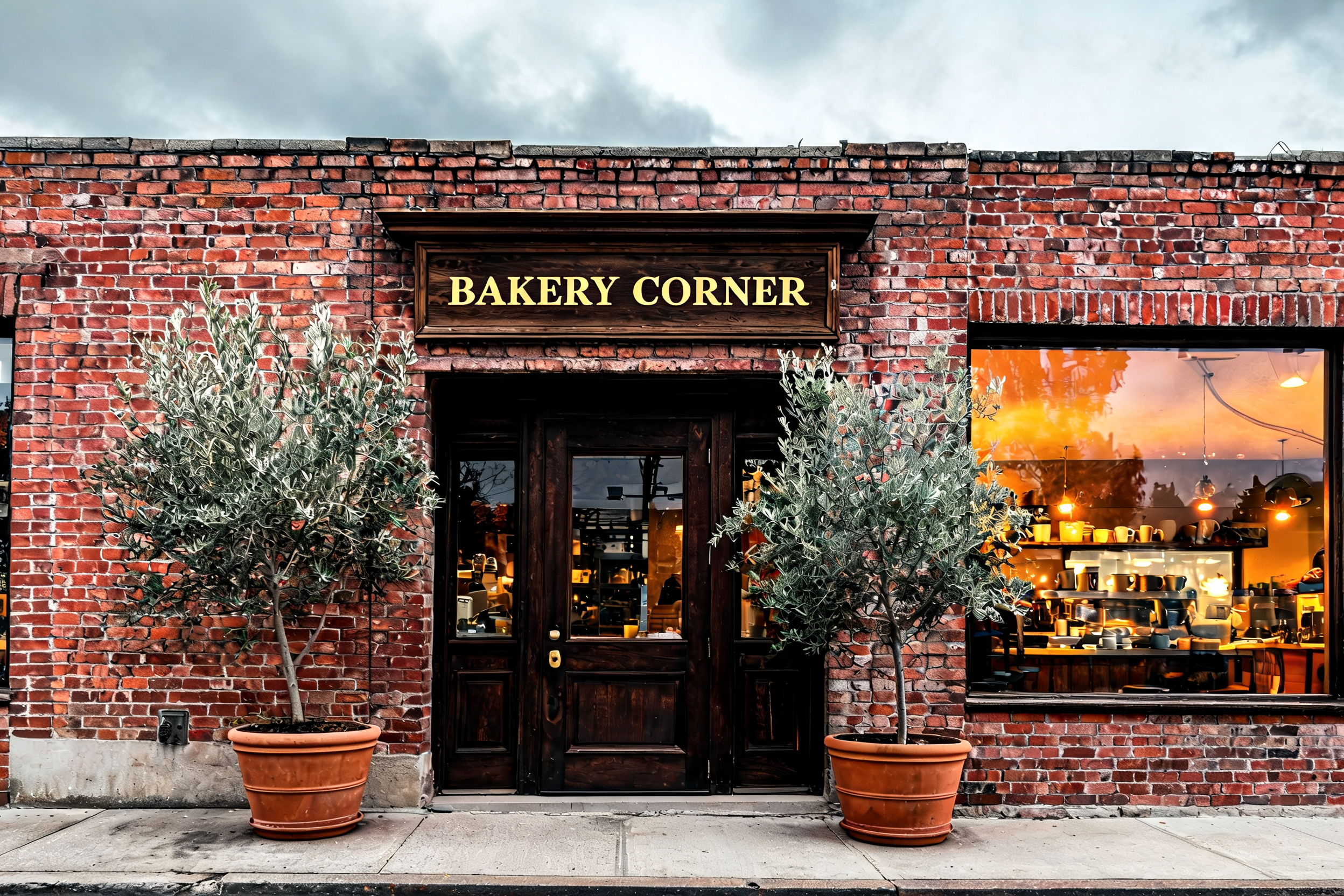
"BAKERY CORNER" came back correctly spelled, kerned, and in the same gold serif as the original — on the first attempt. The brick courses, olive trees and the warm window glow all held. Quote the exact string you want ('BAKERY CORNER'), anchor it to a location ("on the wooden sign above the door"), and demand the original style ("same gold serif lettering style and size") — the same quoting discipline that got 16/16 strings correct in our t2i tests applies to edits.
The edit-prompt pattern
All three recipes are the same sentence with different nouns:
- Target — name the object you're editing, with an identifying attribute: "the matte white ceramic mug", "the text on the wooden sign above the door".
- Change — state the new state, concretely: material, color, finish, exact quoted text, position in the scene.
- Keep-list — enumerate everything that must survive: objects, lighting, camera angle. Close with "exactly unchanged". The keep-list is the highest-leverage part of the prompt; every noun you list is a thing the model won't improvise on.
- Ordinals for multi-ref — with several
image_urls, address them as "the first image", "the second image". Order in the array is order in the prompt. - Match the geometry — request the input's aspect ratio back, and remember
resolutiononly takes2Kor4K.
And one honest caveat: an edit is a re-render, not a Photoshop mask. Regions the model touches (steam, reflections, foliage edges) will differ in fine detail between before and after. What these recipes buy you is layout, identity and style stability — not bitwise equality outside the edit.
Reproducing these edits in Python
import os, time, requests

API = "https://api.hiapi.ai/v1/tasks"
HEADERS = {"Authorization": f"Bearer {os.environ['HIAPI_API_KEY']}"}

task = requests.post(API, headers=HEADERS, json={
    "model": "seedream-5.0-lite/image-to-image",
    "input": {
        "prompt": "Change the matte white ceramic mug into a deep cobalt "
                  "blue glazed mug with a glossy reflective finish, keep "
                  "the steam, the oak desk, the open notebook, the fountain "
                  "pen, the succulent, the lighting and the camera angle "
                  "exactly unchanged, photorealistic",
        "image_urls": ["https://your-host.com/desk-mug.jpg"],
        "aspect_ratio": "3:2",
        "resolution": "2K",
    },
}).json()
task_id = task["data"]["taskId"]

while True:
    t = requests.get(f"{API}/{task_id}", headers=HEADERS).json()["data"]
    if t["status"] in ("success", "fail"):
        break
    time.sleep(5)

if t["status"] == "success":
    url = t["output"][0]["url"]  # expires — download immediately
    open("edited.jpg", "wb").write(requests.get(url).content)
Swap the prompt and image_urls for recipes 2 and 3. For a deeper walkthrough of the task lifecycle — error handling, timeouts, webhooks — see the image-to-image API tutorial.
FAQ
How many reference images can I send?
Up to 14 in a single image_urls array, all billed as one $0.035 edit. In practice, two or three well-chosen references beat ten vague ones — every extra image dilutes how much attention each gets.
Does it keep faces / products consistent across edits? Identity holds well for objects (our backpack kept its hardware and stitching through a full relight). For pixel-critical product work — exact label art, regulatory text — verify each output; the model re-renders rather than masks. For a production example, see how we use this endpoint for e-commerce product images.
Why did my call return a 400?
The three usual suspects: a missing required field (image_urls, aspect_ratio and resolution are all mandatory), resolution set to anything other than 2K/4K, or reference URLs that aren't publicly reachable.
2K or 4K? 2K for iteration — every image in this post is 2K and the text in Recipe 3 is crisp. Reserve 4K for final print/hero assets; the price is the same per image but generation takes longer.
Three edits, three first takes, $0.035 each. The pattern — target, change, keep-list — is boring on purpose: boring prompts are reproducible prompts. Grab an API key, point the seedream-5.0-lite/image-to-image model page at your own "before" images, and start with Recipe 1 — a single-object swap is the fastest way to learn how much the keep-list actually holds.