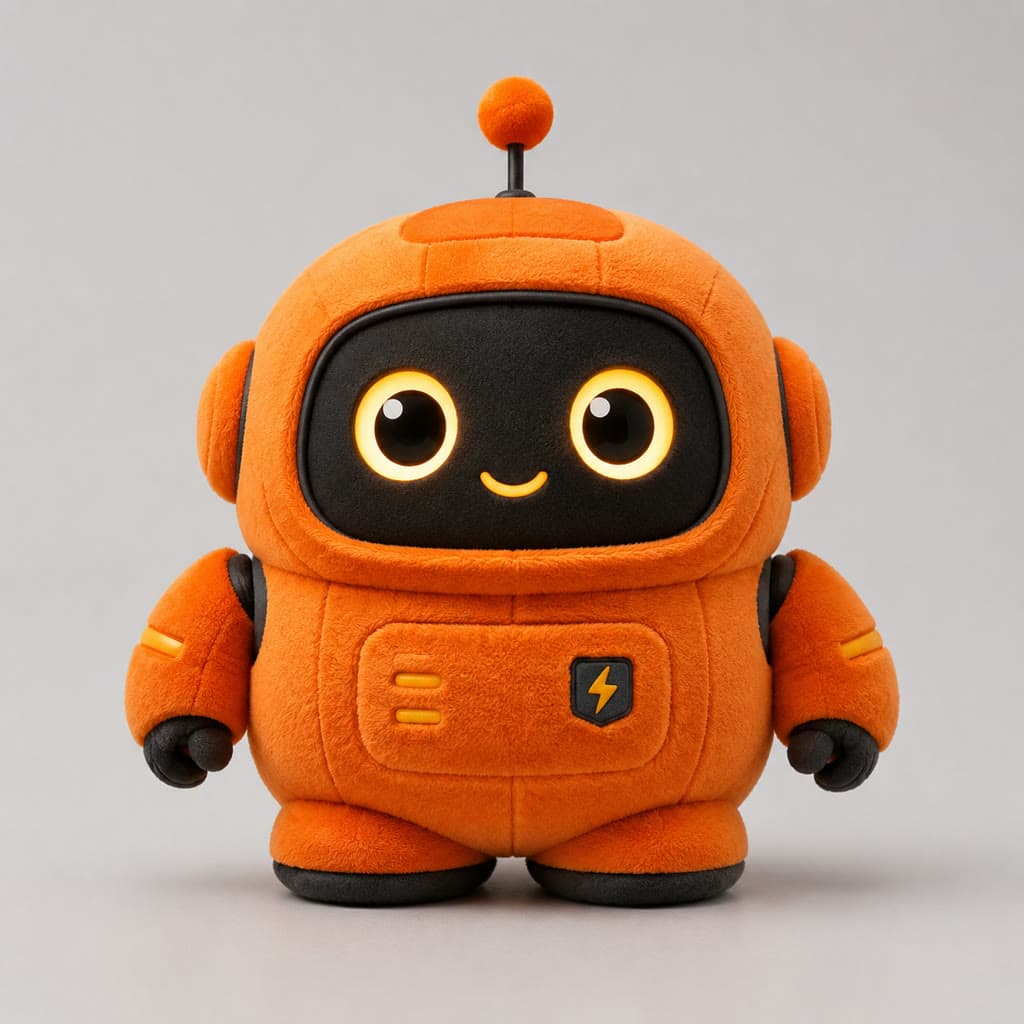
A flat-lay shot of a mustard corduroy jacket plus a 3:4 portrait is all it takes to get the on-body image below. FASHN Try-On v1.6 is live on HiAPI: open the model page, upload one person photo and one garment image, and new accounts get 200 credits. Each try-on is $0.1072.
1. Tops · Flat-lay product shot: mustard corduroy jacket
Where it fits: the product is still a white-background flat-lay and the listing needs a model shot.
| Person photo 1086 × 1448 | Garment photo 1024 × 1024 | Result 972 × 1296 |
|---|---|---|
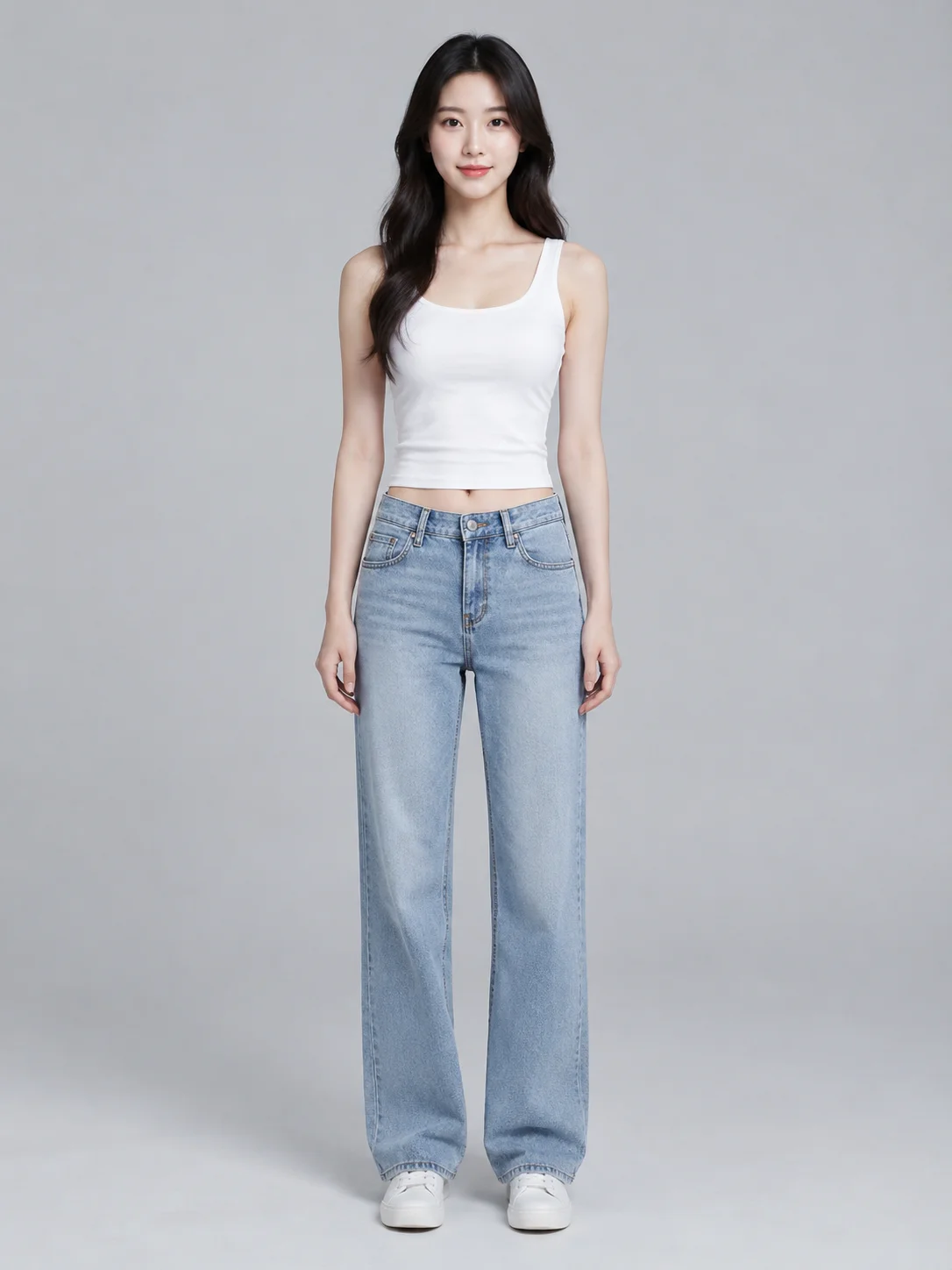 | 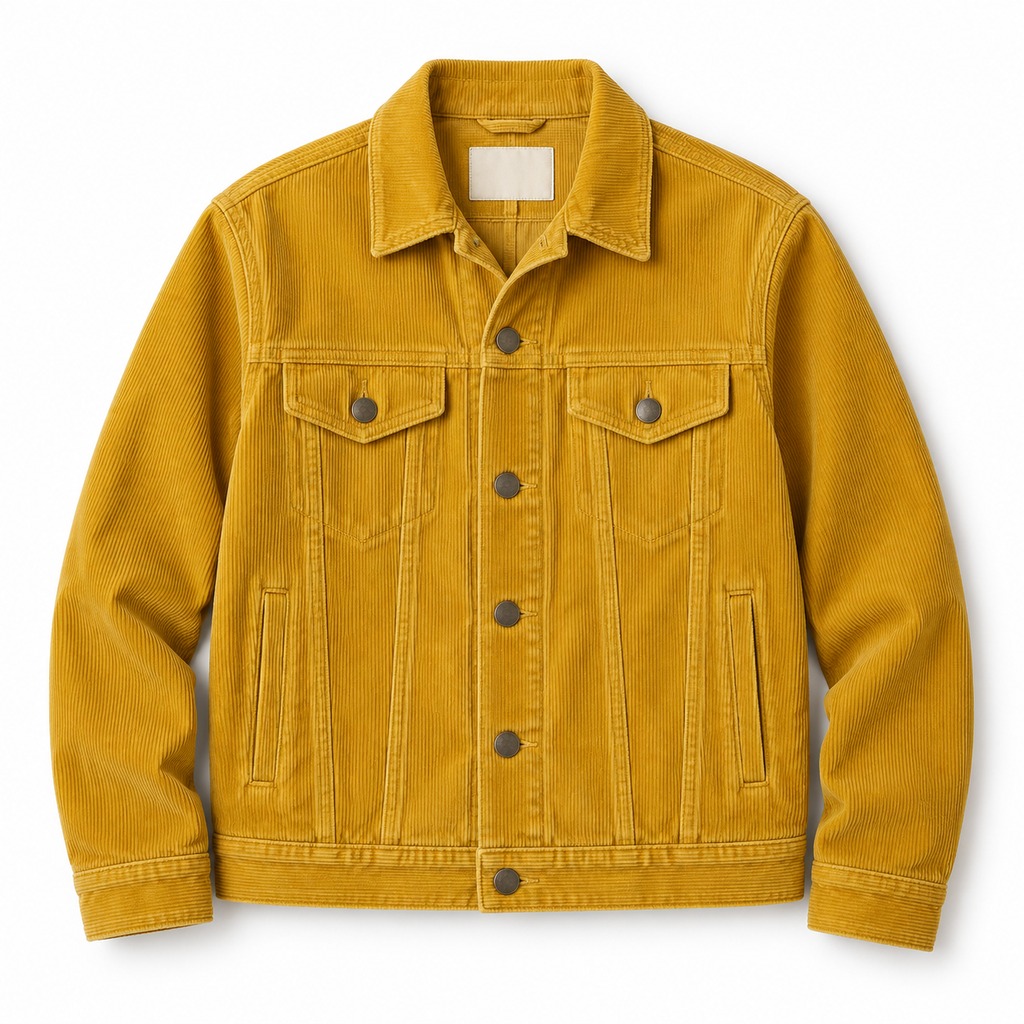 | 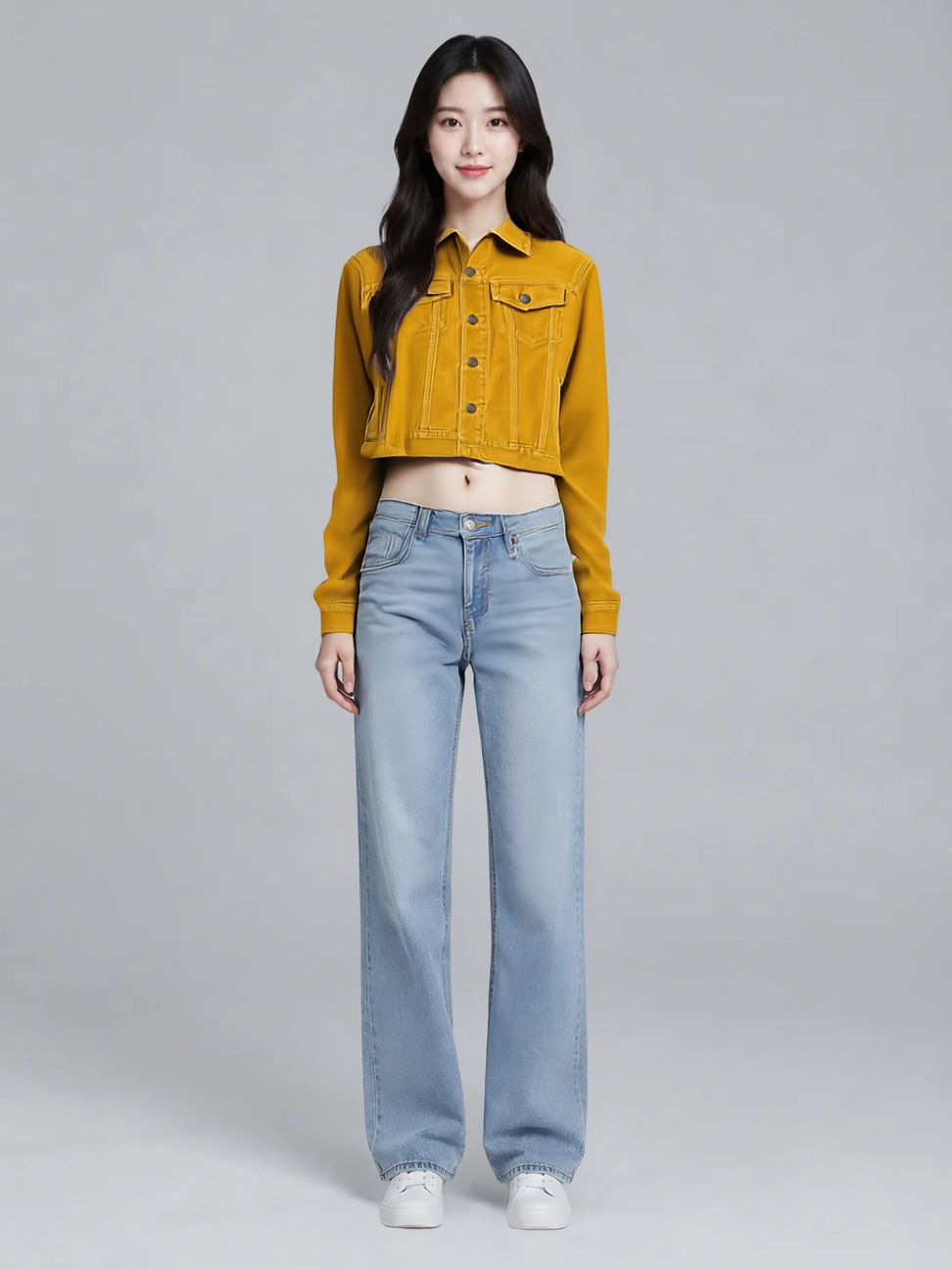 |
Parameters: category: tops, mode: balanced, garment_photo_type: auto, output_format: png. Output 972 × 1296.
The vertical corduroy wales run from the body into the sleeves and collar, both button-flap chest pockets and the full placket of dark buttons carry over, and the hem stops near the high waist. The model's expression, the light-blue jeans and the white sneakers are untouched.
Open the model page, upload these two images, and you get this result.
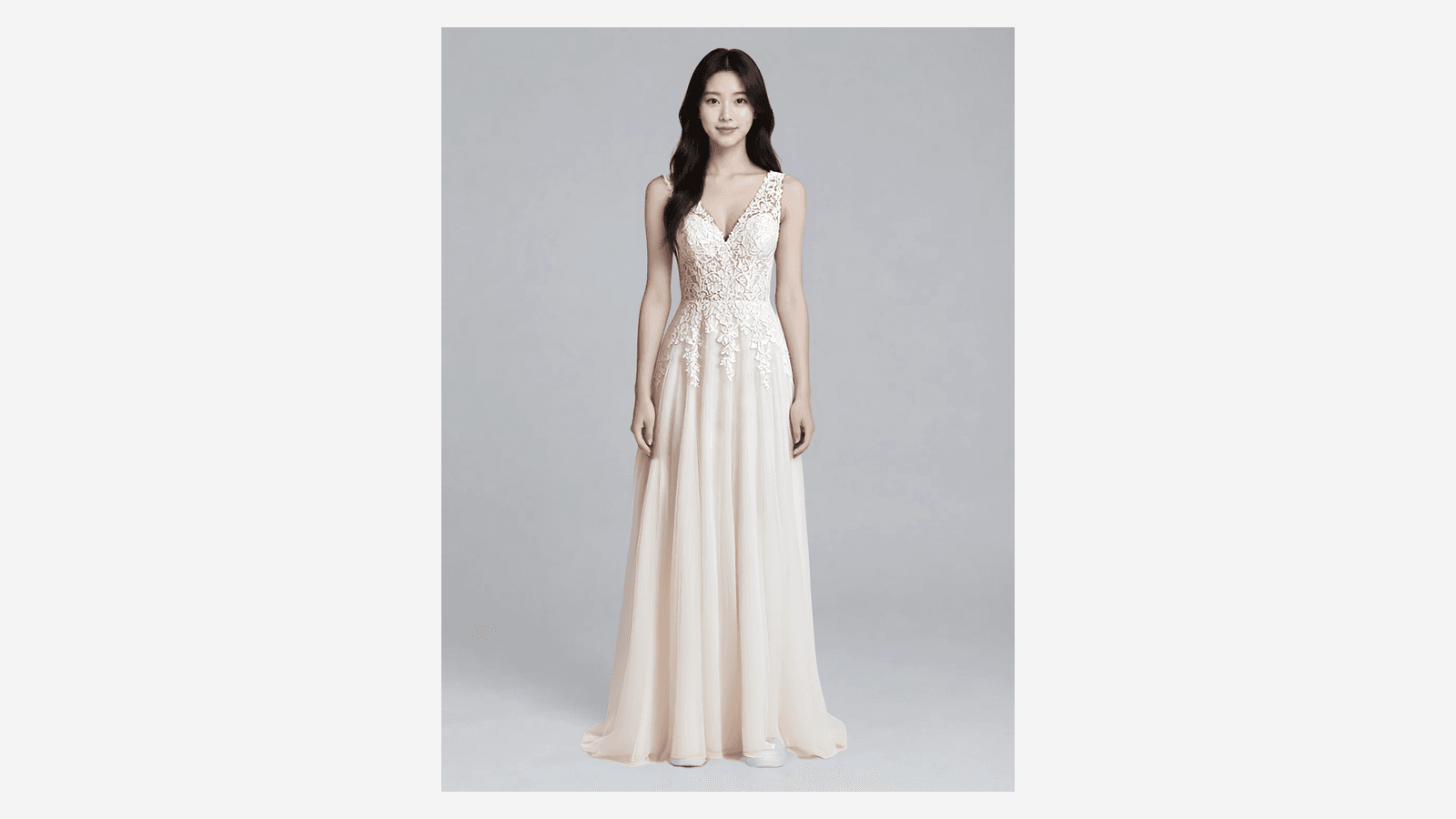
2. One-pieces · On-model shot: lace wedding dress
Where it fits: a dress rarely has a flat-lay, so the only asset on hand is often a photo of it on another model.
| Person photo 1086 × 1448 | Garment photo 1200 × 1600 | Result 972 × 1296 |
|---|---|---|
| 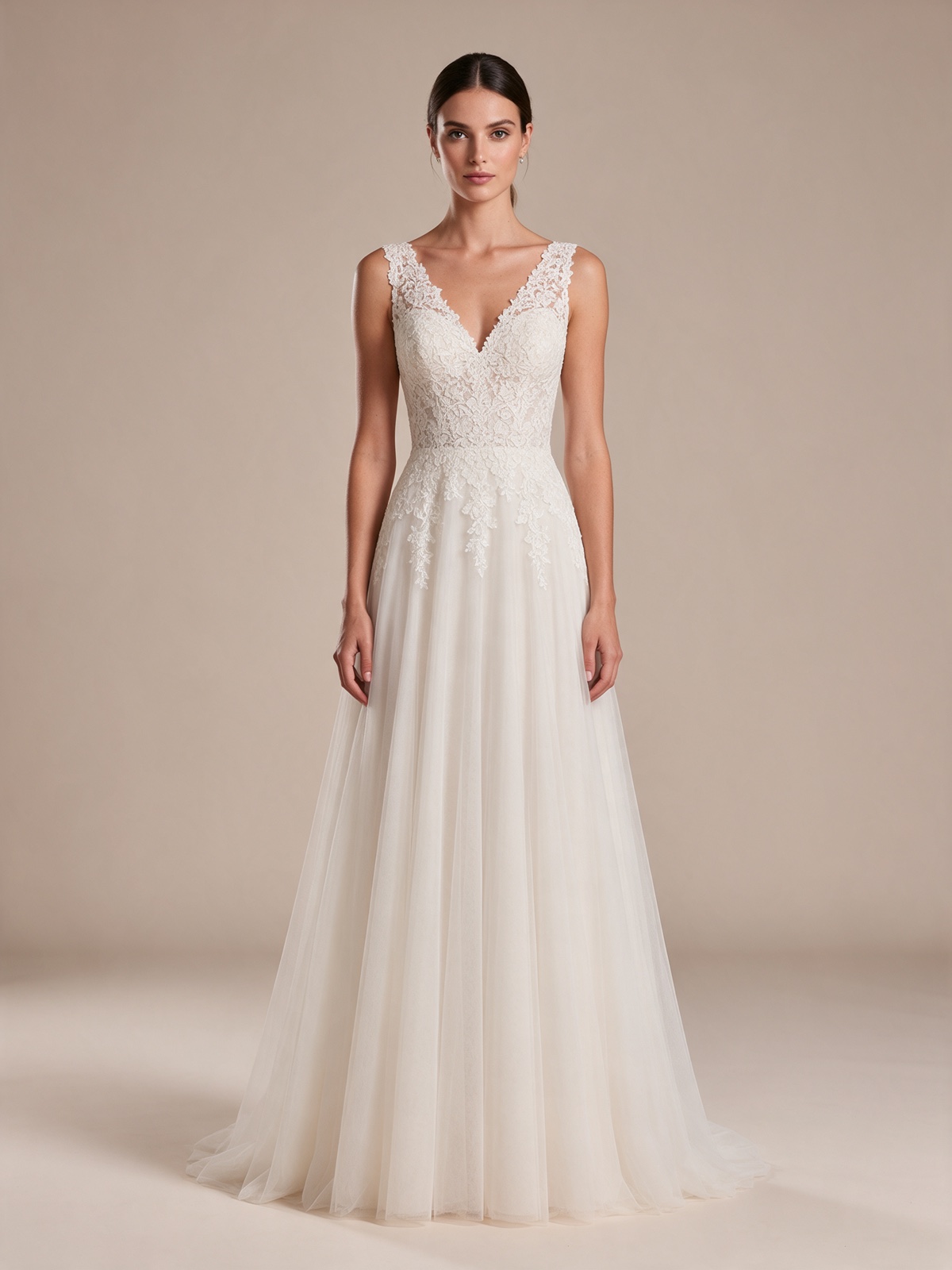 | 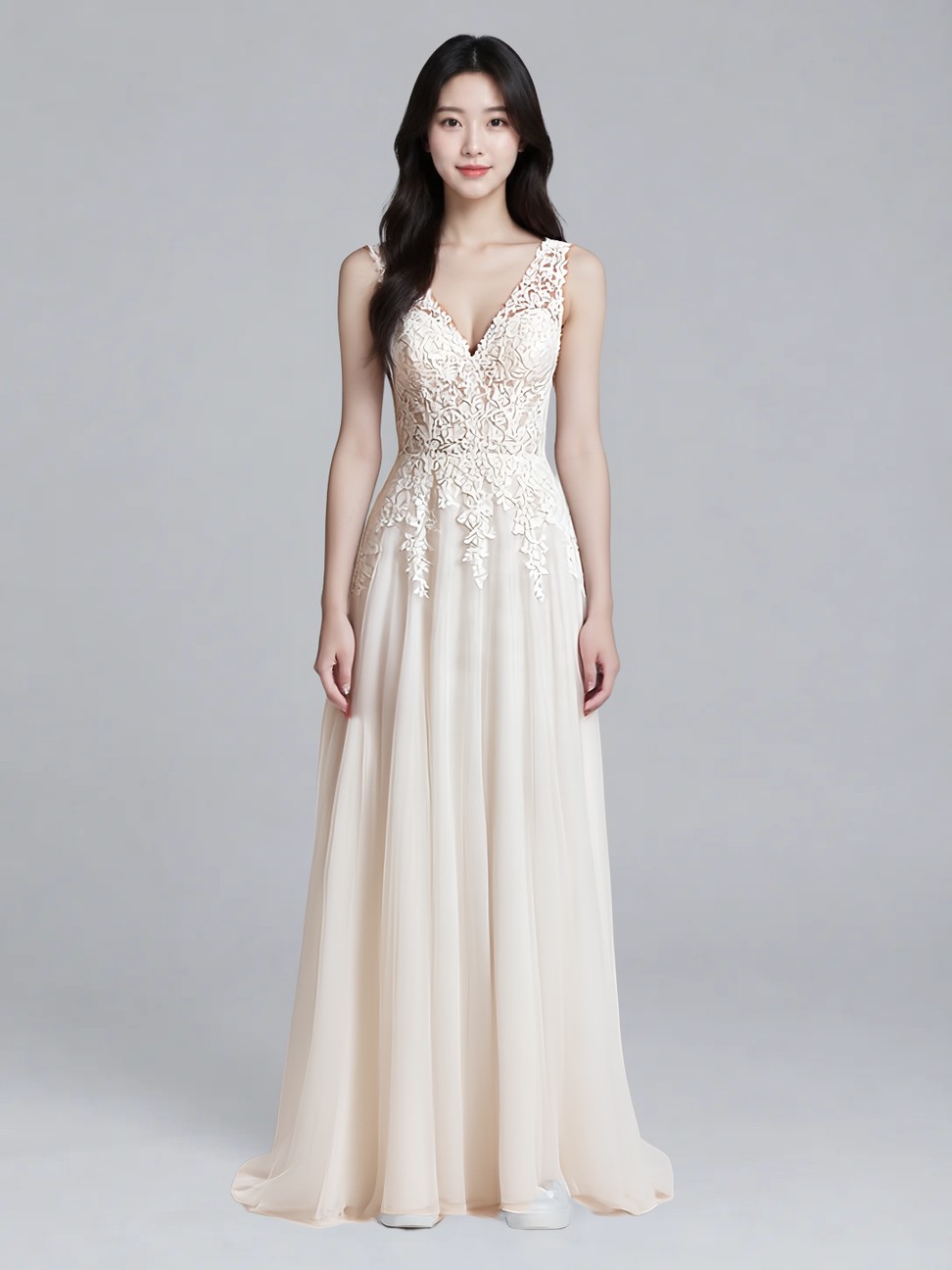 |
Parameters: category: one-pieces, mode: quality, garment_photo_type: model, output_format: jpeg. Output 972 × 1296.
The V-neck lace openwork spreads from the bust line into leaf-shaped appliqué panels down to the waist, the skirt is ivory chiffon that falls to the ankle, and the tip of the original white sneaker still shows under the hem. The beige backdrop and the first model stay behind; only the dress moves across.
Open the model page, upload these two images, and you get this result.
3. Bottoms · 2:3 portrait: high-waisted wide-leg trousers
Where it fits: trousers sell on proportion, and a taller frame shows the whole leg.
| Person photo 768 × 1152 | Garment photo 1000 × 1500 | Result 768 × 1152 |
|---|---|---|
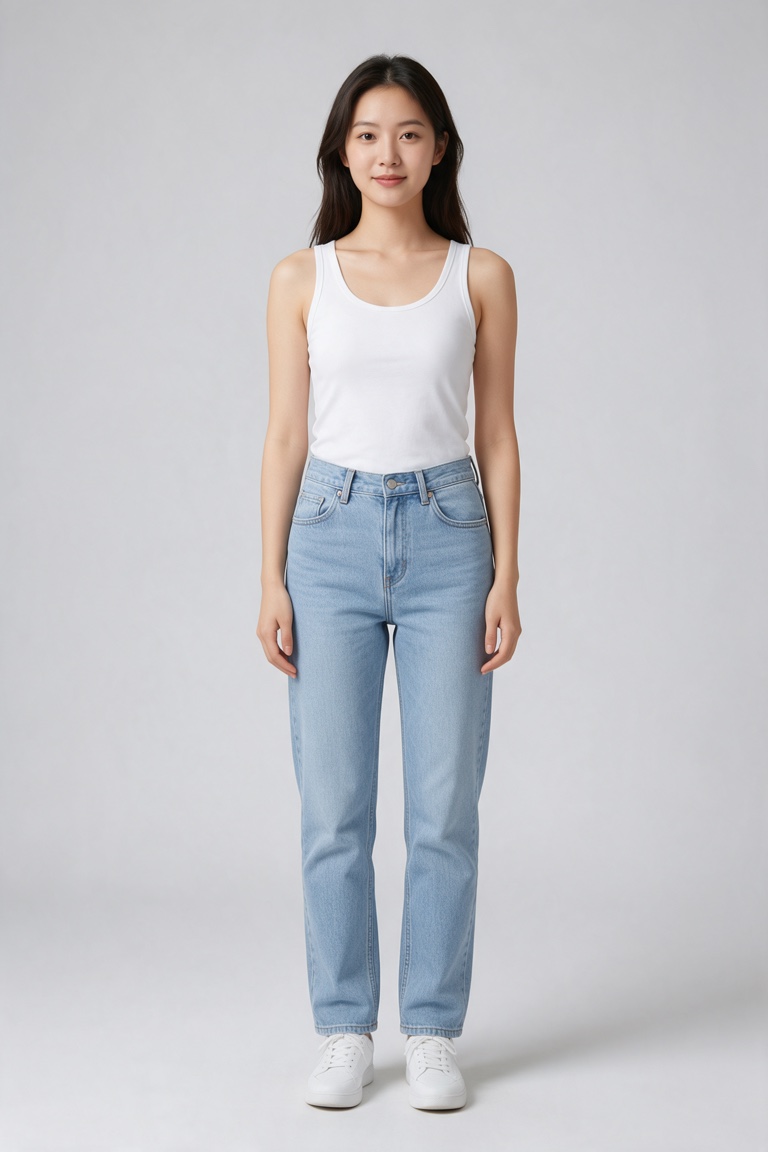 | 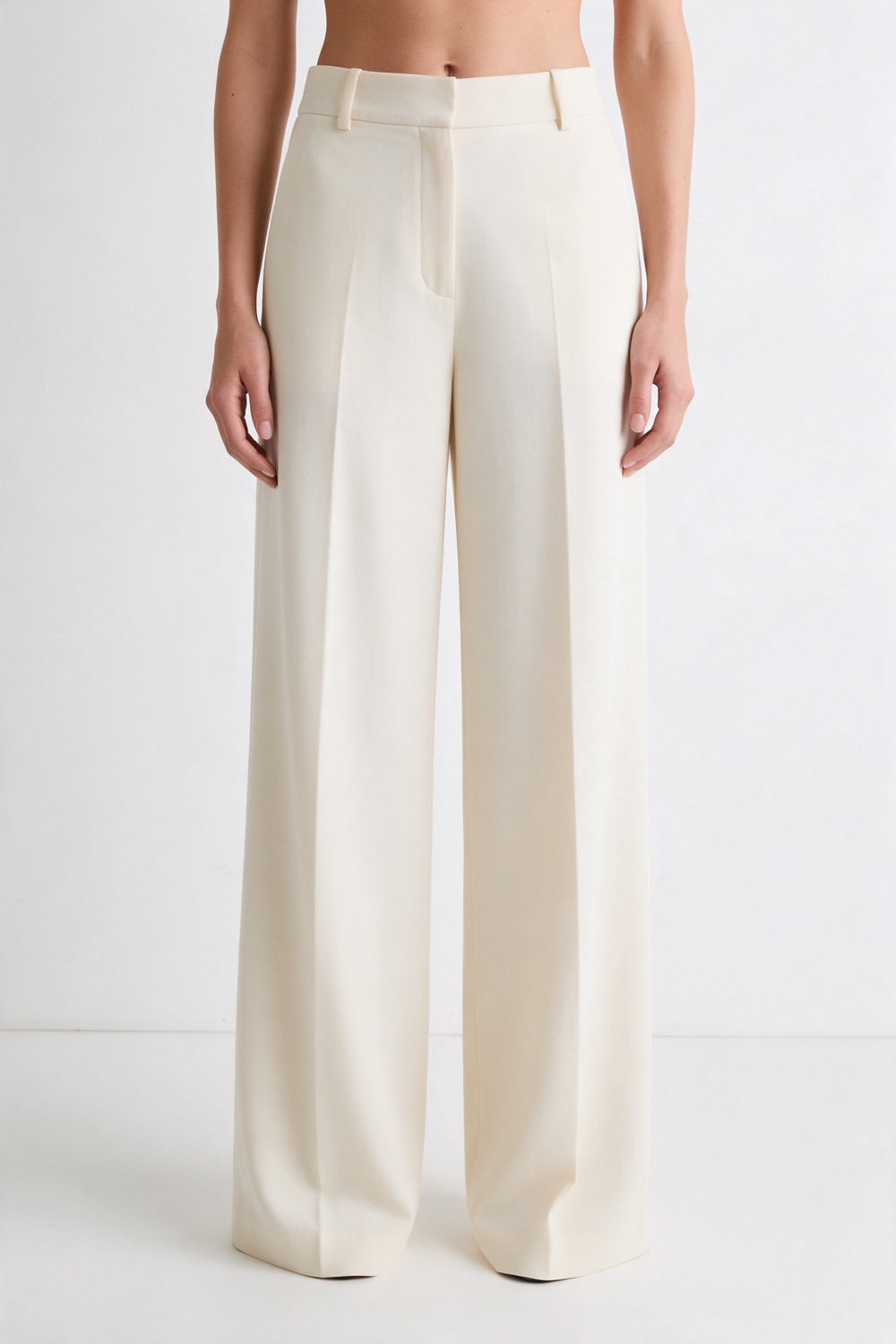 | 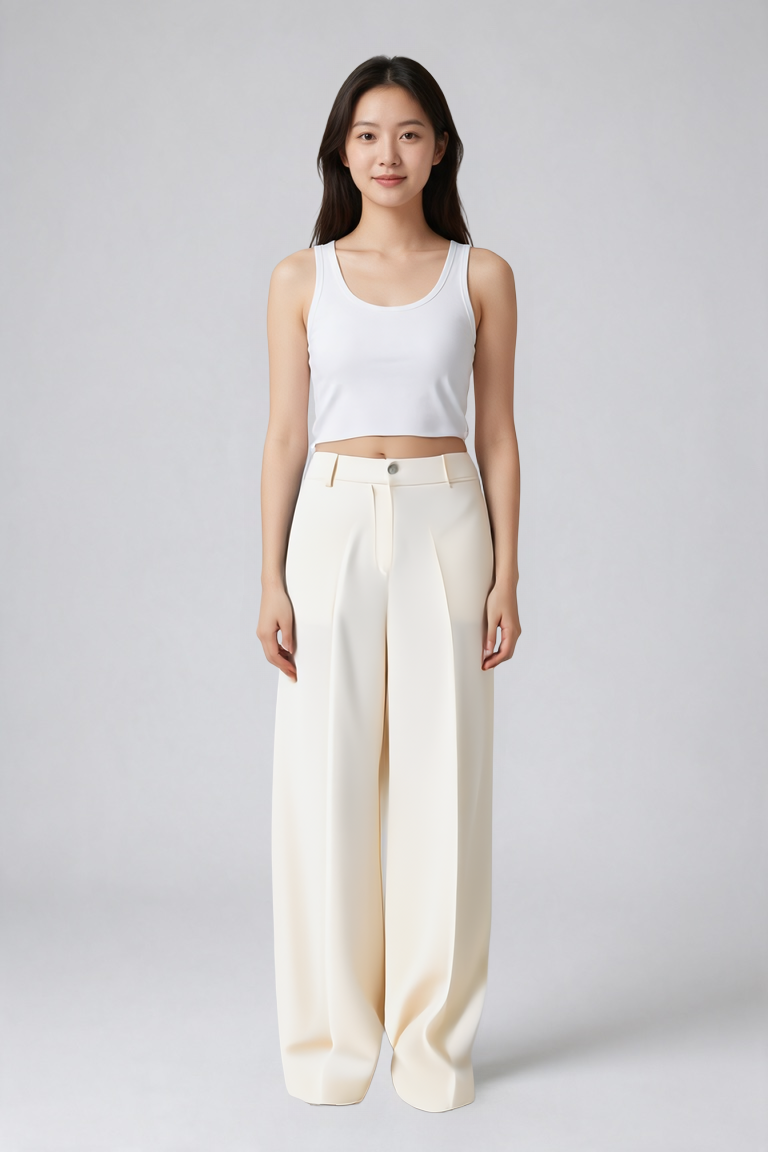 |
Parameters: category: bottoms, mode: balanced, garment_photo_type: model, output_format: png. Output 768 × 1152.
The waistband and its single button sit just below the cropped white tank, two sharp front creases run from the waistband to the hem, and the leg is wide enough that the foot disappears inside it. Her stance, the tank and the pale grey backdrop are unchanged.
Open the model page, upload these two images, and you get this result.
4. Tops · Hanging shot: white tee
Where it fits: a tee on a hanger is the most common garment asset in any catalogue, and a hanging photo goes in as-is.
| Person photo 1086 × 1448 | Garment photo 1000 × 1500 | Result 972 × 1296 |
|---|---|---|
| 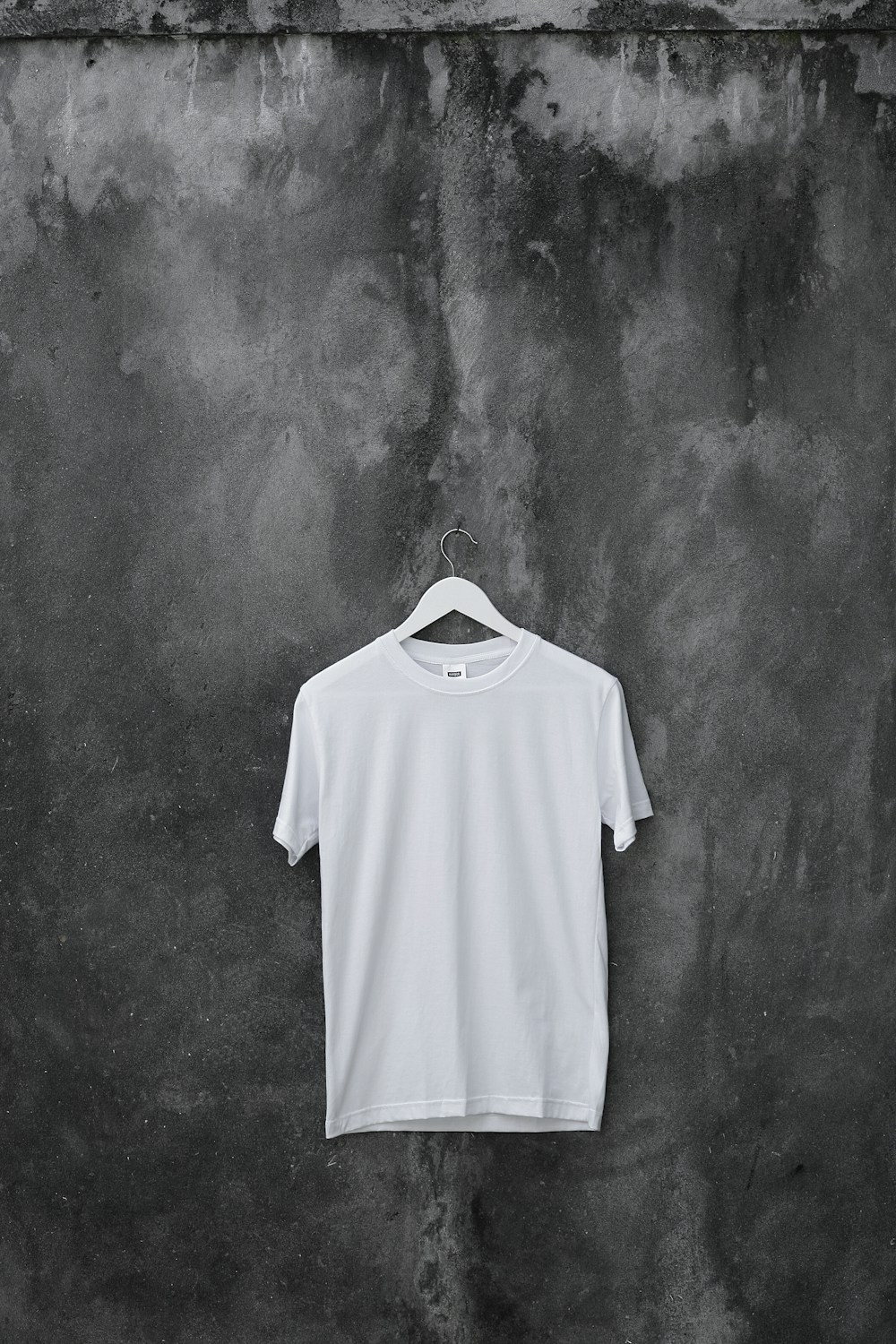 | 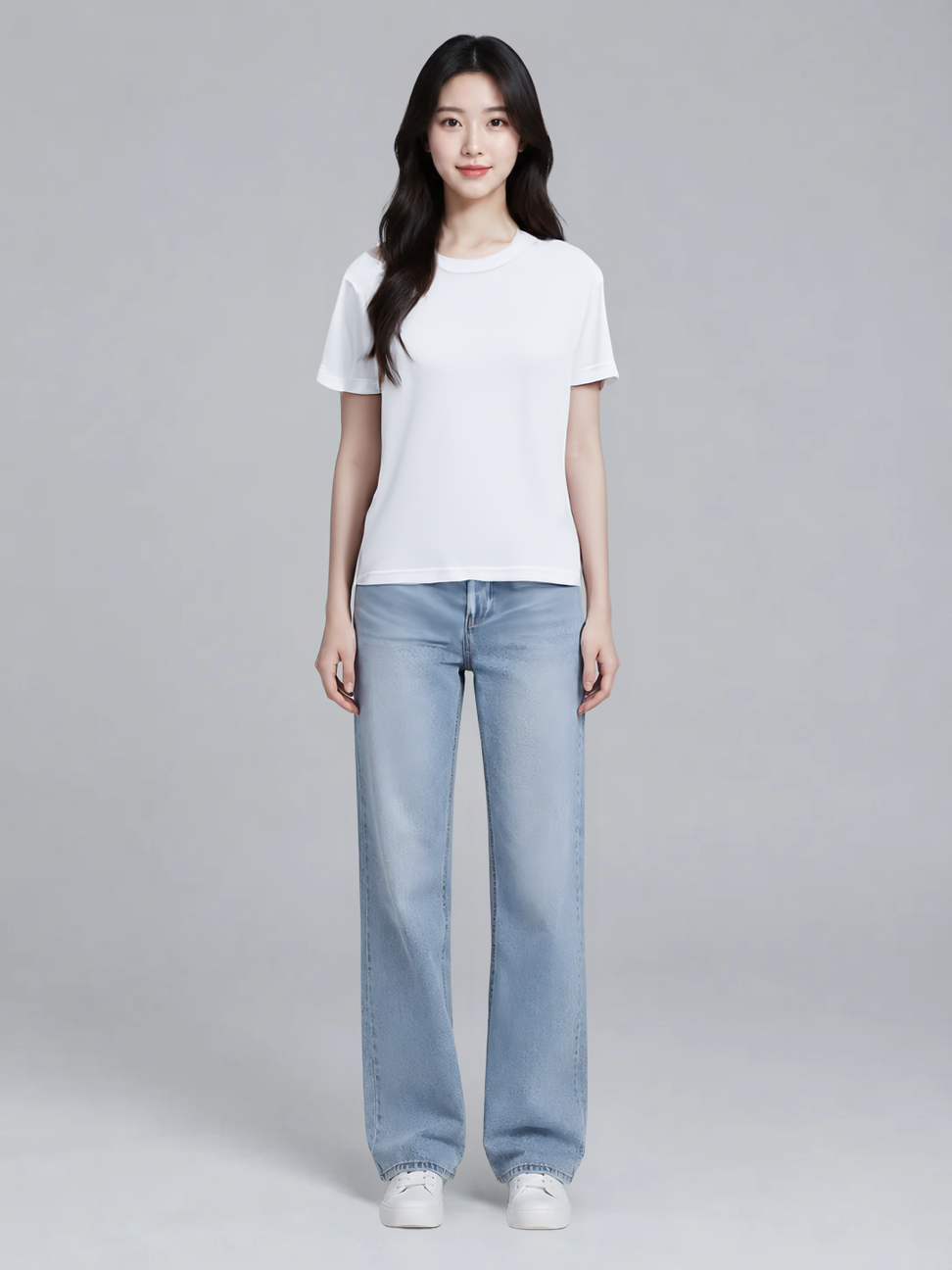 |
Parameters: category: tops, mode: balanced, garment_photo_type: flat-lay, output_format: png. Output 972 × 1296.
The shoulder line follows the model's own shoulders, the sleeves stop above the elbow, the hem falls over the jeans waistband, and a matching bound edge shows inside the collar. The mottled dark wall and the hanger never enter the result; the background stays the original light-grey studio.
Open the model page, upload these two images, and you get this result.
5. Same jacket, 2:3 portrait and quality mode
Where it fits: one product, a second model and a different frame. Fix the garment image and swap only the person.
| Person photo 768 × 1152 | Garment photo 1024 × 1024 | Result 768 × 1152 |
|---|---|---|
| | 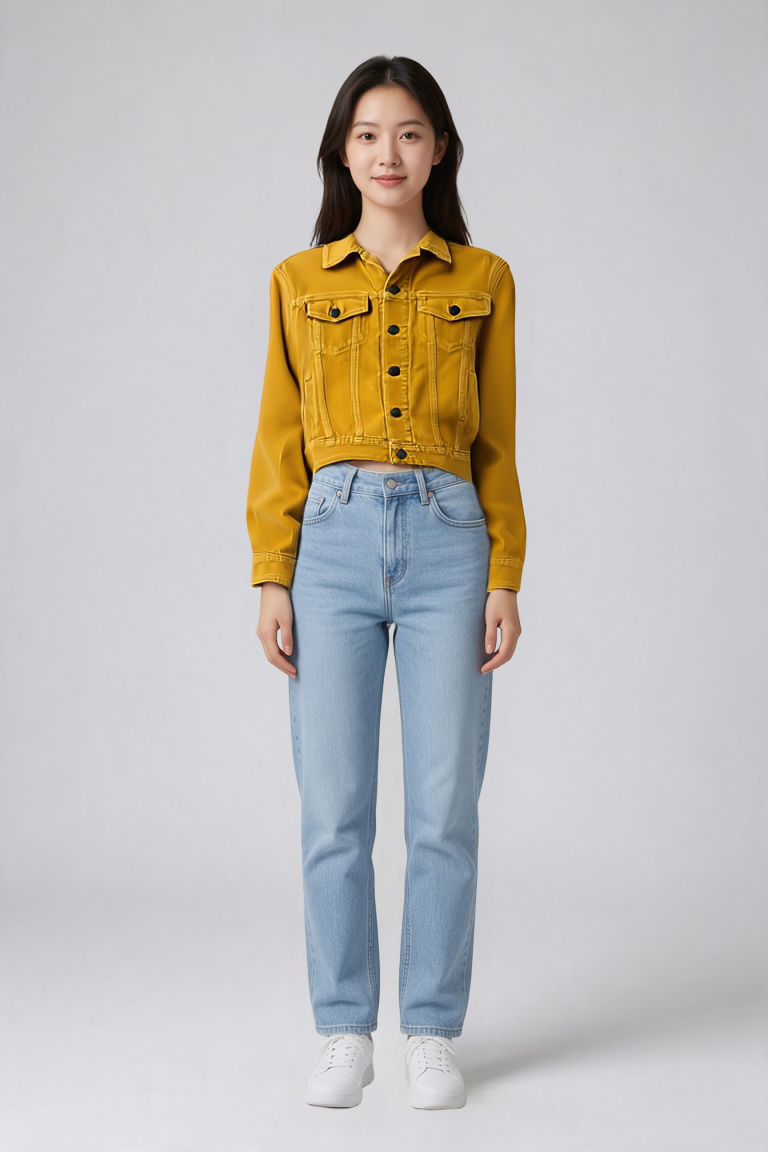 |
Parameters: category: tops, mode: quality, garment_photo_type: auto, output_format: png. Output 768 × 1152.
The same jacket lands on a second model with the same high-waist crop, flap pockets, placket buttons and corduroy direction. The output size follows the person photo: a 768 × 1152 input returns 768 × 1152, not a fixed pixel size.
Open the model page, upload these two images, and you get this result.
How to run this across a catalogue
- Set
categorybeforemode. Category decides which pattern gets fitted, and a top read as a one-piece gets forced into the wrong shape; once it is right, runperformancefor layout andqualityfor finals. - Use
flat-layfor flat and hanging shots,modelfor on-model shots, and leaveautowhen the catalogue mixes both. - In batches, keep one person photo and swap only
garment_image, so every look shares the same model and proportions. - Output size follows the person photo. If you need one canvas size, crop after generation; there is no pixel field in the parameters.
Pick the item you are listing this week, upload its garment shot and a person photo, and run your first try-on →.