Pick FLUX.1 Kontext Max when the job is one source image that has to come back looking like itself — same crop, same light, one material or color swapped. Pick GPT Image 2 image editing when a job needs several references at once, a transparent 1K cutout, or the lower price per frame.
FLUX.1 Kontext Max is live on HiAPI. Open the model page and start from a prompt; new accounts get 200 credits.
The differences that decide it
| FLUX.1 Kontext Max | GPT Image 2 image editing | |
|---|---|---|
| Price per image | $0.0715, flat | $0.03 at 1K, $0.04 at 2K, $0.06 at 4K |
| Max reference images | 1 | 1–16 |
| Aspect ratios | 6: 21:9, 16:9, 4:3, 1:1, 3:4, 9:16 | 16, including auto |
| Output format | jpeg or png | No format parameter exposed |
| Transparent background | Not offered | Yes, 1K only |
| Keeps the source ratio | Leave aspect_ratio empty; 1280×720 comes back 1328×752 | Ratio is settable; this 1:1 source came back 1280×720 |
| Chinese prompts | Write Chinese, it is translated before generation | Chinese or English, English is steadier |
| Output size | About 1 megapixel | 1K, 2K or 4K tier |
FLUX charges one flat rate: six ratios and both formats cost $0.0715, one image per submission, and $10 covers about 139 images. GPT Image 2 image editing is tiered by resolution from $0.03 at 1K; both bill per successful image.
One source image, one prompt, one run each
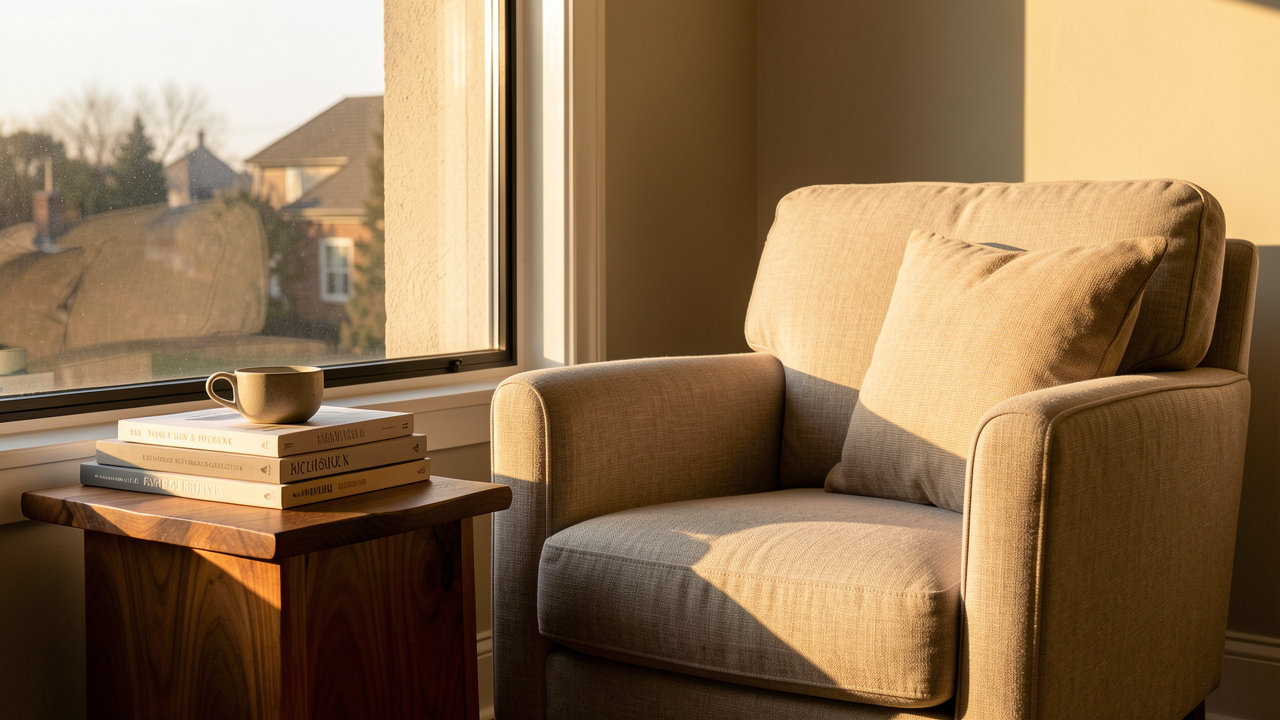
Test 1: restyling a linen armchair (16:9)
Source: the reading corner before editing
| FLUX.1 Kontext Max | GPT Image 2 image editing |
|---|---|
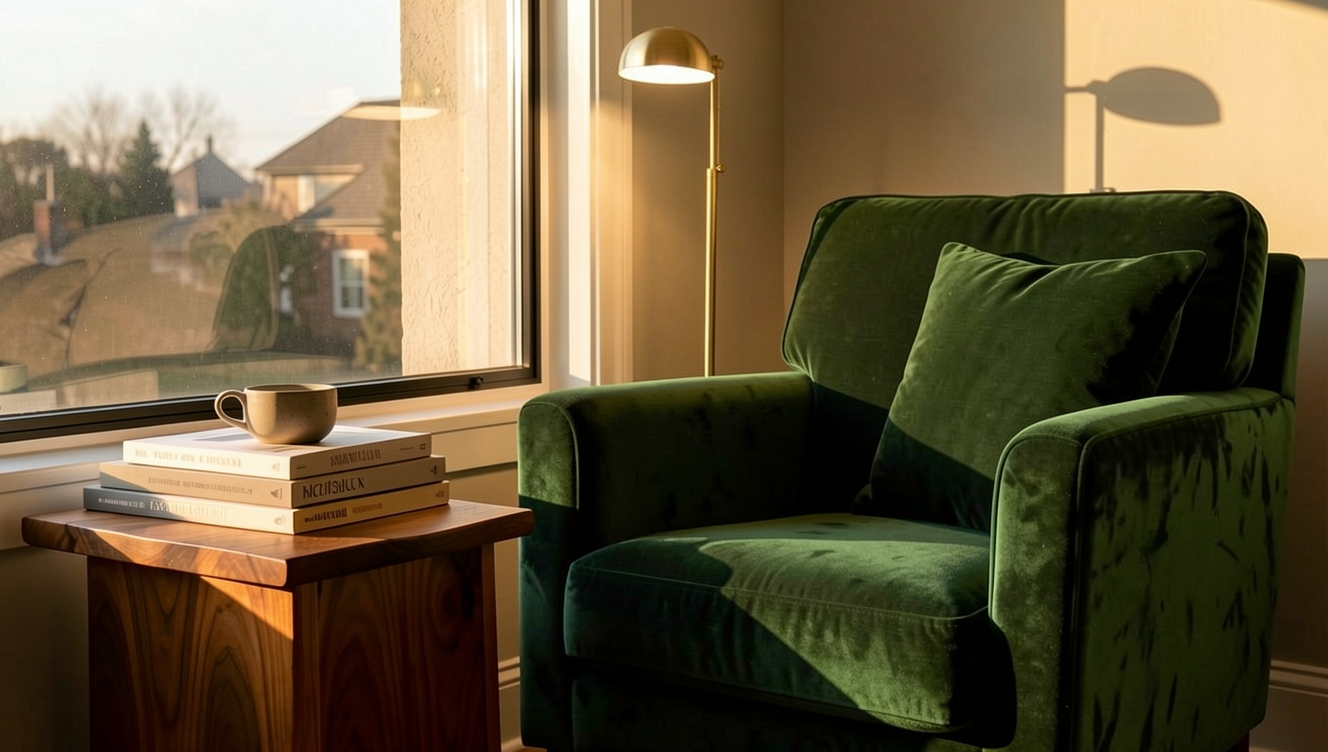 | 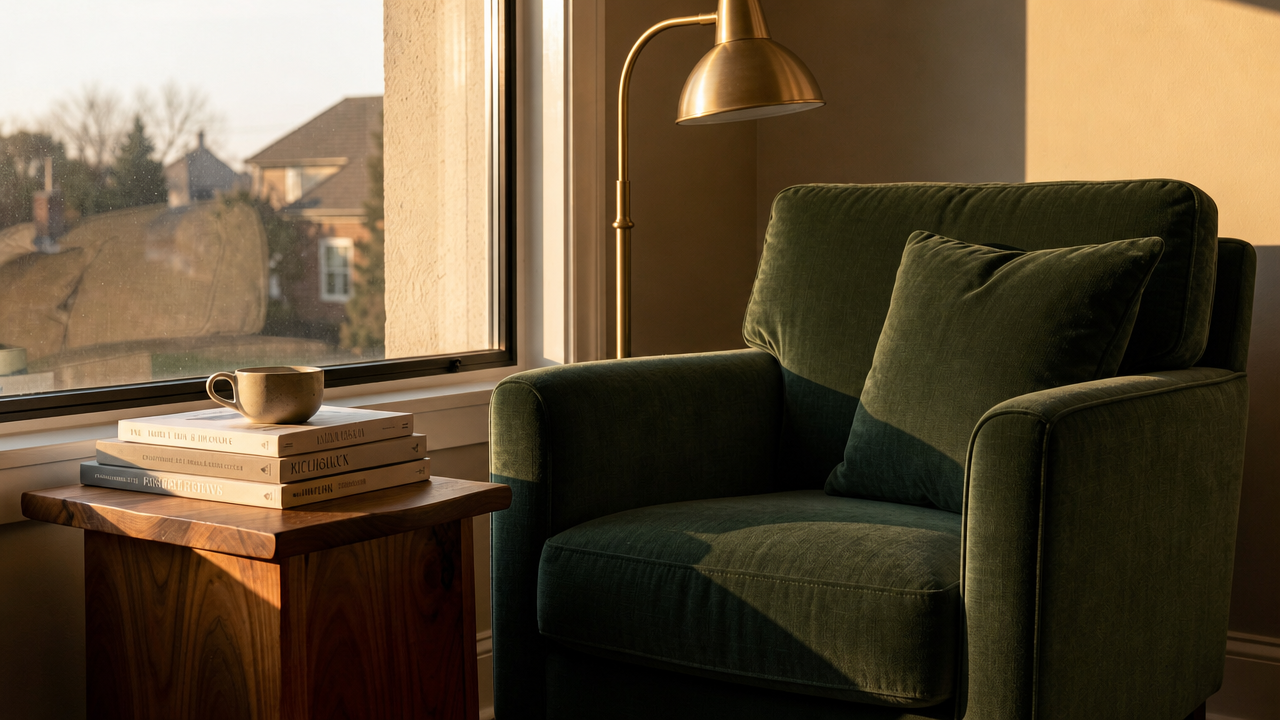 |
Same source image, same prompt, one generation each. FLUX returned 1328×752 (about 1MP); GPT Image 2 returned 1280×720 (1K).
Both keep the window, the art books, the cup, the walnut side table and the low afternoon light in place, both turn the chair green, both add a brass lamp. The split is in fabric and fixture. FLUX renders velvet: highlights roll across the pile, creases gather at the arm and seat, and the cushion changes with it. Its lamp is a thin straight stem under a small dome between window and chair, its shadow falling on the right wall. GPT's green reads as a tight woven textile with no sheen, and its lamp is an arc floor lamp sweeping in from the right, a larger dome hanging over the seat; the right-hand wall comes back brighter. Book spines are unreadable in both frames, as they were in the source.
The prompt:
Change the linen armchair to a deep forest-green velvet armchair, add a slim brass floor lamp beside it, and keep the window, books, cup, table and afternoon light unchanged.
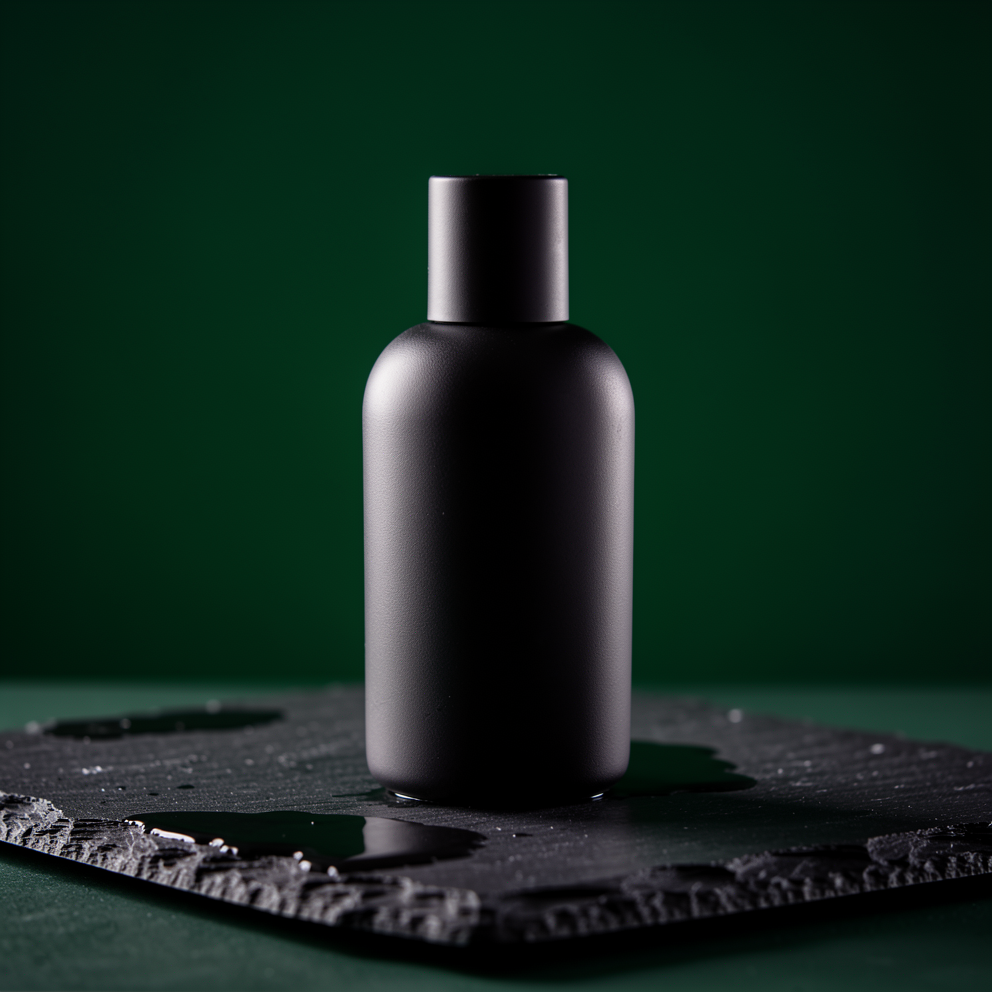
Test 2: a perfume bottle on a new backdrop (1:1)
Source: the bottle before editing
| FLUX.1 Kontext Max | GPT Image 2 image editing |
|---|---|
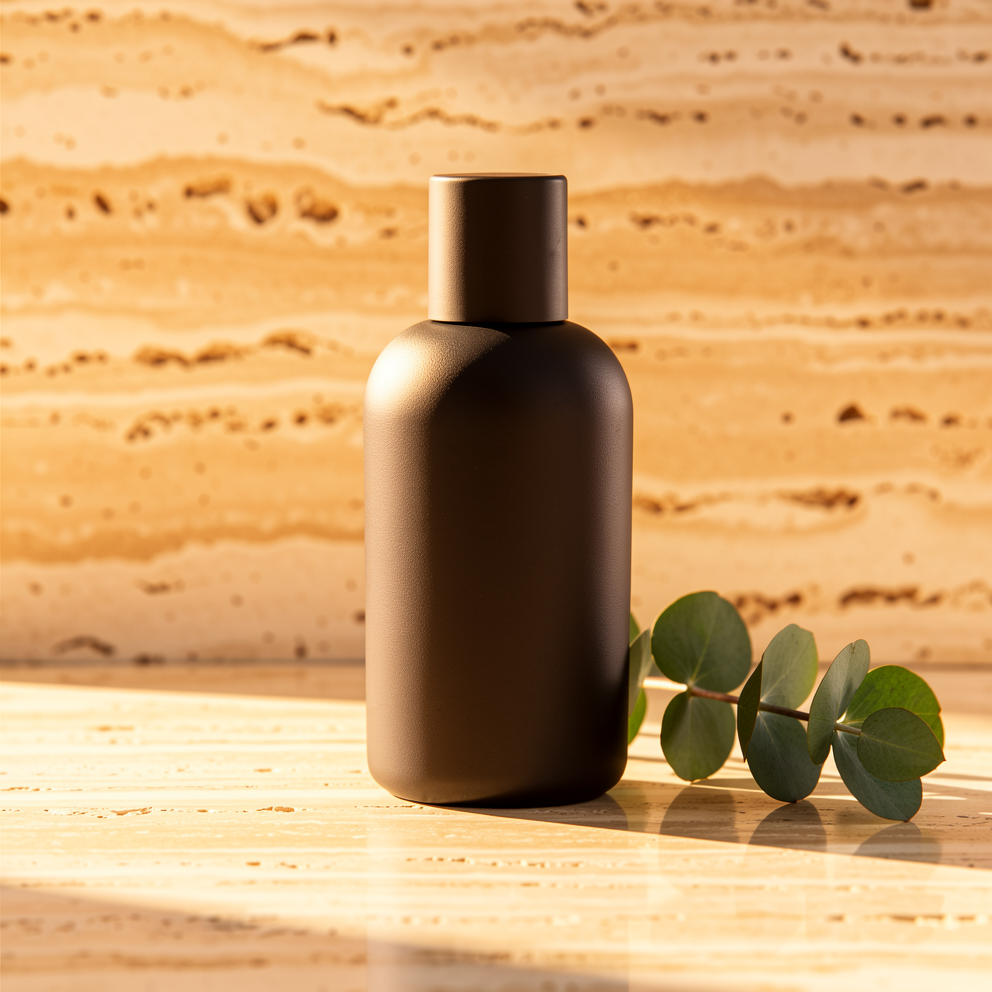 | 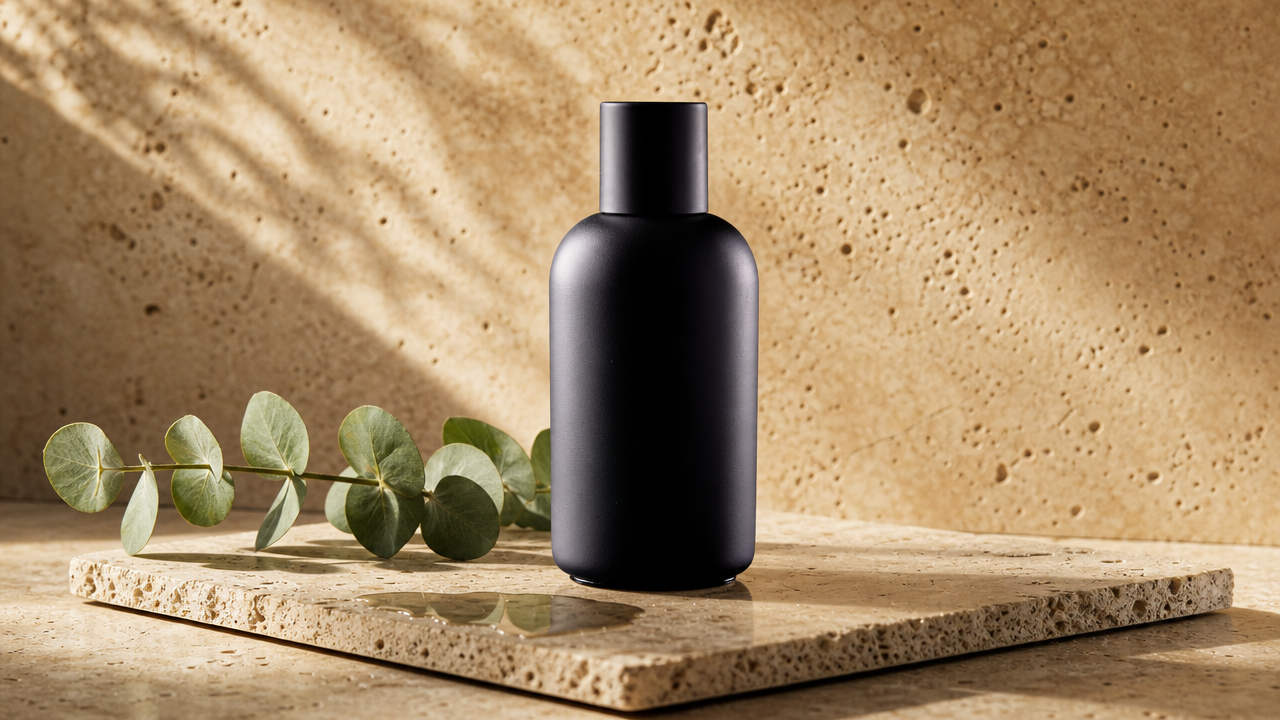 |
Same source image, same prompt, one generation each. FLUX returned 992×992 (about 1MP, still 1:1); GPT Image 2 returned 1280×720 (1K).
FLUX holds the square frame: the bottle stays dead centre, its matte black body, rounded shoulder and cylindrical cap matching the source. The green backdrop becomes warm travertine with horizontal banding, a eucalyptus sprig lies right of the base, and a soft contact shadow grounds the bottle. GPT returns a landscape frame: the bottle sits right of centre, the eucalyptus stretches across the left foreground, a travertine slab and a small reflective pool appear under the bottle, and the back wall carries diagonal window shadows and pitted texture. Neither output adds a label; the source bottle had none.
The prompt:
Change the background to warm sunlit travertine and place a single eucalyptus sprig beside the bottle; keep the bottle, label, reflections and lighting unchanged
Pick by job
- Catalog retouching — new backdrop, new material, and the output must keep the source crop: FLUX.1 Kontext Max with
aspect_ratioempty. On GPT Image 2, passaspect_ratio: "1:1"so the reframe cannot happen. - Poster copy — new headline, new palette, layout and margins intact: FLUX.1 Kontext Max. Its six ratios cover 3:4 and 9:16, and on-image text is editable.
- Composites that need a product, a model and a scene in one request: GPT Image 2 image editing, 1–16 references. FLUX takes one source image.
- Volume work where 1K is enough and you pay by the frame: GPT Image 2 at $0.03. Single-image polish where consistency carries the shot: FLUX at a flat $0.0715.
How much work is switching?
Very little. Both models sit behind the same async endpoint, POST https://api.hiapi.ai/v1/tasks, with the same API key, the same taskId and the same polling or callback.url pattern. Two fields move:
model:flux-1-kontext-maxbecomesgpt-image-2/image-to-image.- The source image:
input_image(one string) becomesinput_urls(an array of 1–16).
For a transparent asset, add background: "transparent" and set resolution to 1K. prompt works on both, capped at 4,000 characters on FLUX and 20,000 on GPT Image 2. Full request examples are in the FLUX.1 Kontext Max API guide.
FAQ
Both edit images, so what actually separates them? Reference count and billing: FLUX takes one source image at a flat $0.0715; GPT Image 2 takes 1–16 references and prices by tier, from $0.03 at 1K.
How do I keep square outputs square in a batch?
Leave aspect_ratio empty on FLUX and the source ratio carries through, with pixels nudged to a multiple of 32. On GPT Image 2, put aspect_ratio: "1:1" in the request first; this 1:1 source came back 1280×720 with the layout re-composed.
Can I send the prompt in Chinese? Yes. FLUX translates Chinese prompts before generation at no extra cost; GPT Image 2 accepts both languages and is steadier in English.
Can one product call both?
Yes. Same key, same endpoint, just switch model: single-image refinements to FLUX, multi-reference composites and transparent assets to GPT Image 2.
Want your own comparison? Hit "Generate with this prompt" under either test and swap in your source image, or open the model page; 200 signup credits cover about 1.4 images.