If you're picking an AI image generation API for a design, marketing, or content team — not a one-off product shot, but something you'll wire into a real workflow and ship client or brand work through — the decision looks different than "which model made the prettiest demo on Twitter." You need output you can defend to a client, a license you can point to when someone asks, an integration your engineers won't rewrite next quarter, and a price that survives a real monthly volume.
We ran the same prompt through three models on hiapi — FLUX.2, Nano Banana 2, and Seedream 5.0 Lite — and checked what the platform's own pricing data says about licensing, resolution, and cost per image. Here's how to actually make this call.
Four things that decide this, not the demo reel
Image quality, for your specific use case. "Quality" isn't one number. A model that nails photorealistic product lighting can still mangle headline text on a poster. Check the model against the kind of asset you actually make most: packaging mockups, ad creative with copy baked in, editorial photography, illustration.
Commercial licensing. This is the one teams skip until legal asks. Not every image model's terms are the same, and a demo that looks client-ready isn't automatically clear to ship in paid work.
Integration effort. Sync API that times out on slow renders? Bespoke auth per vendor? Different response shapes for every model you want to A/B test? This is invisible in a demo and very visible three months into production.
Price at your real volume. $0.03 vs $0.17 per image looks trivial for one test render and stops being trivial at 5,000 images a month.
We ran the same prompt through three models
To compare quality without guessing, we sent one identical prompt to three text-to-image models on hiapi and generated all three ourselves — no stock demos, no cherry-picked vendor samples.
A premium marketing banner for a specialty coffee subscription brand, minimalist flat-lay of a single kraft-paper coffee bag and a ceramic pour-over dripper on a warm linen surface, soft natural window light from the left, bold clean sans-serif headline text 'FRESH ROASTED, DELIVERED WEEKLY' centered at the top in deep charcoal, small subheadline 'Ethically Sourced. Small Batch.' beneath it in lighter grey, generous negative space on the right third for a logo, editorial commercial photography style, crisp focus, no watermark
FLUX.2 — tagged Prompt Adherence and High Fidelity on hiapi's pricing feed, and it shows: the layout followed the brief closely, with clean typography placement and accurate negative space on the right third.
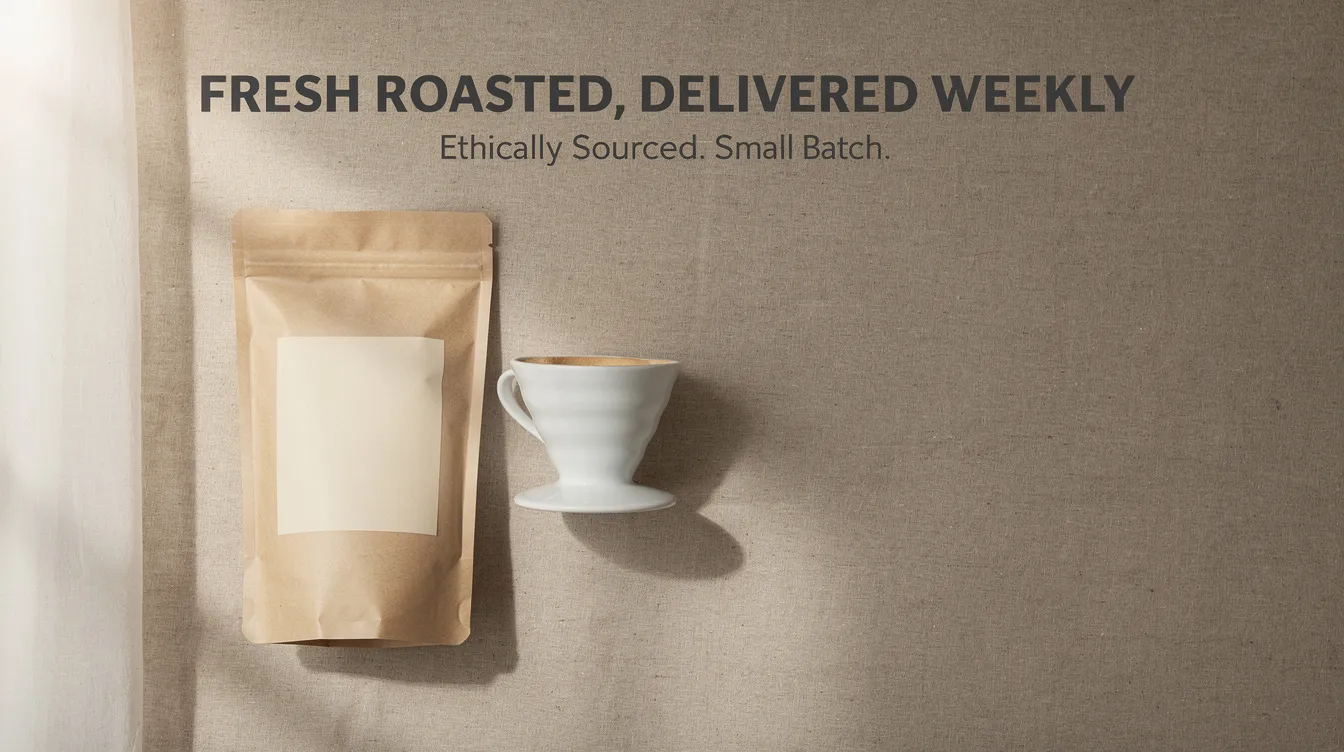
Nano Banana 2 — the newest model in the Nano Banana line, tagged 4K Output and Text Rendering. It rendered the same headline and subheadline crisply from a slightly more front-on composition.
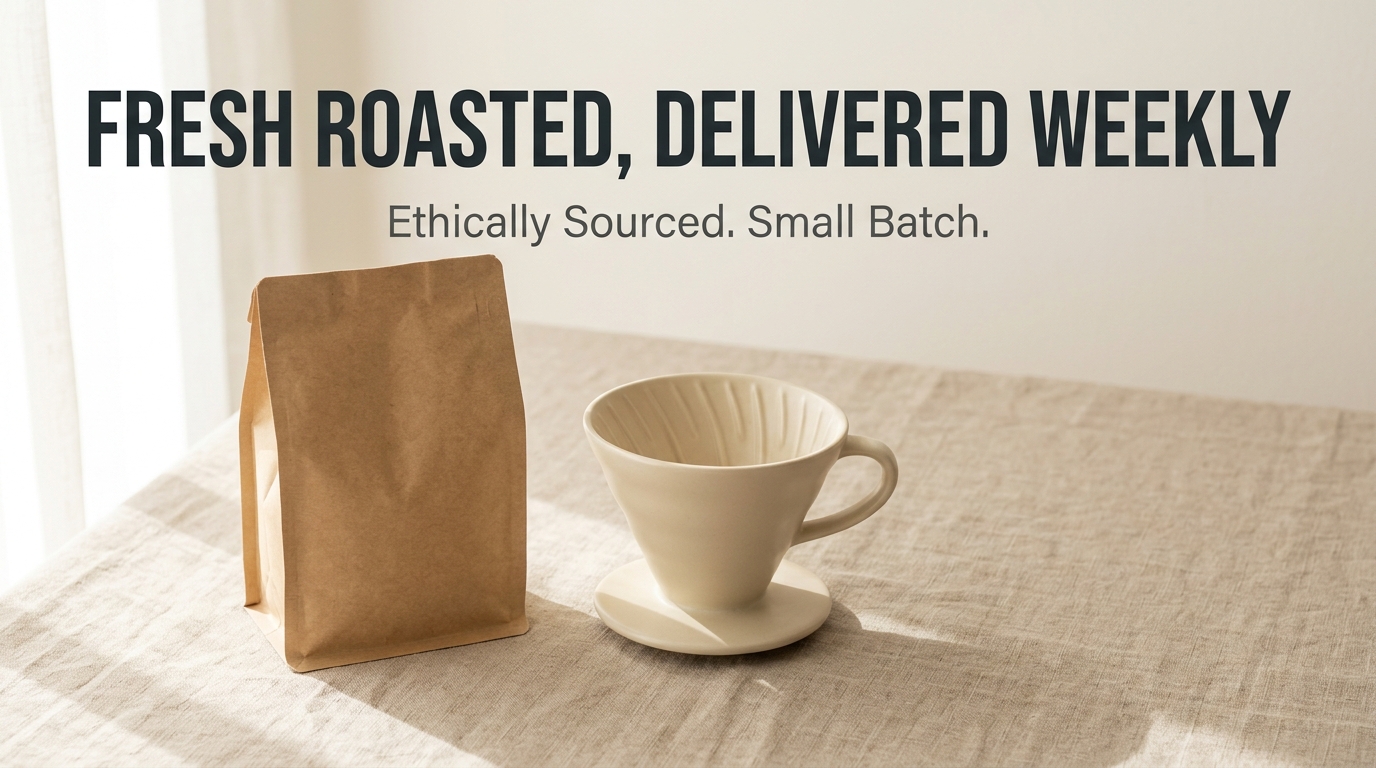
Seedream 5.0 Lite — tagged Text Rendering as well, and it interpreted the brief as a top-down flat lay with a header-style text banner rather than centered overlay text — a legitimate but different read of the same prompt.
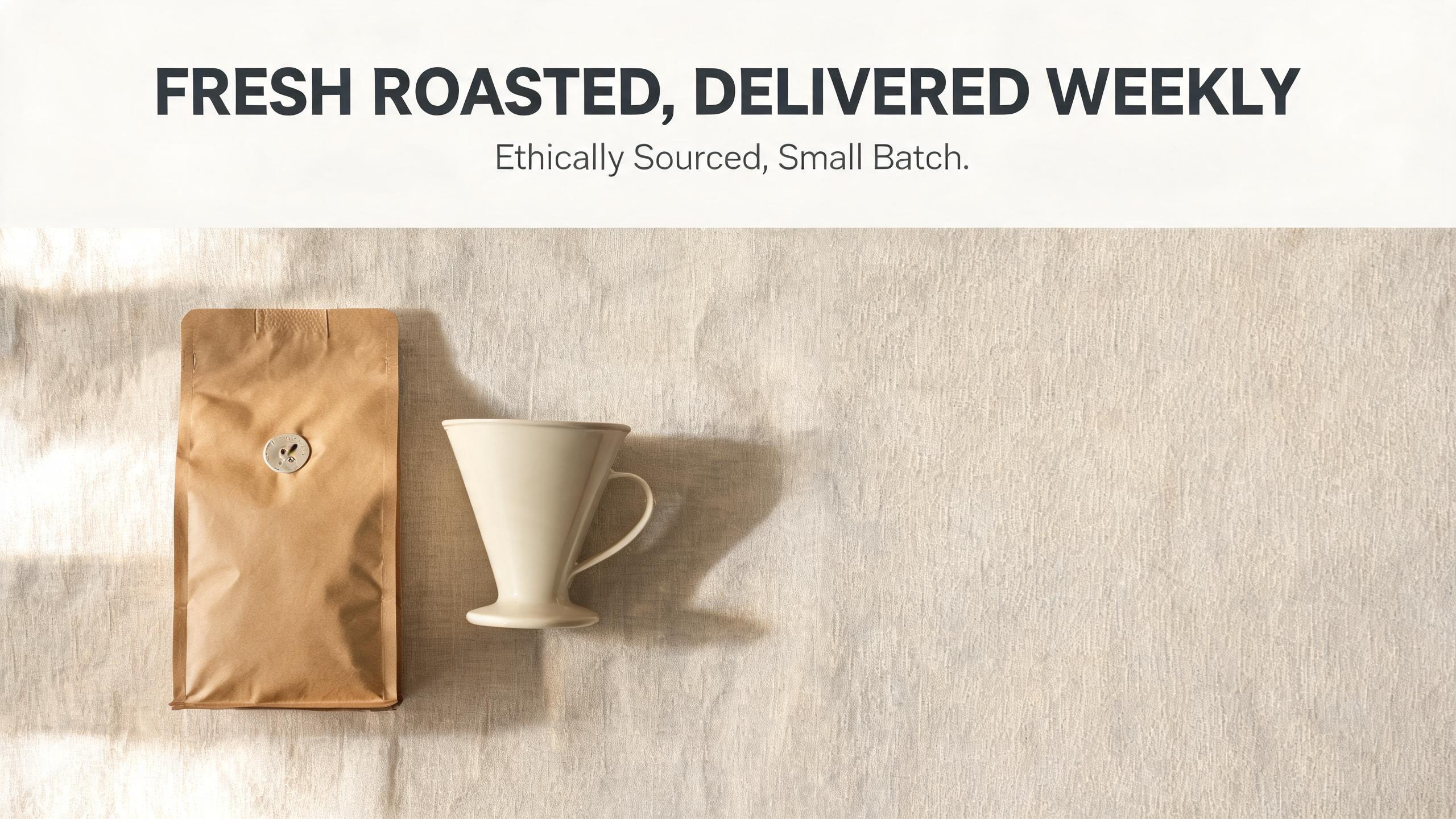
All three got the text spelled correctly with no watermarks — but we still checked every character by hand before publishing. Text rendering in image models is good, not perfect; treat "the model is great at text" as "verify before you ship," not "skip the review."
If on-image text is central to your work — packaging, posters, ad creative with headlines — this is also where GPT Image 2 is worth a look even though it wasn't part of this head-to-head: it's one of the more consistent models on the platform for rendering legible copy directly into the image.
Commercial licensing: check the tag, not the vibe
This is the dimension teams get wrong by assuming instead of checking. On hiapi's live pricing data, only the Nano Banana family — nano-banana, nano-banana-pro, and nano-banana-2 — carries an explicit Commercial Use tag. FLUX.2, Seedream 5.0 Lite, and GPT Image 2 do not carry that tag on the pricing listing as of August 2026.
That doesn't mean the other models are off-limits — it means the label isn't sitting there for you to point to. If a client or legal team is going to ask "can we prove this is licensed for commercial use," the Nano Banana family is the one where hiapi's own listing gives you a documented answer today. For any model, check the Commercial Use tag on its pricing page entry before you commit creative direction to it — don't assume based on how polished the output looks.
Integration effort: what you're actually building against
Every image model on hiapi runs through the same task pattern: POST a prompt and parameters to create a task, poll the task ID until it resolves, then pull the output URL. That's it — same shape whether you're calling FLUX.2, Nano Banana 2, or Seedream 5.0 Lite.
The practical upside for a buyer: swapping or A/B-testing models is a parameter change, not a rewrite. You're not maintaining three different vendor SDKs with three different auth schemes and three different response formats — you're changing one string. That matters more than it sounds like once you have more than one model in production and want to route by cost, quality, or fallback.
One thing to build for regardless of model: output URLs are temporary. Download and store the bytes as soon as a task completes — don't keep a reference to the hosted URL as your system of record.
Price at your volume
Real per-image prices from hiapi's live pricing data, by resolution where it applies:
- GPT Image 2 — $0.03 at 1K, $0.04 at 2K, $0.06 at 4K.
- FLUX.2 — $0.0375 to $0.125, scaling with megapixel output (0.5MP to 4MP).
- Seedream 5.0 Lite — flat $0.035 per image, regardless of resolution.
- Nano Banana — flat $0.05 per image.
- Nano Banana 2 — $0.085 at 1K, $0.076 at 2K, $0.114 at 4K.
- Nano Banana Pro — $0.17 at 1K and 2K, $0.2992 at 4K.
Do the math against your real monthly volume, not one test image. At 2,000 images a month, the gap between GPT Image 2 at 1K ($60) and Nano Banana Pro at 4K ($598) is the difference between a rounding error and a line item someone asks about.
A quick decision framework
- High-volume marketing content, budget matters, you need text baked into the image — GPT Image 2 at 1K is the cheapest per-image option here and handles on-image copy well.
- Client or brand work where you need a documented commercial-use claim — start with the Nano Banana family; it's the one with the tag today.
- Editorial-grade fidelity, tight prompt adherence, you're not optimizing for the lowest price point — FLUX.2, especially at 2MP–4MP.
- You want a flat, predictable per-image cost regardless of resolution — Seedream 5.0 Lite or Nano Banana, both flat-rate.
- Top-end resolution ceiling and you've budgeted for it — Nano Banana Pro at 4K.
None of these are permanent commitments — because the integration pattern is the same task-based API across models, you can start with one and add a second for a specific use case without re-architecting anything.
FAQ
Do I own the images an AI image API generates for me?
Rights and usage terms vary by model, which is exactly why checking the Commercial Use tag on the pricing page for the specific model you're using — rather than assuming it applies platform-wide — is the right first step before client work.
Can I use one API to test multiple models before committing? Yes — that's the practical benefit of a task-based API that's uniform across models. You can send the same prompt to several models, compare real output, and pick based on your own results instead of vendor marketing.
What resolution do I actually need? 1K is enough for most web and social use. Reach for 2K or 4K when the image is heading to print, a large hero banner, or anywhere it'll be cropped tightly — that's also where the price gap between models widens the most, so check the resolution-tiered price before defaulting to the highest option.
Does a higher price always mean better quality? Not directly — it more often reflects resolution ceiling and feature tags (4K output, character consistency) than a flat quality score. Compare actual output against your own prompt, the way we did above, rather than assuming price order is quality order.
If you're choosing between these for real production work, the fastest way to validate any of this is to run your own prompt through a couple of candidates in the hiapi Playground and compare the actual output — not the marketing page — before you commit a workflow to one model.