Short answer: for plain text-to-video or image-to-video without sound, Kling 3.0 Omni and standard Kling 3.0 cost the same, and in our same-prompt tests the clips looked almost identical. The difference is features and the price of sound. Choose Omni to lock a subject with reference images, follow a reference video's camera, restyle an existing video, or add sound for less. Choose standard Kling 3.0 if you write multi-shot prompts with Shot 1 / Shot 2 and want 1080p by default. Turbo has no sound option and costs $0.13 per second at 720p.
The differences at a glance
| Kling 3.0 Omni | Kling 3.0 | Kling 3.0 Turbo | |
|---|---|---|---|
| Endpoints | Text, image, reference-to-video, transformation | Text, image | Text, image |
| 720p / second | $0.10, $0.129 with sound | $0.10, $0.143 with sound | $0.13 |
| 1080p / second | $0.129, $0.1645 with sound | $0.129, $0.193 with sound | $0.16 |
| 4K / second | $0.479 | $0.479 | Not available |
| Duration | 3–15 s | 3–15 s | 3–15 s |
| Sound parameter | audio | sound | None |
| Default resolution | 720p | 1080p | — |
| First + last frame | Yes | Yes | First frame only |
| Lock a subject | elements, up to 7 named subjects or images | No | No |
| Follow a reference video's camera | Yes (one clip) | No | No |
| Restyle an existing video | Yes | No | No |
| Multi-shot | prefer_multi_shots plans the cuts | Write Shot 1 / Shot 2 in the prompt | — |
Live HiAPI prices, checked October 15, 2026. Omni reference-to-video with a reference video, and transformation, use a separate rate: $0.143 per second at 720p and $0.193 at 1080p.
Same prompt, same first frame
Both tests use the same first frame and prompt at 720p, 5 seconds, no sound. Both models cost the same here: $0.50 per clip.
Test 1: a candle, where only the flame should move

The candle flame flickers gently and a thin wisp of smoke curls upward, the eucalyptus leaves tremble slightly in a soft breeze, morning light slowly brightens across the windowsill. Camera stays locked off, subject motion only.
Kling 3.0 Omni:
kling-3.0-omni/image-to-video, 720p, 5 seconds, no sound, $0.50.
Kling 3.0:
Run this prompt on Kling 3.0 →
kling-3.0/image-to-video, 720p, 5 seconds, no sound, $0.50.
Both delivered a locked camera, a flickering flame, and a thin wisp of smoke, with the composition, light, and props matching the first frame. The differences are hard to spot.
Test 2: a living-room push-in that also asks for nightfall
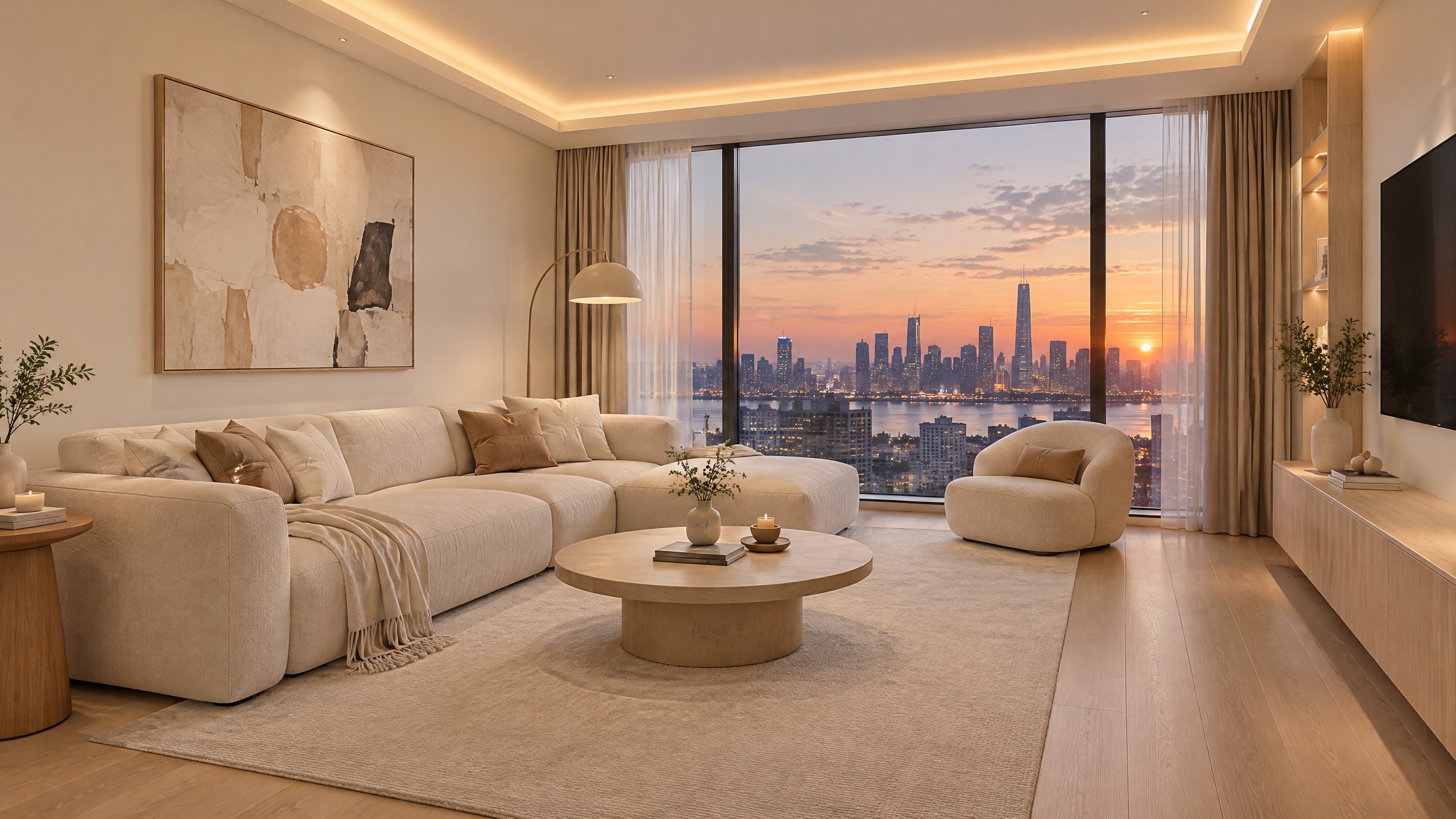
The camera slowly dollies forward into the living room. Outside the window the dusk sky fades into night and the city lights switch on one by one, while the hidden ceiling light strip gradually glows warmer. Smooth, steady motion, realistic.
Kling 3.0 Omni:
kling-3.0-omni/image-to-video, 720p, 5 seconds, no sound, $0.50.
Kling 3.0:
Run this prompt on Kling 3.0 →
kling-3.0/image-to-video, 720p, 5 seconds, no sound, $0.50.
Both models did the push-in, and neither turned the sky to night or visibly changed the light strip. Asked for camera motion and a big lighting change in five seconds, they made the same trade-off. If you want the nightfall, drop the camera move and describe only the light.
Which to choose
- Text or image-to-video, no sound: same price, similar results. The defaults differ (Omni 720p, standard 1080p), so set
resolutionexplicitly. - With sound: Omni is cheaper, $0.129 vs $0.143 per second at 720p and $0.1645 vs $0.193 at 1080p.
- The same character or product across many clips: Omni reference-to-video. Name each subject in
elementsand write@namein the prompt. - Copying a reference clip's camera, or restyling footage you already have: only Omni does this, through reference-to-video and transformation.
- Several shots in one prompt: both can. Write
Shot 1 / Shot 2on standard Kling 3.0, or turn onprefer_multi_shotson Omni. - One start frame, no sound, one flat rate: Turbo, $0.13 per second at 720p.
Switching from Kling 3.0 to Omni
Besides the model name, two things change: the sound parameter goes from sound to audio, and the default resolution goes from 1080p to 720p. image_urls works the same way: one image is the first frame, two are first and last frame.
{
  "model": "kling-3.0-omni/image-to-video",
  "input": {
    "prompt": "The candle flame flickers gently, camera stays locked off",
    "image_urls": ["https://your-cdn.example.com/candle.jpg"],
    "duration": 5,
    "resolution": "720p",
    "audio": false
  }
}
FAQ
Is Omni's quality better than standard Kling 3.0?
In these two same-prompt image-to-video tests we couldn't see a clear difference. Omni's extras are reference-to-video, transformation, and cheaper sound.
Why did my clip lose its sound after switching to Omni?
The parameter name differs: sound on standard Kling 3.0, audio on Omni.
Can I use both?
Yes. One API key covers both; just change model.
Pricing details are in Kling 3.0 Omni API pricing, and code in the Kling 3.0 Omni API guide and the Kling 3.0 API guide.