TL;DR
- What this is: a real e-commerce workflow with qwen-image-3.0-pro on the hiapi API — a studio hero packshot, a lifestyle scene, and a reference-based redraw of the same product into a new setting, all generated from the exact prompts shown on this page.
- The Pro tier's real edge for product work isn't just sharper renders — it's the image-to-image endpoint, which takes a reference photo and redraws it into a new scene while keeping the product itself recognizable. Base qwen-image-3.0 and the older qwen-image-2.0-pro don't offer this.
- Verified pricing (as of 2026-09): $0.0497/image at 1K resolution, $0.0993/image at 2K, on both the text-to-image and image-to-image endpoints; image-to-image adds $0.004 per reference image (1-3 references accepted). Base qwen-image-3.0 is flat $0.0358/image with no resolution tiers.
- Workflow: submit each asset as its own task to
/v1/tasks, poll to completion, downloadoutput[0].urlimmediately — then decide per-asset whether a fresh text-to-image render or an image-to-image redraw of an existing shot is the faster path.
Why the redraw workflow matters more than the hero shot
Most "AI product photography" write-ups stop at the hero packshot: one clean render of the product on a white background. That's the easy 20% — every capable text-to-image model can do it, including the cheaper base qwen-image-3.0.
The harder, more expensive part of a real product-image workflow is everything that comes after the hero shot: the same product needs to show up in a lifestyle scene, a seasonal campaign banner, a dozen "how it looks in your home" variants — all while staying recognizably the same product. Two ways to get there:
- Re-prompt from scratch for every scene, hoping the model reproduces the same product shape, color, and proportions each time. This drifts — small details (a logo's exact position, a case's exact curvature) shift between generations.
- Generate one clean reference shot, then use image-to-image to redraw it into new scenes while explicitly instructing the model to preserve shape and proportions. This is what qwen-image-3.0-pro's image-to-image endpoint is for, and it's the one capability in this comparison that neither base qwen-image-3.0 nor qwen-image-2.0-pro's text-to-image-only schema has.
The rest of this page builds one product (a wireless earbuds charging case) through both paths — a fresh hero render, a fresh lifestyle render, and a reference-based redraw of the hero shot into a completely different mood — so you can see the difference directly.
Building the assets
Each image below ran through POST https://api.hiapi.ai/v1/tasks, polled via GET /v1/tasks/{taskId} until status: "success", then downloaded from output[0].url (which expires, so grab it immediately).
1. Studio hero packshot (text-to-image)
Model: qwen-image-3.0-pro/text-to-image · input: {prompt, aspect_ratio: "1:1", resolution: "1K"} · cost: $0.0497
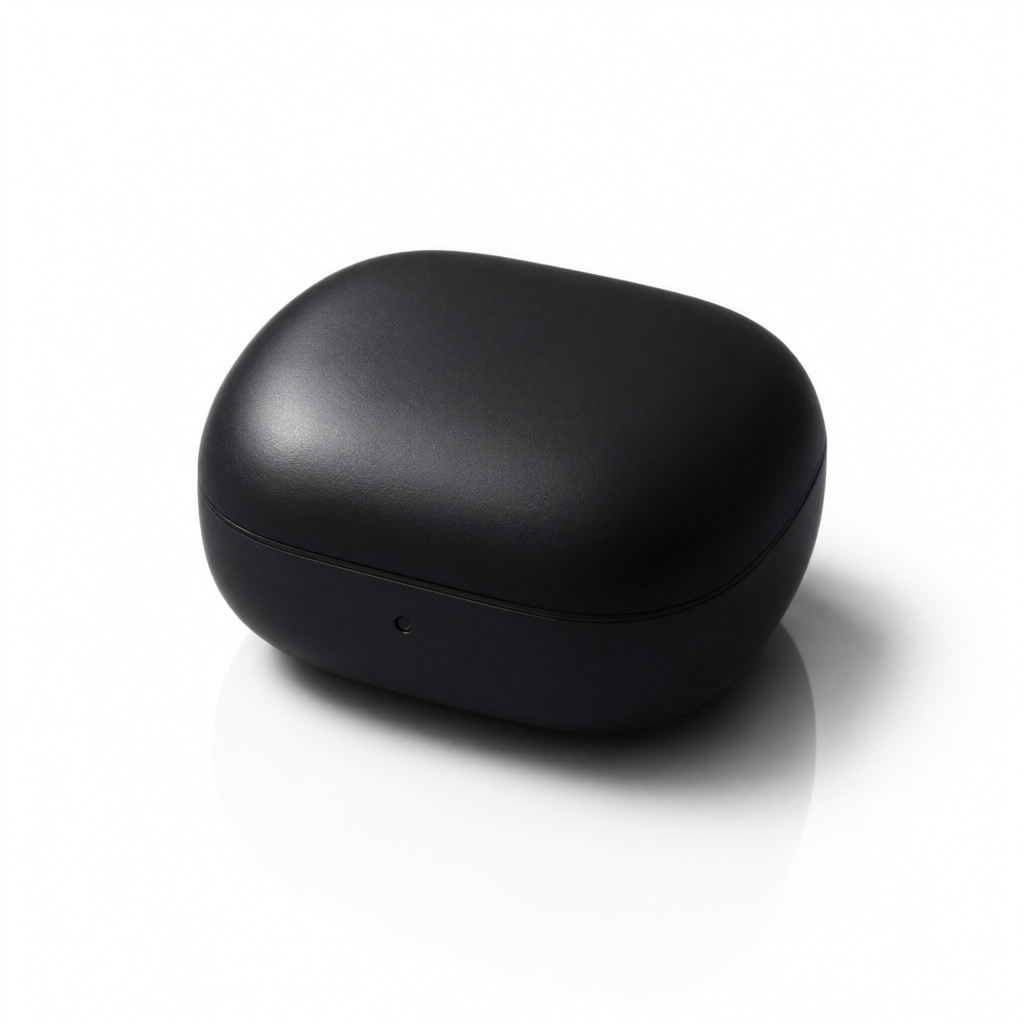
Prompt: "Professional e-commerce product photography of a minimalist matte-black wireless earbuds charging case, closed lid, resting at a slight angle on a pure white seamless studio background, soft box lighting from upper left creating a gentle gradient shadow beneath the product, subtle reflection on the surface, sharp focus, high dynamic range, no text, no watermark, studio product shot style, centered composition with even margin on all sides"
This is the listing-page shot and also the reference image for the redraw below — a clean, evenly-lit product on a plain background gives the image-to-image step the clearest shape to preserve.
2. Lifestyle scene (text-to-image)
Model: qwen-image-3.0-pro/text-to-image · input: {prompt, aspect_ratio: "3:4", resolution: "1K"} · cost: $0.0497
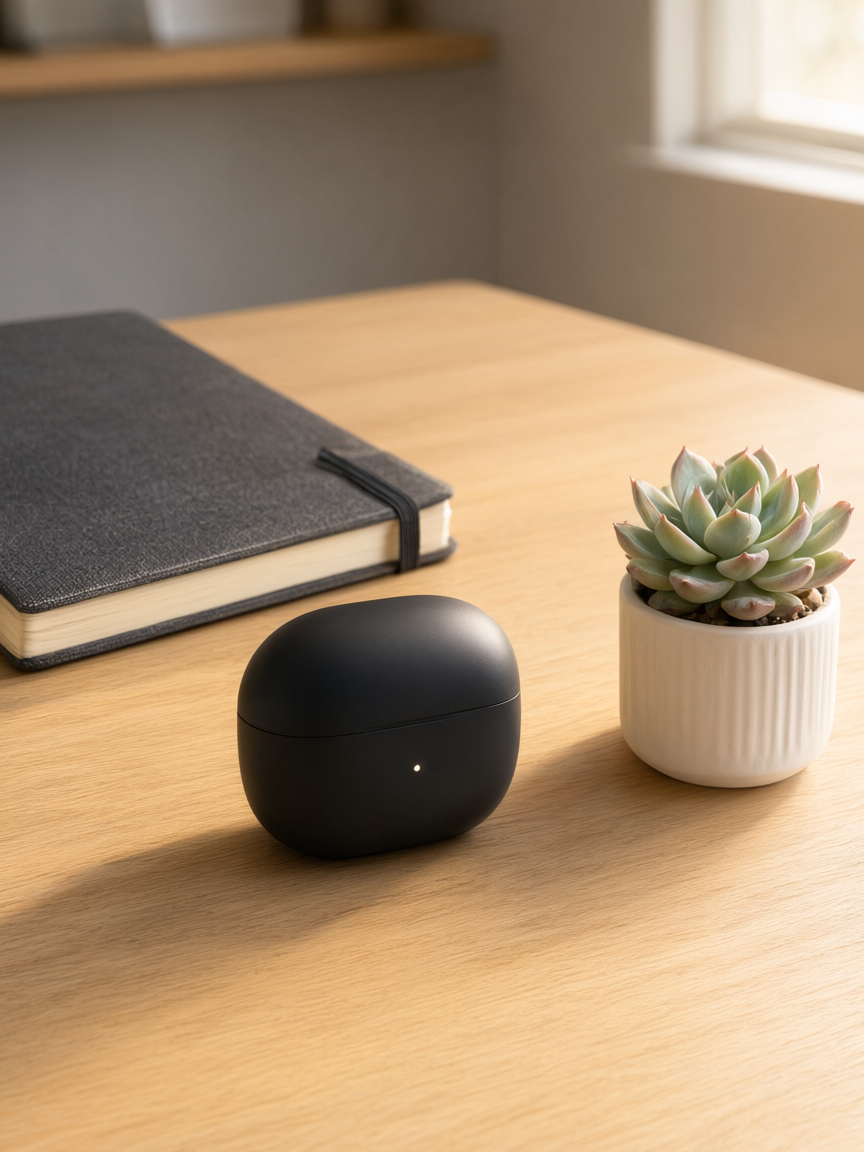
Prompt: "Lifestyle product photography: a minimalist matte-black wireless earbuds charging case placed on a light oak wooden desk next to a small potted succulent and a closed notebook, warm natural window light from the right, shallow depth of field with soft background blur, cozy modern home-office mood, no text overlays, photorealistic, editorial e-commerce lifestyle style"
Note this is a second, independent render, not a redraw — worth comparing against the redraw below, where the same product identity carries across scenes instead of being re-imagined from the prompt alone.
3. Reference-based redraw (image-to-image) — the Pro-tier differentiator
Model: qwen-image-3.0-pro/image-to-image · input: {prompt, image_urls: [<hero packshot URL>], resolution: "1K"} · cost: $0.0497 + $0.004 (1 reference image) = $0.0537
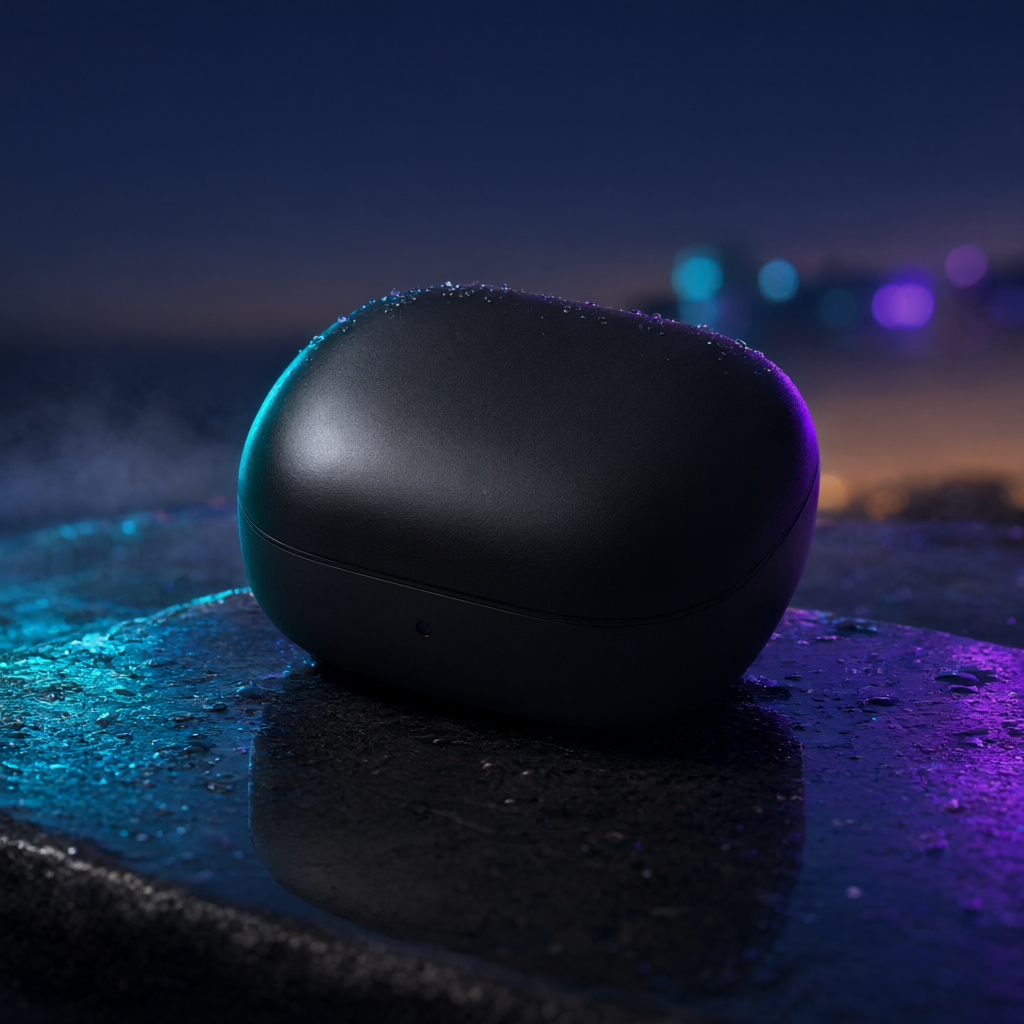
Prompt: "Redraw the exact same matte-black wireless earbuds charging case from the reference image, keep its shape, color and proportions identical, but place it standing upright on a wet dark charcoal-grey stone surface outdoors at dusk, with soft cyan and violet neon reflections bleeding across the wet stone, shallow depth of field, moody editorial product photography, no text, no watermark"
This is the workflow the hero shot and lifestyle shot can't replicate on their own: the same case from step 1, carried into a completely different mood board, without re-describing its shape from zero and hoping the render matches. For a seasonal campaign that needs one product across five moods, this is the faster and more consistent path — render one clean reference once, then redraw it repeatedly.
For more copy-paste starting points in either direction, see the text-to-image prompt recipes and the image-to-image prompt recipes for this model.
Batch code: generating a set in parallel
For a real catalog you're not submitting these one at a time. A minimal fan-out over /v1/tasks:
import requests, time

API = "https://api.hiapi.ai/v1/tasks"
HEADERS = {"Authorization": f"Bearer {API_KEY}"}

jobs = [
    {"model": "qwen-image-3.0-pro/text-to-image",
     "input": {"prompt": hero_prompt, "aspect_ratio": "1:1", "resolution": "1K"}},
    {"model": "qwen-image-3.0-pro/text-to-image",
     "input": {"prompt": lifestyle_prompt, "aspect_ratio": "3:4", "resolution": "1K"}},
    {"model": "qwen-image-3.0-pro/image-to-image",
     "input": {"prompt": redraw_prompt, "image_urls": [hero_url], "resolution": "1K"}},
]

task_ids = [requests.post(API, headers=HEADERS, json=j).json()["data"]["taskId"] for j in jobs]

results = {}
while len(results) < len(task_ids):
    for tid in task_ids:
        if tid in results:
            continue
        data = requests.get(f"{API}/{tid}", headers=HEADERS).json()["data"]
        if data["status"] == "success":
            results[tid] = data["output"][0]["url"]
        elif data["status"] == "fail":
            results[tid] = None
    time.sleep(3)
Submit all jobs first, then poll the whole batch — that overlaps the wait time instead of paying it per-image in sequence.
Pro vs. base vs. 2.0-pro: which one for which job
- Base qwen-image-3.0 ($0.0358/image, text-to-image and image-to-image both flat-rate, no resolution tiers): fine for draft variants, internal mockups, or anything that isn't shipping. See the base-tier API guide if that's all you need.
- qwen-image-3.0-pro (this page): the resolution tiers (1K/2K) and the image-to-image redraw path are the reasons to pay the premium — use it for anything that ships, and specifically for any workflow that needs the same product across multiple scenes.
- qwen-image-2.0-pro (covered here): still a solid text-to-image option for hero shots and rendered promo text, but its schema has no image-to-image field at all — if reference-based redraws matter for your catalog, 3.0-pro is the tier that has them.
Prices above are current as of 2026-09 — always check the live pricing page before budgeting a large batch, since per-image rates can change.
FAQ
Does qwen-image-3.0-pro support image-to-image?
Yes — qwen-image-3.0-pro/image-to-image takes a prompt plus 1-3 reference images via image_urls, at $0.0497-$0.0993/image depending on resolution, plus $0.004 per reference image.
What resolutions does qwen-image-3.0-pro support? 1K and 2K, priced separately ($0.0497 and $0.0993 respectively) on both the text-to-image and image-to-image endpoints.
Can I keep a product's exact shape across multiple generated scenes? That's what the image-to-image endpoint is for: generate one clean reference image, then redraw it into new scenes with a prompt that explicitly asks the model to preserve shape, color, and proportions — as shown in the redraw example above.
Is qwen-image-3.0-pro worth it over the base tier for product photography? If the image ships to customers, yes — the resolution tiers and the image-to-image endpoint (unavailable on base qwen-image-3.0) are the two things you're paying the premium for. For internal drafts or quick mockups, base qwen-image-3.0 is cheaper and sufficient.
Takeaways
- qwen-image-3.0-pro has two endpoints that matter for product photography:
text-to-imagefor fresh renders andimage-to-imagefor redrawing an existing product shot into a new scene while preserving its identity. - The image-to-image redraw — not just sharper text-to-image output — is the workflow that separates this tier from base qwen-image-3.0 and from qwen-image-2.0-pro, neither of which offers reference-based image editing.
- Pricing (2026-09): $0.0497/image at 1K, $0.0993/image at 2K, on both endpoints; image-to-image adds $0.004 per reference image (1-3 accepted).
- For a catalog that needs one product across several scenes or moods, generate a single clean reference shot once and redraw it repeatedly — it's faster and holds product identity more consistently than re-prompting from scratch each time.