TL;DR
- Grok Imagine 1.5 is xAI's image-to-video model. On HiAPI it is billed per second: $0.015/s at 480p and $0.0282/s at 720p. A 6-second 480p clip costs $0.09, which makes it one of the cheapest video models on HiAPI.
- Duration is anything from 1 to 15 seconds, and cost scales linearly with it. Failed tasks are not charged.
- You can try it in the browser on the model page playground without writing code. New accounts get 200 credits ($0.10), enough for one 6-second 480p clip.
Price table
| Model | Endpoint | 480p / second | 720p / second |
|---|---|---|---|
Grok Imagine 1.5 grok-imagine-1.5/image-to-video | Image-to-video | $0.015 | $0.0282 |
Grok Imagine grok-imagine/image-to-video | Image-to-video | $0.015 | $0.0282 |
Grok Imagine grok-imagine/text-to-video | Text-to-video | $0.015 | $0.0282 |
Live HiAPI prices, checked October 15, 2026.
All three endpoints cost the same per second. The differences are in the inputs: 1.5 takes a single image, lets you set any duration from 1 to 15 seconds, and has upgraded motion. The previous-generation grok-imagine image-to-video accepts up to 7 reference images and offers fun and normal motion modes, and that generation also has a text-to-video endpoint.
Cost by duration
| Duration | 480p | 720p |
|---|---|---|
| 1 second | $0.015 | $0.0282 |
| 6 seconds | $0.09 | $0.1692 |
| 8 seconds (default) | $0.12 | $0.2256 |
| 10 seconds | $0.15 | $0.282 |
| 15 seconds | $0.225 | $0.423 |
$10 covers about 666 seconds at 480p or 354 seconds at 720p. Note that duration defaults to 8 seconds, so if you leave it out you are billed for 8.
What you get
This example from the model page uses a jellyfish illustration as the start frame, at 720p for 6 seconds.
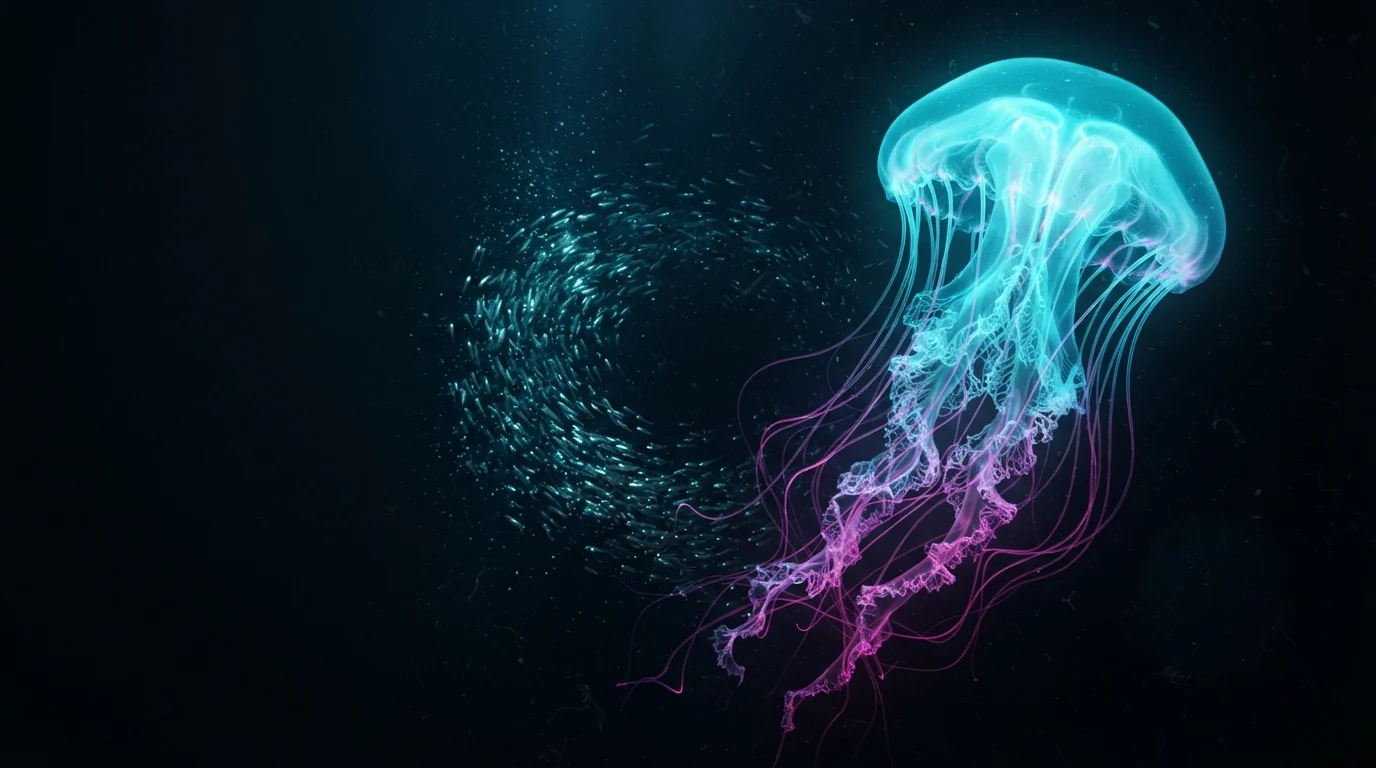
The giant jellyfish slowly pulses and drifts upward, its lace tentacles flowing gracefully, the school of silver fish spirals around it, tiny plankton particles drift past the camera, gentle cinematic push-in, smooth natural motion, consistent lighting across frames
Generate with this prompt → (upload your own image, 6 seconds, 720p)
grok-imagine-1.5/image-to-video, 720p, 6 seconds, $0.1692. The same settings at 480p cost $0.09.
How it compares
One 6-second clip on each model, at the lowest tier:
| Model | 6-second clip |
|---|---|
| Grok Imagine 1.5, 480p | $0.09 |
| Grok Imagine 1.5, 720p | $0.1692 |
| Hailuo 2.3 Fast | $0.27 |
| Seedance 2.0 Mini, 720p | $0.3516 |
| Veo 3.1 Lite, 720p, no audio | $0.36 |
| Kling 3.0, 720p | $0.60 |
Good fits: testing lots of motion ideas, turning a batch of product photos into motion previews, and first drafts of social clips. Once you know what works, re-render the final cut on a more expensive model.
Try it in the playground
- Open the Grok Imagine 1.5 model page and sign up or log in.
- Upload an image and describe what should happen next. The prompt is optional and works best in English.
- Pick duration, resolution, and aspect ratio, then generate.
API call
curl -X POST https://api.hiapi.ai/v1/tasks \
  -H "Authorization: Bearer $HIAPI_KEY" \
  -H "Content-Type: application/json" \
  -d '{
    "model": "grok-imagine-1.5/image-to-video",
    "input": {
      "image_urls": ["https://your-cdn.example.com/start.jpg"],
      "prompt": "camera slowly pushes in, the subject turns toward the light",
      "resolution": "480p",
      "duration": 6,
      "aspect_ratio": "auto"
    }
  }'
image_urlsis an array but takes exactly one image: JPEG, PNG, or WebP, up to 20 MB. SVG is not supported.resolutiondefaults to480p,durationto 8 seconds, andaspect_ratiotoauto(matches the input image). You can also choose1:1,16:9,9:16,3:2, or2:3.- The call returns a
taskId. PollGET /v1/tasks/{taskId}for the result, and downloadoutput[0].urlright away, since it is a temporary link.
FAQ
Does Grok Imagine 1.5 do text-to-video?
On HiAPI, 1.5 is image-to-video only. For text-only prompts, use the previous-generation grok-imagine/text-to-video, which costs the same.
Can it output 1080p?
No. The options are 480p and 720p.
Am I charged for failed tasks?
No. You are billed only for clips that generate successfully.
Should I use 1.5 or the previous generation?
If you have one image and want the better motion, use 1.5. If you need several reference images or text-to-video, use grok-imagine. The per-second price is the same.
To try it, upload an image on the Grok Imagine 1.5 model page. Every model's price is on the pricing page.