TL;DR
- Kling 3.0 Turbo is the fast tier of Kling 3.0. On HiAPI it has two endpoints:
kling-3.0-turbo/text-to-videoandkling-3.0-turbo/image-to-video(one first frame). Both cost $0.13 per second at 720p and $0.16 at 1080p. - Every clip comes with sound, and there's no switch to turn it off. Clips run 3–15 seconds; a 5-second 720p clip is $0.65.
- The request is one
POST /v1/tasksand a poll. The curl and Python below run as-is. Open the text-to-video model page to try it; new accounts get 200 free credits.
Text-to-video or image-to-video
| Text-to-video | Image-to-video | |
|---|---|---|
| Model id | kling-3.0-turbo/text-to-video | kling-3.0-turbo/image-to-video |
| Required | prompt | prompt + image_urls (exactly 1 image) |
| Aspect ratio | 16:9 (default), 9:16, 1:1 | No field; the output follows the first frame |
| Length | 3–15 s (default 5) | 3–15 s (default 5) |
| Resolution | 720p (default) / 1080p | same |
| Price per second | $0.13 / $0.16 | $0.13 / $0.16 |
Live HiAPI prices, checked October 19, 2026. Failed tasks aren't charged.
Start from text when you're exploring an idea. Start from an image when the first frame has to be exact: your product, your character, your brand colors.
| Clip | 720p | 1080p |
|---|---|---|
| 4 s | $0.52 | $0.64 |
| 5 s (default) | $0.65 | $0.80 |
| 10 s | $1.30 | $1.60 |
| 15 s | $1.95 | $2.40 |
Text-to-video: real outputs
Low angle on rain-slicked cobblestones in an old harbor town at dusk, then one slow continuous crane up past mooring ropes and lantern-lit fishing boats, revealing the full marina glowing under a purple and orange sky. Single unbroken rising move, no cuts, stable cinematic camera, photoreal, reflections on wet stone.
kling-3.0-turbo/text-to-video, 5 s, 720p, 16:9, $0.65.
Vertical works the same way; set aspect_ratio to 9:16:
kling-3.0-turbo/text-to-video, 5 s, 720p, 9:16, $0.65.
Longer clips can hold several beats in one shot:
kling-3.0-turbo/text-to-video, 12 s, 720p, 16:9, $1.56.
Image-to-video: real outputs
The first frame:
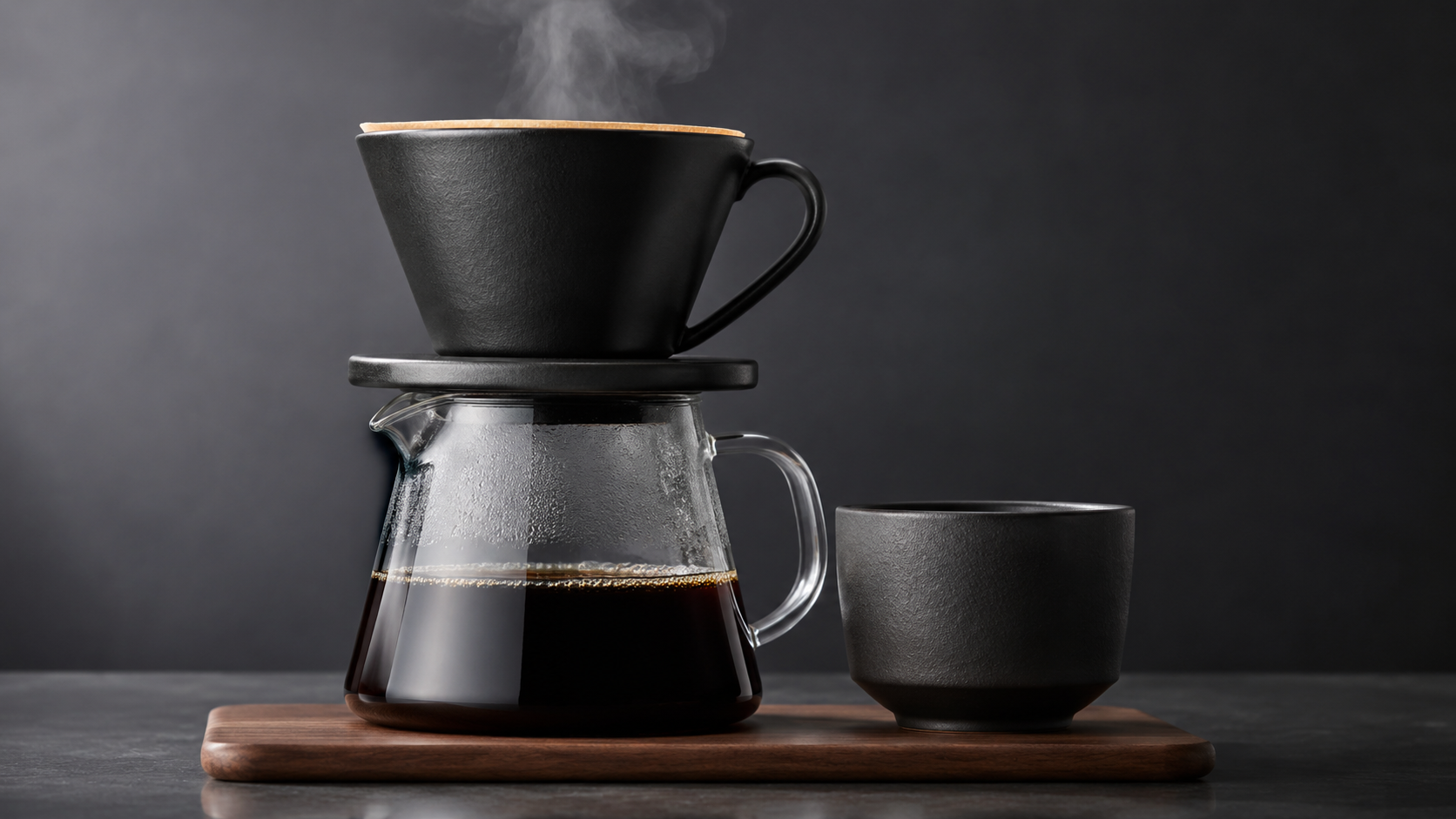
Slow smooth orbit around the coffee set, the camera circling a quarter turn to the right while keeping the carafe centered. Steam keeps rising and curling naturally, reflections slide across the glass as the angle changes. The product stays sharp and undistorted, studio lighting unchanged, no cuts.
kling-3.0-turbo/image-to-video, 5 s, 720p, $0.65.
There's no aspect_ratio on image-to-video. A 9:16 first frame gives a 9:16 clip with no cropping:
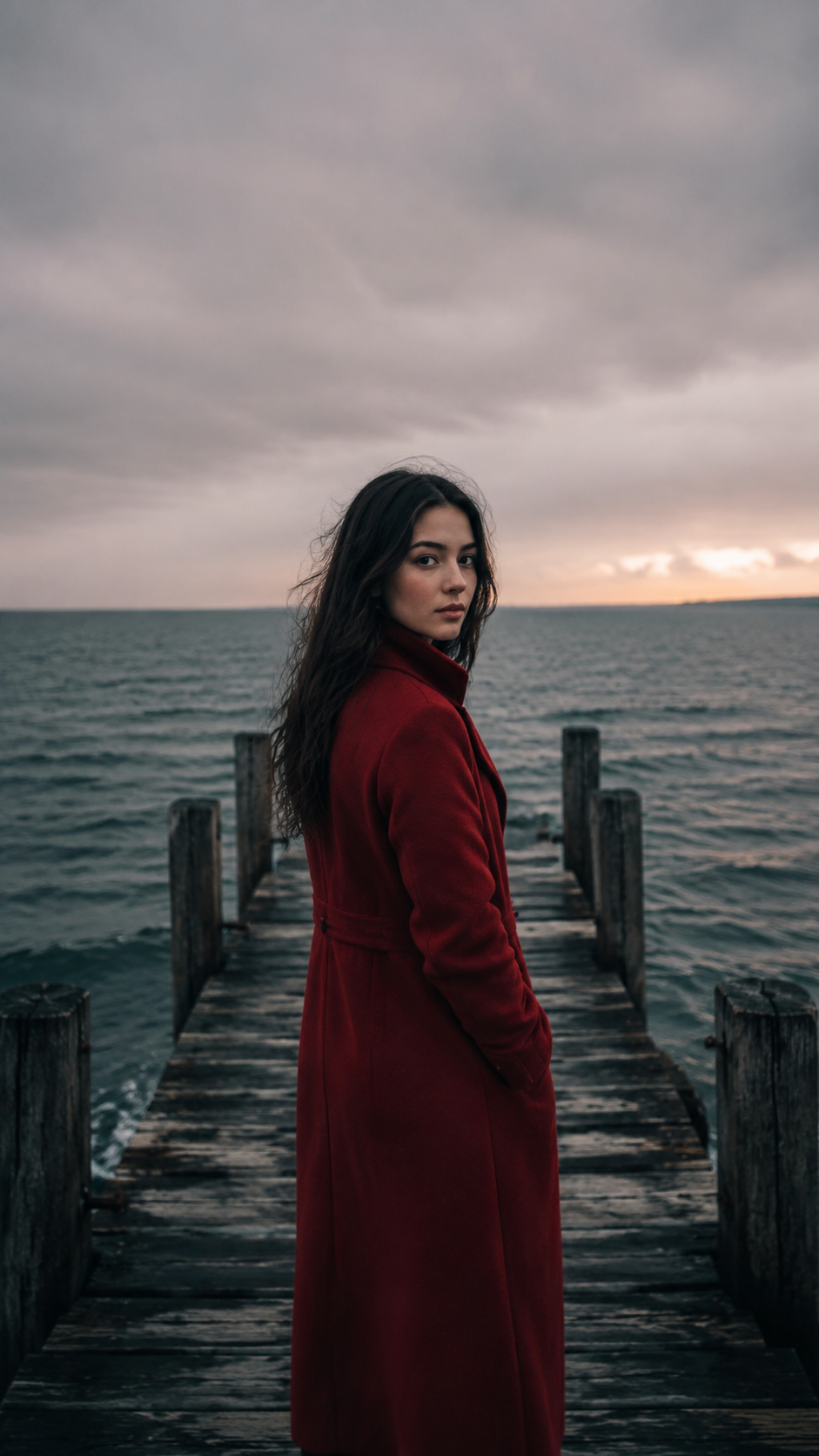
kling-3.0-turbo/image-to-video, 5 s, 720p, 9:16 from the frame, $0.65.
Write the prompt about what happens next, not a description of the frame. For a frozen action shot, say how the move finishes:
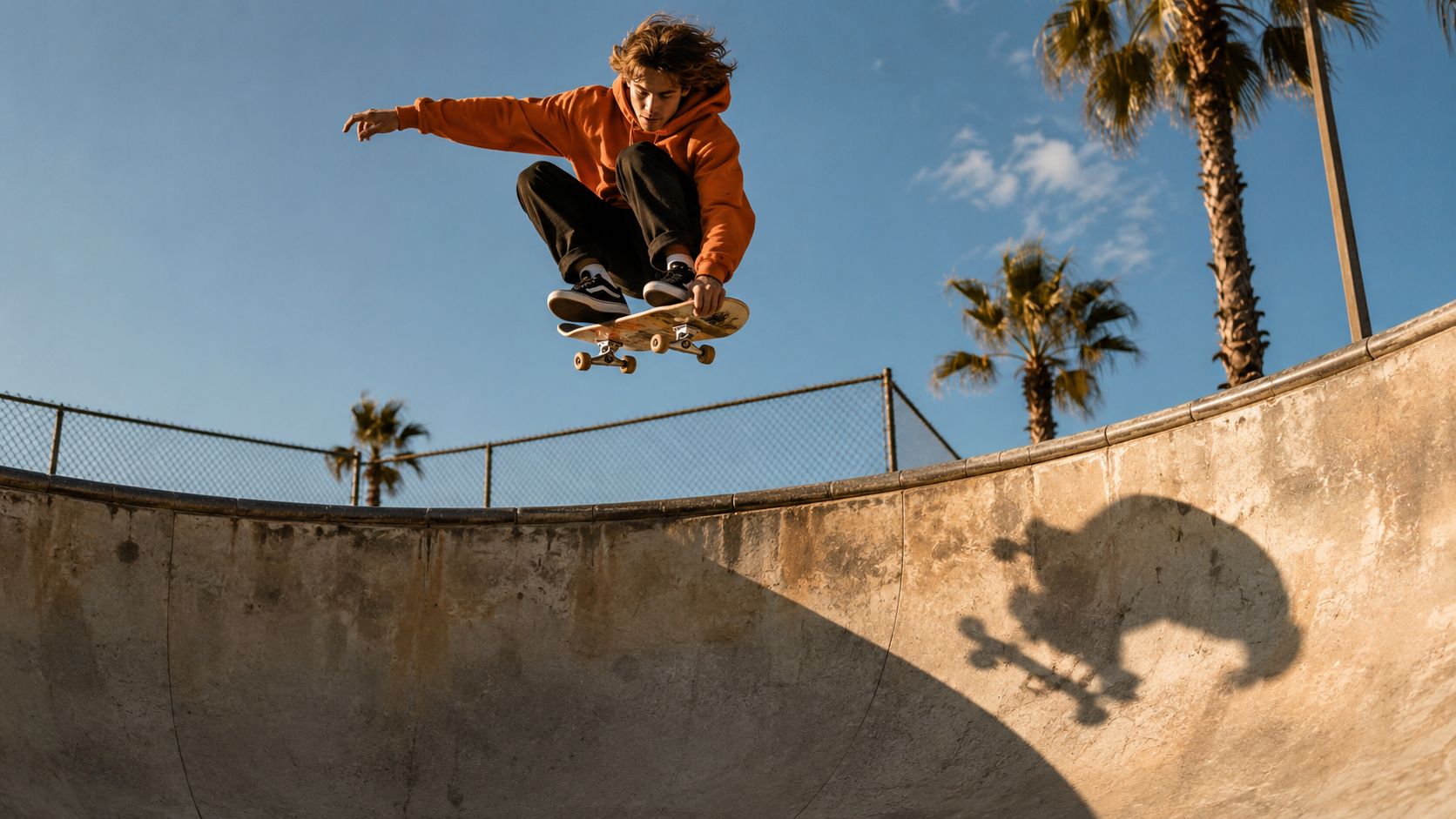
kling-3.0-turbo/image-to-video, 5 s, 720p, $0.65.
curl
curl -s -X POST https://api.hiapi.ai/v1/tasks \
  -H "Authorization: Bearer $HIAPI_KEY" \
  -H "Content-Type: application/json" \
  -d '{
    "model": "kling-3.0-turbo/text-to-video",
    "input": {
      "prompt": "A fluffy corgi puppy sprinting across a sunlit meadow in slow motion, golden hour backlight, cinematic tracking shot",
      "duration": 5,
      "resolution": "720p",
      "aspect_ratio": "16:9"
    }
  }'
You get a taskId back. Poll GET https://api.hiapi.ai/v1/tasks/{taskId} until data.status is success, then download data.output[0].url. The link expires, so save the file right away.
For image-to-video, change the model to kling-3.0-turbo/image-to-video, add "image_urls": ["https://your-cdn.example.com/frame.jpg"], and remove aspect_ratio.
Python: submit, poll, download
# pip install requests; export HIAPI_KEY=your-key first
import os, time, uuid, requests

API = "https://api.hiapi.ai/v1/tasks"
H = {"Authorization": f"Bearer {os.environ['HIAPI_KEY']}"}

def generate(model, timeout_s=900, **inp):
    body = {"model": model, "input": inp}
    # Reuse the same Idempotency-Key if you retry a submit, so a retry never bills twice
    r = requests.post(API, json=body, headers={**H, "Idempotency-Key": str(uuid.uuid4())}, timeout=30)
    res = r.json()
    if res.get("code") != 200:
        raise RuntimeError(res)  # 400s list every invalid field
    task_id = res["data"]["taskId"]
    deadline = time.time() + timeout_s
    while time.time() < deadline:
        d = requests.get(f"{API}/{task_id}", headers=H, timeout=30).json()["data"]
        if d["status"] == "success":
            return d["output"][0]["url"]
        if d["status"] == "fail":
            raise RuntimeError(d)
        time.sleep(10)
    raise TimeoutError(task_id)

# Text-to-video, vertical
t2v = generate("kling-3.0-turbo/text-to-video",
               prompt="A barista pours latte art in slow motion, steam rising, warm cafe light",
               duration=5, resolution="720p", aspect_ratio="9:16")

# Image-to-video: the frame sets the shape, so no aspect_ratio
i2v = generate("kling-3.0-turbo/image-to-video",
               prompt="Slow quarter-turn orbit around the product, steam keeps rising, no cuts",
               image_urls=["https://your-cdn.example.com/frame.jpg"], duration=5, resolution="1080p")

with open("clip.mp4", "wb") as f:
    f.write(requests.get(i2v).content)
Parameters
| Field | Required | Values | Notes |
|---|---|---|---|
prompt | Yes | up to 2,500 characters | Dialogue in quotes is lip-synced |
image_urls | Image-to-video only | exactly 1 URL | jpeg or png, up to 10 MB, no SVG |
duration | No | 3–15, default 5 | Billed per second |
resolution | No | 720p (default), 1080p | No 4K |
aspect_ratio | Text-to-video only | 16:9 (default), 9:16, 1:1 | Image-to-video follows the frame |
Errors you'll hit
All of these return HTTP 400 when you submit, so no task is created and nothing is billed:
additional properties 'sound' not allowed(orseed,negative_prompt): these fields don't exist on Turbo. Sound is always on.additional properties 'aspect_ratio' not allowed: you sent it to image-to-video. Crop the first frame instead.image_urls: maxItems: got 2, want 1: Turbo has no last frame. Standard Kling 3.0 takes a start and an end frame.duration: minimum: got 2, want 3: clips start at 3 seconds.
When Turbo isn't the right tier
| Per second, with sound | 720p | 1080p | Silent option | 4K |
|---|---|---|---|---|
| Turbo | $0.13 | $0.16 | No | No |
| Kling 3.0 Omni | $0.129 | $0.1645 | Yes, $0.10 / $0.129 | Yes |
| Kling 3.0 standard | $0.143 | $0.193 | Yes, $0.10 / $0.129 | Yes |
- You need silent clips: standard or Omni with sound off is $0.10 per second at 720p.
- You need 4K, a last frame or reference images: standard Kling 3.0 or Omni.
- 1080p with sound: Turbo is the cheapest of the three.
Same-prompt clips from Turbo and standard: Kling 3.0 Turbo vs Kling 3.0. Full prices: Kling 3.0 Turbo API pricing.
FAQ
Can I turn the sound off?
No. There's no sound field and every clip comes with audio. Strip the track in editing, or use standard Kling 3.0 or Omni with sound off.
Can I set the aspect ratio for image-to-video?
No. The clip follows the first frame. Crop or pad the image to 16:9, 9:16 or 1:1 before you send it.
How do I keep costs down?
Iterate at 720p and 4–5 seconds, then render the keeper at 1080p. A 4-second 720p draft is $0.52.
Do prompts carry over from text-to-video?
Mostly. In image-to-video, drop the description of what's already in the frame and keep the motion, camera and sound cues.
More prompt patterns: Kling 3.0 prompt guide. For short-form workflows, see Kling 3.0 Turbo image-to-video for short-form video.





