TL;DR
- Kling 2.5 Turbo is Kuaishou's fast Kling video model. HiAPI serves it as two endpoints, text-to-video and image-to-video. Open the model page to try it in the browser; new accounts get 200 free credits.
- Both endpoints cost $0.06 per second: $0.30 for 5 seconds, $0.60 for 10.
- To call it,
POST /v1/tasks, poll with thetaskId, and downloadoutput[0].url.
What Kling 2.5 Turbo gives you
- 5 or 10 seconds at about 1080p. Resolution follows the aspect ratio (16:9 is 1920×1080), so there's nothing to set.
- Text-to-video comes with sound. Every clip has an audio track, and there's no switch.
- Image-to-video takes a last frame. The first frame sets the opening, the last frame sets the ending, and the model fills in the motion.
- Six aspect ratios on image-to-video. Besides landscape, portrait and square, there's 4:3, 3:4 and 21:9 ultrawide.
Vertical cinematic shot of a ceramic artist in a sunlit studio. Her hands shape a small terracotta bowl on a spinning pottery wheel. The wet clay gradually rises as the wheel turns, a little water glints on the surface. The camera gently tracks upward from the bowl to her focused face. Warm morning light, linen apron, natural movement, one continuous shot, no text or logos.
Generate with this prompt → (pick 10 s and 9:16)
kling-2.5-turbo/text-to-video, 9:16, 1080×1920, 10 s, with audio, $0.60.
Which endpoint to use
| Model ID | Input | Aspect ratios | Audio | Use it when |
|---|---|---|---|---|
kling-2.5-turbo/text-to-video | Prompt | 16:9, 9:16, 1:1 | Always on | You're starting from an idea, no assets |
kling-2.5-turbo/image-to-video | First frame, optional last frame | 6; 3 with a last frame | None | You have a product shot, photo or illustration to animate |
Both cost $0.06 per second.
Two ways to start
In the browser (3 steps)
- Open the text-to-video or image-to-video model page and sign in.
- Write a prompt. For image-to-video, upload a first frame, and a last frame if you want one.
- Pick 5 seconds and an aspect ratio, then run.
Through the API (3 steps)
- Create a key on the API Keys page and export it as
HIAPI_KEY. POST https://api.hiapi.ai/v1/tasks. The response carriesdata.taskId.GET /v1/tasks/{taskId}untilstatusissuccess, then downloadoutput[0].url.
curl: your first clip
curl -X POST https://api.hiapi.ai/v1/tasks \
  -H "Authorization: Bearer $HIAPI_KEY" \
  -H "Content-Type: application/json" \
  -d '{
    "model": "kling-2.5-turbo/text-to-video",
    "input": {
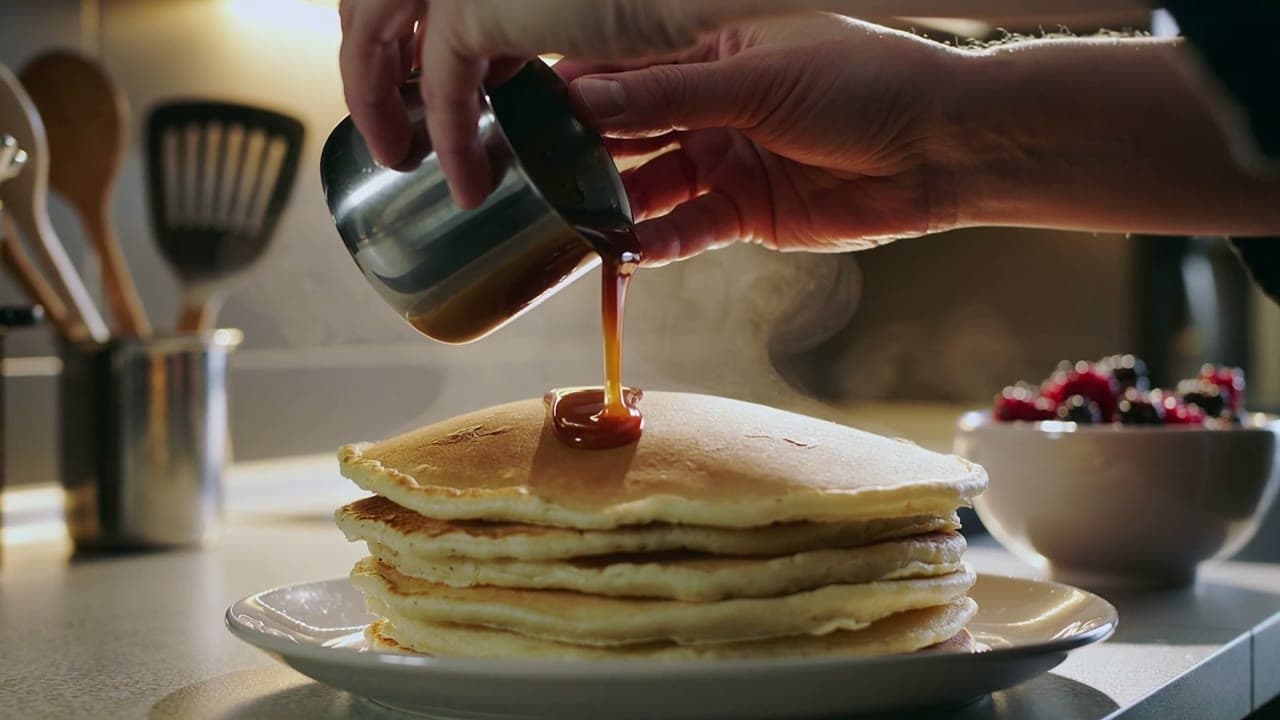
      "prompt": "Hands pour glossy caramel over a stack of pancakes, steam rises, camera slowly pushes in, warm kitchen light",
      "duration": 5,
      "aspect_ratio": "16:9"
    }
  }'
That's 5 seconds at 16:9 for $0.30. For image-to-video, switch model to kling-2.5-turbo/image-to-video and add "image_urls": ["https://your-cdn.example.com/frame.jpg"].
Python: submit, poll, download
# pip install requests; export HIAPI_KEY=your key first
import os, time, uuid, requests

API = "https://api.hiapi.ai/v1/tasks"
H = {"Authorization": f"Bearer {os.environ['HIAPI_KEY']}"}

def generate(model, timeout_s=900, **inp):
    # Reuse the same Idempotency-Key when retrying a submit so you're never billed twice
    r = requests.post(API, json={"model": model, "input": inp},
                      headers={**H, "Idempotency-Key": str(uuid.uuid4())}, timeout=30)
    r.raise_for_status()
    task_id = r.json()["data"]["taskId"]
    deadline = time.time() + timeout_s
    while time.time() < deadline:
        d = requests.get(f"{API}/{task_id}", headers=H, timeout=30).json()["data"]
        if d["status"] == "success":
            return d["output"][0]["url"]
        if d["status"] == "fail":
            raise RuntimeError(d)
        time.sleep(10)
    raise TimeoutError(task_id)

# First + last frame: a red car drives right and turns blue (5 s, $0.30)
url = generate(
    "kling-2.5-turbo/image-to-video",
    prompt="A toy car moves smoothly from the left to the right and changes from red to blue. "
           "Keep the simple light grey background and beige ground. Continuous static camera shot.",
    image_urls=["https://your-cdn.example.com/first.png", "https://your-cdn.example.com/last.png"],
    duration=5, aspect_ratio="9:16",
)
with open("clip.mp4", "wb") as f:
    f.write(requests.get(url).content)
First and last frame: end on the shot you want
Send two images in image_urls. The first is the opening frame, the second is the closing frame. Here the first frame has a red car on the left and the last frame a blue car on the right:
| First frame | Last frame |
|---|---|
 |  |
A toy car moves smoothly from the left to the right and changes from red to blue. Keep the simple light grey background and beige ground. Continuous static camera shot.
Generate with this prompt → (upload both frames, pick 5 s and 9:16)
kling-2.5-turbo/image-to-video, 9:16, 1080×1920, 5 s, first + last frame, $0.30.
The car slides right, shifts from red through mauve to blue, and stops where the last frame puts it. The background never changes. It works best when the two frames differ only in what you want to change. With a last frame, aspect ratio is limited to 16:9, 9:16 or 1:1.
Parameters
| Field | Required | Values | Notes |
|---|---|---|---|
prompt | Yes | 1–2,500 characters | Describe motion and camera; for image-to-video, skip what's already in the frame |
duration | No | 5 (default) / 10 | Billed per second |
aspect_ratio | No | T2V: 16:9 (default), 9:16, 1:1; I2V adds 4:3, 3:4, 21:9 | Only 16:9, 9:16, 1:1 with a last frame |
image_urls | I2V only | 1–2 images, jpeg/png/webp, ≤10 MB each | First frame, then last frame; text-to-video rejects this field |
negative_prompt | No | ≤2,500 chars (T2V), ≤2,496 (I2V) | What you don't want to see |
cfg_scale | No | 0–1, default 0.5 | Higher sticks closer to the prompt |
There's no resolution, no seed and no audio switch.
Errors you'll hit
Bad parameters come back as a 400 at submit time. No task is created and nothing is charged.
duration: value must be one of 5, 10: only 5 and 10 seconds exist.aspect_ratio: value must be one of '16:9', '9:16', '1:1': either text-to-video got another ratio, or you added a last frame and kept 4:3, 3:4 or 21:9.image_urls: maxItems: got 3, want 2: two images at most, first and last frame.image_urls: missing required field "image_urls": image-to-video needs a first frame.cfg_scale: maximum: got 5, want 1:cfg_scaleruns from 0 to 1, not the 1–20 scale some models use.additional properties 'seed', 'sound' not allowed: neither field exists here.
Before you ship
- Use a callback instead of polling. Add
"callback": {"url": "https://your-domain/hiapi/callback"}at the top level, next toinput, and dedupe bytaskId. - Copy outputs right away.
output[0].urlexpires after about 7 days. - Always send
durationandaspect_ratio. The defaults are 5 seconds and 16:9, which is easy to miss when you need vertical. - Retry with an idempotency key. The same
Idempotency-Keyheader creates the task only once.
FAQ
Can I turn off the sound on text-to-video?
No, there's no switch. Strip the track in the edit, or use image-to-video, which has no audio to begin with.
What happens if my first frame doesn't match the aspect ratio?
It's center-cropped to the ratio you pick. A 16:9 image at 9:16 keeps the middle strip, so keep the subject centered.
Does it do 4K?
No. Output is about 1080p and depends on the ratio; the widest is 21:9 at 2200×940.
Kling 2.5 Turbo or Kling 3.0 Turbo?
If 5 or 10 seconds is enough and price matters, Kling 2.5 Turbo. If you need any length from 3 to 15 seconds or a choice between 720p and 1080p, see Kling 2.5 Turbo vs Kling 3.0 Turbo.
Full pricing is in Kling 2.5 Turbo API pricing, and more scenes are in Kling 2.5 Turbo prompts. To see it work, copy the pottery prompt above and generate your first clip on the model page.