TL;DR
- Six scenes, each with a real Kling 2.5 Turbo output and the full prompt: product clip, landscape-to-vertical, travel B-roll, food close-up, square pet clip, and a first-to-last-frame transition.
- Each clip is $0.30 (5 s) or $0.60 (10 s). "Generate with this prompt" opens the model page with the prompt filled in; for image-to-video scenes, upload your own first frame.
- It's live on HiAPI: open the model page to try it. New accounts get 200 free credits.
Scene 1: Product clip for a store page
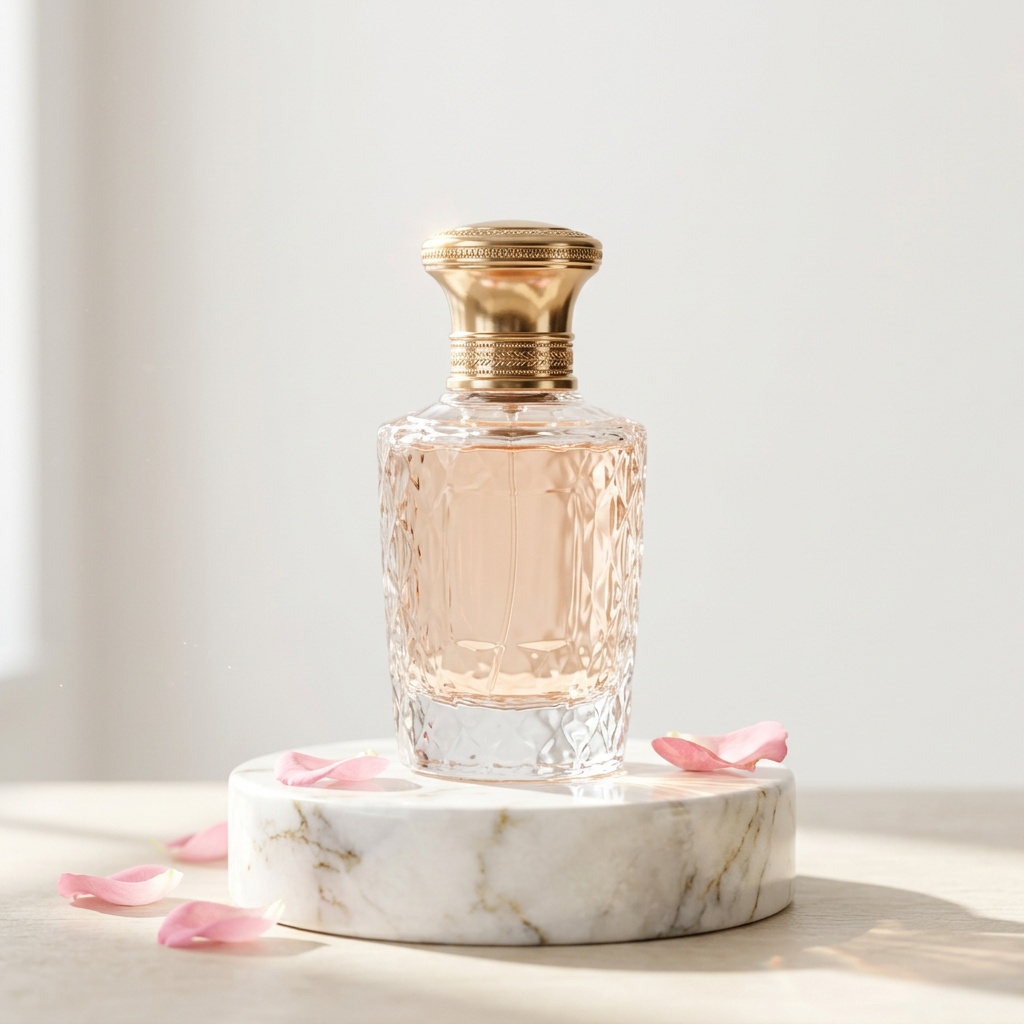
The perfume bottle rotates slowly on the marble stand, light glints across the glass, petals drift down, slow orbit
Generate with this prompt → (upload your product shot as the first frame, pick 10 s and 1:1)
kling-2.5-turbo/image-to-video, 1:1, 1440×1440, 10 s, $0.60. First frame: the perfume shot.
Petals keep falling from the top of frame and the camera swings a few degrees around the bottle. The bottle, cap and facets stay exactly as in the first frame. The "rotates slowly" part didn't happen: to spin the product itself, describe the turn more concretely or add a last frame showing it turned.
Scene 2: Turn a landscape shot into vertical
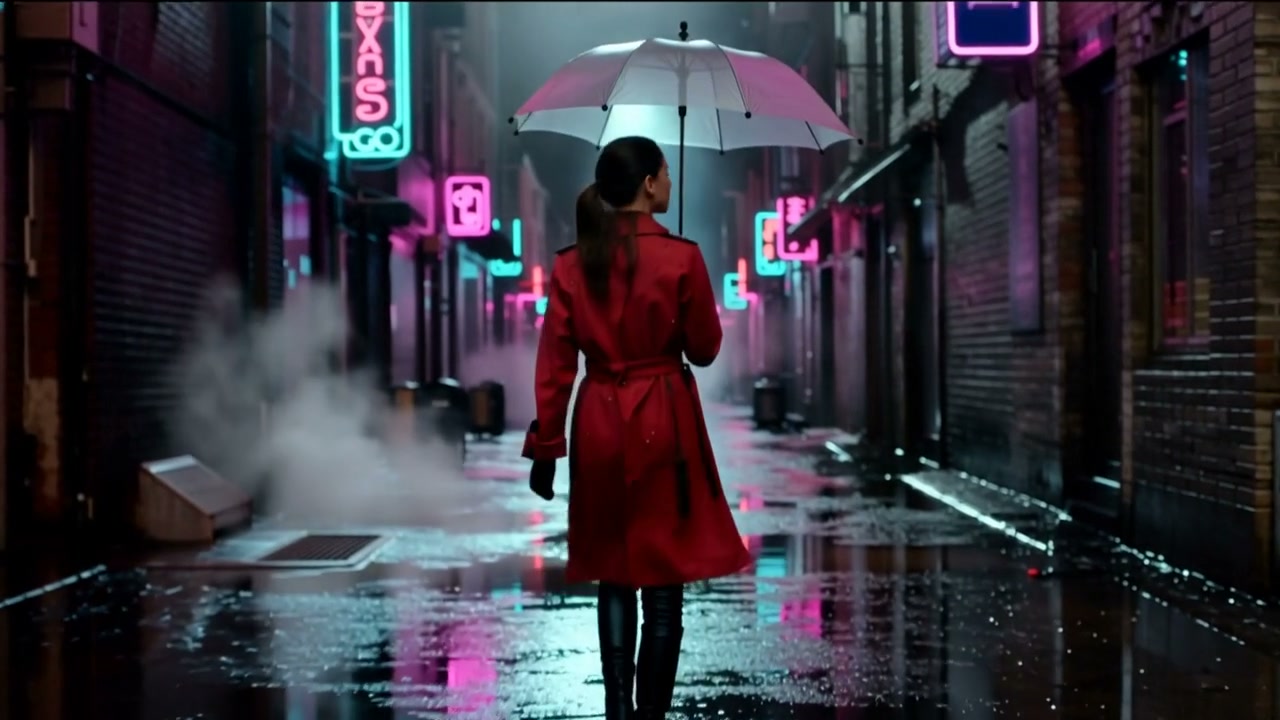
The woman in the red coat walks slowly forward under the clear umbrella, rain falling, neon signs flickering and reflecting on the wet street, steam drifting, smooth tracking shot
Generate with this prompt → (upload a landscape first frame, pick 5 s and 9:16)
kling-2.5-turbo/image-to-video, 9:16, 1080×1920, 5 s, $0.30. First frame: the 1280×720 original.
The first frame is 16:9; at 9:16 the model keeps the center strip, so the woman and umbrella stay in. Check that your subject is centered before converting; anything off to the side gets cropped.
Scene 3: Travel and destination B-roll
A vintage teal camper van is parked beside a quiet alpine lake at sunrise. Low mist drifts across the water, pine trees and distant snow-capped peaks reflect in the lake. Warm sunlight catches the van and the shoreline. The camera slowly glides forward at water level in one continuous cinematic shot. Natural colors, detailed reflections, no text or logos.
Generate with this prompt → (pick 5 s and 16:9)
kling-2.5-turbo/text-to-video, 16:9, 1920×1080, 5 s, with audio, $0.30.
One sentence each for place, time of day, camera height and direction gets you the reflections and the mist. Ending with "no text or logos" keeps stray signage out of frame.
Scene 4: Food close-up
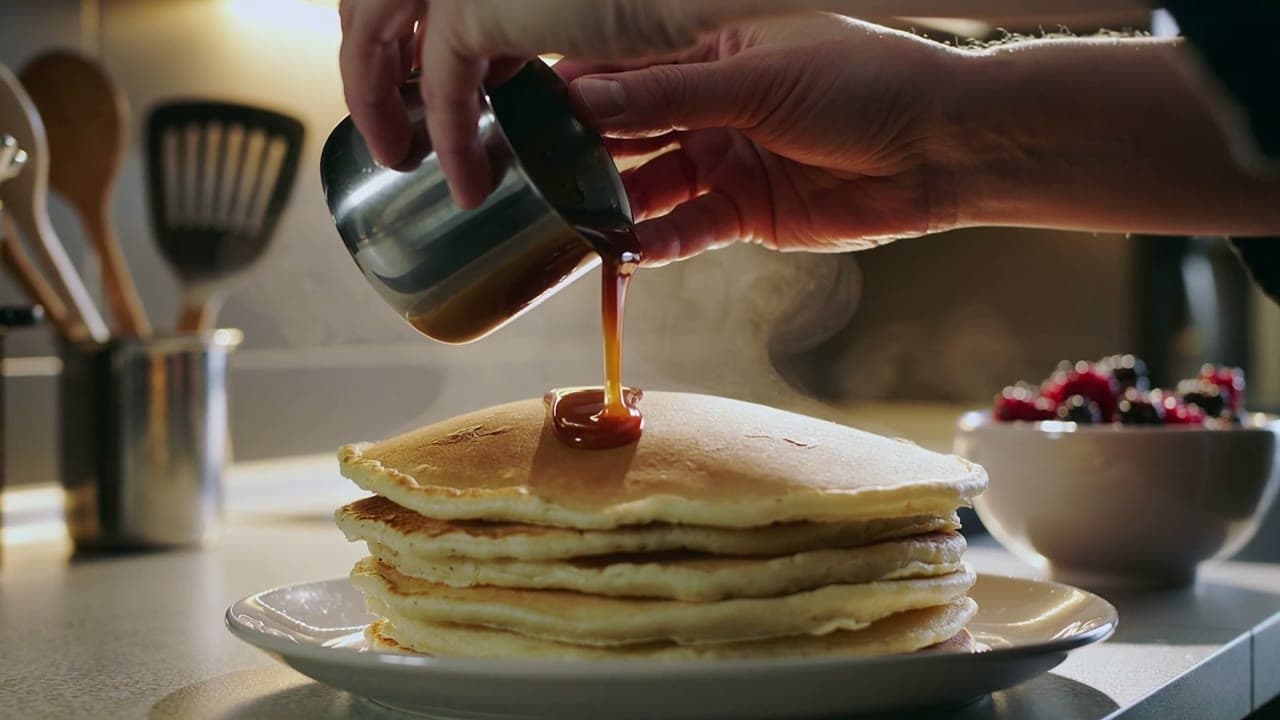
Hands pour glossy caramel over a stack of pancakes, steam rises, camera slowly pushes in, warm kitchen light
Generate with this prompt → (pick 10 s and 16:9)
kling-2.5-turbo/text-to-video, 16:9, 1920×1080, 10 s, with audio, $0.60.
Say who moves (hands), what flows (caramel) and how the camera travels (push in). Ten seconds covers the whole pour, from the first drip to sauce running over the edges.
Scene 5: Square pet and animal clips
Square composition of a tiny red panda sitting on a mossy branch in a lush forest. It reaches toward a hanging leaf, gently taps it with one paw, then looks toward the camera. Soft sunbeams filter through green foliage, dew sparkles on the moss. The camera makes a slow subtle arc around the branch in one continuous shot. Detailed fur, calm woodland atmosphere, no text or logos.
Generate with this prompt → (pick 5 s and 1:1)
kling-2.5-turbo/text-to-video, 1:1, 1440×1440, 5 s, with audio, $0.30.
Five seconds fits one small action and a head turn. Writing the beats in order (reach, tap, look) keeps the timing natural.
Scene 6: First-to-last-frame transition
| First frame | Last frame |
|---|---|
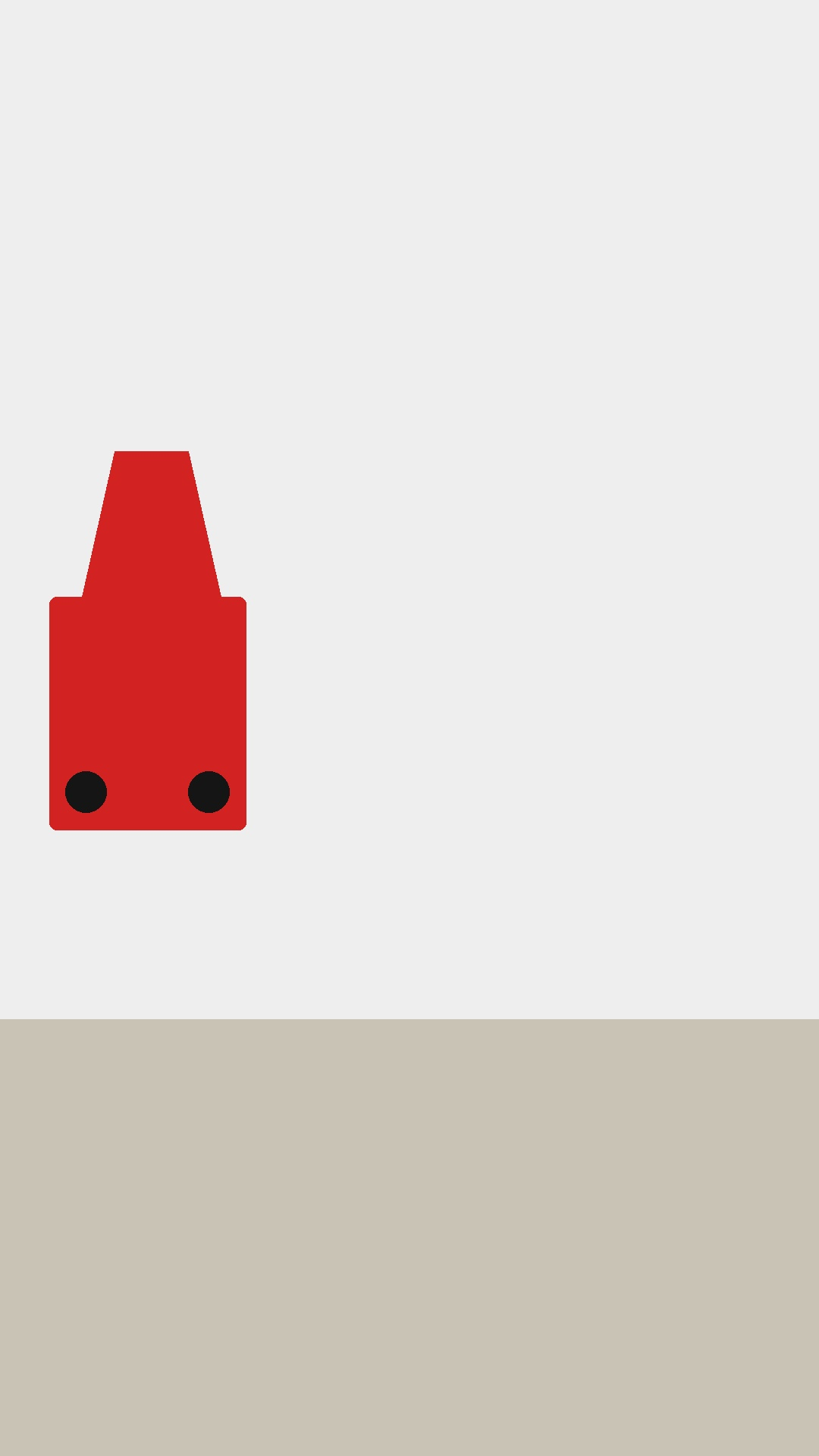 | 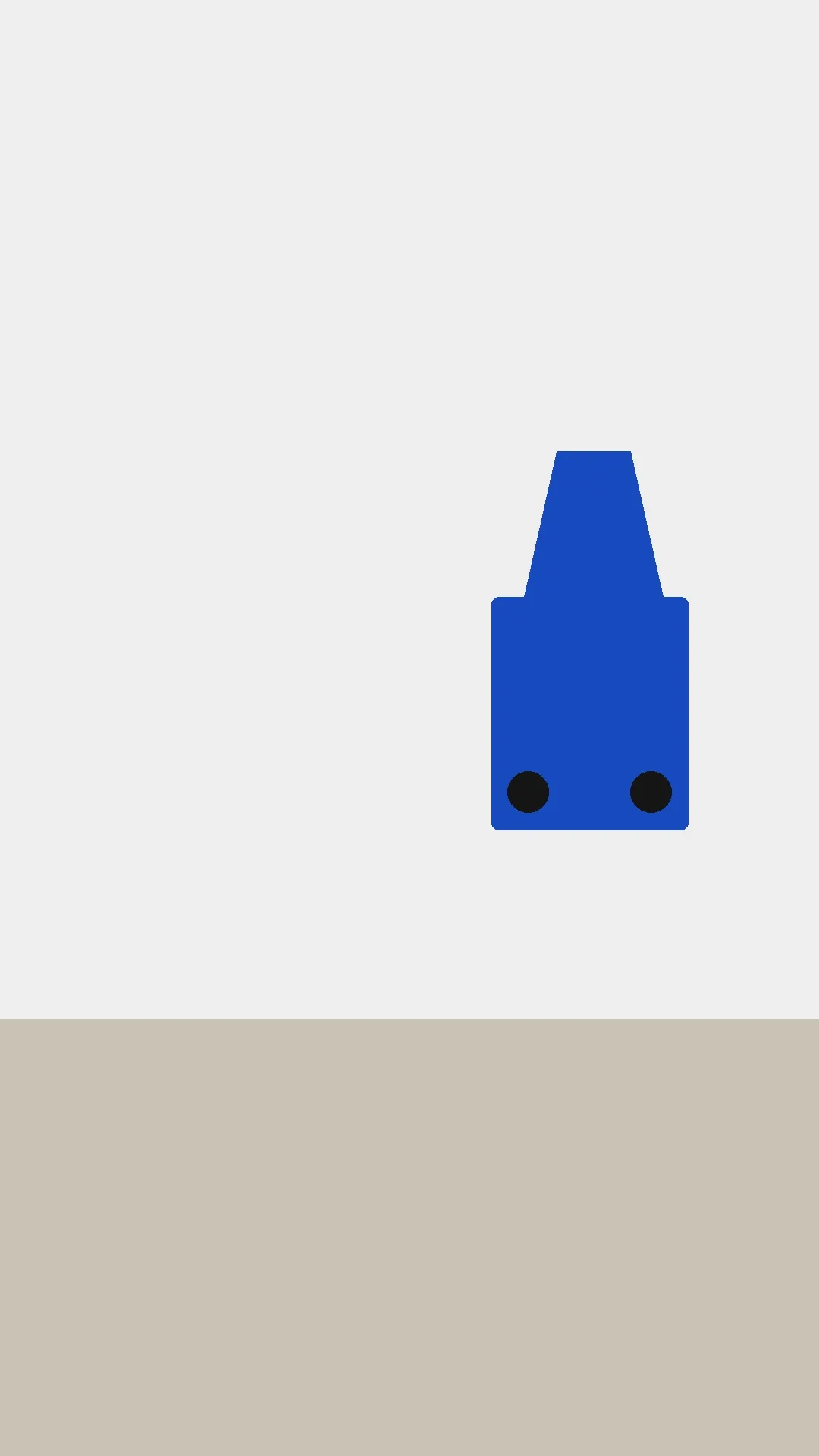 |
A toy car moves smoothly from the left to the right and changes from red to blue. Keep the simple light grey background and beige ground. Continuous static camera shot.
Generate with this prompt → (upload both frames, pick 5 s and 9:16)
kling-2.5-turbo/image-to-video, 9:16, 1080×1920, 5 s, first + last frame, $0.30.
State the start, the end and what stays fixed (background, camera). With a last frame, aspect ratio is limited to 16:9, 9:16 or 1:1.
How to write Kling 2.5 Turbo prompts
- Text-to-video: one paragraph covering subject, setting, one continuous action and the camera move, then lighting. End with "no text or logos".
- Image-to-video: the frame already holds the look, so write only what moves, where, and how the camera travels.
- 5 seconds first: $0.30 settles the action and framing; render 10 seconds once it works.
FAQ
Do prompts need to be in English?
All examples here are English, and each output matches its prompt exactly. Prompts can be up to 2,500 characters.
Can I exclude things?
Yes. Put them in negative_prompt, and use cfg_scale (0–1, default 0.5) to set how closely the model follows the prompt.
Does the same prompt give the same clip?
No, and there's no seed to pin it. Keep the take you like.
Can I control the audio on text-to-video?
Every clip has a track, with no switch and no separate audio field. If you need specific music or narration, listen first and replace it in the edit.
Pricing is in Kling 2.5 Turbo API pricing, and code is in the Kling 2.5 Turbo API guide. Pick the scene closest to your job, copy the prompt, and generate your first clip on the model page.