Every image below is a real Nano Banana 2.1 output, and every prompt is printed in full: copy it as-is, or hit "Generate with this prompt" to open the model page with the prompt already filled in. Nano Banana 2.1 is live on HiAPI. Open the model page to generate right away; new accounts get 200 free credits.
1. E-commerce hero shot: a ceramic dripper
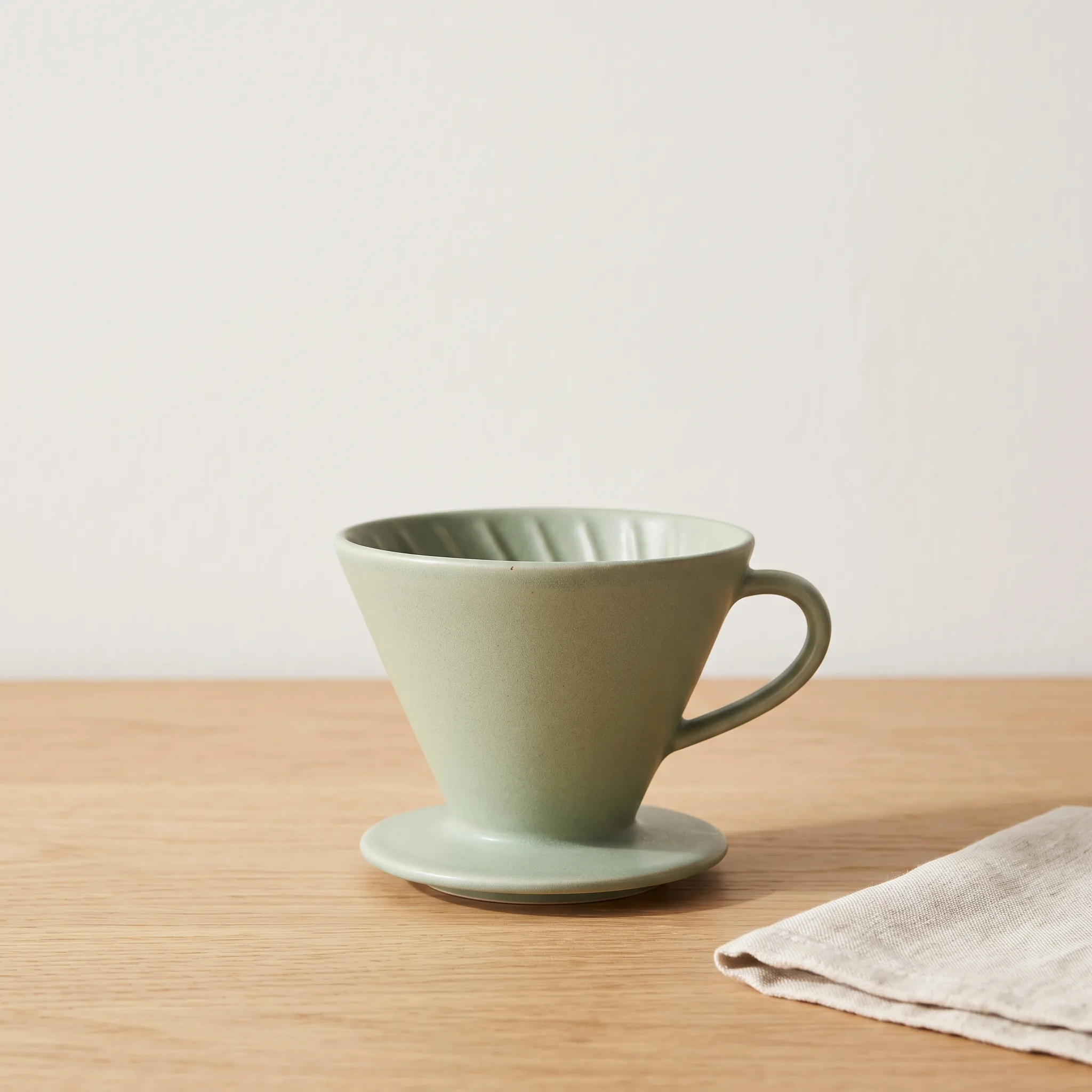
Settings: 1:1 · 2K · 2048×2048
A clean e-commerce product photograph of a matte ceramic pour-over coffee dripper in soft sage green, centered on a light oak tabletop against a plain warm-white wall. Shot at a slight three-quarter angle from just above the object, 85mm lens, shallow depth of field with the dripper fully in focus. Soft window light from the left creates a gentle gradient on the glaze and a short, soft shadow on the table. Visible fine glaze texture and crisp edges; the shape and proportions are accurate and symmetrical. Minimal styling: one folded linen napkin at the lower right, nothing else. Leave open space above the product for later copy. No text, no logos, no watermark, no extra objects, no distorted shapes.
To swap in your own product, change three things: the product and its color (matte ceramic pour-over coffee dripper in soft sage green), the tabletop and wall, and the single prop at the lower right. Keep Leave open space above the product; that empty band is where your headline goes.
2. Event poster: BREW DAY
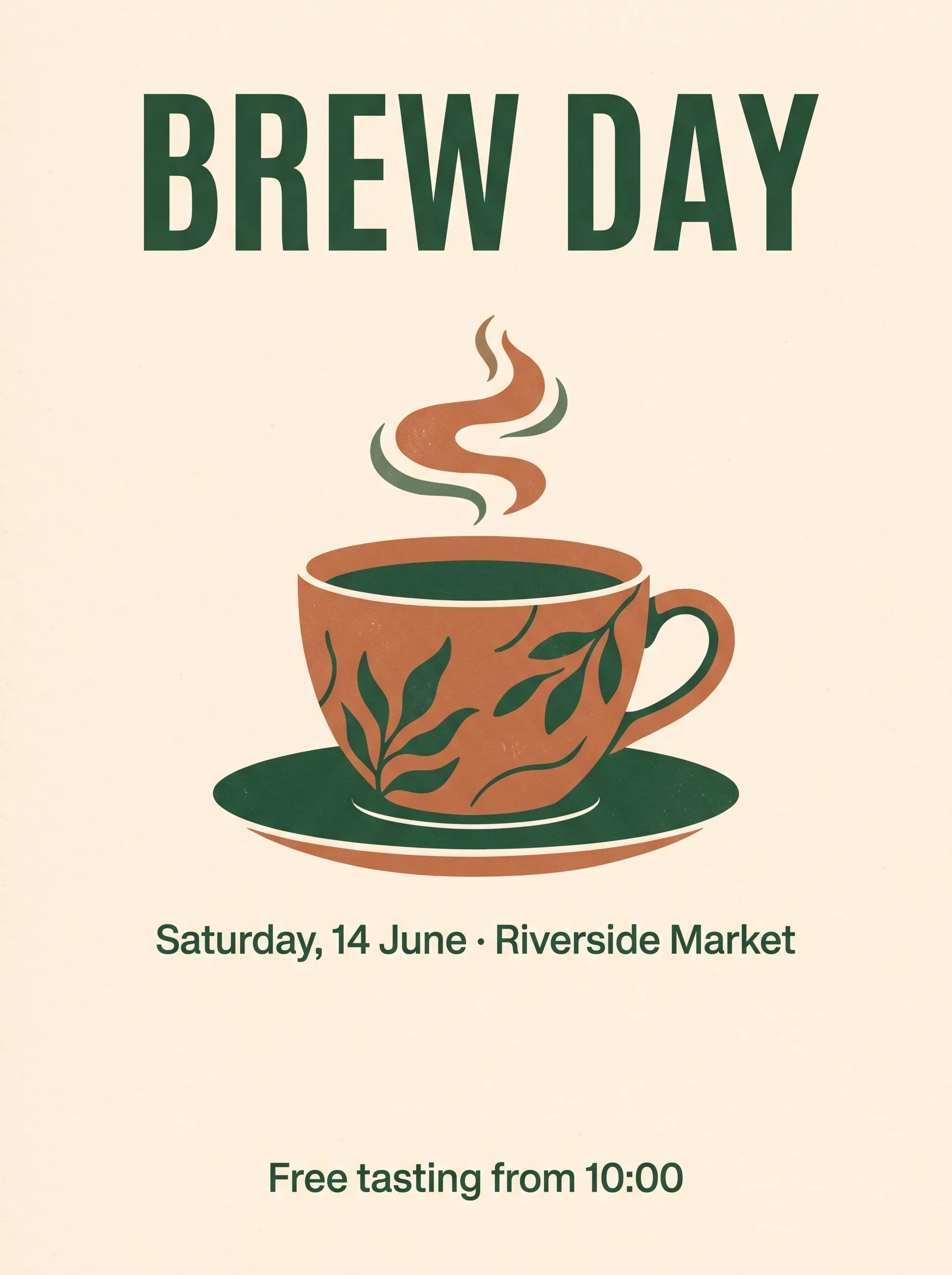
Settings: 3:4 · 2K · 1792×2400
A vertical poster for a small neighborhood coffee festival. Warm cream background with a large flat illustration of a coffee cup in terracotta and deep green at the center. Exact text, spelled exactly as written: headline "BREW DAY" at the top in bold condensed sans-serif capitals; subtitle "Saturday, 14 June · Riverside Market" directly below the cup in a smaller regular weight; footer line "Free tasting from 10:00" at the bottom. Three text lines only, left-to-right, high contrast, centered, generous margins. Balanced composition with clear space between the headline and the illustration. No other text, no logos, no watermark.
All three lines came out spelled exactly as written. The trick is quoting every line and naming its position and weight. For your own event, replace the three quoted strings and the illustration subject, and keep No other text at the end to stop stray lettering.
3. Fashion editorial: a coastal terrace
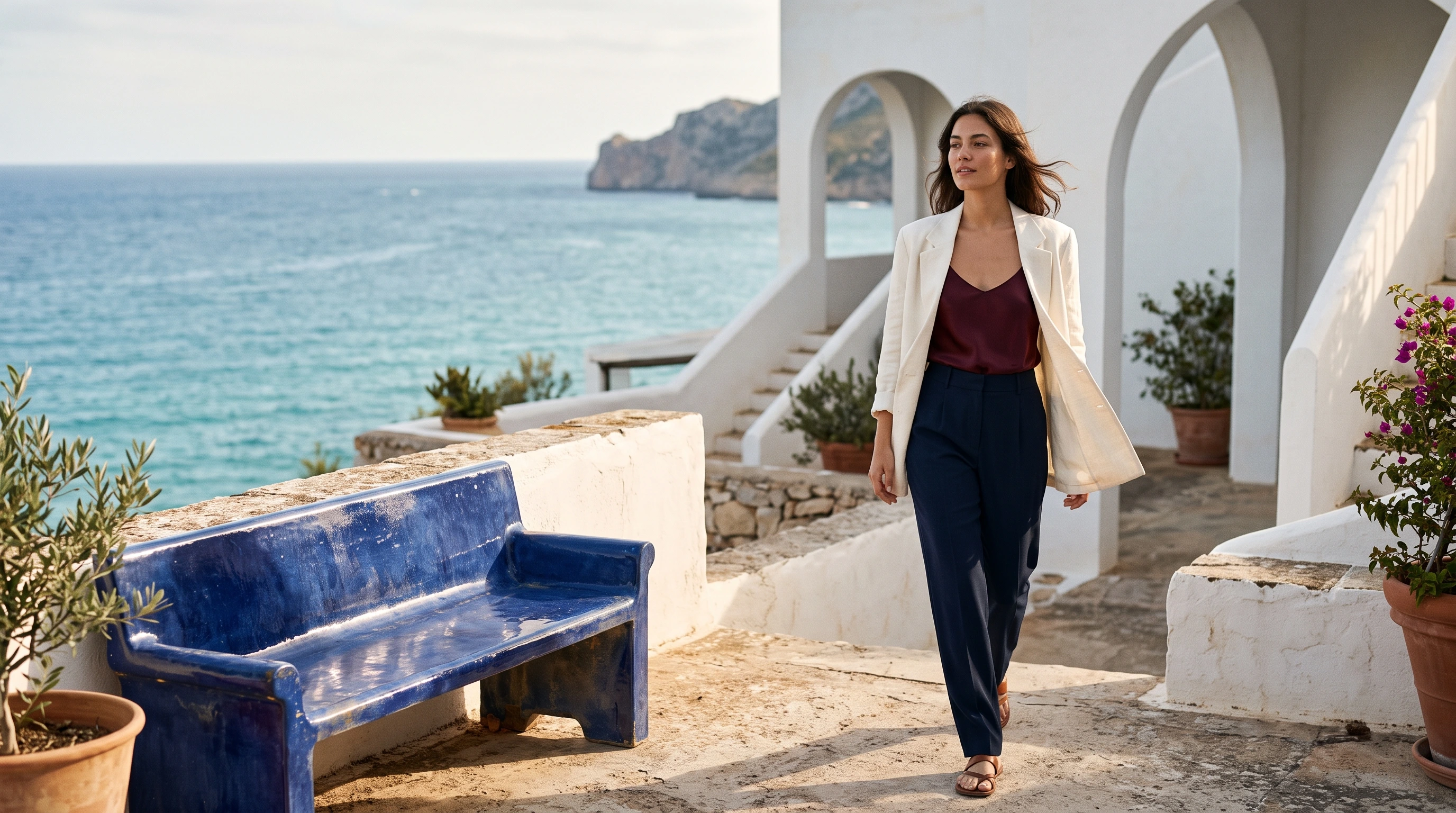
Settings: 16:9 · 2K · 2752×1536
A fashion editorial photograph on a sunlit white-stucco terrace above the Mediterranean, shot at eye level with a 50mm lens. One adult woman in her late twenties is walking naturally toward the camera at the right-center of the composition, her head turned slightly toward the sea with a relaxed confident expression. She wears an oversized ivory linen blazer over a deep burgundy silk camisole, high-waisted navy tailored trousers, and simple leather sandals. Wind lifts a few strands of her dark shoulder-length hair and gently moves the blazer hem. A cobalt-blue glazed ceramic bench occupies the left foreground; beyond it, crisp ivory architecture frames a bright turquoise sea and a small distant headland. Directional late-afternoon sunlight reveals real skin texture, linen weave and silk highlights, with clean architectural shadows and controlled reflections. Rich but restrained cobalt, burgundy, ivory and warm skin tones, sophisticated magazine photography, believable proportions and hands, beautifully resolved clothing, candid physical movement, subtle film grain. The woman is the clear visual focus, with the surrounding terrace providing depth. No lettering, no logos, no watermark, no illustration, no CGI appearance, no airbrushed plastic skin.
The prompt runs in a fixed order: model and movement, then color and fabric for each garment, then two or three set pieces, then lens and light. To restyle it, swap the matching sentence and leave the structure alone. Keep the closing exclusion line; it keeps out lettering, watermarks and plastic-looking skin.
4. Outfit swap: change one jacket, keep everything else
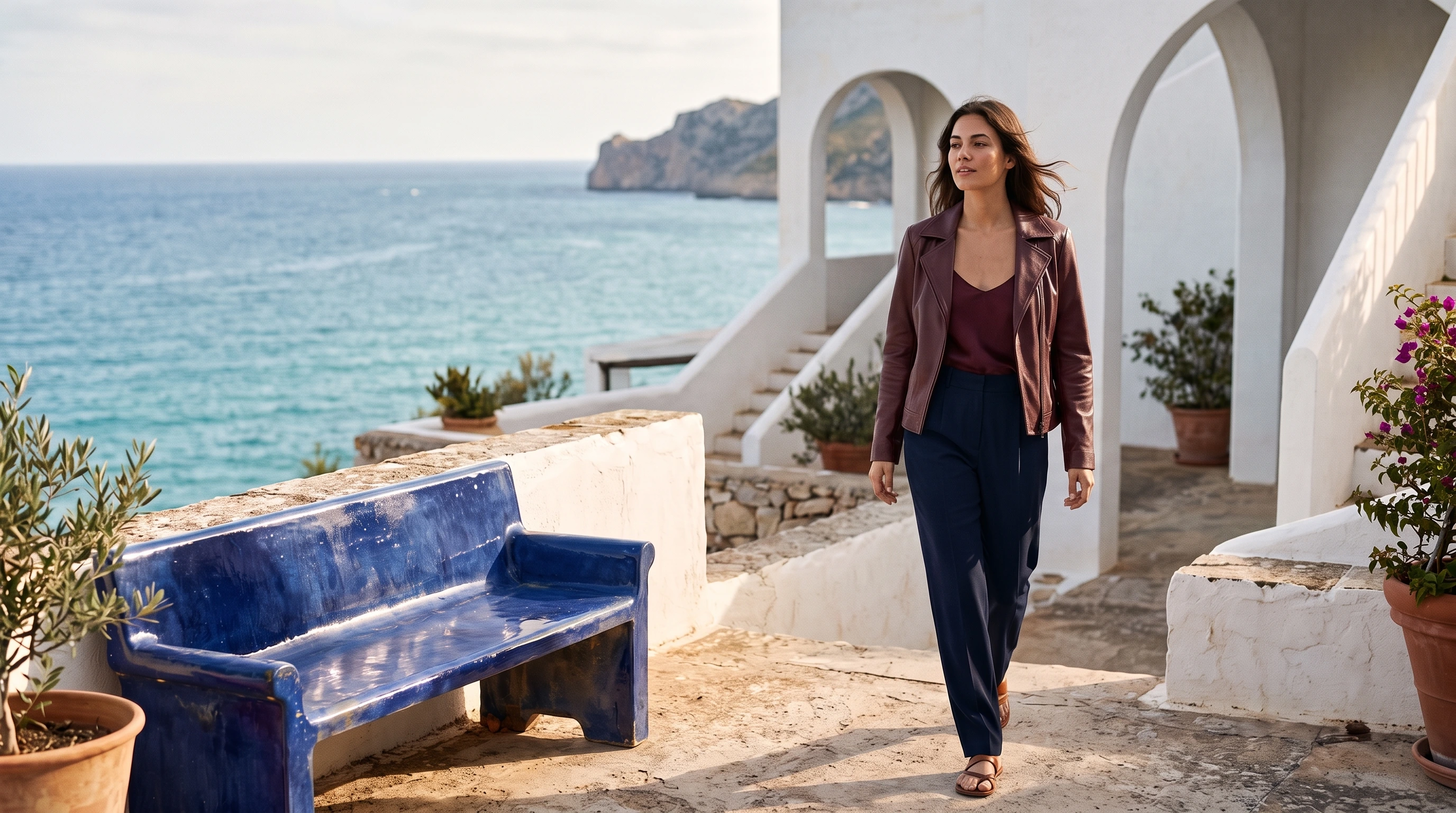
Settings: 1 reference image (the editorial above) · 2K · 2752×1536
Upload the original photo as a reference image on the model page first (via the API, pass it in image_input), then run this edit prompt:
Edit this exact fashion photograph. Replace only the woman's oversized ivory linen blazer with a beautifully fitted deep-burgundy soft leather jacket, worn open over the existing silk camisole. Give the jacket realistic fine leather grain, subtle natural highlights and believable folds that follow her current body and walking pose. Preserve the exact woman, face, expression, hair, skin tone, hands, body proportions, pose, navy trousers, sandals, camera framing, cobalt ceramic bench, terrace architecture, sea, sky and every background object. Maintain the existing directional sunlight and shadows; adapt only the jacket's light and reflections to its leather material. This is a garment replacement in the original photograph, not a new scene. Keep the photograph natural and editorial, with no text, no logos and no watermark.
Split the change from the keep list: the new garment goes after Replace only, and everything that must not move goes after Preserve the exact, item by item. For your own photos, use this pattern:
Edit this exact photograph. Replace only the [object to change] with [new look: color, fabric, fit]. Preserve the exact [person / product], [face, hair, pose, proportions], [other garments or objects that must not move], camera framing and every background object. Maintain the existing lighting; adapt only the [changed object]'s light and reflections to its new material. This is an edit of the original photograph, not a new scene.
5. Interior scene: an afternoon living room
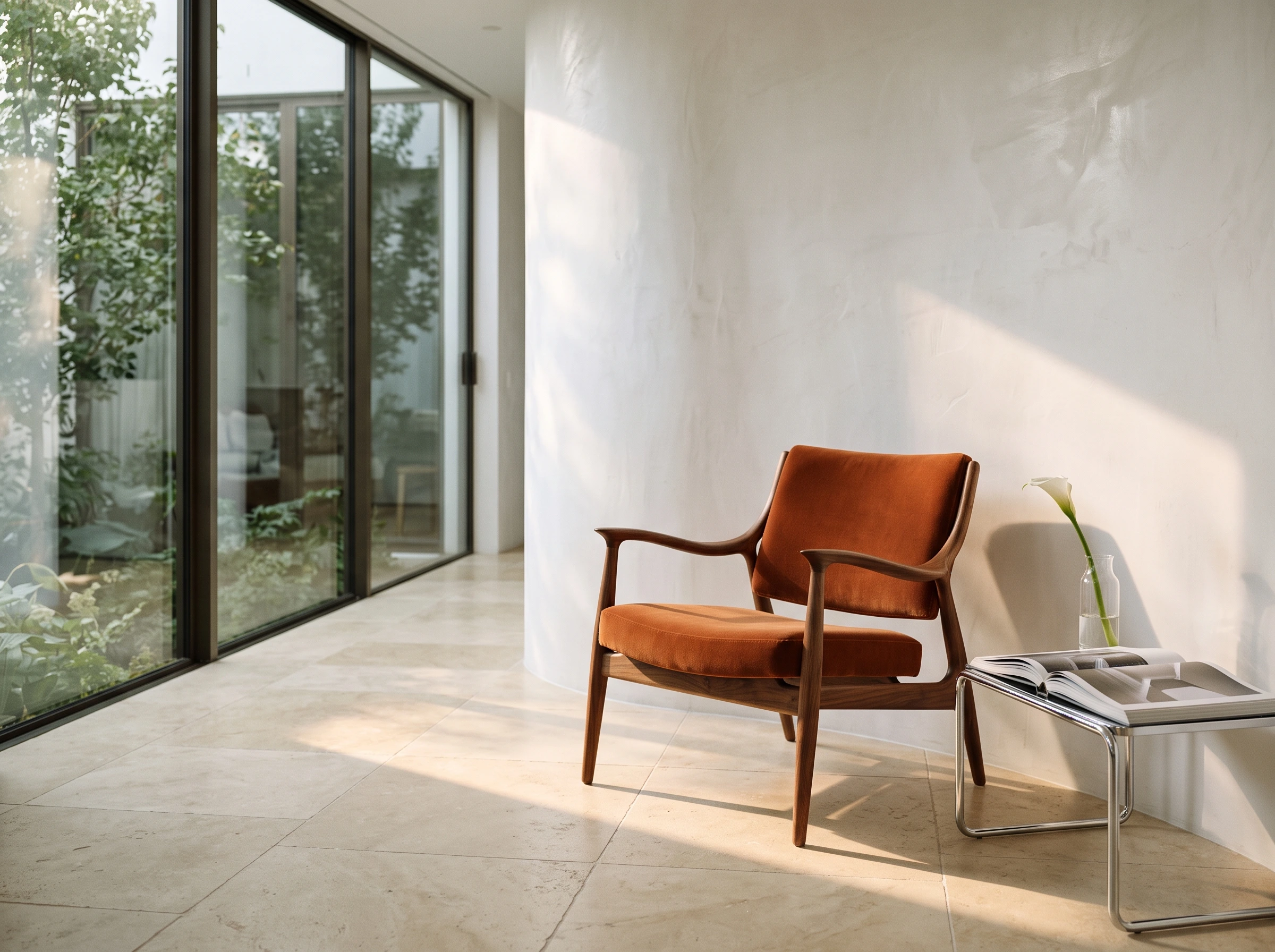
Settings: 4:3 · 2K · 2400×1792
An architectural interiors photograph of a carefully curated modern living space, viewed at seated eye level with a 35mm lens. A sculptural walnut lounge chair with a burnt-orange velvet seat stands in the right foreground on warm ivory limestone flooring. Beside it is a low chrome side table holding a clear glass vase with a single white calla lily and an open large-format design book. A softly curved white plaster wall frames the scene; a floor-to-ceiling window at the left reveals a leafy courtyard. Late-afternoon sunlight enters from the left, creating a precise diagonal patch of warm light across the floor and grazing the velvet and curved wood, with gentle room bounce light preserving shadow detail. Clearly visible walnut grain, fine velvet pile, brushed metal reflections, imperfect hand-finished plaster and stone texture. Balanced asymmetrical composition, quiet generosity of space, high-end contemporary interiors magazine photography, natural perspective, warm-neutral palette with one controlled orange accent. No people, no readable lettering, no logos, no watermark, no computer-rendered appearance, no excessive props.
For your own furniture, replace the hero chair, the two objects on the side table and the view outside the window. Keep the camera-height and light-direction sentences; they carry most of the depth and texture in the frame.
How these prompts are built
- Write subject, setting, lens, light and detail in that order, then end with what to exclude.
- Name real materials (linen weave, velvet pile, glaze reflections) instead of words like "premium" or "stunning".
- For edits, state the change and the keep list separately, and list every item to keep.
- Lock the composition at 1K, then move up to 2K or 4K. At $0.022 per 1K image, $10 covers about 450 drafts. Try one at 1K →
| Scenario | Aspect ratio | Start at |
|---|---|---|
| E-commerce hero shot | 1:1, 4:5 | 1K for layout, 2K for final |
| Event poster | 3:4, 4:5, 9:16 | 2K |
| Fashion editorial | 16:9, 4:5, 9:16 | 1K for layout, 2K for detail |
| Outfit swap | Match the source | 2K |
| Interior scene | 4:3, 3:2, 16:9 | 2K |
FAQ
Does "Generate with this prompt" fill in the prompt for me? Yes. The model page opens with the prompt in place; pick the aspect ratio and resolution listed above the prompt and press run.
Can I use my own product or model photos as references? Yes. Upload up to 10 JPEG, PNG or WebP images, each up to 30MB. Text-to-image and reference editing run on the same model.
Can it produce transparent-background cutouts? No. Each run returns one JPG or PNG. For transparency, use GPT Image 2.5; see Nano Banana 2.1 vs GPT Image 2.5.
Copy the e-commerce prompt above and generate your first hero shot on the model page →




