Every image below is an unedited Nano Banana Pro output, shown with the exact prompt that made it. Copy the prompt, or click "Generate with this prompt" to open the model page with it already filled in. Nano Banana Pro is live on HiAPI: open the model page and generate right away, with 200 free credits for new accounts.
1. Event Poster: SCIENCE AFTER HOURS
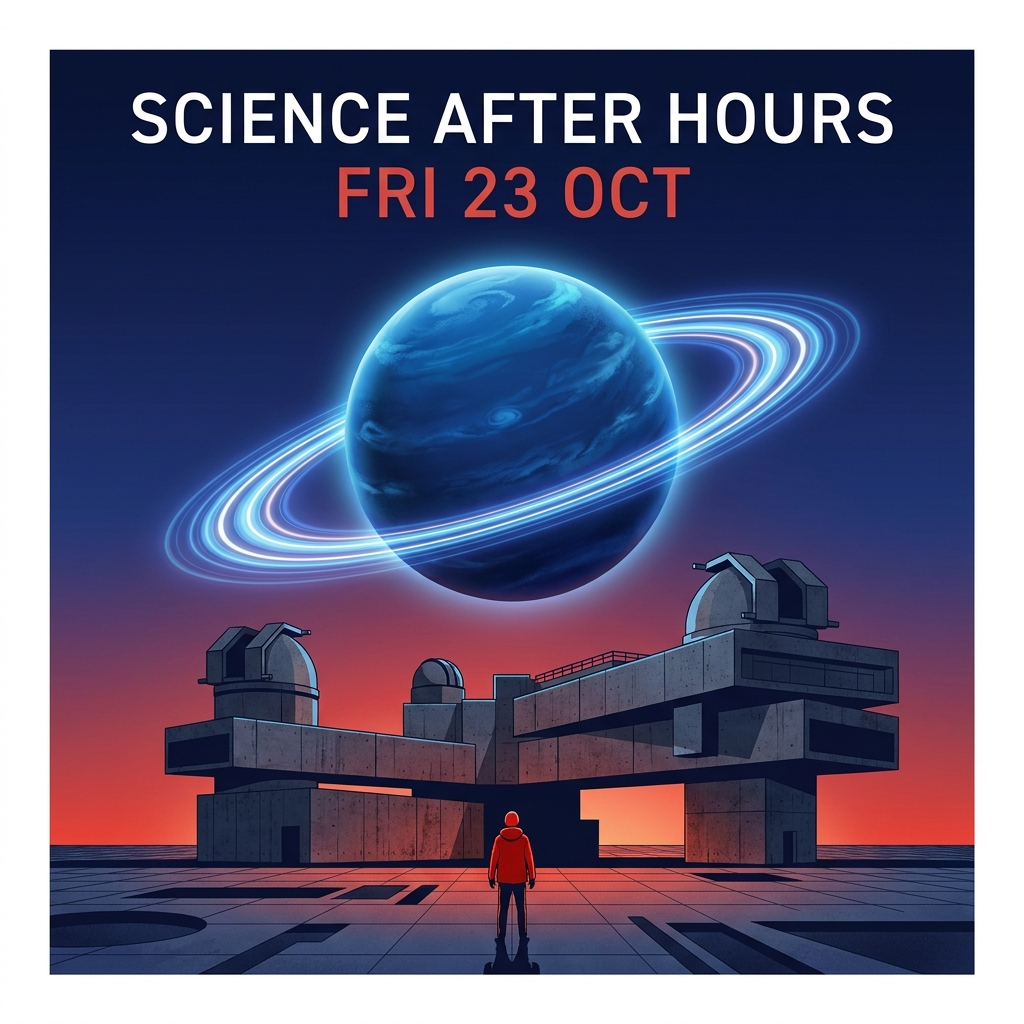
Settings: 1:1 · 1K · PNG · 1024×1024
Design a square museum poster for a fictional evening event. Set the exact headline SCIENCE AFTER HOURS and the exact date FRI 23 OCT, with no other words. One luminous ringed blue exoplanet hovers above a brutalist observatory at twilight; one small visitor in a red jacket stands in the foreground. Clear Swiss-grid information hierarchy, crisp modern typography, deep ultramarine and warm red, striking editorial illustration, no logos, no watermark.
The headline and the date each appear once, spelled correctly, centered above the planet. For your own event, swap the words after exact headline and exact date, then replace the planet and the observatory. Keep with no other words: it stops stray text from creeping in.
2. Storefront Sign: MORNING BREW CO.
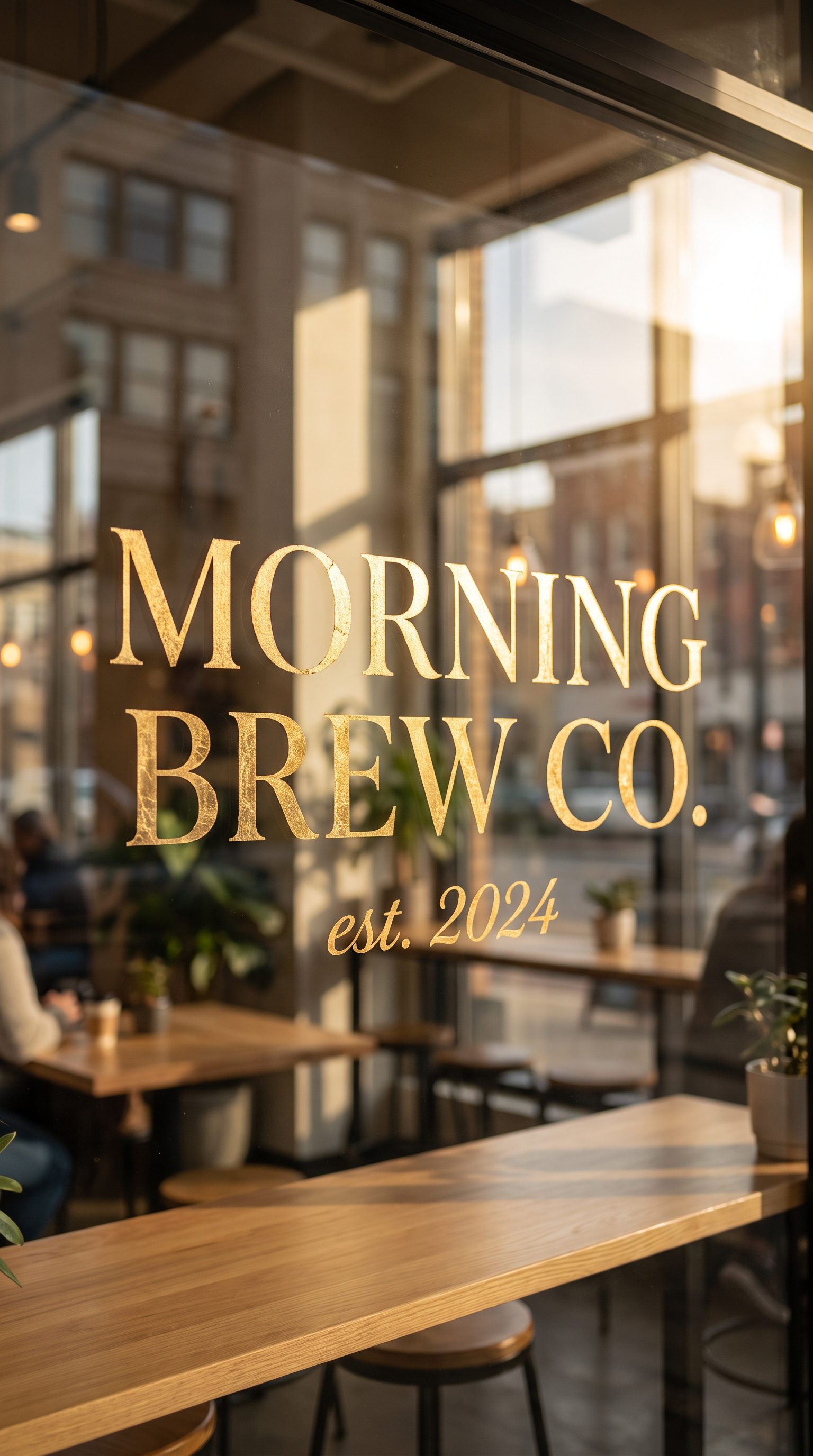
Output size: 1536×2752; suggested settings: 9:16 · 2K
A hand-painted gold-leaf sign in a modern specialty coffee shop window, elegant serif lettering reading 'MORNING BREW CO.' with a small script subtitle 'est. 2024' beneath it, warm natural daylight streaming through the glass, soft bokeh reflections of a city street, photorealistic commercial photography, crisp perfectly legible typography with correct spelling, shallow depth of field, editorial lighting
Put each line of copy in single quotes, then name the type style (elegant serif, small script) and the position (beneath it). Both lines came out right on the first pass. For a brand concept, change the name, the year and the material (gold leaf, neon, carved wood) and keep crisp perfectly legible typography with correct spelling.
3. E-commerce Hero Shot: Trail-Running Sneaker
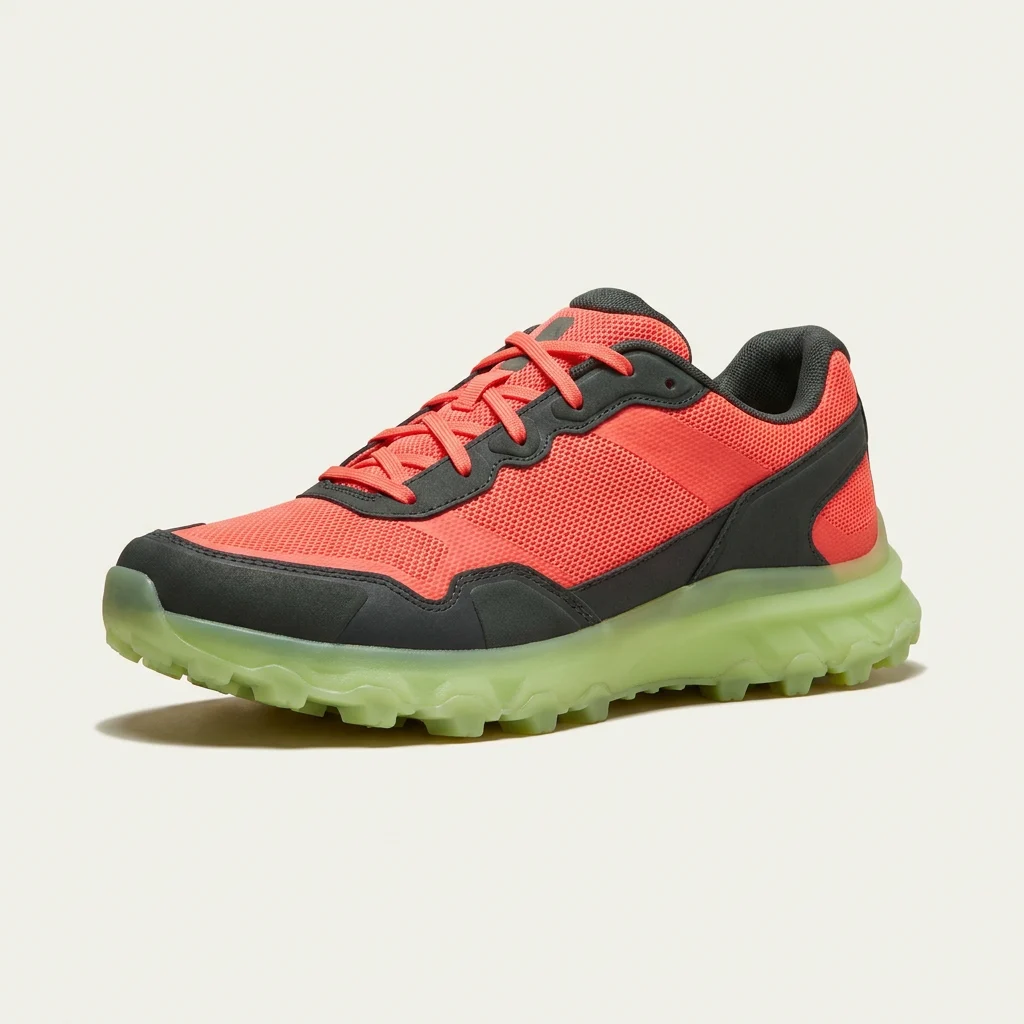
Settings: 1:1 · 1K · 1024×1024
Create a square premium e-commerce product photograph of one original trail-running sneaker, three-quarter side view with the toe pointing left. The shoe has a vivid coral mesh upper, charcoal overlays, two visible laces crossing the tongue, and a translucent lime outsole with a distinct lug pattern. Set it on an off-white seamless backdrop with a soft grounded shadow and directional studio light. One shoe only, no feet, no text, no logo, no props.
Toe direction, palette, lug pattern, backdrop and grounded shadow all match the brief; naming a direction like toe pointing left is what keeps a catalog grid facing the same way. For your product, change the shoe type, the three colors and the outsole line, and keep One shoe only, no feet, no text.
4. Catalog Product Shot: Over-Ear Headphones
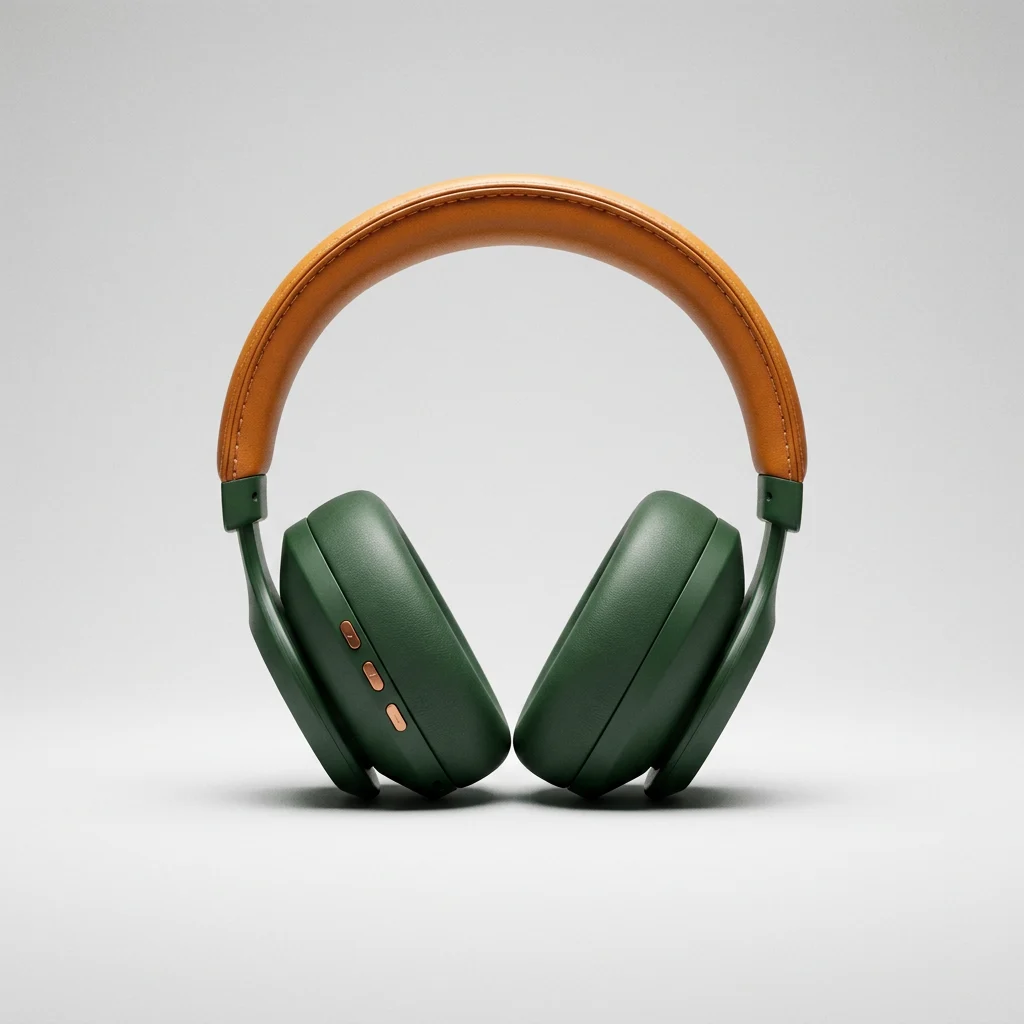
Settings: 1:1 · 1K · PNG · 1024×1024
Create a square premium catalog photograph of one original pair of foldable over-ear wireless headphones, matte forest-green earcups, an amber stitched headband, and exactly three small copper control buttons in a straight row on the visible left earcup. Both earcups face the viewer. Put it on a seamless pale-gray backdrop with soft studio lighting and a grounded shadow. No phone, no person, no text, no logo, no extra objects.
Writing count, arrangement and position together (exactly three small copper control buttons in a straight row) gives you three clearly lined-up buttons. Both earcups face the camera, which is the front-on view a catalog needs.
How to Write Prompts Like These
- Quote every piece of copy, or write
exact headline: ..., and close withno other words. - For products, go subject → colors and materials → backdrop and light → exclusions, and give counts and positions as numbers.
- 1K and 2K cost the same, $0.057 per image, so render the final at 2K. The Programmers' Day offer runs until November 9, 2026 at 00:00 Beijing time, bringing it to $0.0285. Try one at 2K →
| Use case | Aspect ratio | Resolution |
|---|---|---|
| Event poster | 1:1, 3:4, 4:5 | 2K |
| Storefront sign, brand type | 9:16, 4:5 | 2K |
| E-commerce hero shot | 1:1, 4:5 | 2K |
| Catalog product shot | 1:1, 4:3 | 2K, 4K for print |
FAQ
Does "Generate with this prompt" fill in the prompt for me? Yes. The model page opens with the prompt already in place. Pick the aspect ratio and resolution listed above the prompt, then run it.
Can I use my own product photo as a reference?
Yes. Upload it on the model page, or pass its URL in image_input through the API: up to 8 images, JPEG, PNG or WebP. See How to use the Nano Banana Pro API.
What happens if I run the same prompts on GPT Image? The sneaker, headphone and poster prompts all have same-prompt comparisons: GPT Image 2.5 vs Nano Banana Pro and GPT Image 2 vs Nano Banana Pro.
Copy the poster prompt above, swap in your event name and date, and generate your first poster on the model page →
More on Nano Banana Pro
- Nano Banana Pro model page: generate online with 200 free credits
- Nano Banana Pro API guide: pricing, models and a working quick start
- Nano Banana Pro API pricing: what 1K, 2K and 4K cost
- GPT Image 2.5 vs Nano Banana Pro: same prompts, side by side
- Nano Banana 2.1 prompts: product, fashion and interior templates




