TL;DR
recraft-v4.1-flash/text-to-imagecosts $0.01 per image on HiAPI, so 1,000 catalog images cost $10.00. The standardrecraft-v4.1/text-to-imagecosts $0.05 and takes the same parameters (price comparison).- In our run, 4 product images submitted in parallel finished in 21.5 seconds of wall-clock time, about 19–20 s per task including the download. Total cost: $0.04.
- Setting
background_colorto white produced backgrounds that were near-white but not uniformly #FFFFFF. If a marketplace requires pure white, add a cleanup step.
When Flash is the right tier for a catalog
Use Flash when the job is volume: every SKU needs a white-background listing shot plus one or two scene images, and you plan to review them before publishing. At $0.01 per image, three images per SKU across 500 SKUs comes to $15.00. The same 1,500 images on standard V4.1 would cost $75.00.
Flash and standard V4.1 accept the same input fields, so moving a keeper to the higher tier means changing only model. This article does not compare image quality between the two tiers because we didn't run both on matching prompts. Check the outputs yourself before you settle on a tier for final assets.
Verified input schema
We checked the schema against the live API by sending deliberately invalid values:
| Field | Type | Notes |
|---|---|---|
prompt | string | Required |
image_size | enum | square_hd, square, portrait_4_3, portrait_16_9, landscape_4_3, landscape_16_9 |
colors | array of {r,g,b} | Palette guidance. Passing a string returns 400 INVALID_REQUEST: colors: got string, want array |
background_color | {r,g,b} | Backdrop color |
Unknown fields are rejected (additional properties ... not allowed), and so is any image_size outside the six presets. Custom pixel sizes aren't supported. The sizes we got back: square_hd 1024×1024, portrait_4_3 896×1216, landscape_4_3 1216×896.
Real outputs from one batch
All four images below came from a single parallel batch. Captions list the size; every image cost $0.01.
White-background listing shots
E-commerce product photo of a matte sage-green ceramic coffee mug with a curved handle, centered, front three-quarter view, pure white seamless background, soft even studio lighting, gentle contact shadow, no props, no text
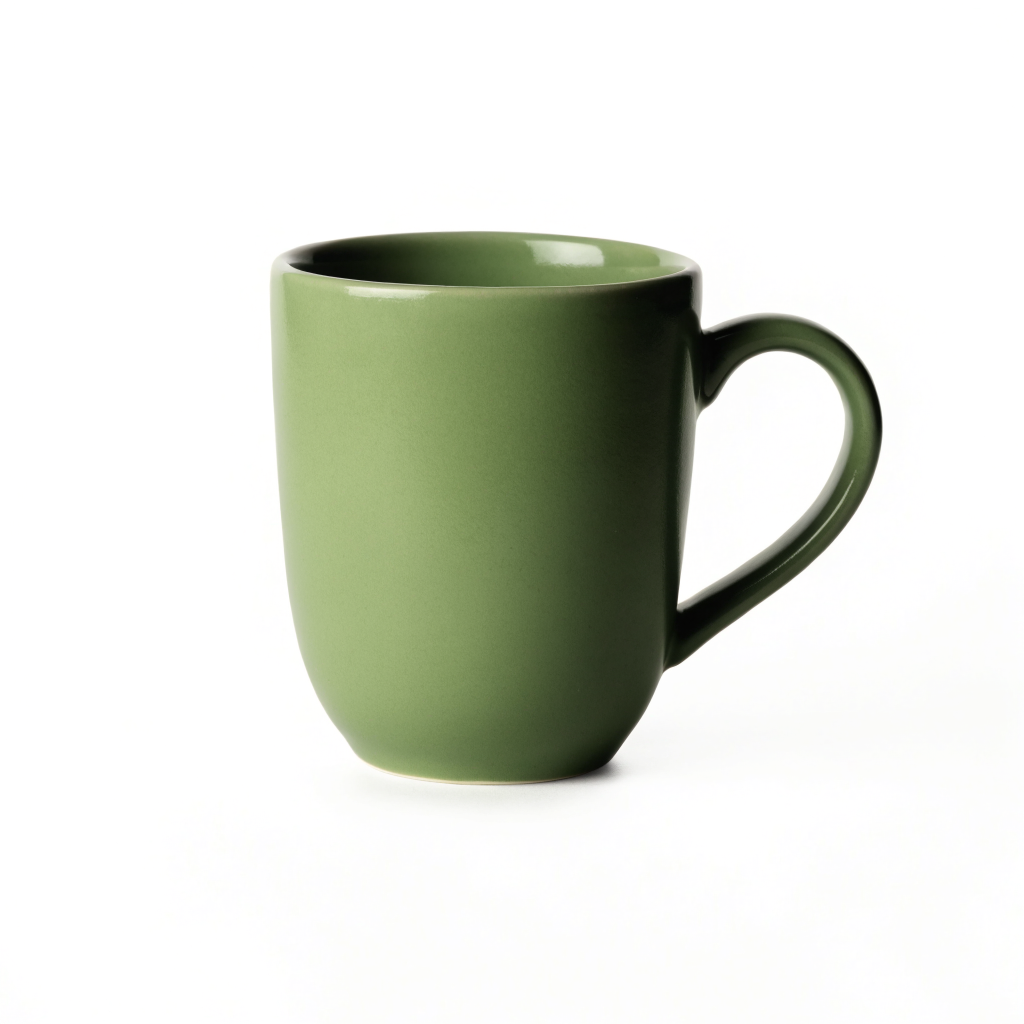
recraft-v4.1-flash/text-to-image, square_hd, 1024×1024, background_color white, $0.01.
E-commerce product photo of a single white leather low-top sneaker with gum rubber sole, side profile facing left, pure white seamless background, soft even studio lighting, subtle shadow under the sole, no props, no text
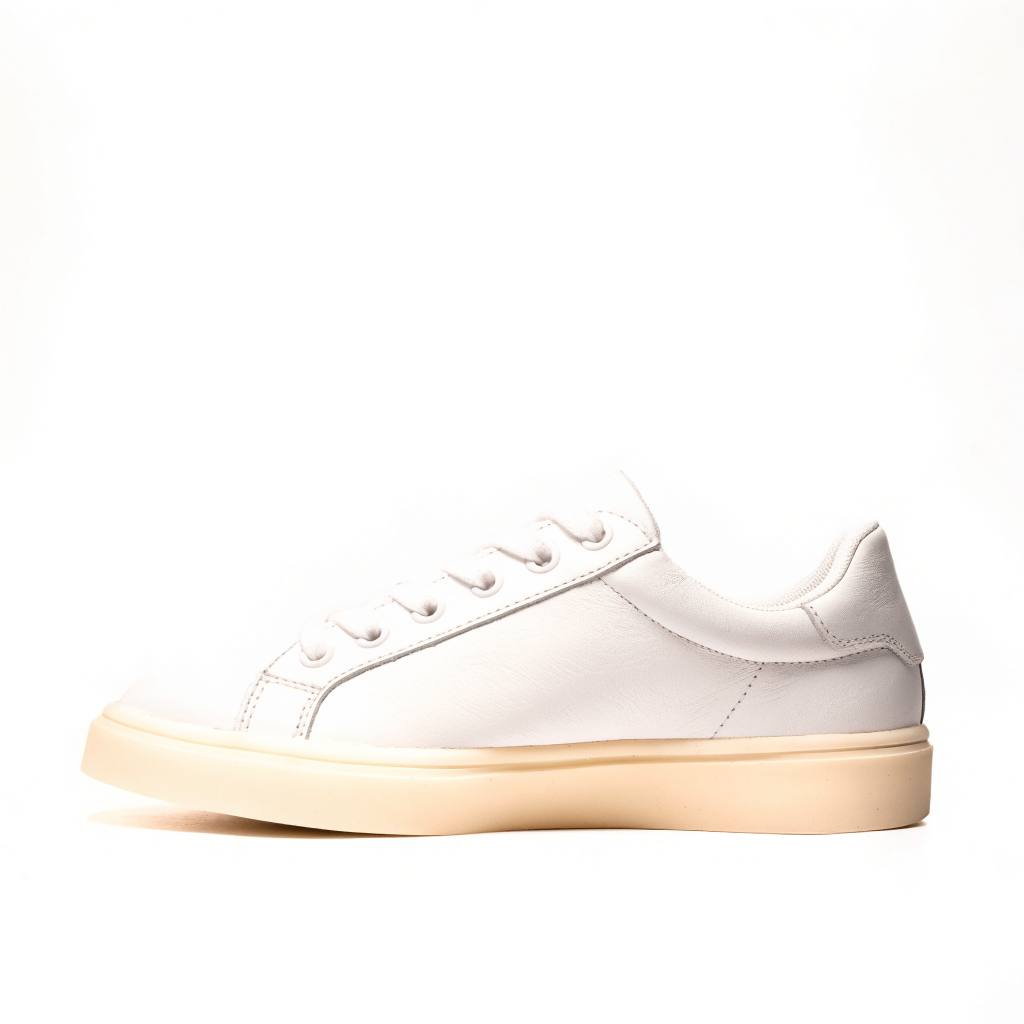
recraft-v4.1-flash/text-to-image, square_hd, 1024×1024, background_color white, $0.01.
The mug matches the prompt closely: centered, clean contact shadow, no props. The sneaker shows why review still matters. We asked for a gum rubber sole and got a cream sole, and the shoe sits in the lower half of the frame instead of the center. Neither image would be a usable listing for a real SKU without checking it against the actual product.
Lifestyle scene shots
Lifestyle product photo of an amber glass dropper serum bottle with a plain white label, standing on a travertine stone tray beside a eucalyptus sprig, bathroom shelf, soft morning window light, shallow depth of field, premium skincare catalog look
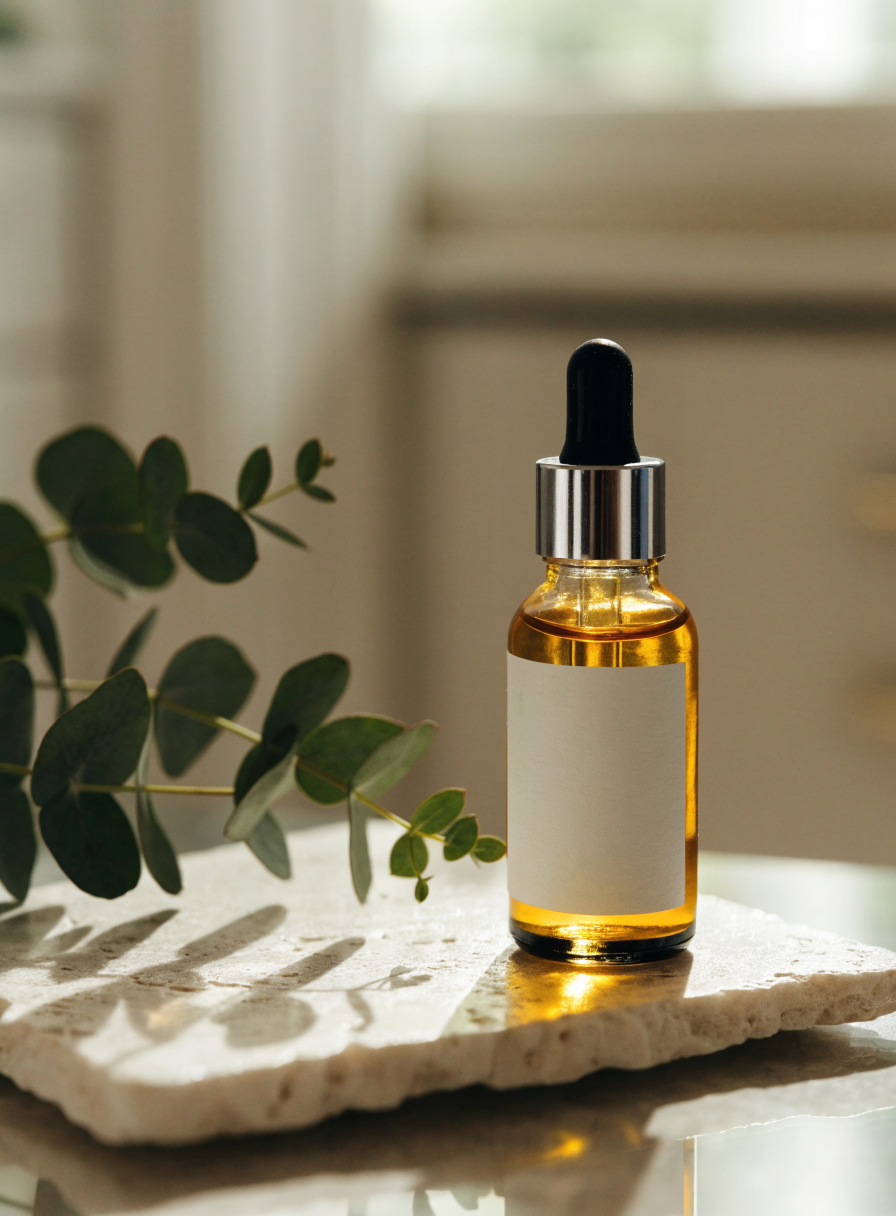
recraft-v4.1-flash/text-to-image, portrait_4_3, 896×1216, $0.01.
Lifestyle product photo of a charcoal canvas rolltop backpack leaning against a wooden bench in a sunlit train station, warm afternoon light, shallow depth of field, travel catalog look, no people, no logos
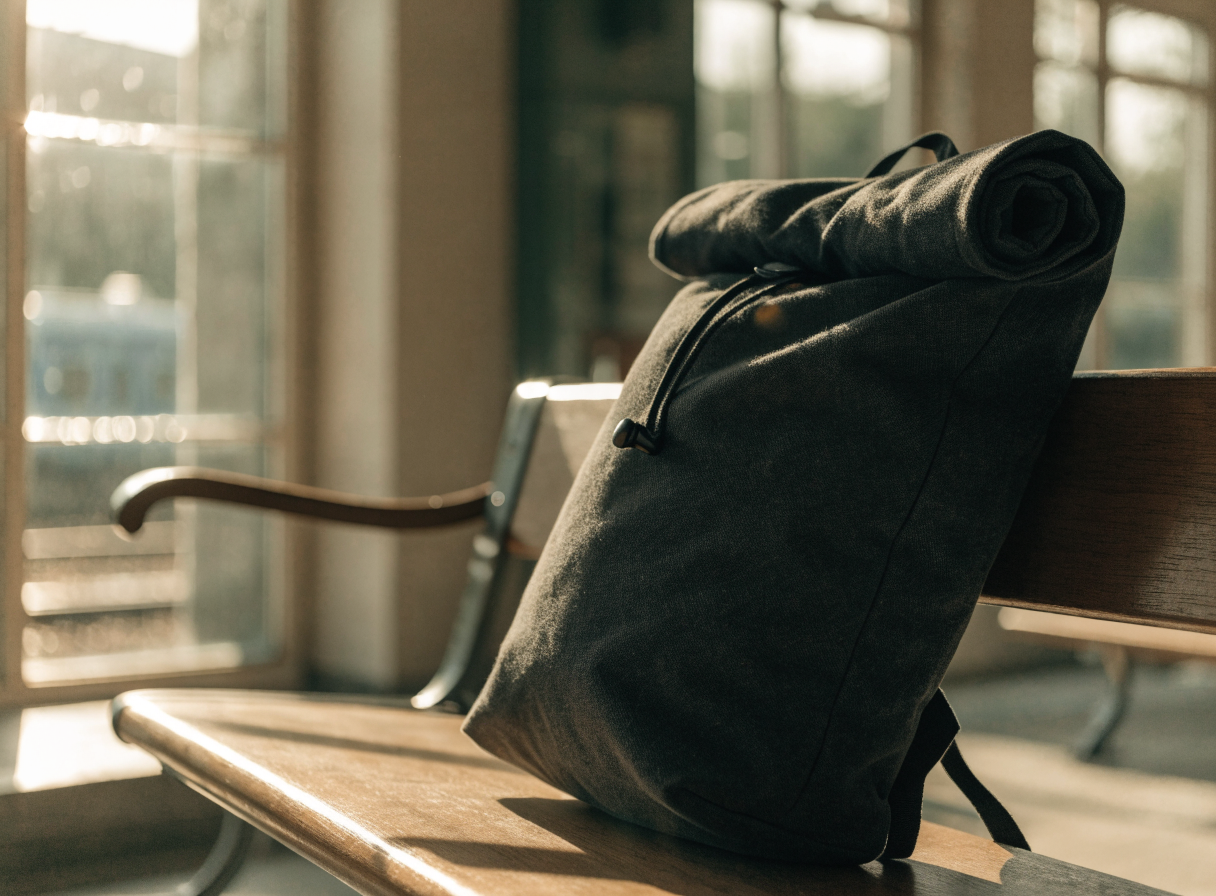
recraft-v4.1-flash/text-to-image, landscape_4_3, 1216×896, $0.01.
Both scenes include every prop and lighting cue from their prompts. The serum label came back blank, as requested. That's useful if you plan to composite your real label on afterwards, and safer than letting the model invent text.
What "white background" actually returned
We sampled pixels from the two listing shots:
| Image | Corner / edge samples (RGB) | Exactly 255,255,255 | Near-white (all channels ≥ 250) |
|---|---|---|---|
| Mug | 255,255,255 · 255,255,253 · 253,254,252 | 48.1% of pixels | 75.4% |
| Sneaker | 254,253,253 · 251,250,249 · 255,255,255 | 58.3% of pixels | 79.3% |
The backgrounds look white, but they aren't flat #FFFFFF. Marketplaces that require pure-white main images need a post-processing step. Either clamp near-white pixels to 255, or cut the product out and place it on a clean canvas. The Recraft background removal walkthrough covers the cutout route on the same API.
Batch script: submit in parallel, poll, download
This is the script we ran, trimmed. Each SKU gets its own Idempotency-Key, so a retry after a network timeout can't create a duplicate paid task. Output URLs are temporary: ours were on temp.hiapi.ai and carried an expireAt exactly 7 days after creation. Download each image as soon as its task succeeds.
import os, time, requests
from concurrent.futures import ThreadPoolExecutor

BASE = "https://api.hiapi.ai/v1/tasks"
HEADERS = {"Authorization": f"Bearer {os.environ['HIAPI_API_KEY']}",
           "Content-Type": "application/json"}
WHITE = {"r": 255, "g": 255, "b": 255}
BATCH_ID = "catalog-2026-11-01"  # change per intentional new batch

JOBS = [
    {"sku": "mug-sage", "image_size": "square_hd", "background_color": WHITE,
     "prompt": "E-commerce product photo of a matte sage-green ceramic coffee mug ..."},
    {"sku": "serum-amber", "image_size": "portrait_4_3",
     "prompt": "Lifestyle product photo of an amber glass dropper serum bottle ..."},
    # one dict per SKU / shot
]

def run(job):
    payload = {"model": "recraft-v4.1-flash/text-to-image",
               "input": {k: v for k, v in job.items() if k != "sku"}}
    r = requests.post(BASE, json=payload, timeout=60,
                      headers={**HEADERS, "Idempotency-Key": f"{BATCH_ID}-{job['sku']}"})
    r.raise_for_status()
    task_id = r.json()["data"]["taskId"]
    while True:
        task = requests.get(f"{BASE}/{task_id}", headers=HEADERS, timeout=30).json()["data"]
        if task["status"] in ("success", "fail", "failed"):
            break
        time.sleep(3)
    if task["status"] != "success":
        return job["sku"], task["status"]
    img = requests.get(task["output"][0]["url"], timeout=60).content
    with open(f"{job['sku']}.webp", "wb") as f:  # output was WebP in our run
        f.write(img)
    return job["sku"], "saved"

with ThreadPoolExecutor(max_workers=4) as pool:
    for sku, status in pool.map(run, JOBS):
        print(sku, status)
Our run returned this for each task (one shown):
{
  "taskId": "tk-hiapi-01M6AMTSX0B7Z531QT740DS54P",
  "model": "recraft-v4.1-flash/text-to-image",
  "status": "success",
  "storage": "temp",
  "output": [{"type": "image", "url": "https://temp.hiapi.ai/.../...-0.webp", "expireAt": 1794111048}]
}
The task's created and completed timestamps were 9 seconds apart. The remaining time on the client side went to polling intervals and downloading a 0.45–1.26 MB WebP file. For full request and polling details, see the Recraft V4.1 API guide and the HiAPI docs.
Catalog budget
| Shots per SKU | 100 SKUs | 1,000 SKUs |
|---|---|---|
| 1 (listing only) | $1.00 | $10.00 |
| 3 (listing + 2 scenes) | $3.00 | $30.00 |
| 3 + 2 regenerations | $5.00 | $50.00 |
Based on Flash at $0.01 per image, checked against HiAPI pricing on November 1, 2026. Regenerations are billed like any other image, so plan for some.
Prompt pattern that worked for listings
- Open with the shot type (
E-commerce product photo of ...), then material + color + product. - Fix the camera angle (
front three-quarter view,side profile facing left). - Spell out the backdrop and lighting (
pure white seamless background, soft even studio lighting), and passbackground_coloras well. - Close with exclusions:
no props, no text. - Check product-specific details against the real item. The sneaker's sole color shows the model can drift on them.
FAQ
Is Flash good enough for main listing images? For simple products like the mug, the output was clean. But details can drift, as with the sneaker sole, and backgrounds aren't pure #FFFFFF. Review every image and clean up backgrounds if your marketplace requires it.
Can I keep my brand colors consistent across a batch?
Yes. Pass the same colors array in every request. It guides the palette but isn't a pixel-exact color lock.
How do I move a keeper to standard V4.1?
Resend the same payload with model set to recraft-v4.1/text-to-image, at $0.05 per image.
Does this generate my actual product? No. Text-to-image creates a product that matches your description. To show your real item, use the generated scenes as backgrounds or mockups, or switch to an image-to-image workflow.
Ready to draft a catalog? Open the Recraft V4.1 Flash model page and try one listing prompt, then run the batch script on the rest of your SKUs.