FLUX.1 Fill Pro costs $0.0715 per edit on HiAPI, billed per successful image. Steps, guidance, seed and output format add nothing to that number, and $10 buys about 139 edits.
FLUX.1 Fill Pro is live on HiAPI. Open the model page to run your first masked edit, and new accounts get 200 free credits on sign-up. The model repaints only the white area of your mask and leaves everything black untouched.
What does one edit cost?
| Item | Value |
|---|---|
| Per image | $0.0715 |
| In credits | 143 credits (2,000 credits = $1) |
| First test at $10 | About 139 edits |
| New-account 200 credits | $0.10, about 1.4 edits |
The billing rule in one line: you pay per successful image, one image per request, steps, guidance, seed and output format never change the price, and failed tasks get the hold refunded automatically.
One request is one masked edit: a source image, a same-size black-and-white mask and a prompt. Upload two images and adjust a few settings, and the bill still comes down to output count, regardless of how large the mask area is or how long the prompt runs.
What do 100, 1,000 or 10,000 edits cost?
| Edits | Cost |
|---|---|
| 100 | $7.15 |
| 1,000 | $71.5 |
| 10,000 | $715 |
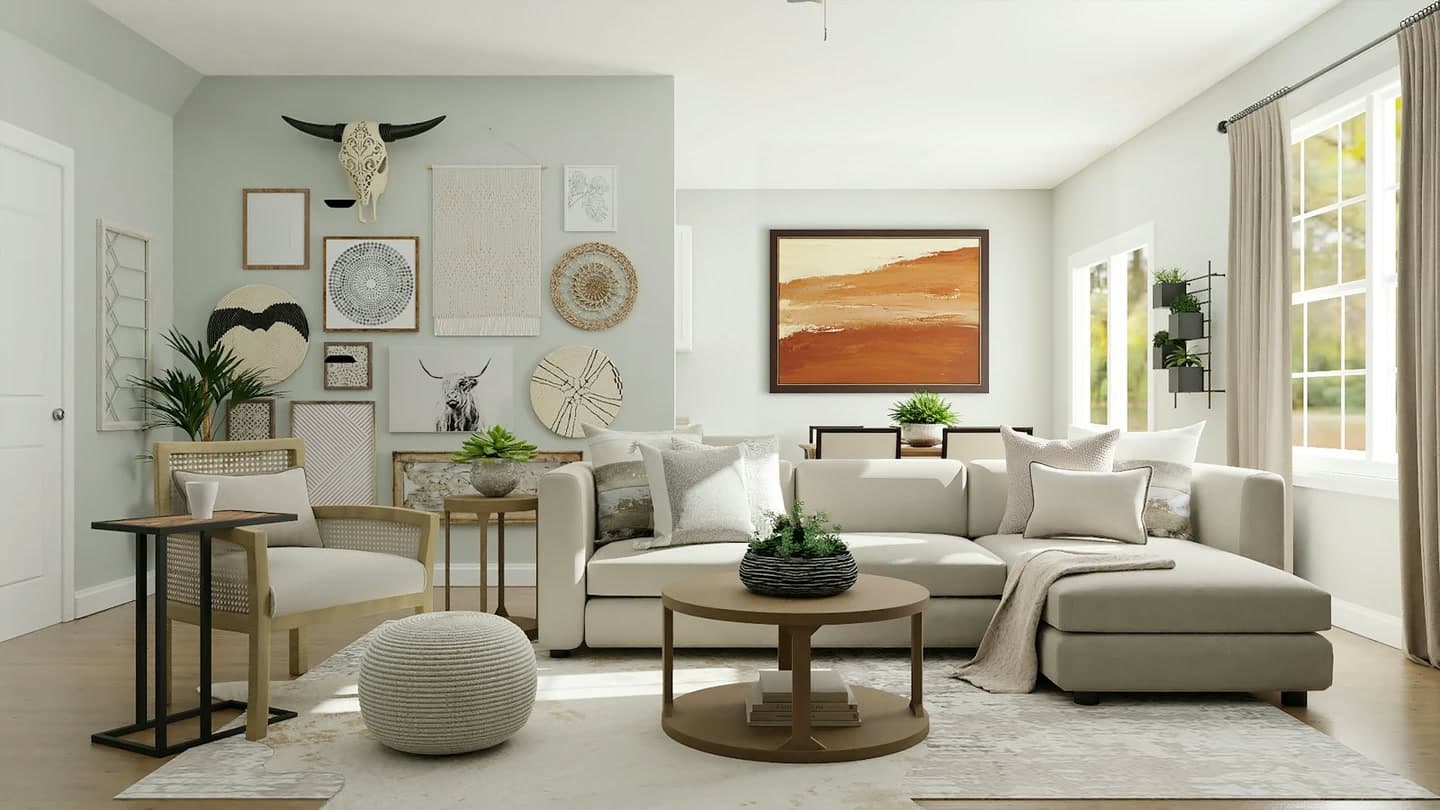
Cost scales linearly. There is no setup fee and no monthly floor. Because the mask limits what gets repainted, you can change one object and re-run one image instead of redoing the whole scene: three different paintings on the same living-room wall cost three edits, with the furniture and light untouched.
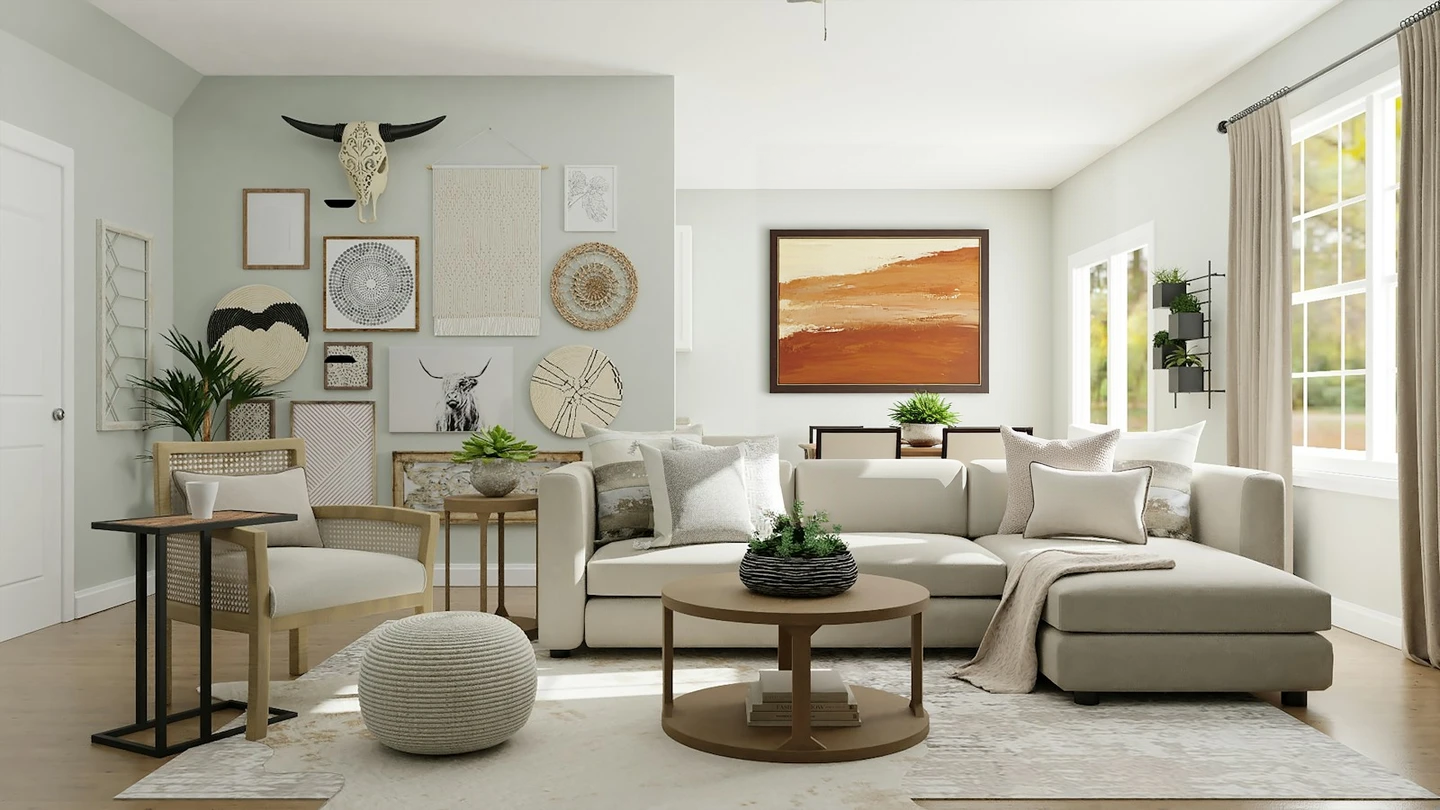
This one is $0.0715. The mask covered only the patch of wall behind the clock, so the tapestry, woven discs, bison skull, plant, sofa and window light on the left all came back as they were.
A large framed abstract painting in warm terracotta, sand and cream tones, hanging on the wall, with a thin dark wood frame; keep the room, sofa, furniture and lighting unchanged.
Generate with this prompt → The prompt arrives pre-filled; the source slot is empty and the mask slot holds the example mask, so swap in your own source and a same-size black-and-white mask before you hit Run.
How do you get more out of each $0.0715?
- Keep the mask tight. Cover only what changes. The closer the white edge sits to the object, the less the model drifts into nearby furniture, shadows and the horizon line.
- Run the first edit on defaults. steps 50, guidance 60, prompt upsampling off. Prove the source, mask and prompt chain works before you tune anything.
- Change one setting at a time. Move steps and guidance together and you cannot tell which one caused the difference.
- Lock the seed once you like a result. Same source, same mask, same prompt and a fixed seed brings back a close result, so you always have a version to return to.
- Ask for png only when you need it. The default is jpg, which is all a web layout or a paid placement needs.
With that routine, most images settle in two or three runs, and one $10 test budget covers a dozen scenes.
How does it compare with other editing models on HiAPI?
HiAPI prices per image:
| Model | Price | Billed per | Input |
|---|---|---|---|
| FLUX.1 Fill Pro | $0.0715 | Image | Source + black-and-white mask + prompt |
| FLUX.1 Kontext Max | $0.0715 | Image | One source + prompt, no mask |
| Qwen Image 2.1 Pro | $0.05 | Image | Text-to-image / image editing |
| FASHN Try-On v1.6 | $0.1072 | Image | Model photo + garment image |
Fill Pro and Kontext Max share the same $0.0715 price; the input is what separates them. Fill Pro takes an extra same-size black-and-white mask, so the mask defines the edit boundary. Kontext Max takes a source and a prompt, and the boundary comes from your wording. For an edit that must stop at a line you control, use Fill Pro. For a full restyle of the whole frame, use Kontext Max. Same photo, same goal, both outputs side by side: FLUX.1 Fill Pro vs Kontext Max.
Qwen Image 2.1 Pro is $0.05 per image and covers generation from scratch plus whole-image edits. FASHN Try-On v1.6 is $0.1072 per image with a model photo and a garment as input, built for try-on. When the job is one region of an existing frame, Fill Pro's mask route is the fit.
FAQ
Am I charged when an edit fails? No. A failed task refunds the hold automatically; only successful images are billed.
Does raising steps or guidance cost more? No. The price is per output image; steps, guidance, seed and jpg or png all sit inside the same rate.
Can a new account run one edit for free? Yes. The 200 sign-up credits are worth $0.10, about 1.4 edits, so one edit runs for free on the model page once you upload a source and a mask.
How many images does one request return? One. Each task returns a single image; submit several tasks concurrently for more, billed per image.
Run your first edit now
Copy the painting prompt above and open the model page, upload a source image plus a same-size black-and-white mask, and hit Run. That edit is $0.0715, and the 200 sign-up credits cover your first one.
More on FLUX.1 Fill Pro
- FLUX.1 Fill Pro model page: try a masked edit, 200 free credits on sign-up
- How to use the FLUX.1 Fill Pro API: your first masked edit
- FLUX.1 Fill Pro vs Kontext Max: mask or full-image edit
- FLUX.1 Fill Pro prompts: 4 masked edits to copy
- FLUX.1 Fill Pro API docs: every parameter and input format
- How to use the FLUX.1 Fill Pro API with curl and Python