These four scenes are real FLUX.1 Fill Pro runs from HiAPI, and each one comes with its source image, its mask, the output and the full prompt: copy the mask, copy the prompt, hit "Generate with this prompt", then swap in your own source and mask and run it.
FLUX.1 Fill Pro is live on HiAPI. Open the model page and run an edit, and new accounts get 200 free credits on sign-up. Every edit is $0.0715, and the settings never change that price.
All four sources are 1600 × 900 with a same-size mask, and the outputs come back at 1440 × 810 (the mug scene shows a 1440 × 540 horizontal crop; its full output is 1440 × 810).
1. Local replacement: swap the wall behind a clock for an abstract painting
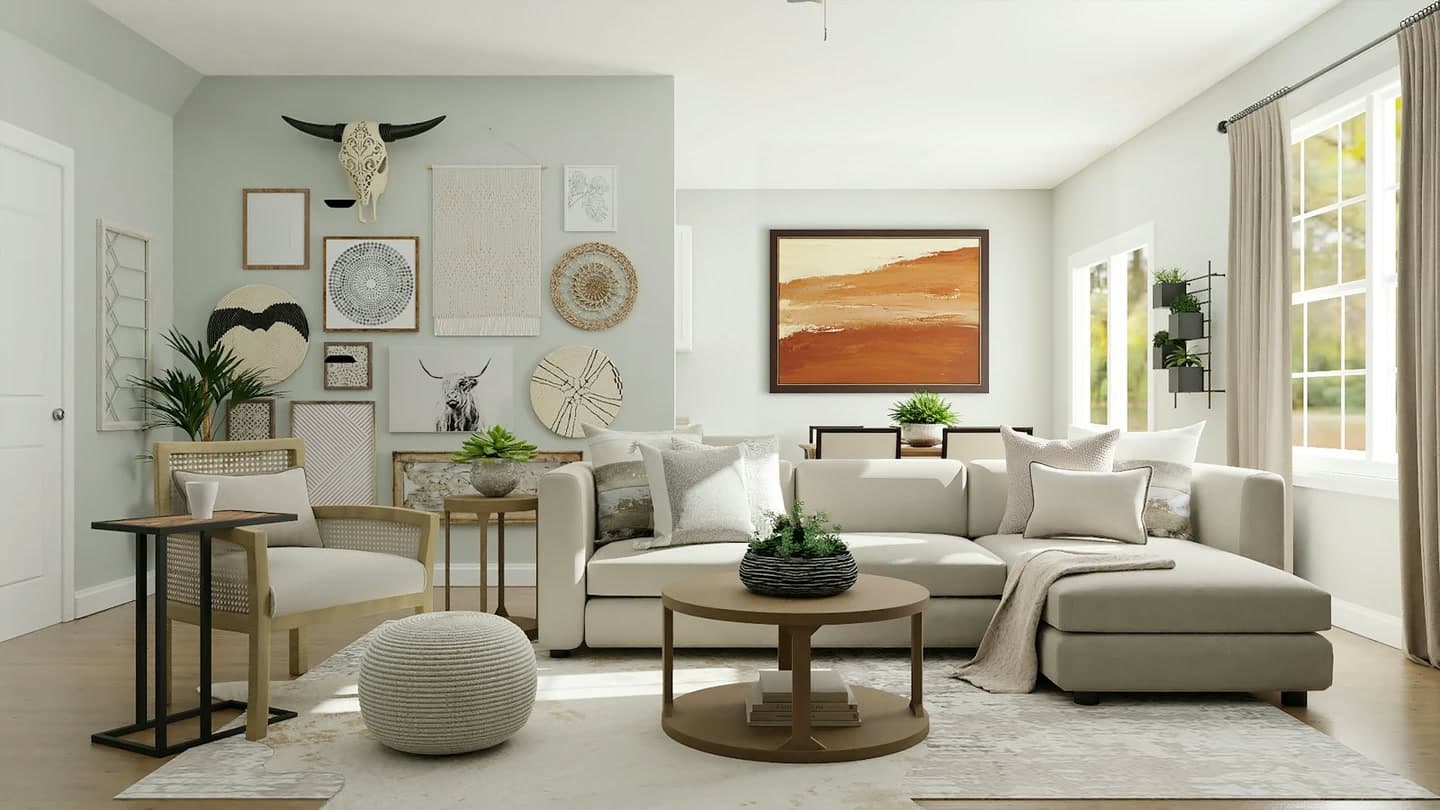
The source. The goal is to replace the wall where the clock hangs and keep everything else.
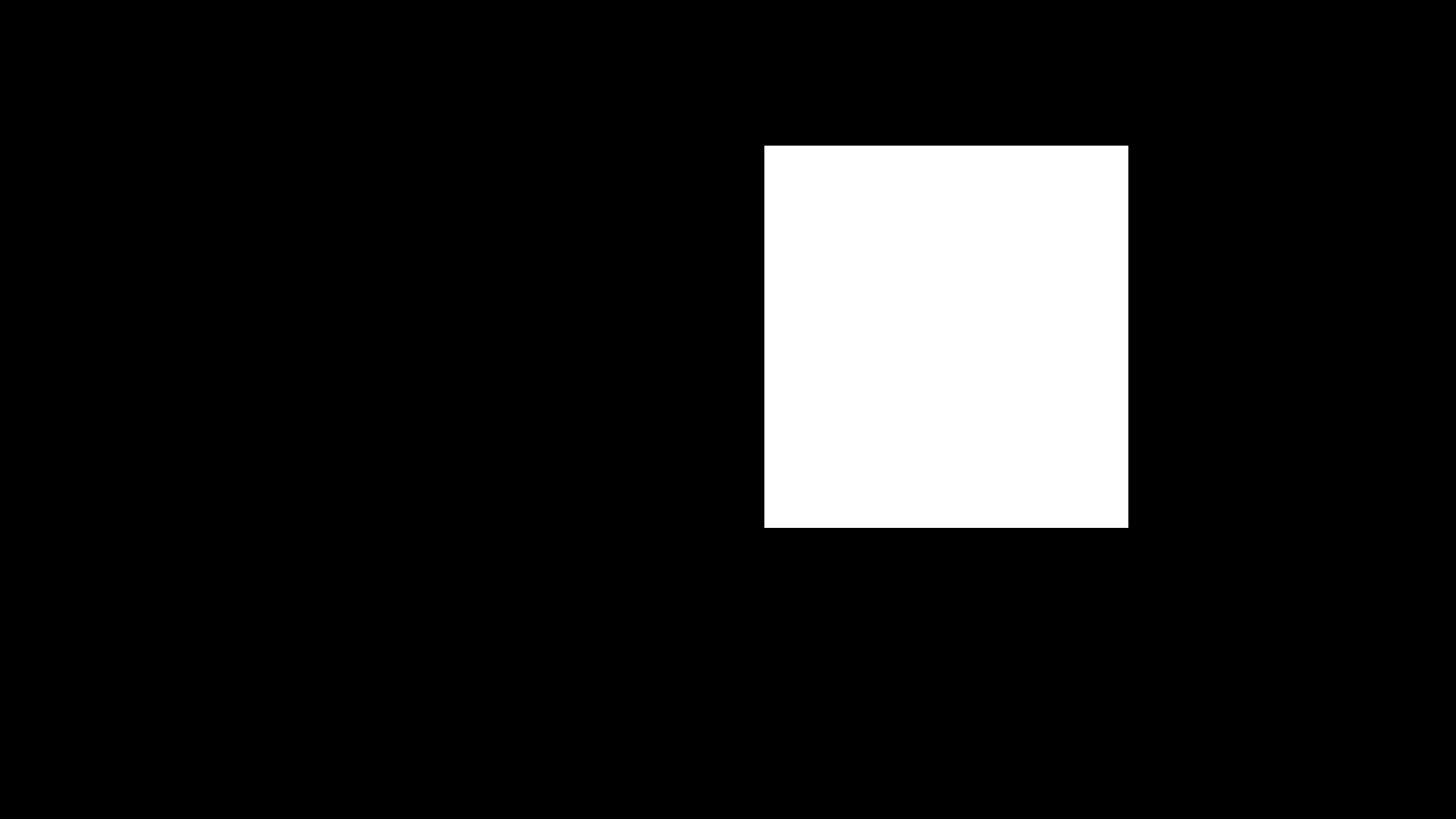
The mask. Black keeps, white repaints. The white box covers the clock's patch of wall; everything outside it is black.
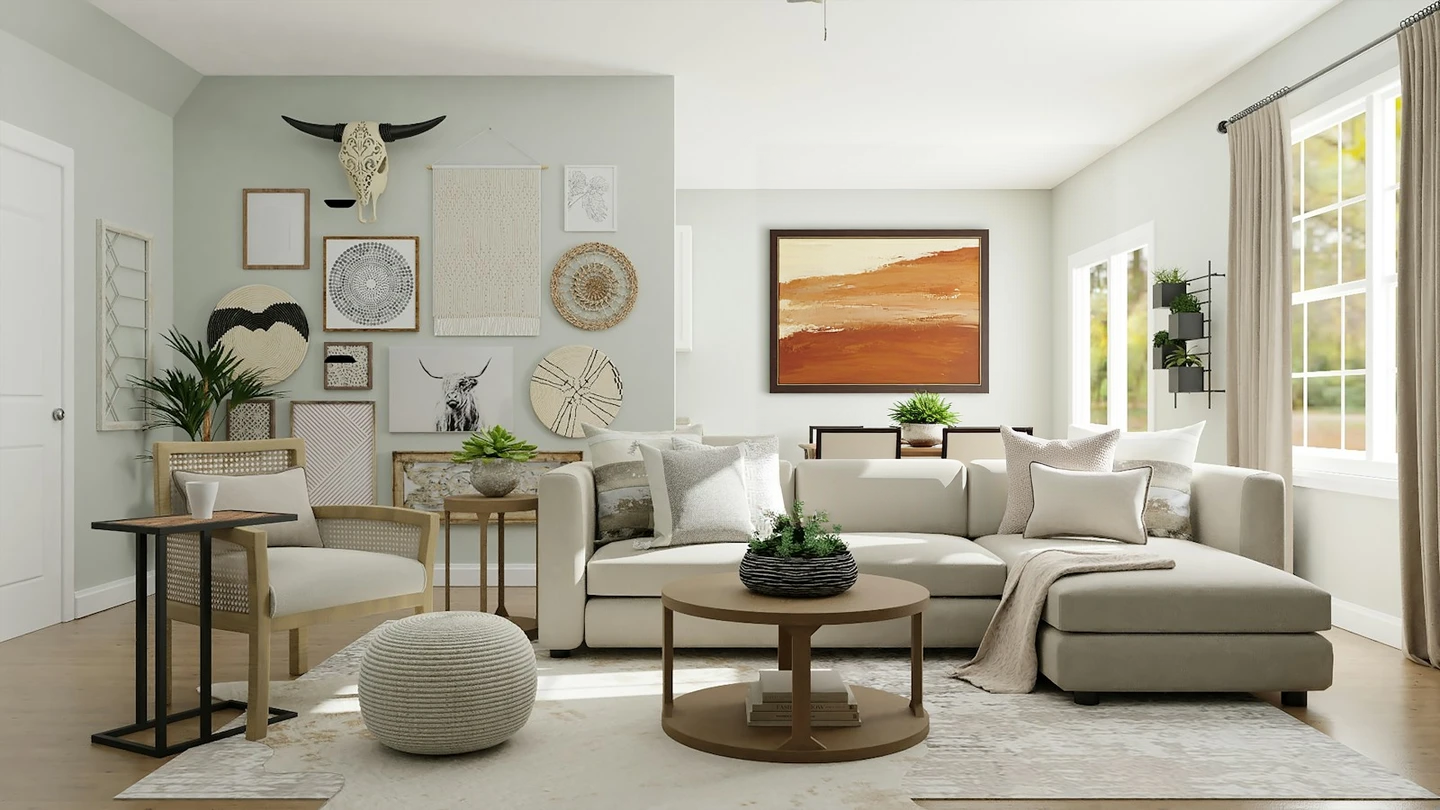
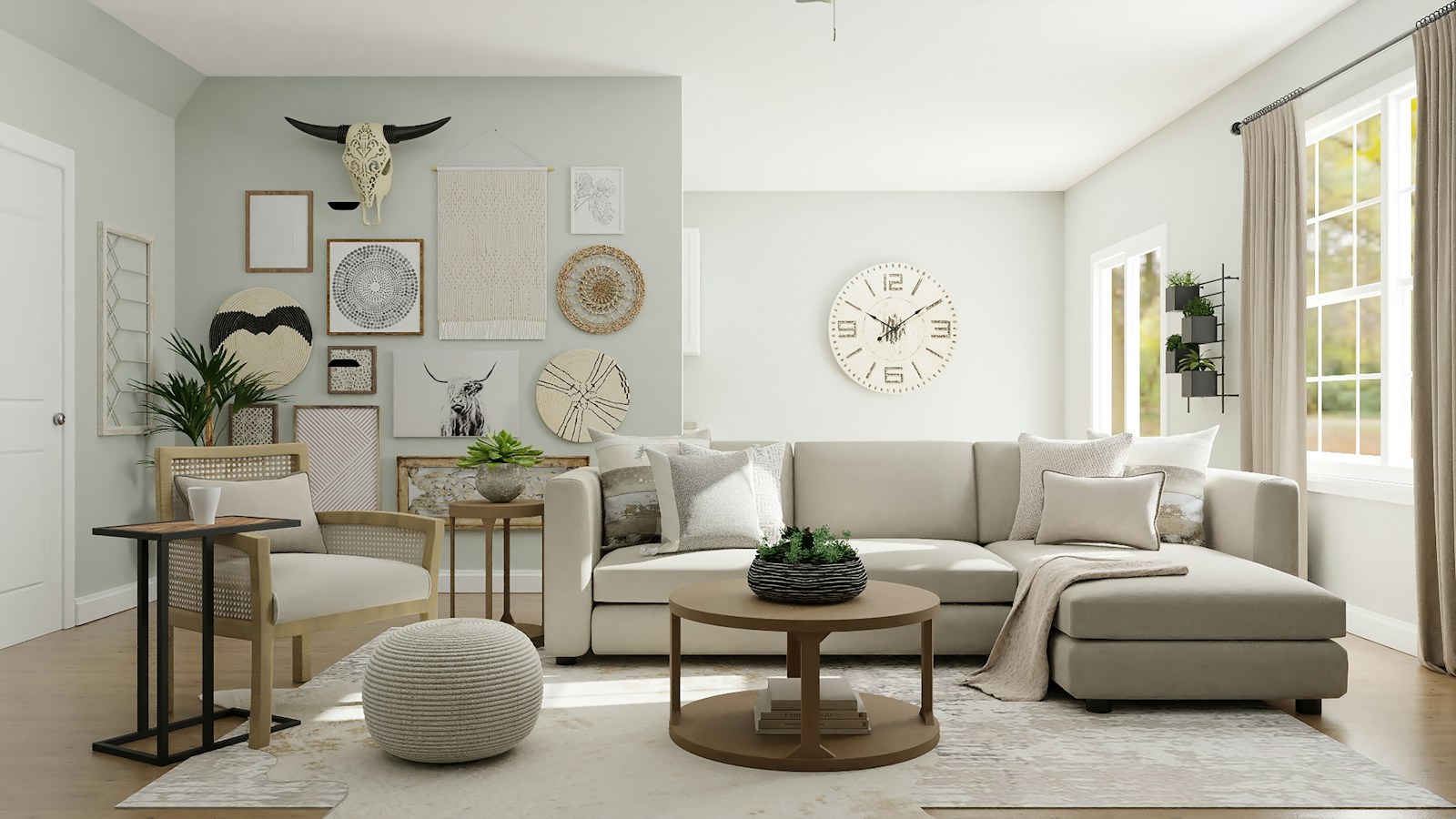
The output, 1440 × 810. Only the boxed area became a painting, and a thin dark frame appeared inside the box; the tapestry, woven discs, bison skull, plant, sofa and window light outside the box did not move.
What the mask covers: the whole patch of wall around the clock, with the white box a ring wider than the clock. What stays outside: every ornament on the left wall, the plant, sofa, rug and window light.
A large framed abstract painting in warm terracotta, sand and cream tones, hanging on the wall, with a thin dark wood frame; keep the room, sofa, furniture and lighting unchanged.
Generate with this prompt → Upload the source image above, replace the example mask in the mask slot with the one shown, then hit Run.
Why it works: the first half describes only the new object, its palette and its frame material, and everything after keep … unchanged names what must not move. The frame showed up inside the box because the prompt asked for thin dark wood frame by name.
2. Product retouching: repair a scratch on a pale oak stool
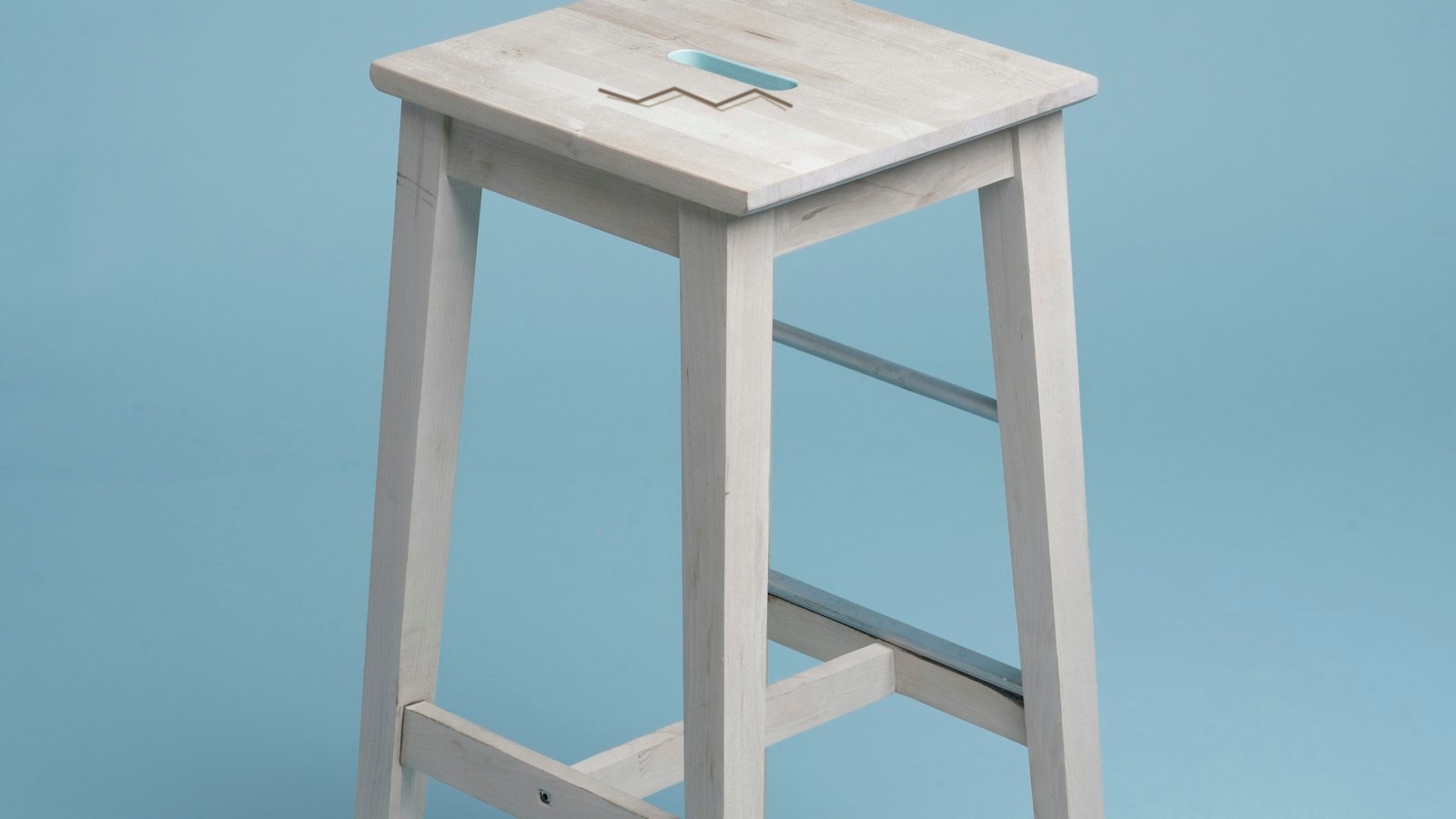
The source. A clear dark scratch sits in the middle of the seat, and no product page can ship this.
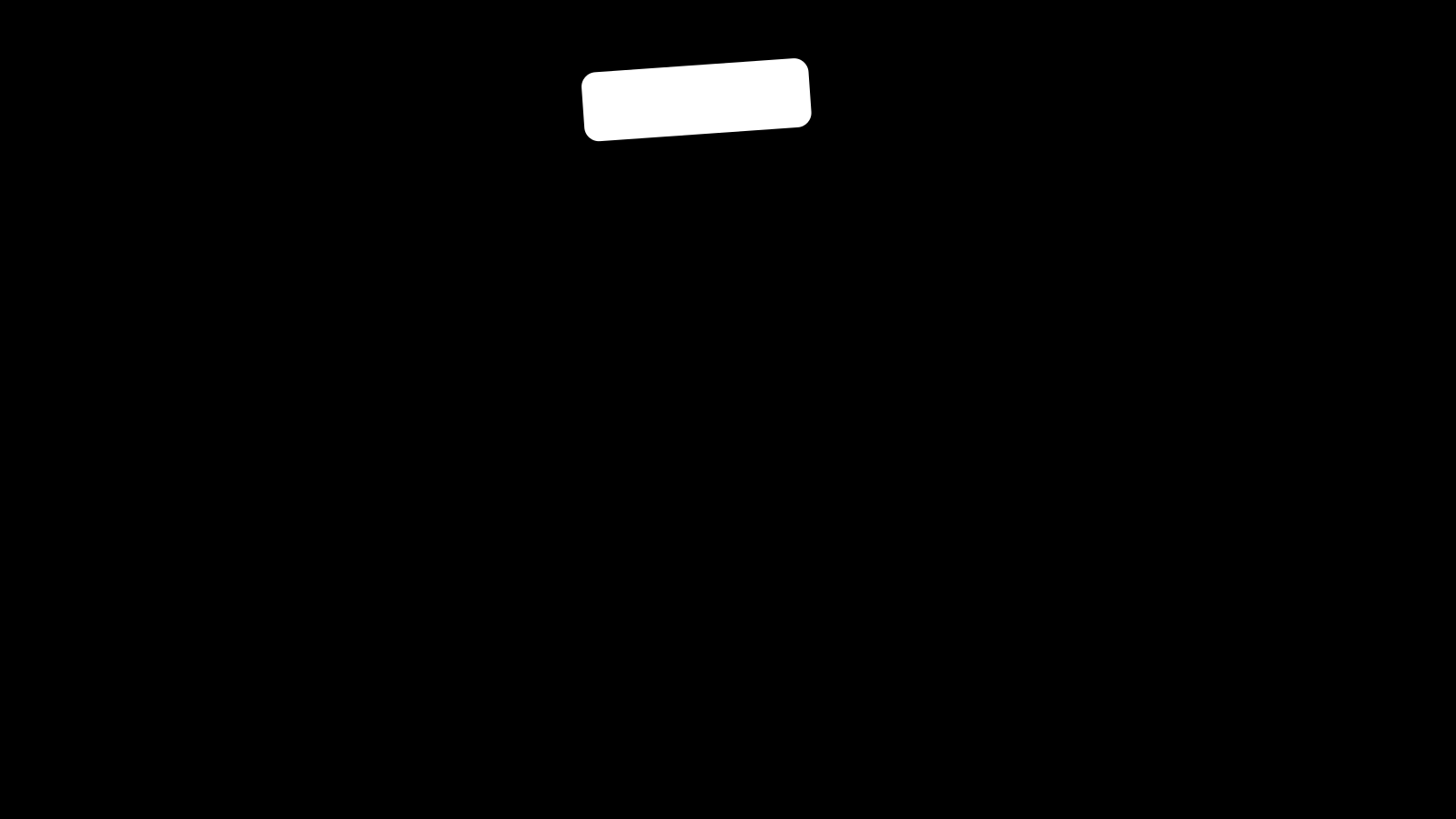
The mask. Black keeps, white repaints. The white area covers the scratch only; the legs and the blue backdrop stay black.
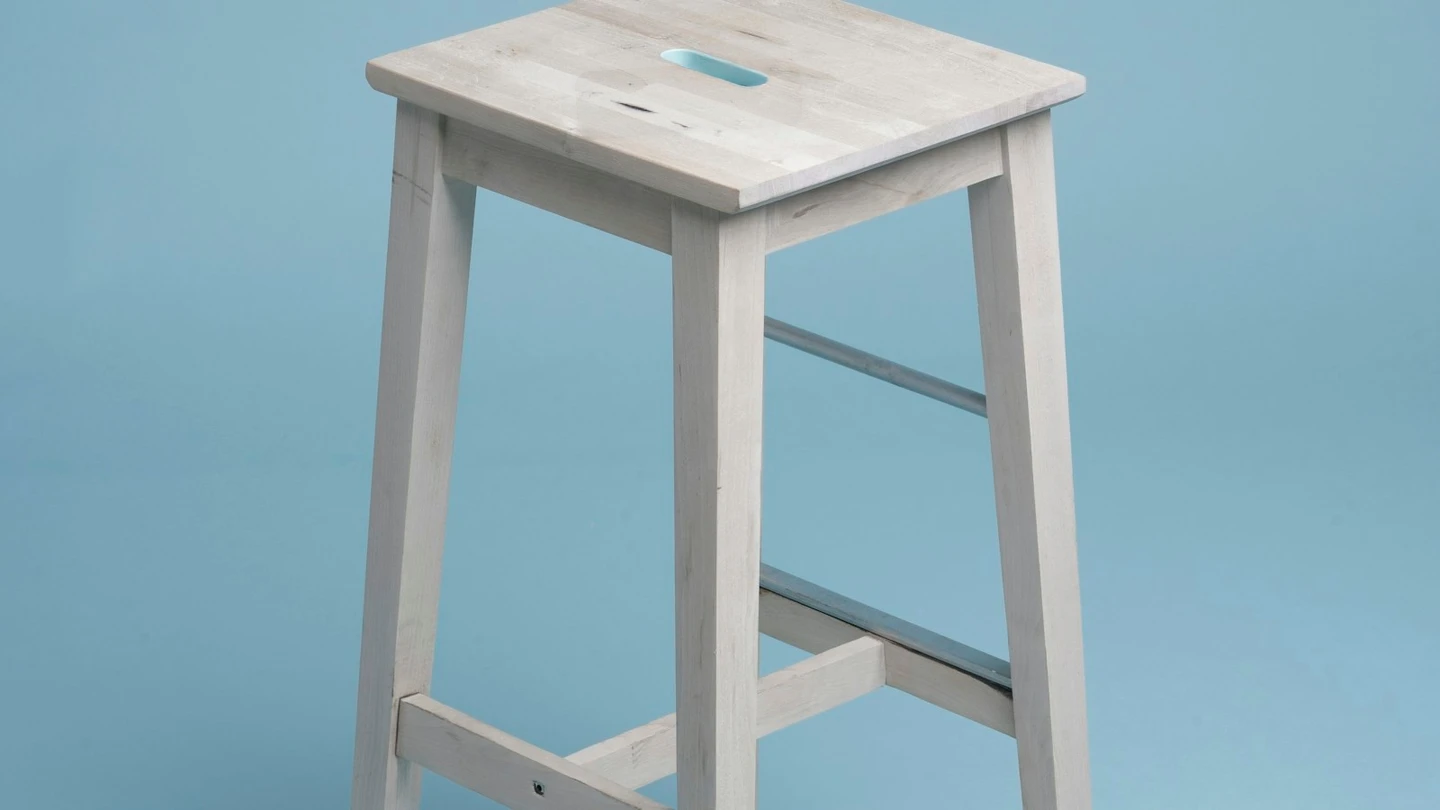
The output, 1440 × 810. The scratch is repaired and the grain flows through, while the legs, frame and blue backdrop are unchanged; a few natural grain knots remain visible up close.
What the mask covers: the scratch alone, about a knuckle wide. What stays outside: the rest of the seat grain, the legs, the stretchers, the blue backdrop and the lighting.
Remove the dark scratch from the pale oak stool seat and restore a continuous, smooth light oak surface with matching grain, soft sheen and a clean rounded edge; keep the stool legs, frame, blue background and lighting unchanged.
Generate with this prompt → Upload the source image above, replace the example mask in the mask slot with the one shown, then hit Run.
Why it works: repair prompts should name the defect first and the restored surface second, and both need detail. matching grain and soft sheen are the load-bearing phrases: they make the repainted patch meet the surrounding wood instead of reading as a flat colour fill.
3. Background replacement: put a warm terracotta backdrop behind a white mug
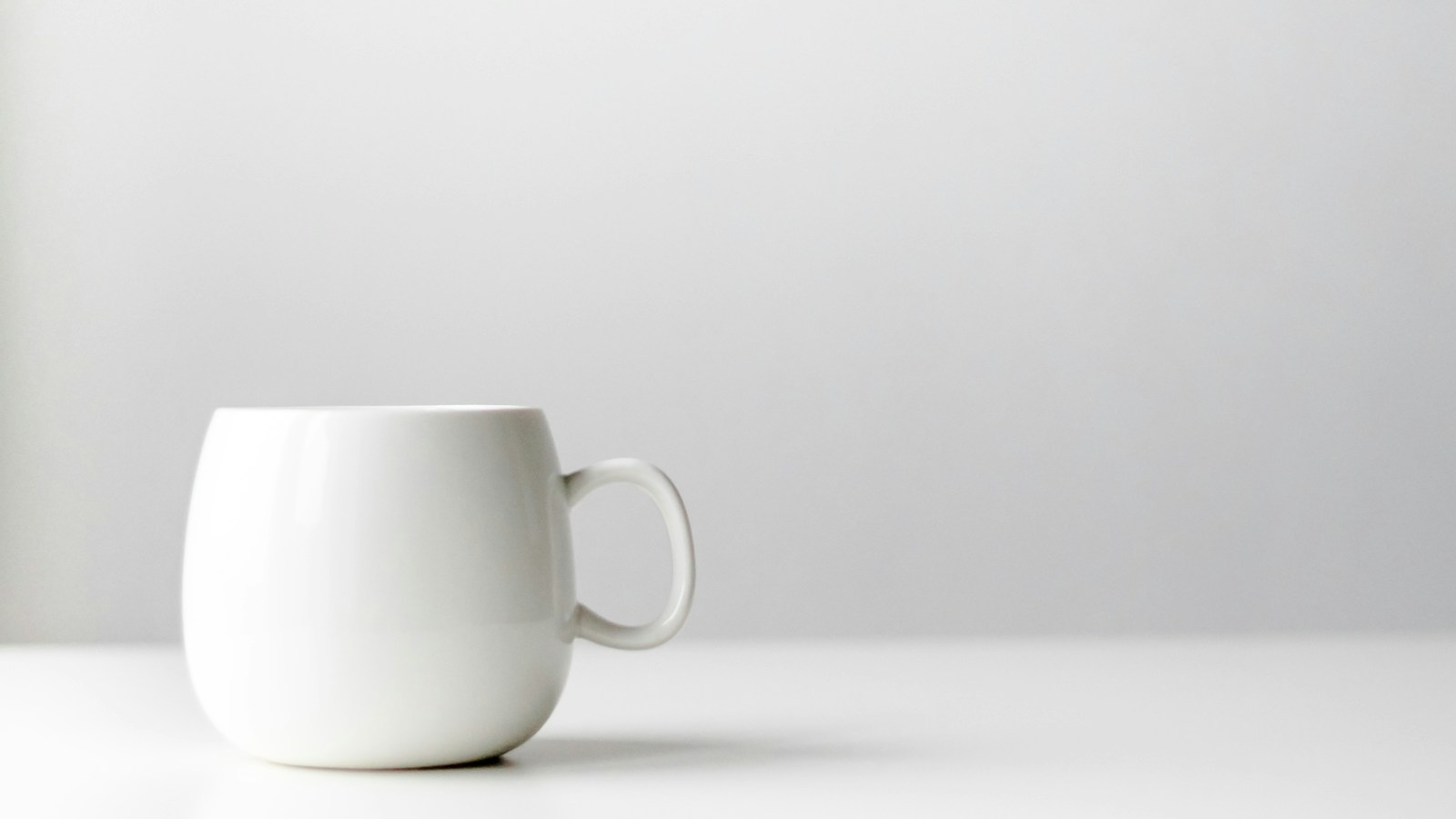
The source. White mug, white table, white wall: one flat colour across the frame.
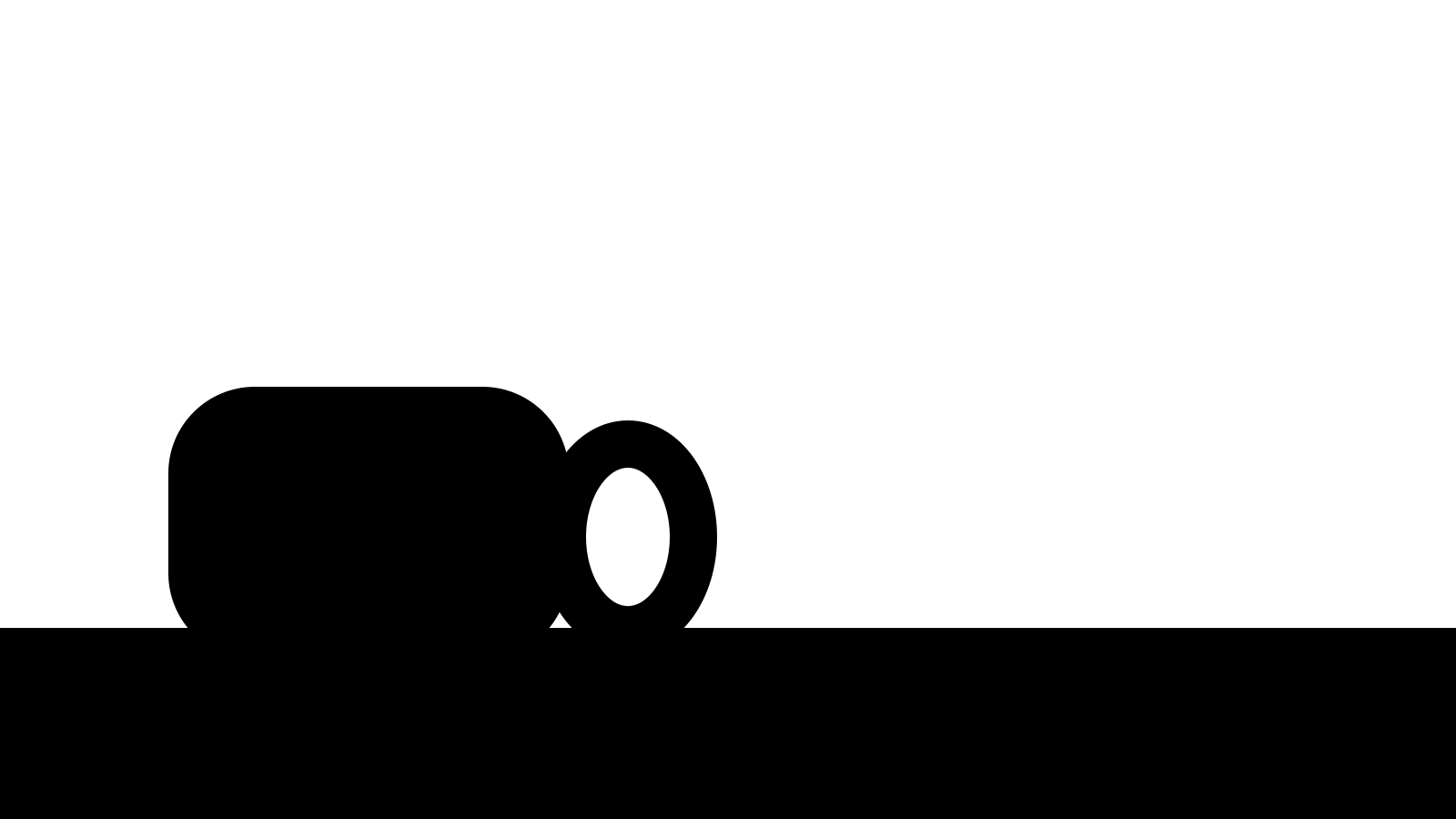
The mask. Black keeps, white repaints. White covers the wall above and around the mug; the body, handle, table and shadow stay black.
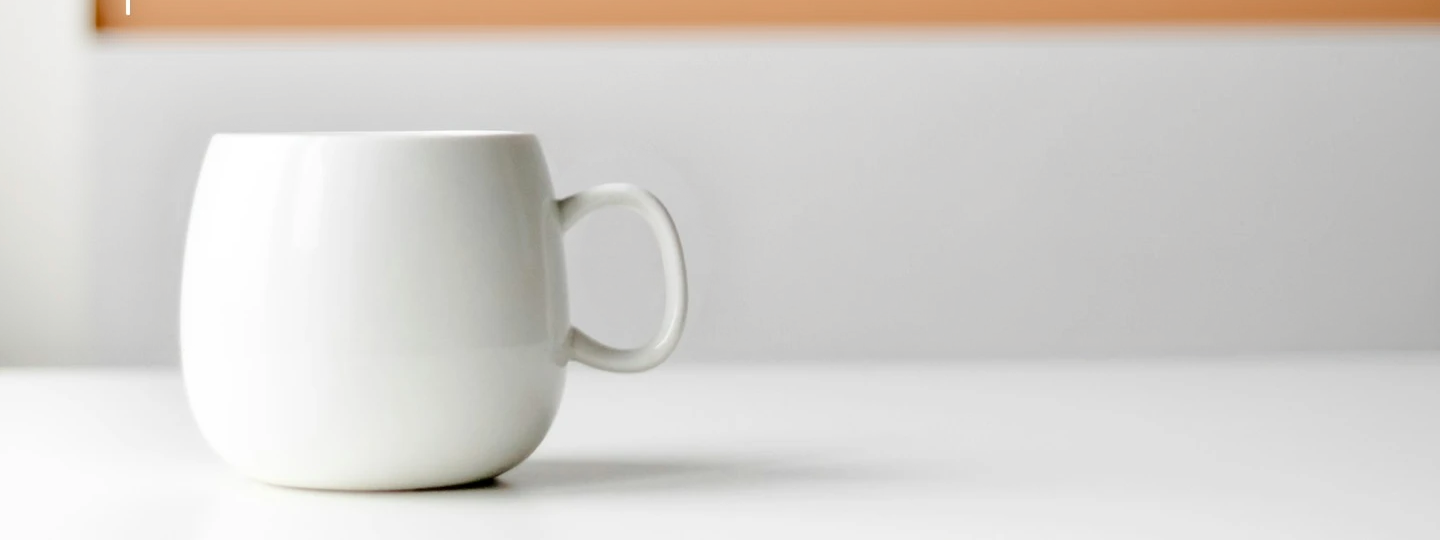
The output, shown as a 1440 × 540 horizontal crop (full output 1440 × 810). The wall is now warm terracotta with a soft gradient from upper left to lower right; the mug outline, handle, white table and existing shadow are all intact.
What the mask covers: the wall behind the mug, out to both side edges of the frame. What stays outside: the mug and handle, the white tabletop, the shadow under the mug, the camera angle and perspective.
Replace the plain white wall behind the white ceramic mug with a warm terracotta studio backdrop lit by soft late-afternoon window light, with a gentle gradient from the upper left; keep the mug, handle, white table, existing shadow and camera angle unchanged.
Generate with this prompt → Upload the source image above, replace the example mask in the mask slot with the one shown, then hit Run.
Why it works: a background swap needs a light direction and a gradient direction (soft late-afternoon window light, from the upper left), or the new wall turns into a dead flat block of colour. Naming existing shadow in the keep list is what stops the contact shadow under the mug from being erased.
4. Garment recolor: turn a white tee into deep forest green
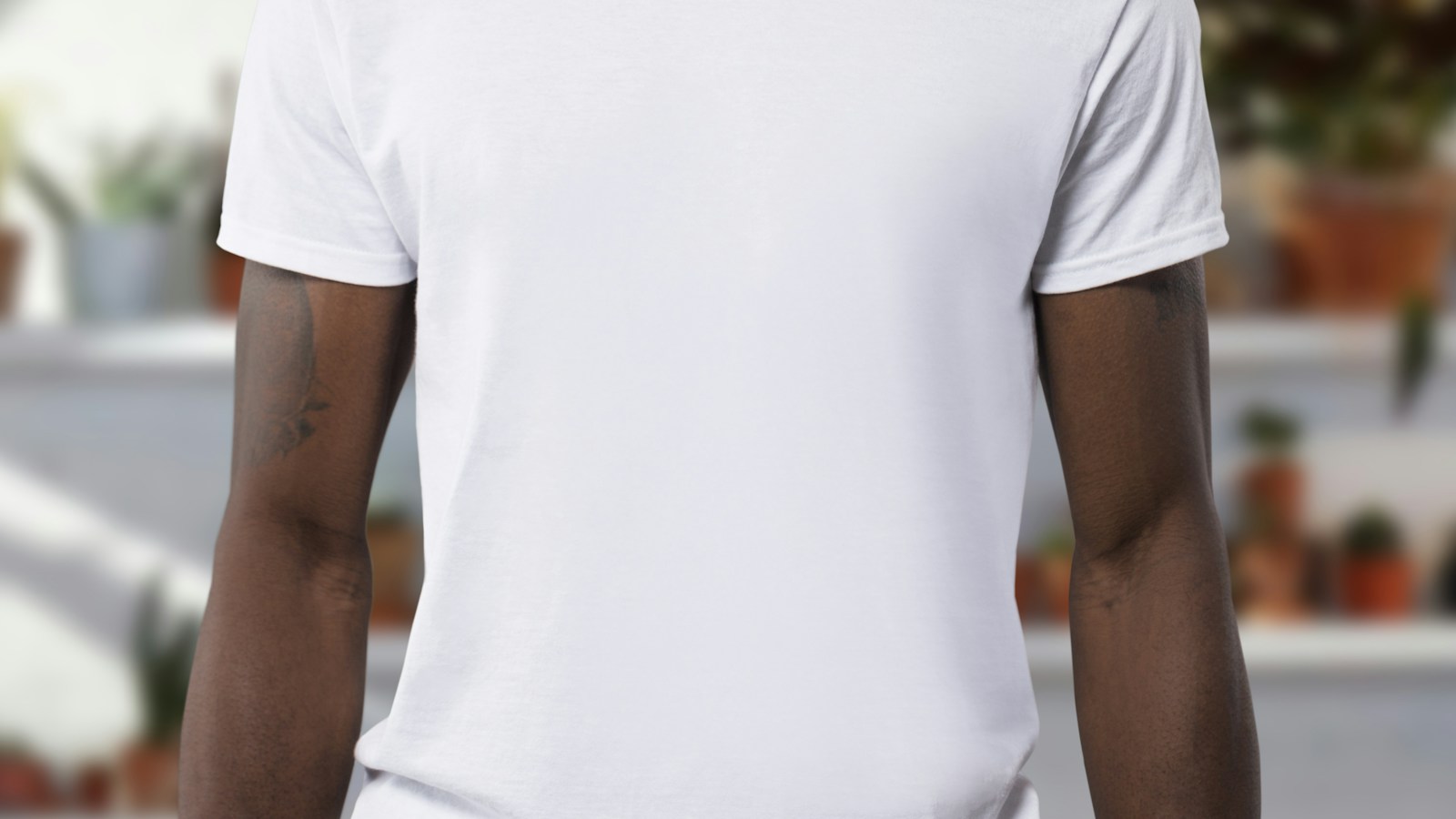
The source. A white heavyweight tee whose folds, ribbed hems and skin tone all have to survive.
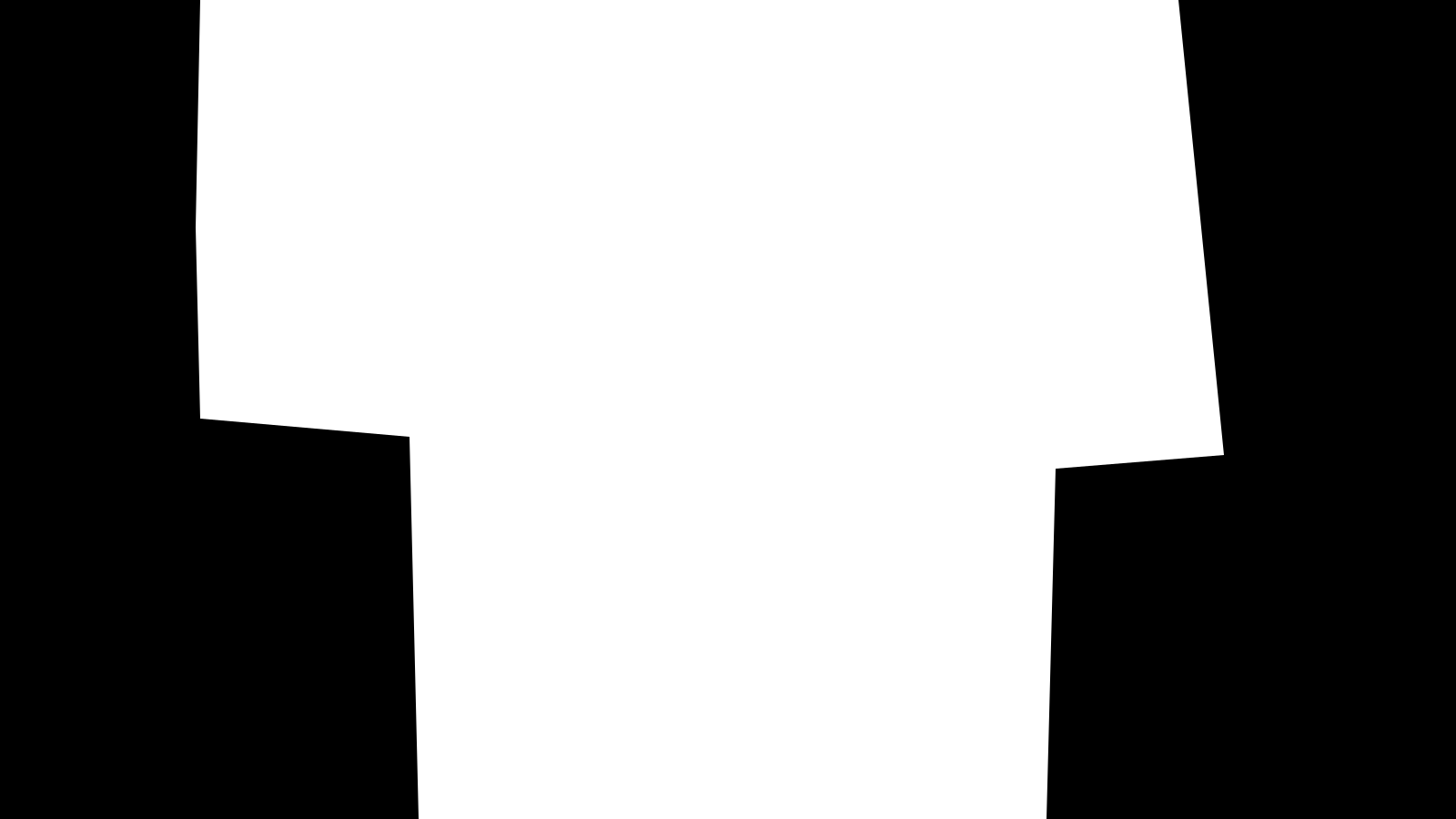
The mask. Black keeps, white repaints. White is the diagonal torso region; the sleeves, hem and arms stay black.
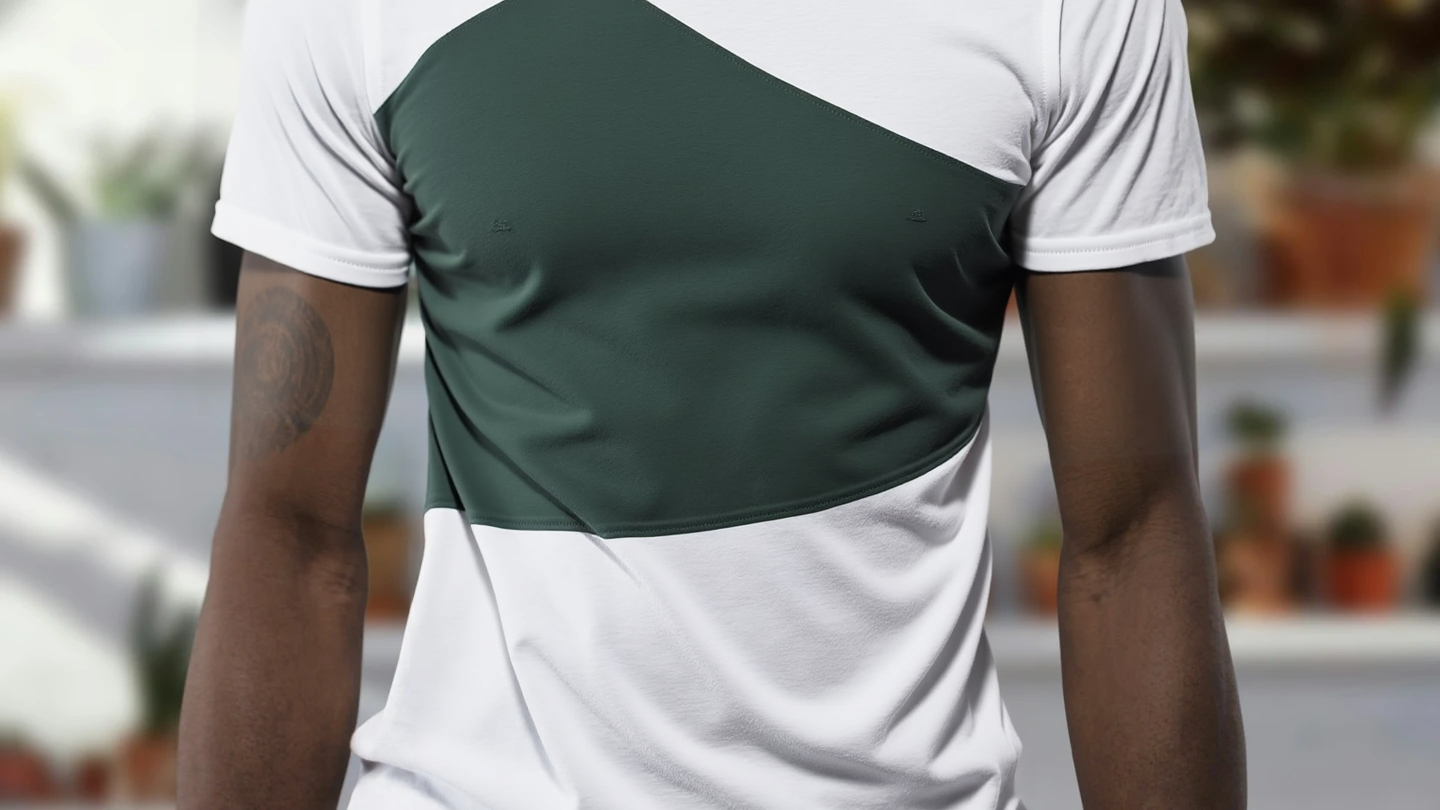
The output, 1440 × 810. The diagonal block is deep forest green and its edges follow the folds; the white sleeves, hem, arms and background are untouched.
What the mask covers: the diagonal torso panel from chest to waist. What stays outside: the white sleeves and hem, the fold direction, the arms and skin tone, the blurred background.
A deep forest green heavyweight cotton t-shirt with the same soft folds, ribbed sleeve hems and matte fabric texture; keep the wearer's arms, skin, background and lighting unchanged.
Generate with this prompt → Upload the source image above, replace the example mask in the mask slot with the one shown, then hit Run.
Why it works: a recolor is not just a colour swap. heavyweight cotton, same soft folds, ribbed sleeve hems and matte fabric texture carry the material, and without them the green reads like plastic wrap pressed onto the shirt and the folds flatten out.
The pattern behind all four
- Describe only what appears inside the white area, then one sentence on what must be preserved. Do not re-describe the frame outside the mask.
- Keep the white area tight to the target, the mask the same size as the source, and export PNG at source resolution. The link carries the prompt only: the source slot is empty and the mask slot starts on the example mask, so replace both with your own.
- Change one setting at a time: steps for detail, guidance for prompt adherence, and fix the seed once a result works.
- Every scene is $0.0715 per image. $10 buys about 139 edits, which is plenty to adapt all four to your own assets. Pick one and run it →
| Scene | How to draw the mask | What the prompt must carry |
|---|---|---|
| Local replacement | A white box slightly larger than the object | The subject and material of the new content, plus details like a frame |
| Product retouching | The defect only | The defect first, then the restored grain and sheen |
| Background replacement | The target background, out to the frame edges | Light direction and gradient direction, plus the existing shadow |
| Garment recolor | Along the garment body, clear of sleeves and hem | Colour, fabric weight and fold state, all three |
FAQ
Does "Generate with this prompt" carry my images over? No. The link pre-fills the prompt only; the source slot is empty and the mask slot holds the example mask, so replace both with your own, and keep the mask the same size as the source.
What if I drew the mask slightly wrong? Redraw and re-run. At $0.0715 an edit, a new mask is faster than fighting the prompt.
Can I reuse these four prompts on my own products?
Yes. Swap the subject noun and the colour, keep the keep … unchanged structure, and list every element that must survive.
How many images come back per request? One. Submit several tasks for more, each billed at $0.0715.
Copy the stool repair prompt above and generate your first edit with your source and a same-size mask.
More on FLUX.1 Fill Pro
- FLUX.1 Fill Pro model page: try a masked edit online
- FLUX.1 Fill Pro API pricing: $0.0715 per edit
- How to use the FLUX.1 Fill Pro API: your first masked edit
- FLUX.1 Fill Pro vs Kontext Max: mask or full-image edit
- FLUX.1 Fill Pro API docs: every parameter and input format
- How to use the FLUX.1 Fill Pro API with curl and Python