TL;DR
- 4 ready-to-use editing scenes: a Precise Edit logo-text swap, a winter-edition poster, a reference-palette restyle, and a masked coat change — all real
ideogram-v4.5/image-to-imageoutputs. Edits start at $0.0115; text fixes run Precise LOW at $0.043. See full pricing. - Each scene lists the source image, the instruction, and a pre-fill link; instructions follow four parts: the task → what changes → what stays → finish and limits. Usage and parameters are in the API guide.
- To generate source images from scratch, see the generation-focused prompt recipes; full tier pricing is on the pricing page.
Prefill links carry only the instruction, not source images, references, masks, or quality settings. Upload the assets shown in each scene and choose image_size=auto, num_images=1, and the stated edit and quality tiers before submitting.
Scene 1: Change the logo text (Precise Edit)
| Source | Result |
|---|---|
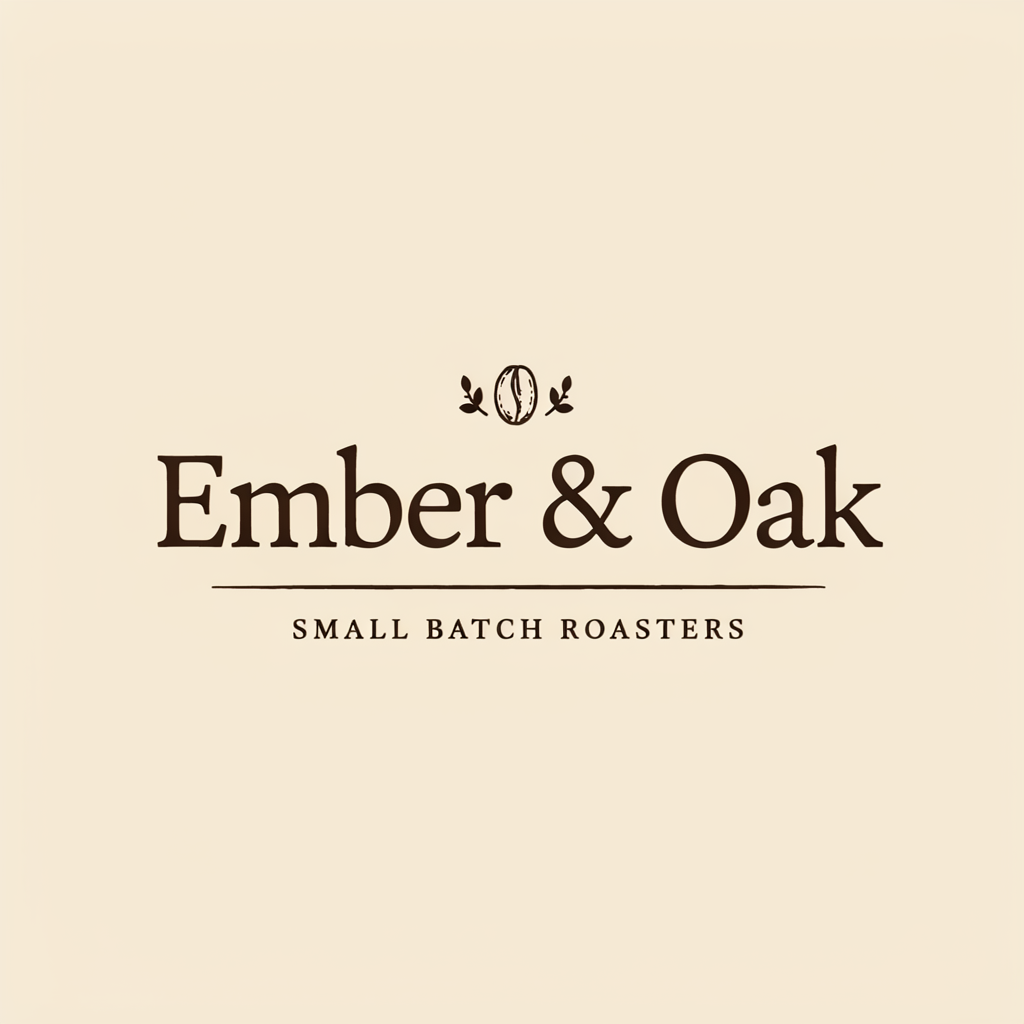 | 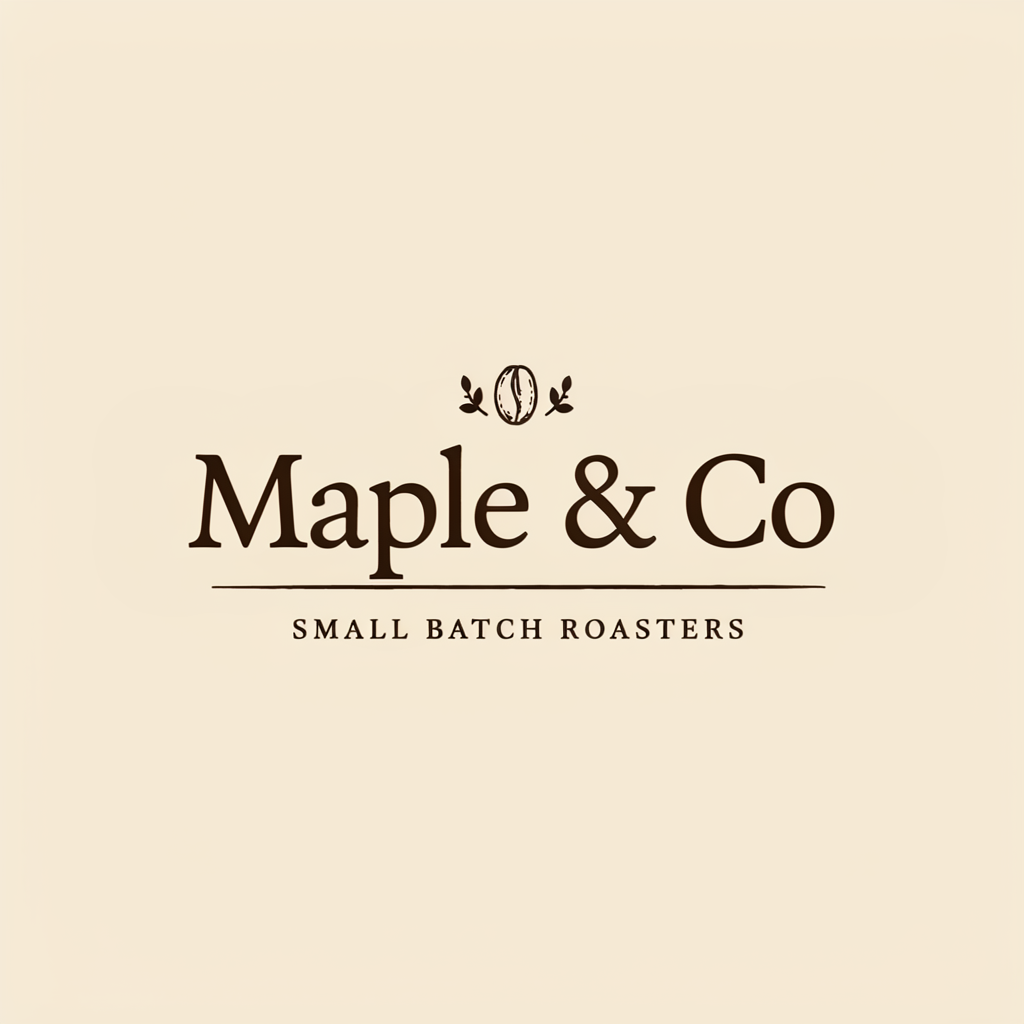 |
Change the logo text from "Ember & Oak" to "Maple & Co", keep the same serif lettering style, emblem, tagline, colors and layout exactly unchanged
(Parameters: edit_precision: "high" + quality: "low".)
ideogram-v4.5/image-to-image, Precise (LOW), auto, 1024×1024, $0.043. The result reads “Maple & Co” and retains the cream background, bean emblem, and tagline; text width and placement change.
How to write it: quote the new text verbatim, then list what stays (lettering, emblem, tagline, colors, layout) item by item ; treat these as requested constraints and compare with the source, not as evidence of pixel-for-pixel preservation.
Scene 2: Turn a poster into a winter edition
| Source (summer festival) | Result (winter edition) |
|---|---|
 |  |
Turn this festival poster into a winter edition: icy blue and silver palette, snowy mountains replacing the sunset, keep all text and layout the same
(Parameters: edit_precision: "regular" + quality: "very_low".)
ideogram-v4.5/image-to-image, regular · VERY_LOW, auto, 720×1280, $0.0115.
Visible changes: the magenta sunset becomes blue mountains, while the NEON NIGHTS title and date remain; title size and background elements change too. State both the changes and the keep-items. Regular can be used for seasonal-variant attempts; check copy and layout before delivery.
Scene 3: Restyle from a reference
| Source | Reference | Result |
|---|---|---|
| 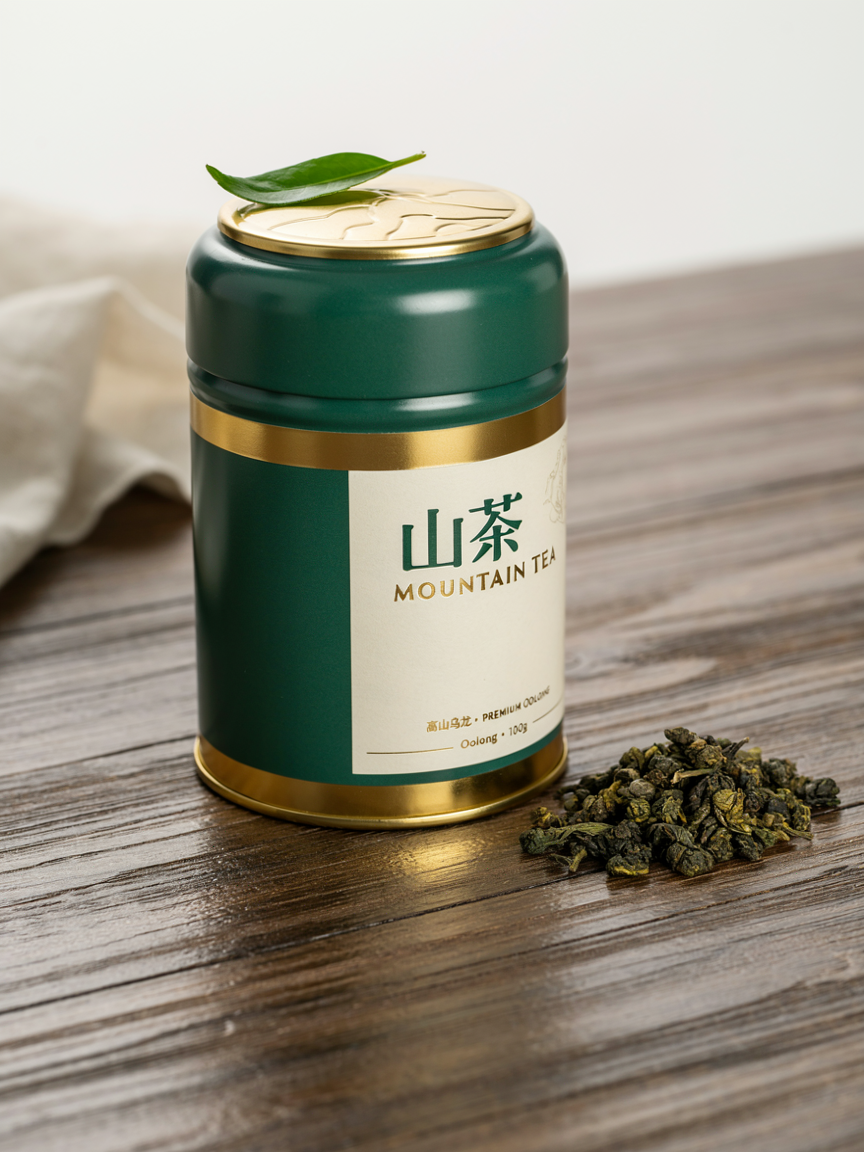 | 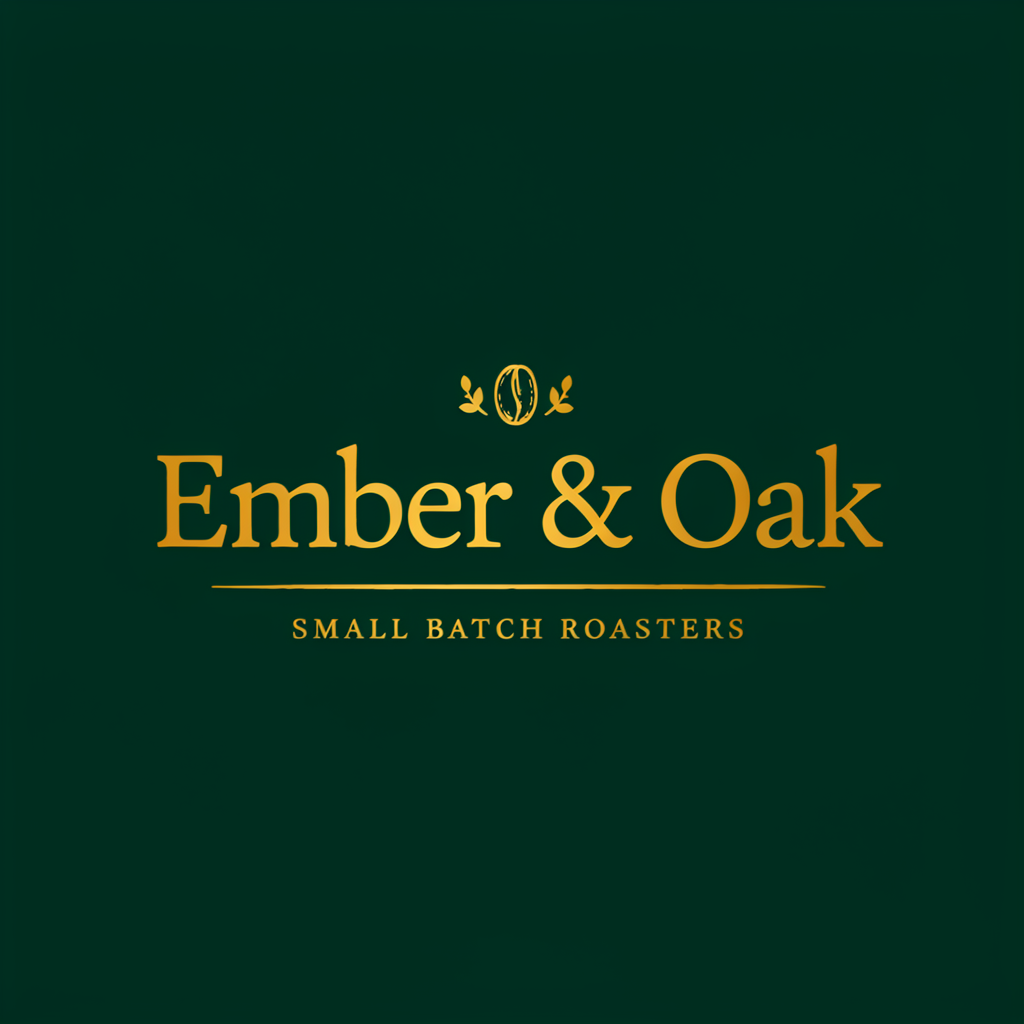 |
Restyle this coffee logo using the jade green and gold color scheme and premium packaging style of the reference image, keep the text "Ember & Oak" readable
(Parameters: edit_precision: "regular" + quality: "very_low". Upload the source plus one reference image.)
ideogram-v4.5/image-to-image, regular · VERY_LOW, auto, 1024×1024, $0.0115. One reference (up to 4; at most 3 with a mask).
Visible changes: the cream wordmark becomes a dark-green design with gold text, while the shop name and tagline remain visible. State whether the reference supplies colors or style, and name the text to preserve; explain each reference’s role if using several.
Scene 4: Change the coat color with a mask
| Source (red coat) | Mask (black = repaint) | Result (green coat) |
|---|---|---|
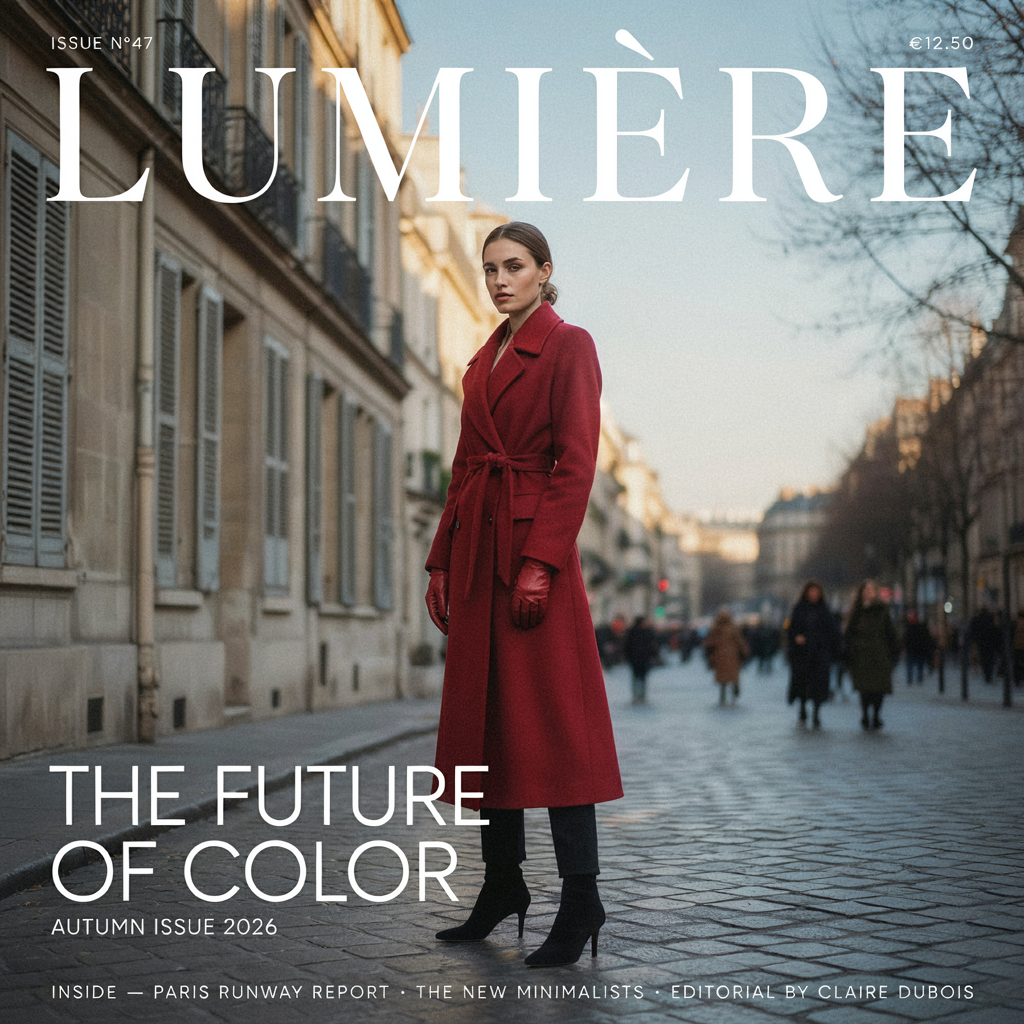 | 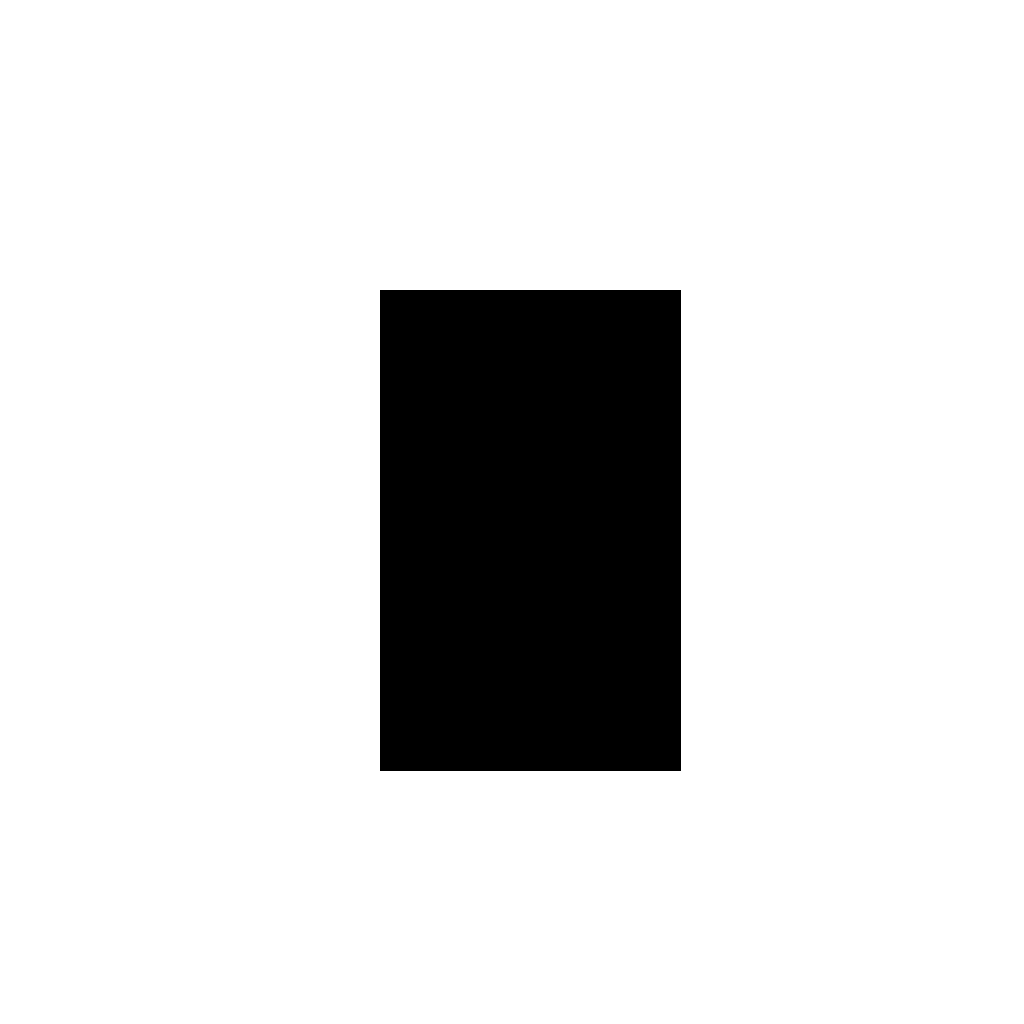 | 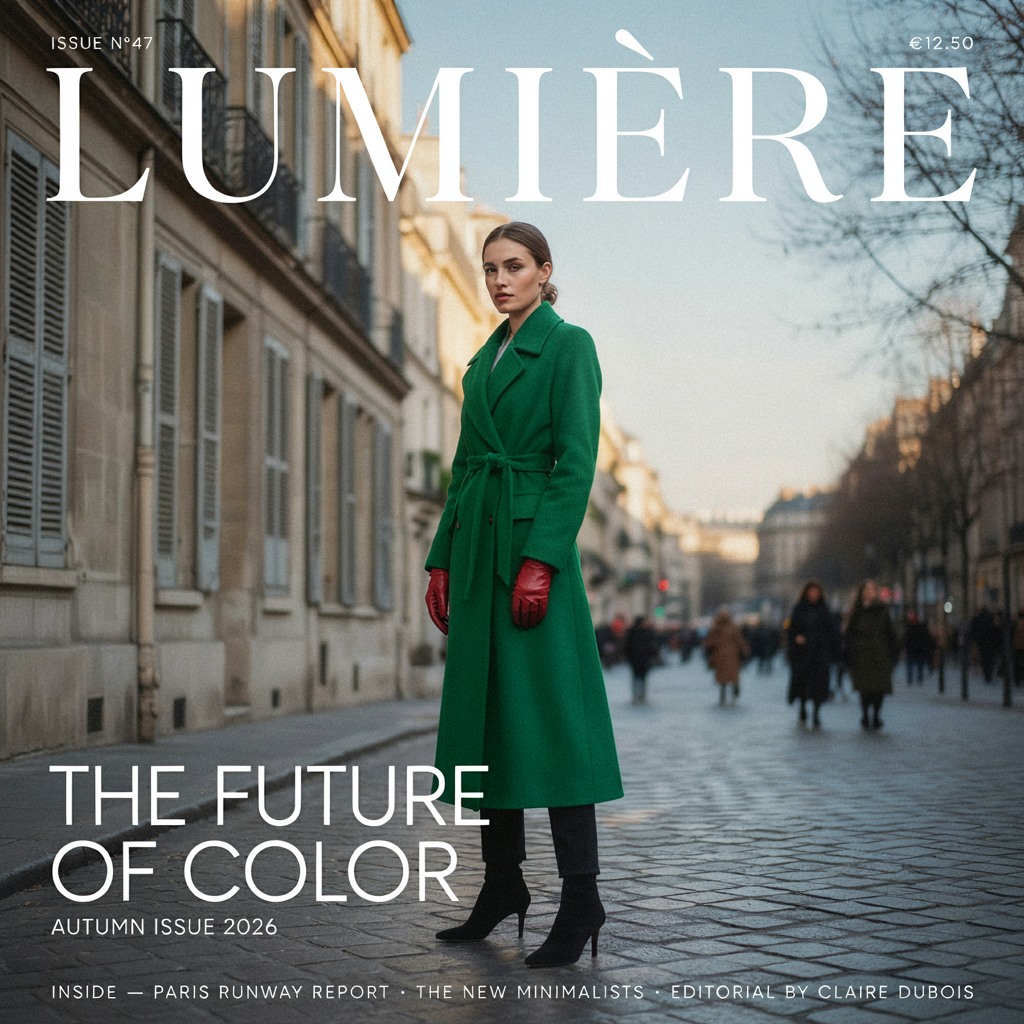 |
The woman wears an emerald green wool trench coat instead of the red coat
(Parameters: edit_precision: "regular" + quality: "very_low". Upload the source plus a mask; black repaints, white keeps.)
ideogram-v4.5/image-to-image, regular · VERY_LOW, auto, 1024×1024, $0.0115. Masked edits run auto only, output following the source size.
The coat becomes green, while the gloves remain red and the masthead and street stay visible. The supplied mask covers only the middle of the figure, not the entire coat. For controlled boundaries, outline the actual garment and inspect the result; this simplified mask is not a precise-edge example.
How to write edit instructions (3 lines)
- Four parts: the task (which image) → what changes (quote text verbatim) → what stays (lettering, composition, color, itemized) → finish and limits (e.g., add no new elements).
- Text fixes and small retouches use Precise Edit (
edit_precision: "high", from LOW $0.043); recolors and restyles use regular (from VERY_LOW $0.0115). - Masks: black repaints, white keeps, same size as the source; with a mask or Precise,
image_sizeis auto only.
FAQ
Precise or regular for text changes?
For a focused brand-name or date change, start with Precise (edit_precision: "high") and list the areas to preserve. Try regular for recolors and restyles. Compare the output with the source in either mode.
How do I draw the mask?
Match the source size. Black marks the region to repaint and white marks what to keep; trace the target and inspect the boundary. The pictured mask is a simplified region, not an exact garment-outline example.
How many reference images?
Up to 4; at most 3 when a mask is also supplied.
What if I don't have a source image?
Generate one first with Ideogram 4.5, then hand the result to the edit endpoint.
Next: take one of your brand assets, open the editing model page, run a regular VERY_LOW take first, then Precise for the text.