Most image models can paint a beautiful poster and then spell the headline wrong. Ideogram's whole reputation is the opposite: it gets the letters right. ideogram-v4.5 is the newest Ideogram text-to-image model on hiapi, and it runs on the same unified task API as every other model here. This page is a prompt library you can steal from — six recipes for logos, posters, banners, and packaging, each with the exact prompt I sent and the exact image it returned. Every output below was generated with ideogram-v4.5 on hiapi; nothing is stock art and nothing is touched up.
It also answers the question the recipes keep raising: the quality tier. v4.5 bills three tiers — low, medium, high — at very different prices, so I ran the same prompt and seed through all three and compared the actual text rendering. The result is not what you'd guess, and it's in the quality section below.
Scope: this is the base text-to-image endpoint. v4.5 also has a separate image-to-image/editing route (
ideogram-v4.5/image-to-image) with masks and reference images — that's a different schema and a different article.
The schema v4.5 actually accepts (it's smaller than you think)
Before the recipes, the input contract — because v4.5's surface is not the same as ideogram-v4's. I probed it field by field against the live API. These five are everything it takes:
| Field | Type | Notes |
|---|---|---|
prompt | string, required | Put text you want rendered in double quotes (see next section). |
quality | low / medium / high | Price tier. Default behaves like medium. |
num_images | integer 1–8 | One task can return a whole set. |
seed | integer | Fix it to compare two prompts (or two tiers) fairly. |
image_size | enum | One of square_hd, square, portrait_4_3, portrait_16_9, landscape_4_3, landscape_16_9. |
What surprised me: there is no aspect_ratio and no resolution field. v4 took an aspect_ratio string and a rendering_speed; v4.5 drops both. You pick a shape from the six image_size presets and that's your only sizing control — the API rejects aspect_ratio, resolution, rendering_speed, magic_prompt, style_type, and negative_prompt outright with additional properties not allowed. So if you're porting a v4 request, strip those fields or every call 400s.
Pricing, from hiapi's live pricing, is per image and tracks the tier:
quality | Price per image |
|---|---|
low | $0.043 |
medium | $0.086 |
high | $0.3145 |
Here's the minimal request — create the task, then poll it until it's done:
curl -s -X POST https://api.hiapi.ai/v1/tasks \
  -H "Authorization: Bearer $HIAPI_KEY" \
  -H "Content-Type: application/json" \
  -d '{
    "model": "ideogram-v4.5",
    "input": {
      "prompt": "A clean wordmark logo, the text \"NORTHWIND ROASTERS\" in an elegant high-contrast serif, cream background, centered",
      "quality": "medium",
      "image_size": "square",
      "num_images": 1
    }
  }'
# -> {"data":{"taskId":"tk-..."}}
import os, time, requests

BASE = "https://api.hiapi.ai/v1/tasks"
H = {"Authorization": f"Bearer {os.environ['HIAPI_KEY']}"}

task = requests.post(BASE, headers=H, json={
    "model": "ideogram-v4.5",
    "input": {
        "prompt": 'A clean wordmark logo, the text "NORTHWIND ROASTERS" '
                  'in an elegant high-contrast serif, cream background, centered',
        "quality": "medium",
        "image_size": "square",
        "num_images": 1,
    },
}).json()
tid = task["data"]["taskId"]

while True:                                   # poll to a terminal state
    d = requests.get(f"{BASE}/{tid}", headers=H).json()["data"]
    if d["status"] in ("success", "fail"):
        break
    time.sleep(5)

print(d["output"][0]["url"])                  # temp URL — download it right away
The output[0].url is a temporary link that expires in about a week, so download the bytes immediately — don't hotlink it into production.
The one rule that makes or breaks every recipe
Everything below rests on a single habit: put the exact words you want rendered inside double quotes, and don't make the model invent copy you care about.
Ideogram expands your prompt. Ask for a festival poster and it will happily add a lineup, a date, and ticket prices you never wrote — great for a realistic mockup, risky if those details have to be correct. In testing, every short string I quoted came back spelled perfectly; the text the model invented on its own is where typos appear. So: quote the brand name, the headline, the button label, the date. Leave the decorative filler to the model only when you don't mind what it says.
With that rule in hand, here are the recipes.
Recipe 1 — Wordmark logo
A clean minimalist wordmark logo for a specialty coffee brand, the text "NORTHWIND ROASTERS" set in an elegant high-contrast serif, a small compass-rose icon integrated above the letter N, warm cream background, centered, flat vector-style design, generous negative space
image_size: square · quality: medium
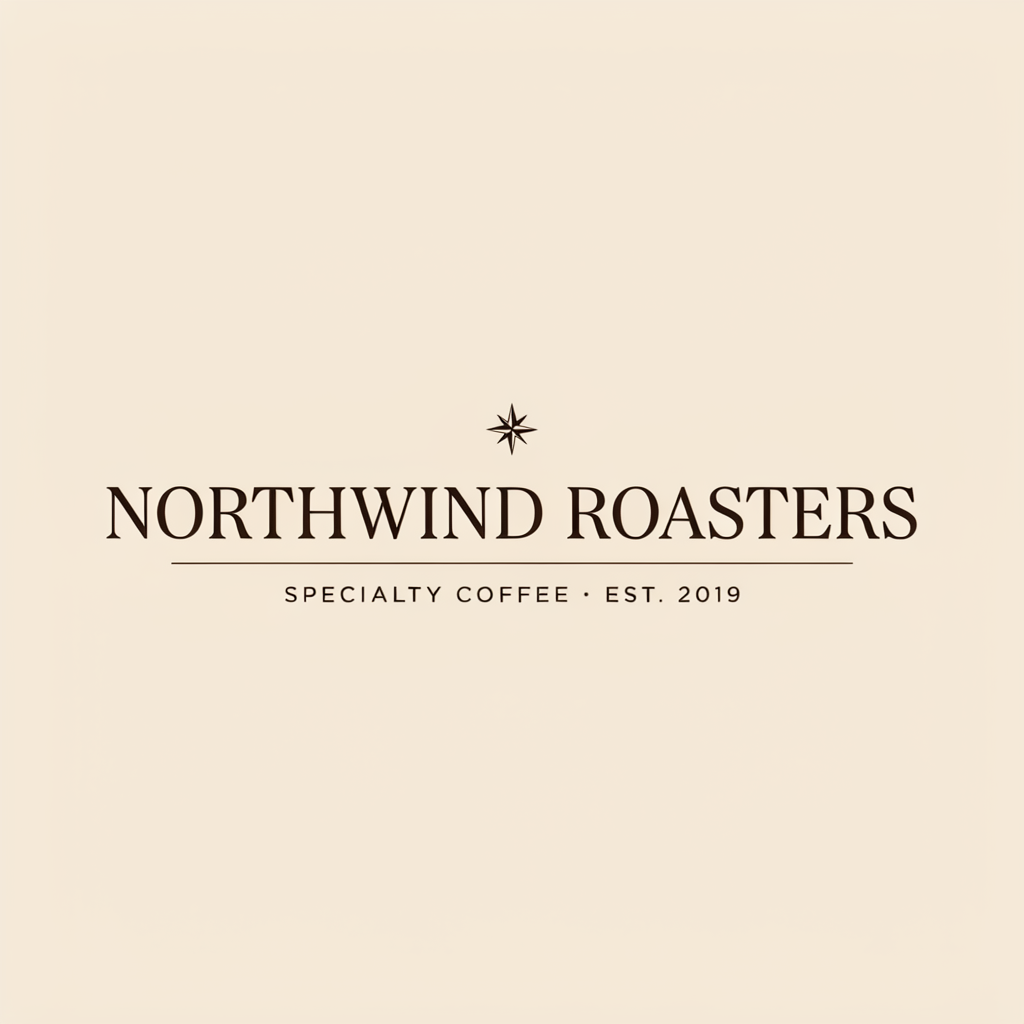
"NORTHWIND ROASTERS" is dead-on, the serif is genuinely elegant, and the negative space reads like a real brand mark. Two honest notes: the model placed the compass rose centered above the whole wordmark rather than "above the letter N" — v4.5 treats spatial instructions as suggestions, not coordinates — and it volunteered a tagline I never asked for, "SPECIALTY COFFEE · EST. 2019". That expansion is the behavior from the rule above: handy here, but if your real tagline is different, quote it explicitly instead of letting the model guess.
Recipe 2 — Event poster
A vertical concert poster for an indie music festival, large headline text "ECHO VALLEY FEST" across the top, below it two lines reading "AUGUST 14-16" and "RIVERSIDE PARK", retro 1970s psychedelic palette of orange, magenta and teal, layered sunburst background, bold condensed type, high detail
image_size: portrait_4_3 · quality: medium
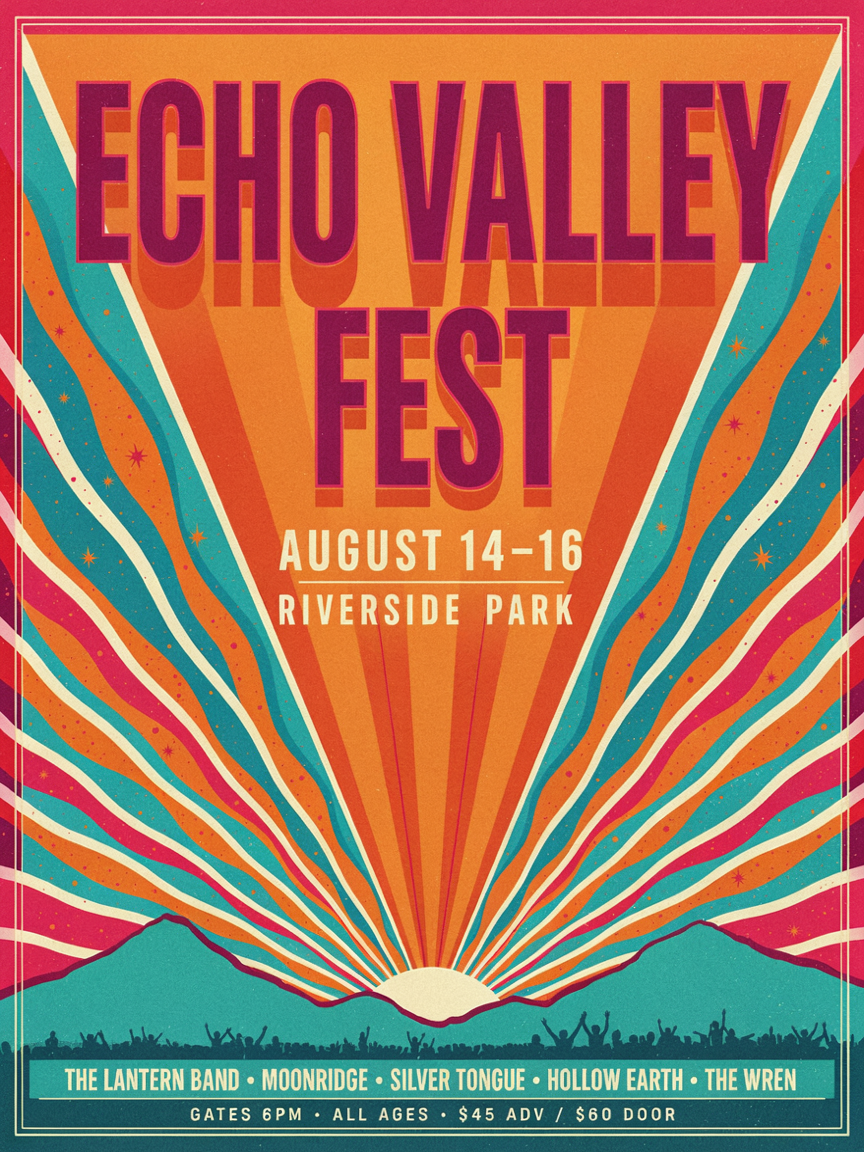
All three quoted strings — "ECHO VALLEY FEST", "AUGUST 14-16", "RIVERSIDE PARK" — render cleanly, and the portrait_4_3 shape gives the headline room to breathe. The model also filled in a believable band lineup and a "GATES 6PM · ALL AGES · $45 ADV / $60 DOOR" footer on its own. For a pitch mockup that's a gift; for a live poster, re-type those invented lines into the prompt so you control them.
Recipe 3 — Social ad banner
A horizontal social media ad banner for a fitness app, left-aligned headline text "MOVE MORE." in heavy bold uppercase, a smaller line reading "Start your 7-day free trial", and a rounded call-to-action button with the text "GET THE APP", energetic gradient from lime green to deep blue, clean modern UI style
image_size: landscape_16_9 · quality: medium

This is v4.5 at its best: three separate short strings — a headline, a sub-line, and a button label — all placed in distinct UI roles and all spelled right, including the period in "MOVE MORE." The landscape_16_9 preset is the one to reach for whenever you need a wide banner or a thumbnail. Short, explicit, quoted copy is exactly the workload this model is tuned for.
Recipe 4 — Product packaging label
A product label for a bottle of artisanal hot sauce, brand name "EMBER & ASH" in a vintage woodcut serif, product line "SMOKED HABANERO" below it, a small badge reading "SMALL BATCH - 150ML", kraft-paper texture background with charcoal and ember-orange ink, symmetrical layout
image_size: square_hd · quality: medium
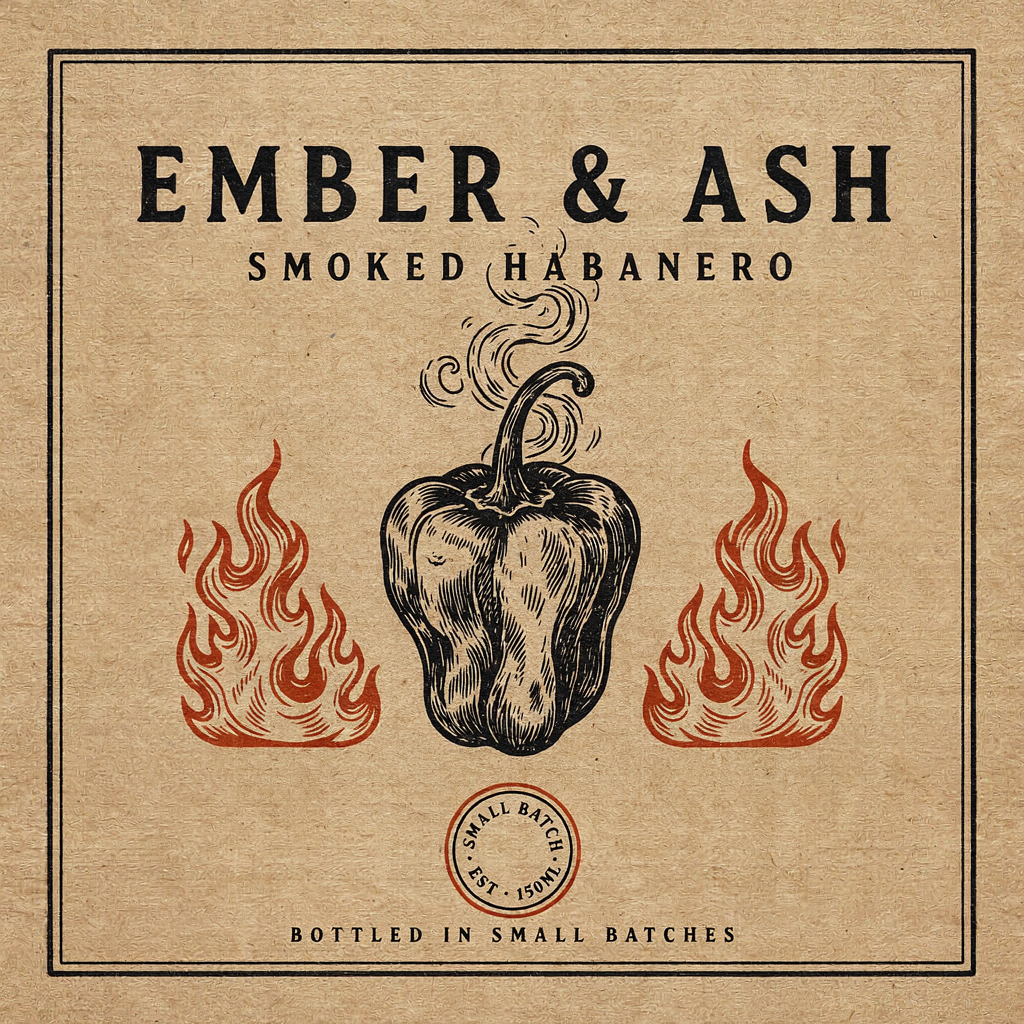
Packaging is the hardest text test — small type, special characters, a badge — and v4.5 passed the parts that mattered. "EMBER & ASH" rendered the ampersand correctly (a classic failure point), "SMOKED HABANERO" is clean, and the woodcut habanero is a nice unprompted touch. The tiny badge drifted: I asked for "SMALL BATCH - 150ML" and got "SMALL BATCH · EST · 150ML" plus a "BOTTLED IN SMALL BATCHES" line. The playbook lesson holds — the smaller the type, the more the model improvises, so for a label going to print, keep micro-copy short and verify it per render.
The quality tiers, tested: low vs medium vs high
The recipes all ran at medium. But v4.5 charges $0.043 / $0.086 / $0.3145 for low / medium / high — a 7× spread top to bottom — so it's worth knowing what the money buys. I ran one deliberately text-heavy prompt (a dense infographic poster) at all three tiers with the same seed so only quality changed:
A dense informational poster titled "CITY TRANSIT GUIDE" with three labeled columns headed "BUS", "METRO" and "TRAM", a short line of body text under each heading, clean Swiss grid layout, red and black ink on off-white paper, flat vector infographic style
low — $0.043
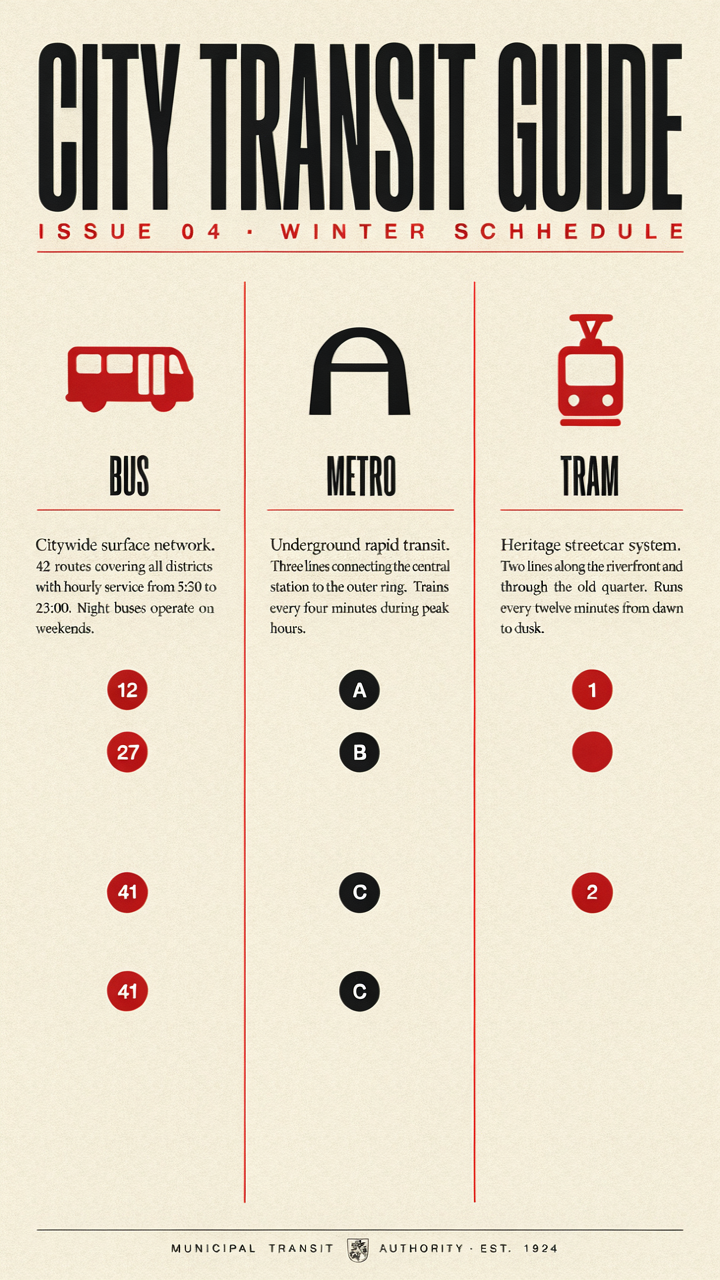
Layout and the big "CITY TRANSIT GUIDE" headline are crisp. But the model invented a subtitle and misspelled it — "WINTER SCHHEDULE" with a doubled H — and duplicated a route badge ("41" twice). The quoted headings (BUS/METRO/TRAM) are fine; the unquoted copy it added is where it slipped.
medium — $0.086
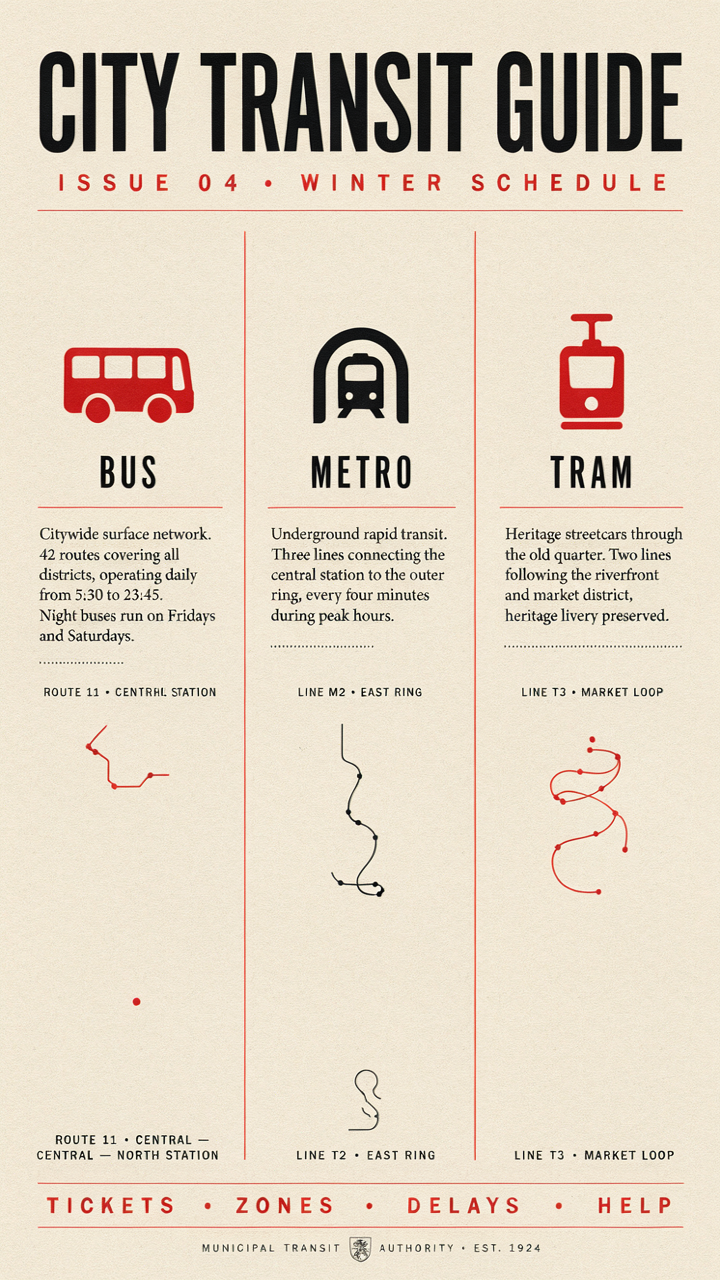
Same seed, one tier up, and the subtitle corrects itself to "WINTER SCHEDULE." The three body paragraphs are legible and the footer nav ("TICKETS · ZONES · DELAYS · HELP") is clean. One tiny caption still glitches ("CENTRHL" for "CENTRAL"), but this is clearly the cleanest of the three for a layout this text-dense.
high — $0.3145
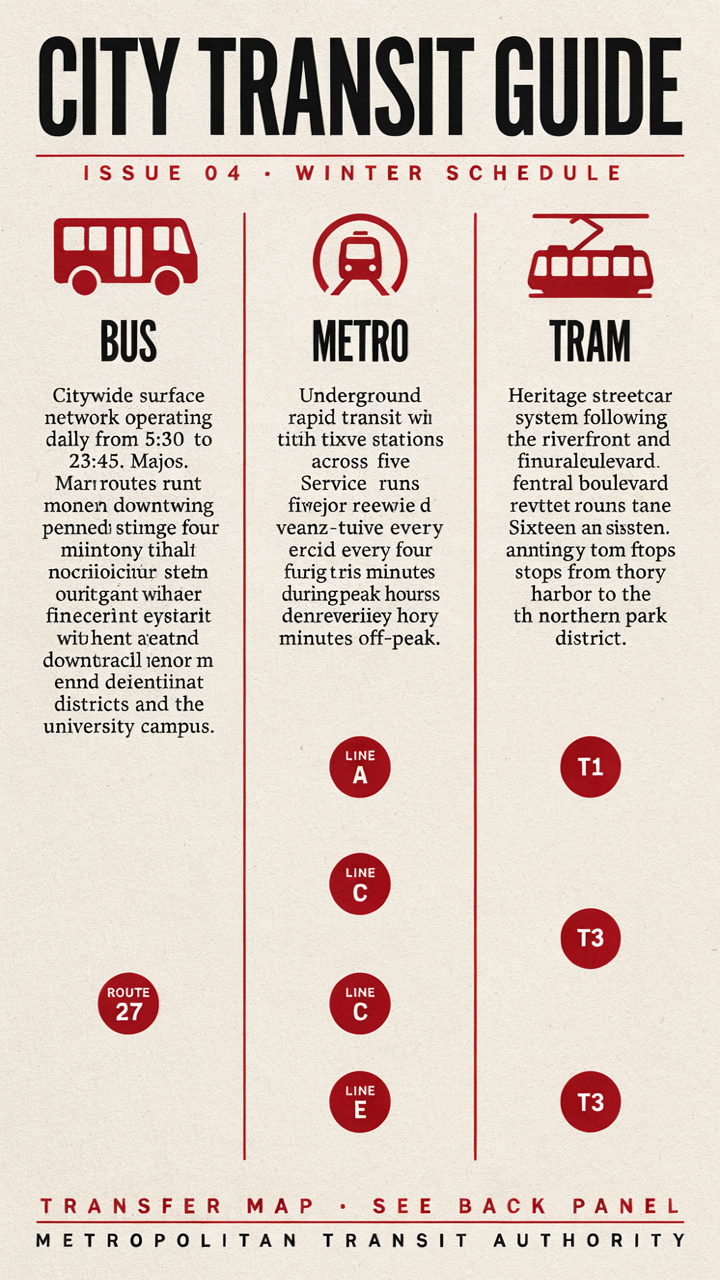
Here's the counterintuitive part. high renders the display type — the headline, the BUS/METRO/TRAM labels — the sharpest of the three. But the dense body paragraphs collapse into confident gibberish ("Mari routes runt monen downtwing...", "tith tixve stations across five..."). At 3.6× the price of medium, it produced worse body text on this layout, not better.
The takeaway is practical, not a knock on the model: the quality tier improves how finely v4.5 renders the type it commits to, but it does not make the model better at inventing long paragraphs of copy you didn't write — at high it just invents them more elaborately, and more wrongly. So:
- Use
mediumas your default. It's the sweet spot for anything with real text, and it fixed the typolowintroduced. - Reserve
highfor pieces that are mostly large, specified type — a logo, a one-line headline poster — where its extra sharpness pays off and there's no paragraph for it to hallucinate. lowis fine for rough drafts and thumbnails where a stray character doesn't matter.- Regardless of tier, never rely on the model to spell long body copy. Quote the words that must be right; treat the rest as placeholder.
FAQ
Can I set a 1080×1920 or an exact pixel size? No. v4.5 t2i only accepts the six image_size presets — square_hd, square, portrait_4_3, portrait_16_9, landscape_4_3, landscape_16_9. There is no width/height or aspect_ratio field. Pick the closest preset and crop if you need an exact ratio.
How is this different from ideogram-v4? Different input contract. v4 used aspect_ratio plus a rendering_speed (turbo/balanced/quality); v4.5 replaces both with image_size presets and a quality price tier. If you need the v4 request shape, the ideogram-v4 how-to covers it, and ideogram-v4 vs Nano Banana 2 helps if you're still choosing a typography model.
Does it edit existing images? Not on this endpoint. Text-to-image is ideogram-v4.5; editing (prompt edits, masks, reference images) is the separate ideogram-v4.5/image-to-image route.
Is the text always correct? Short, quoted strings — brand names, headlines, button labels — were reliable across every recipe here. Long copy the model invents on its own is not; proof every render, especially small badge and caption text.
How do I generate variations fast? Set num_images up to 8 in a single task to get a set back at once, or fix seed and change one word to compare prompts on equal footing.
Run these yourself
Every prompt above is copy-paste ready — change the quoted strings to your own brand, headline, or dates and send it. Start from the ideogram-v4.5 model page for the live schema, keep the pricing page open to pick your quality tier, and if this is your first task-API call, the quick start walks through getting a key and polling your first task. Quote your text, default to medium, and proof every render before it ships.