TL;DR
- Four copy-paste reference-to-video prompts for vidu-q3-mix/reference-to-video, each paired with the real clip it produced on hiapi — no stock footage, no single still standing in for a video.
- Q3 Mix is the multi-image blend tier: hand it 1–7 reference images (characters, objects, scenes) and it composes them into one moving shot. The recipes below mix two and three stills at a time.
- The one rule that decides whether a blend holds: number your references and give each a job — "the dripper from reference image 1 on the carafe from reference image 2," never a vague "combine these."
- Verified this run: a three-image blend (subject + effect + backdrop) composes cleanly, output pixels land a hair under the nominal
size, clips are H.264 (browser-ready, no transcode), and — despite the "Native Audio" tag — every clip came back silent. - Copy a prompt, swap in your own reference URLs, and POST it to
/v1/tasks.
Why "mix" is a different prompting job
Vidu Q3 Mix (from ShengShu) is the reference-to-video tier built to blend several images at once — up to seven of them, mixing characters, objects and scenes into a single clip. That capability is wasted if the prompt doesn't tell the model which image supplies what.
The one habit that separates a clean blend from a muddy one: number your references and give each a job. Write "the dripper from reference image 1 sits on the carafe from reference image 2," not "combine these two into a coffee scene." The model binds each subject to its index; "combine these" is where blends drift — it drops a reference, averages two subjects into one, or pastes something at the wrong scale. Image 1 is the first URL in reference_image_urls, image 2 the second, and so on.
Everything below uses that pattern. Each recipe lists the exact reference stills I generated, the full prompt I submitted, and the clip it produced on hiapi.
Recipe 1 — Two products, one hero set (2-image blend)
The classic "mix" job: two separate product shots that need to share one frame. I gave Q3 Mix a matte-black pour-over dripper and an empty glass carafe — two images, two objects — and asked for them stacked and brewing.
Reference image 1 (the dripper) and reference image 2 (the carafe):
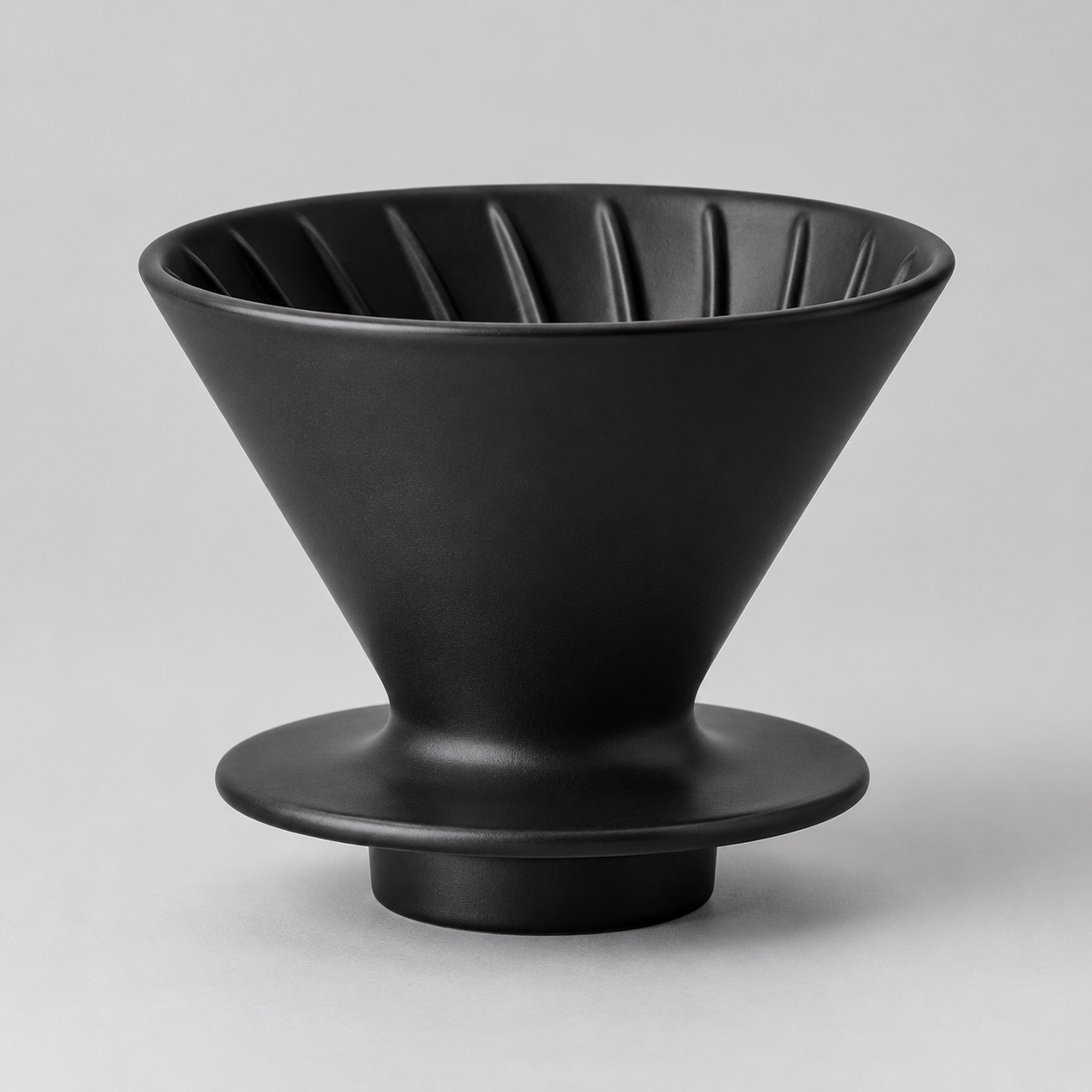
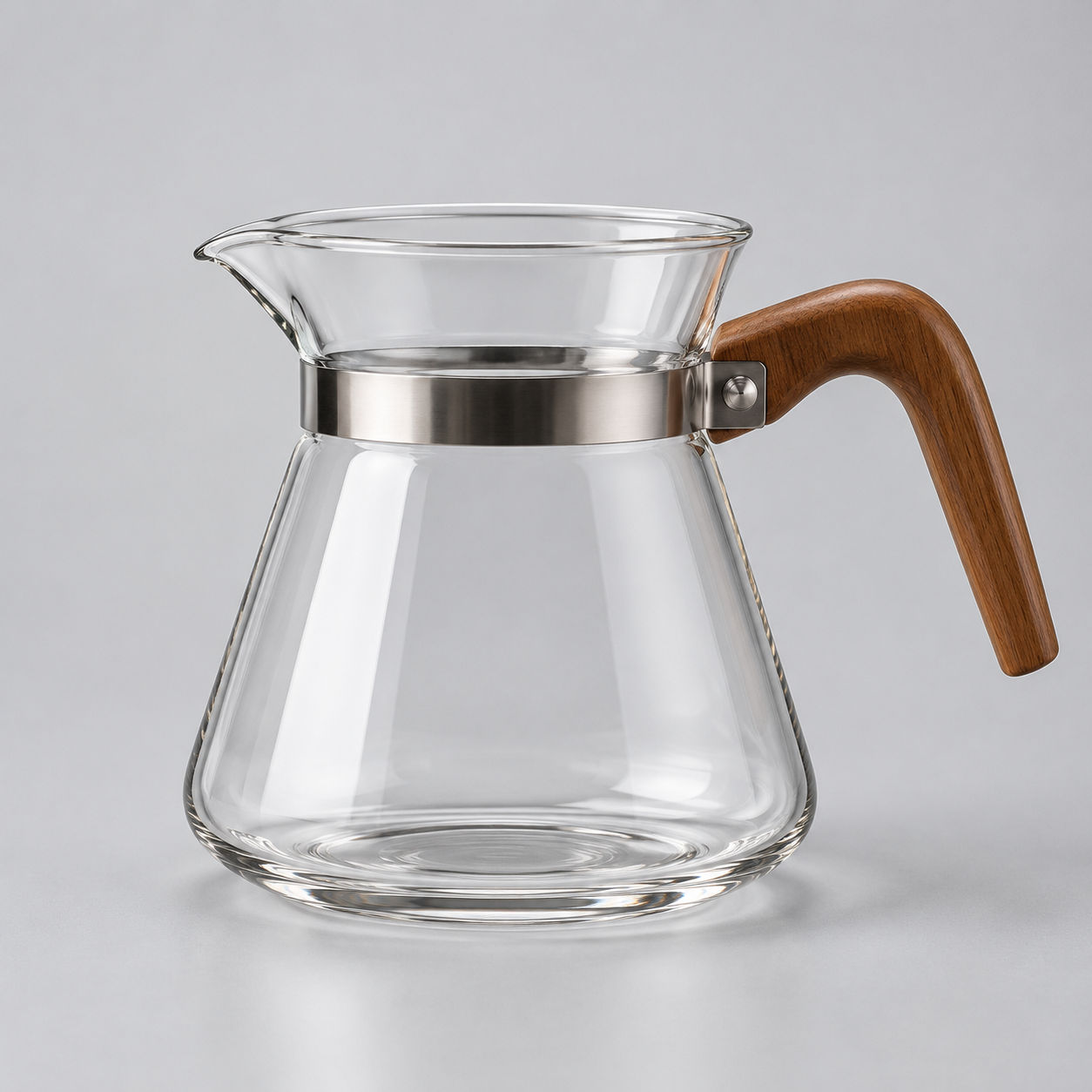
The matte black ceramic pour-over dripper from reference image 1 sits balanced on top
of the clear glass carafe from reference image 2, both together on a pale concrete cafe
counter. A slow push-in as a thin stream of fresh coffee starts to drip from the dripper
down into the carafe, steam curling upward, warm morning light raking in from a window on
the left. High-end product commercial look, shallow depth of field, gentle ambient cafe sound.
What blended, and what the model invented. Both objects landed correctly: the dripper from image 1 is seated on the carafe from image 2, at the right relative scale, and the shapes match the stills closely. Everything between the two products — the concrete counter, the out-of-focus café behind it, the window light, the coffee filling the carafe, the steam — was invented by the model; neither reference contained any of it. That is the useful mental model for Q3 Mix: you anchor the objects, it fills the world around them. The camera did the single push-in I asked for. Rendered at 1920*1080 for 5 seconds; the delivered file is 1914×1084 (see "under the nominal size" below), and this take cost about $0.93.
Recipe 2 — Drop a character into a brand-new room (subject + scene)
The second staple blend is subject plus environment: one image owns who, the other owns where. I rendered a plush robot toy on plain white, and a sunlit child's bedroom with no characters in it, then asked the model to put the first inside the second.
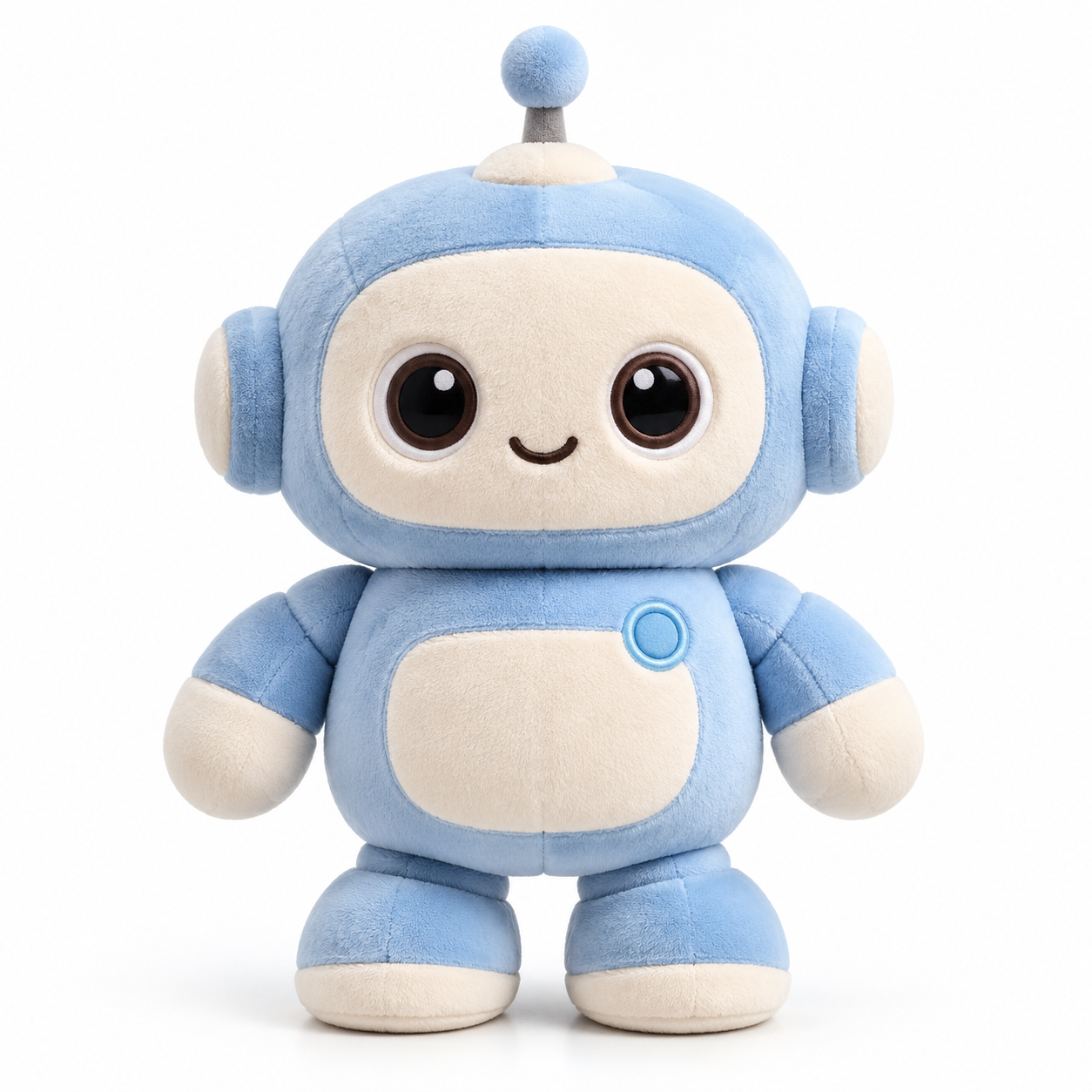
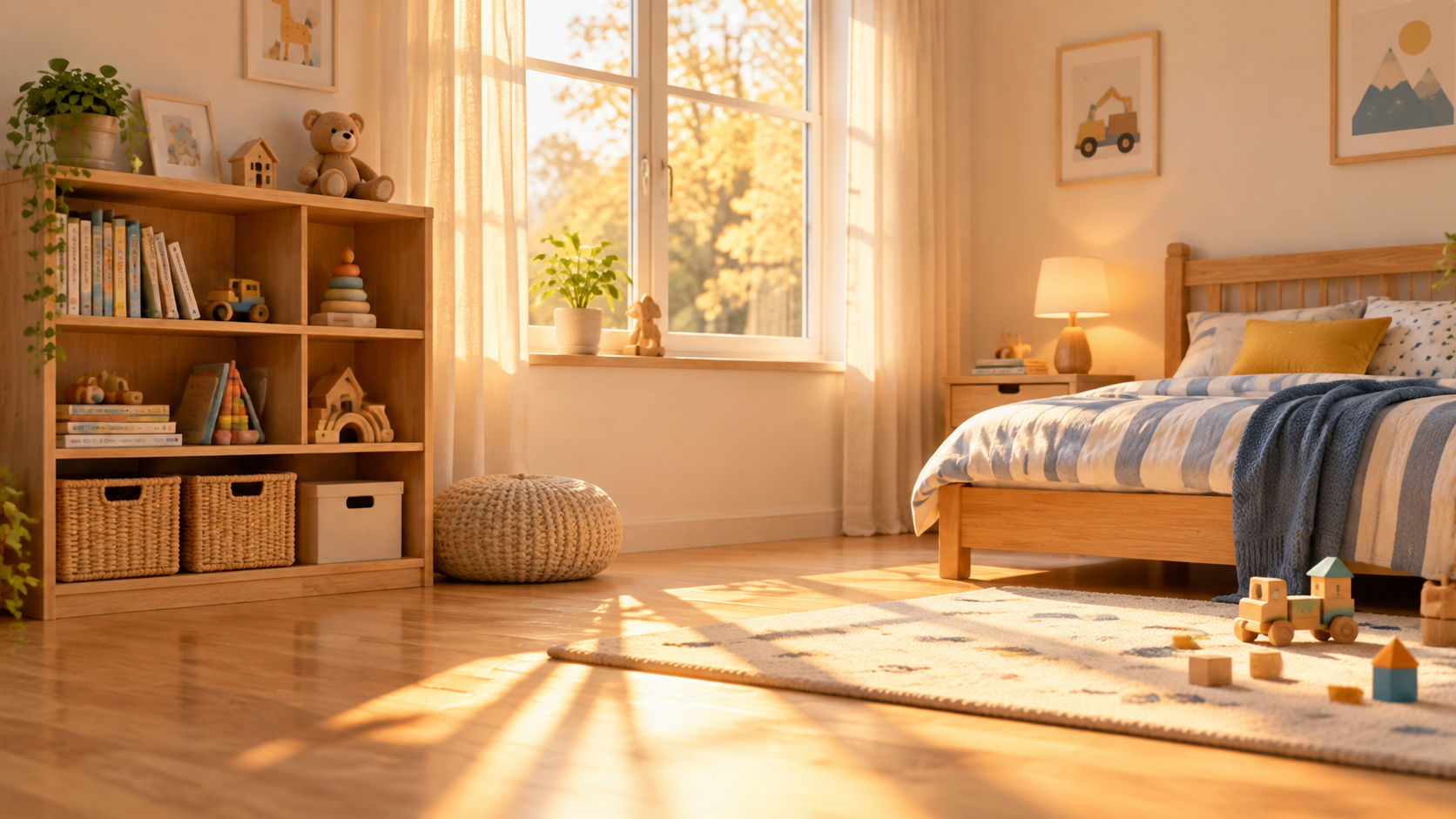
The pastel blue plush robot toy from reference image 1 sits on the wooden floor of the
sunlit child's bedroom from reference image 2. It slowly tilts its head and lifts one short
arm to wave at the camera while dust motes drift through the warm window light, a gentle
handheld push closer. Soft, cheerful, cinematic, light room-tone ambience.
What blended, and what the model invented. The bedroom from image 2 is preserved almost verbatim — the bookshelf, the striped bed, the window and its light, the building blocks on the rug all survive the composite. The robot from image 1 is dropped into that floor with matching warm lighting, so it reads as in the room rather than pasted on top. It performed the gesture I named (a head tilt and an arm raised to wave) and the camera did the handheld push. This is the pattern for "character in a set": let one reference carry the whole environment, and the model relights the subject to match it. 1280*720, 5 seconds, about $0.78.
Recipe 3 — Three images, one shot: subject + effect + backdrop
This is the recipe that proves the "mix" name. Three separate stills — a sneaker, a colored-powder burst, and a gradient backdrop — each with a clearly different job, blended into one energetic product shot.
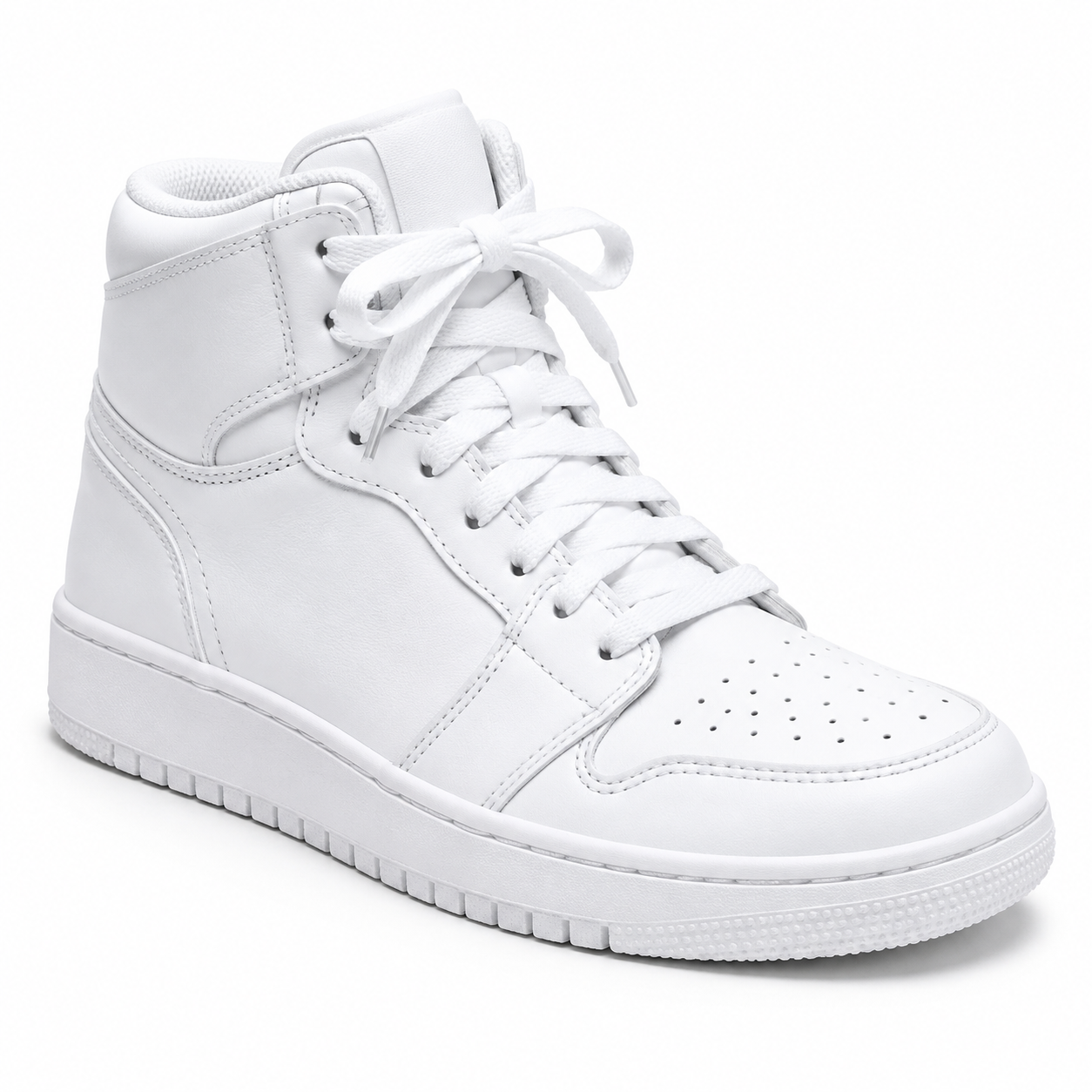
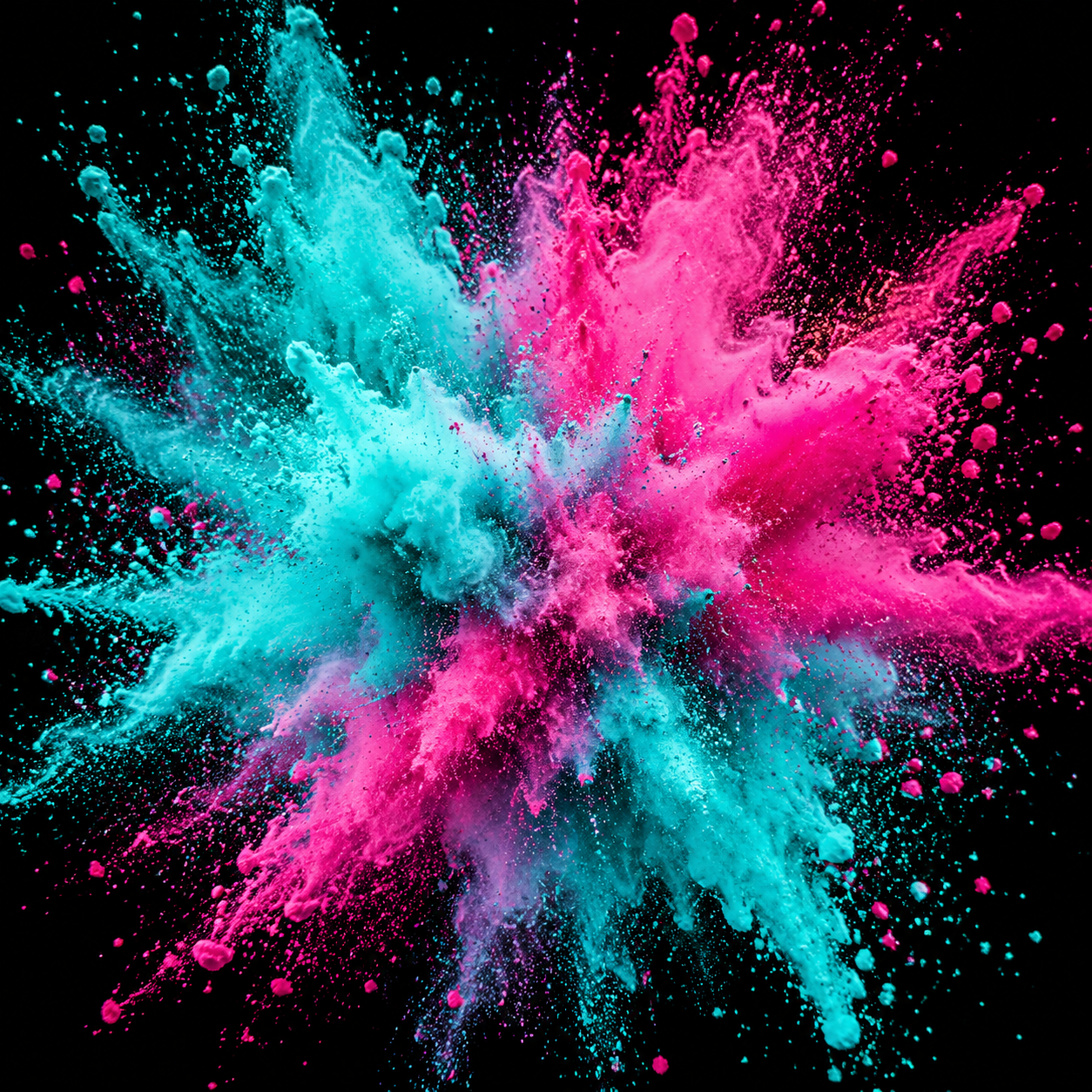

The white high-top sneaker from reference image 1 floats in the center against the
indigo-to-coral gradient backdrop from reference image 3, while the teal and magenta powder
burst from reference image 2 explodes outward around it in slow motion. The camera arcs
forty-five degrees around the shoe as powder trails swirl and settle. Energetic sneaker
commercial, dramatic studio light, punchy whoosh sound.
What blended, and what the model invented. All three references show up and keep their roles: the sneaker is the subject, the teal-and-magenta powder is the effect wrapping around it, and the indigo-to-coral gradient is unmistakably the background. The camera arc I asked for is visible — the shoe rotates relative to the frame across the five seconds. The reason three images held together here, when a vaguer prompt would have muddied them, is that each reference owns a non-overlapping job in the sentence (subject / effect / backdrop) and I addressed them by index, including the out-of-order "image 3" for the backdrop. Past three or four references, that discipline stops being optional — give every image an explicit job or the model quietly drops the weakest one. 1280*720, 5 seconds, about $0.78. (This frame is the article's cover.)
Recipe 4 — Vertical social: a mascot presenting a product
Last one is a 9:16 blend for social: a brand mascot in one image, the product it is selling in another. The job is to get the character holding the product, in portrait, ready for a feed.
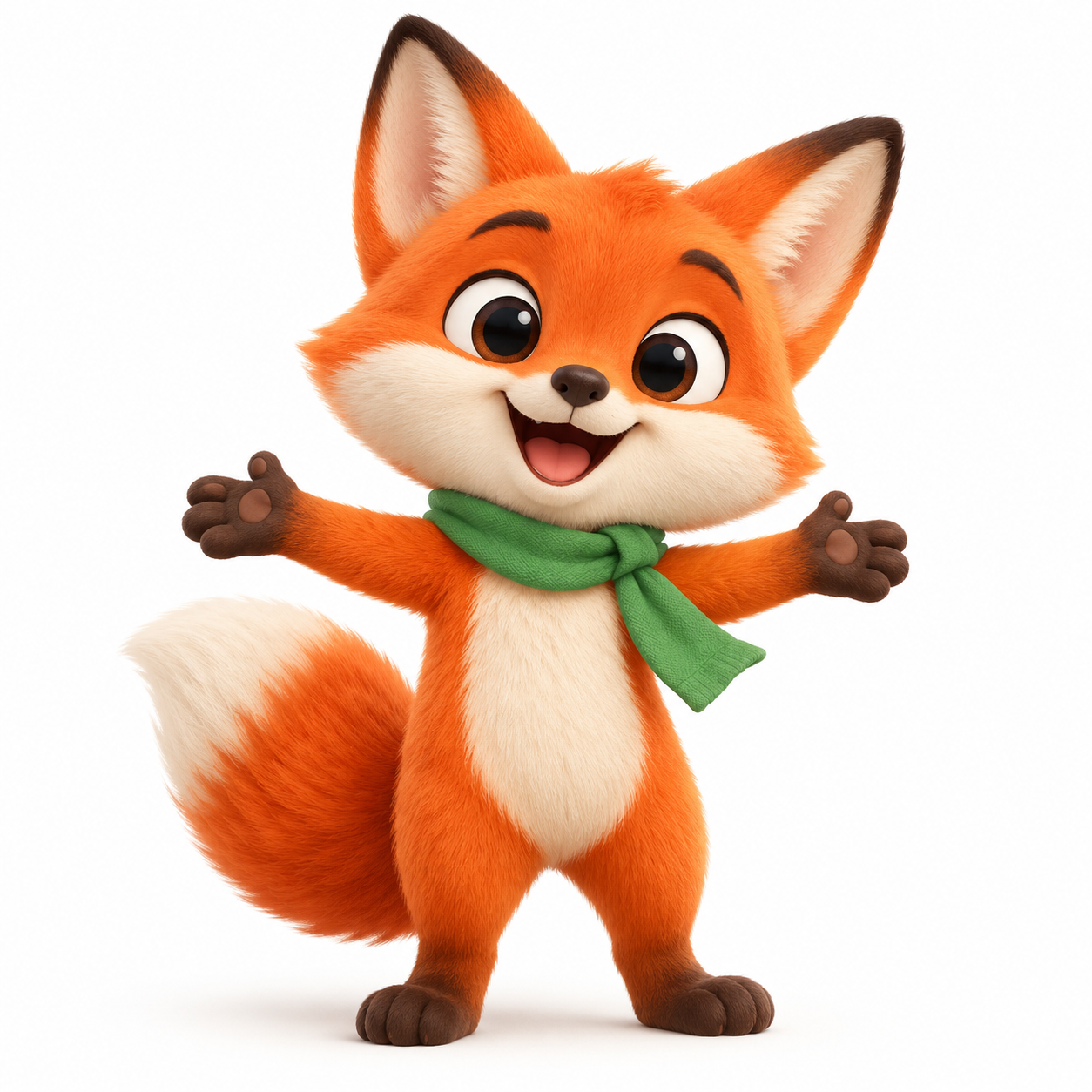
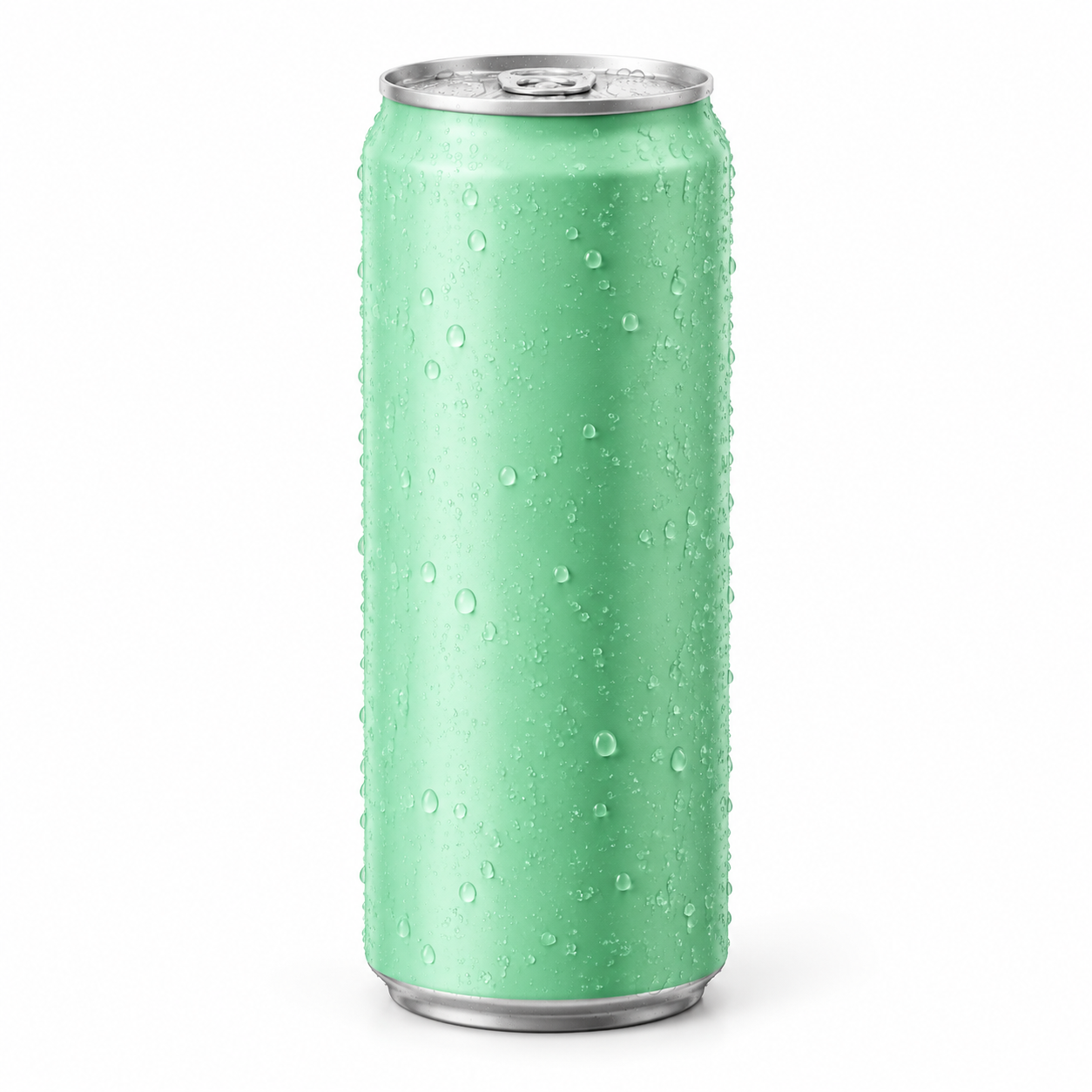
Vertical shot. The orange cartoon fox mascot from reference image 1 holds up the mint-green
sparkling water can from reference image 2 and presents it to the camera with a cheerful
little bounce, bright pop-color studio background, confetti drifting down. Playful social ad,
punchy upbeat lighting, lively bubbly sound.
What blended, and what the model invented. The fox keeps its design from image 1 (orange fur, green scarf, big eyes) and the can keeps the matte mint-green finish from image 2, with the character's paw wrapped around it — the "holds up … presents to camera" verb is what binds the two references into a single action instead of two objects sharing a frame. The pop-color background and the confetti are invented. Choosing a portrait size (720*1280) is what makes it vertical; there is no aspect_ratio field (more on that below). 4 seconds, about $0.62.
What I learned running these
Five things worth knowing before you spend a credit, all from this batch:
- Index-binding is the whole game. Every clip here respected "X from reference image N." When you want two subjects to interact, give the action a verb that joins them ("holds up," "sits on top of") rather than listing them side by side.
- You anchor the objects; the model invents the connective tissue. Counters, rooms-worth of light, confetti, swirling powder — none of that was in a reference. That is a feature for "subject into scene," but it means anything you need kept has to come from a reference image.
- Delivered pixels land just under the nominal
size.1920*1080came back as 1914×1084,1280*720as 1276×722,720*1280as 722×1276. Close enough for the web, but don't hard-code exact dimensions downstream. - Output is H.264, ready to embed. Unlike 4K tiers that ship HEVC, these clips played inline with no re-encode — every video on this page is the file straight off the API.
- "Native Audio" did not produce audio. Every one of the four clips came back as a silent, video-only MP4 — even though the model is tagged "Native Audio" and my prompts included sound cues ("gentle ambient cafe sound," "punchy whoosh sound"). The platform's own Q3 Mix sample clip is silent too. Plan to add sound in post, or use a tier with an explicit audio input if a voice track is non-negotiable — the Vidu Q4 Preview recipes cover the voice-reference workflow.
Reproduce any recipe with /v1/tasks
Reference-to-video runs on the async task API: submit a job, poll until it is success, then download the clip from output[0].url (that URL is short-lived — save the file immediately).
curl -X POST https://api.hiapi.ai/v1/tasks \
  -H "Authorization: Bearer $HIAPI_TOKEN" \
  -H "Content-Type: application/json" \
  -d '{
    "model": "vidu-q3-mix/reference-to-video",
    "input": {
      "prompt": "The dripper from reference image 1 sits on the carafe from reference image 2 ...",
      "reference_image_urls": [
        "https://your-host/dripper.png",
        "https://your-host/carafe.png"
      ],
      "duration": 5,
      "size": "1920*1080"
    }
  }'
# -> {"data":{"taskId":"tk-..."}}   then GET /v1/tasks/tk-... until status == "success"
import requests, time

H = {"Authorization": f"Bearer {TOKEN}"}
job = requests.post("https://api.hiapi.ai/v1/tasks", headers=H, json={
    "model": "vidu-q3-mix/reference-to-video",
    "input": {"prompt": PROMPT, "reference_image_urls": REFS,
              "duration": 5, "size": "1920*1080"},
}).json()["data"]["taskId"]

while True:
    t = requests.get(f"https://api.hiapi.ai/v1/tasks/{job}", headers=H).json()["data"]
    if t["status"] in ("success", "fail"):
        break
    time.sleep(5)

open("clip.mp4", "wb").write(requests.get(t["output"][0]["url"]).content)
Field rules worth knowing before you copy a recipe:
reference_image_urlstakes 1–7 images. An eighth returns400 maxItems: want 7.durationis an integer from 1 to 16 seconds. A float like4.5, or99, is rejected at submit time.- Shape is set by
size, notaspect_ratio— passingaspect_ratio(orresolution) returns400 additional properties not allowed. The tensizevalues are five aspect ratios across a 720-class and a 1080-class tier; pick a portrait value for vertical, a landscape value for 16:9. - There is no audio-reference field —
reference_audio_urlsis rejected. If you need to drive a voice from an audio sample, that is the Q4 Preview tier, not Q3 Mix. - Per-second pricing (720-class vs 1080-class) is on the pricing page; the four clips here cost roughly $0.62–$0.93 each. Iterate a composition at a 720-class
size, then re-run the keeper at 1080.
FAQ
How many reference images can Q3 Mix blend? One to seven. Two is the common case (subject + scene); three still composes cleanly if each image owns a clearly different role, as in the sneaker recipe above. Past four, give every reference an explicit, non-overlapping job or the model starts dropping the weakest one.
How do I control which image is the subject and which is the background?
Address them by index and assign the role in the same sentence: "the sneaker from reference image 1 … against the backdrop from reference image 3." The order of the URLs in reference_image_urls is the index order — image 1 is the first URL.
Does Q3 Mix add sound on its own? Not in my tests. Despite the "Native Audio" tag, all four clips — and the platform's own Q3 Mix sample — came back as silent MP4s, even with sound words in the prompt. Treat Q3 Mix as a picture-only generator and add audio in post, or switch to a tier with an explicit audio input.
Can I get 4K or a custom aspect ratio?
No 4K — Q3 Mix tops out at the 1080-class size values. Aspect ratio is whichever of the five shapes you pick in size (landscape, portrait, square). For 4K or a voice reference, use Vidu Q4 Preview instead.
Q3 Mix vs Q3 Ad — which one?
Near-identical call surface (1–7 images, the same ten size values, no audio input), so prompts port between them almost unchanged. Pick Q3 Ad when the brief is a product ad — it is tuned for smart cuts and marketing camera moves; pick Q3 Mix for general multi-subject blending. Per-second rates are close but not identical; check the pricing page.
Why did my blend ignore one of the references? Almost always a prompt-binding problem, not a model limit. If a reference has no explicit role in the sentence, it competes with the others and loses. Give it a verb and a position ("holds up the can from reference image 2"), and keep conflicting references apart in scale.
Ready to try it? Open the vidu-q3-mix/reference-to-video model page, grab a key from the quickstart, and paste a recipe above with your own reference URLs. Want to plan the camera move inside the blend? The cinematic camera-movement prompts drop straight into any of these.