TL;DR
- Four copy-paste reference-to-video prompt recipes for vidu-q3-ad/reference-to-video, each paired with the exact clip it produced on hiapi — real product stills in, real ad clips out, no stock footage.
- Q3 Ad is Vidu's ad-tuned reference tier: you hand it 1–7 product/subject images plus a prompt and it renders a 3–15 second commercial-style take at 720p or 1080p (no 4K). It is cheaper and faster than Q4 Preview — the right default for product and social ads.
- Recipes are organized by ad intent: a single-product hero spin, a locked-on-model brand mascot, a two-reference UGC "product in hand," and a three-reference retail scene.
- A verified gotcha: despite the "Native Audio" tag on the model, every mp4 we got back from
/v1/taskswas video-only (silent) — the platform's own sample clip is silent too. Plan to add music/VO in post. - The q3-ad input schema takes a
sizeenum (notaspect_ratio+resolution) and rejectsreference_audio_urls— different from Q4. Copy a JSON block, swap your reference URLs, POST to/v1/tasks.
What vidu-q3-ad/reference-to-video actually does
Vidu Q3 Ad (from ShengShu) is the advertising tier of Vidu's reference-to-video line. "Reference-to-video" means you supply a set of still images — a product, a character, a prop, a surface — and the model composes and animates them into one moving shot. The field is reference_image_urls and it takes 1–7 images.
The "Ad" positioning is the whole point: it is tuned for product spins, subject-consistent mascots, and lifestyle placements rather than general cinematic storytelling. If you have read our Vidu Q4 Preview reference-to-video recipes, here is the concrete difference, probed live:
| q3-ad (this page) | q4-preview | |
|---|---|---|
| reference images | 1–7 | 1–15 |
| voice / audio reference | not supported (reference_audio_urls rejected) | up to 3 audio clips |
| max resolution | 1080p | 4K |
| sizing field | size enum | resolution + aspect_ratio |
| clip length | 3–15s | 3–16s |
| best for | product & social ads, on a budget | premium 4K hero shots, talking presenters |
So reach for q3-ad when you want clean, consistent ad clips cheaply and in volume; step up to Q4 only when you genuinely need 4K or a voice reference. If you need up to 16 seconds or heavier multi-subject mixing, there is a sibling, vidu-q3-mix/reference-to-video, with the same 1–7 image budget.
Verified input schema (probed live against /v1/tasks, October 2026):
| field | required | values |
|---|---|---|
prompt | yes | free text; reference each subject by index |
reference_image_urls | yes | array, 1–7 public image URLs |
duration | no | integer 3–15 seconds (default varies by size) |
size | no | 1280*720 · 1280*960 · 1280*1280 · 960*1280 · 720*1280 (720-class) · 1920*1080 · 1920*1440 · 1808*1808 · 1440*1920 · 1080*1920 (1080-class) |
duration must be a whole number (4.5 is rejected as "want integer"). The model has no aspect_ratio, resolution, or reference_audio_urls field — passing any of them returns a 400 "additional properties not allowed," which is the single most common mistake when porting a Q4 request over.
Pricing is a flat per-second rate set by the size tier (so a 5-second clip is 5× the per-second number). As of October 2026 on hiapi, the five 720-class sizes bill at $0.149/s and the five 1080-class sizes at $0.18/s; the live figures are on the pricing page. The practical workflow: lock the prompt at a 720-class size, then re-run the keeper at 1080p — nothing about the prompt changes, only the multiplier.
How we ran these (so you can reproduce)
Every clip below was generated on hiapi through the async task API. The flow is always the same:
- The reference images must be reachable over the public internet. We generated ours with
gpt-image-2/text-to-image, uploaded them to our static bucket, and passed those URLs — any hosted image works. POST /v1/taskswith the body shown in each recipe.- Poll
GET /v1/tasks/{taskId}untilstatusissuccess, then downloadoutput[0].url(it is a time-limited link — save it immediately).
Full setup is in the hiapi quickstart. A minimal request looks like this — note size, not aspect_ratio/resolution:
curl -X POST https://api.hiapi.ai/v1/tasks \
  -H "Authorization: Bearer $HIAPI_KEY" \
  -H "Content-Type: application/json" \
  -d '{
    "model": "vidu-q3-ad/reference-to-video",
    "input": {
      "prompt": "...",
      "reference_image_urls": ["https://.../product.jpg"],
      "duration": 4,
      "size": "1280*720"
    }
  }'
Now the recipes.
Recipe 1 — Single-product hero spin
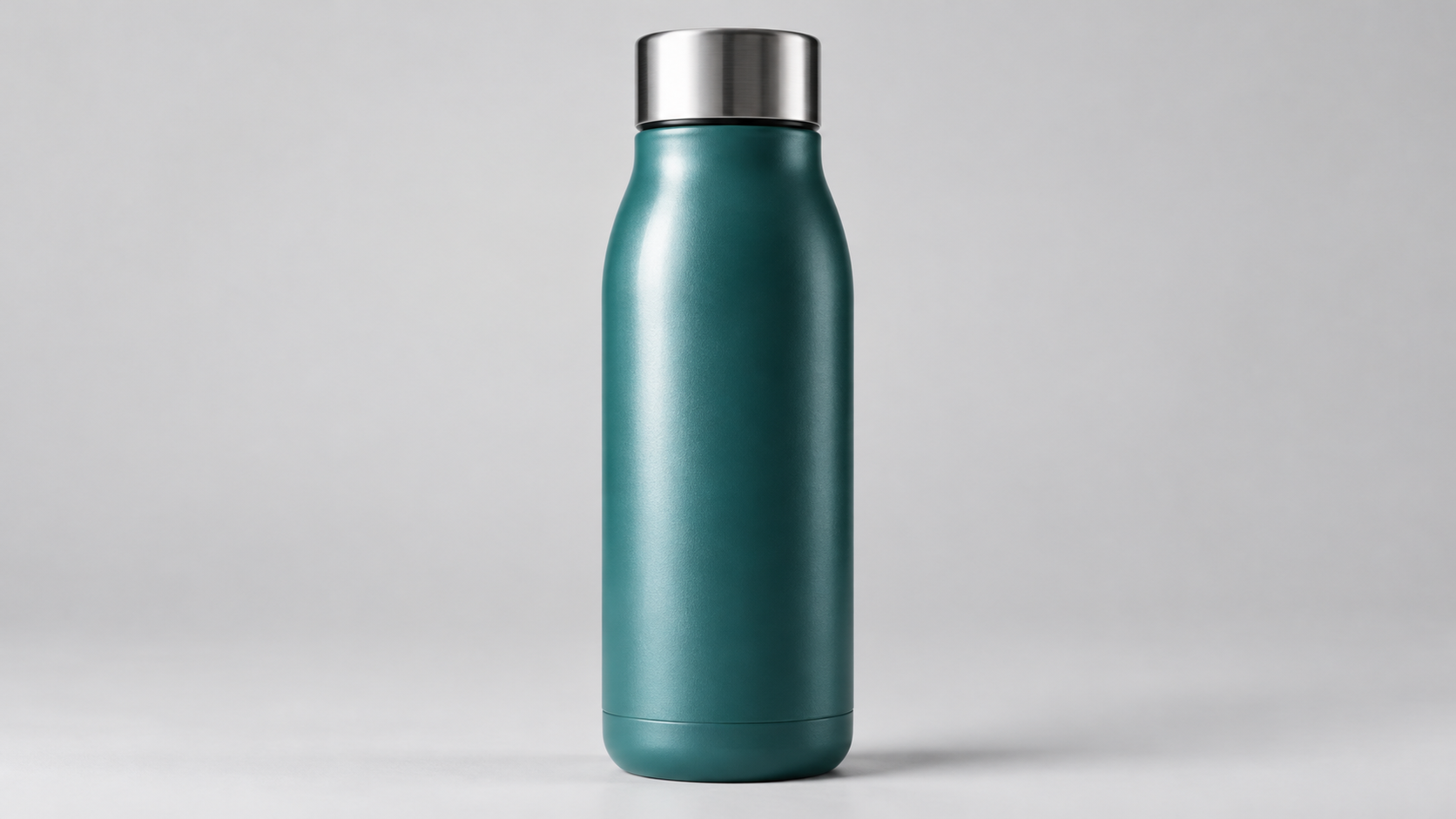
Best for: the bread-and-butter product ad — one clean product still turned into a rotating hero shot with a light sweep. Start here.
Reference image in:
Real output (720p, 4s):
{
  "model": "vidu-q3-ad/reference-to-video",
  "input": {
    "prompt": "A premium product ad of the teal matte insulated tumbler from reference image 1. It rotates slowly on a dark reflective pedestal while a hard strip of light sweeps across the matte body from left to right, the brushed-metal lid catches a bright glint, soft particles of light drift past in the dark background, the camera holds a low hero angle and pushes in slightly. Commercial studio lighting, high contrast, macro detail.",
    "reference_image_urls": ["https://static.hiapi.ai/blog/vidu-q3-ad-reference-to-video-prompt-recipes/refs/tumbler.jpg"],
    "duration": 4,
    "size": "1280*720"
  }
}
Why it works: naming the subject — "the teal matte insulated tumbler from reference image 1" — anchors the exact product so the model animates that bottle, matte finish, brushed lid and all, instead of inventing a lookalike. The light-sweep line ("a hard strip of light sweeps across… from left to right") is what turns a plain spin into something that reads as a commercial. One continuous camera idea (rotate + slight push-in) renders cleanly in 4 seconds. At $0.149/s this clip cost about $0.60.
Recipe 2 — Brand mascot, locked on-model
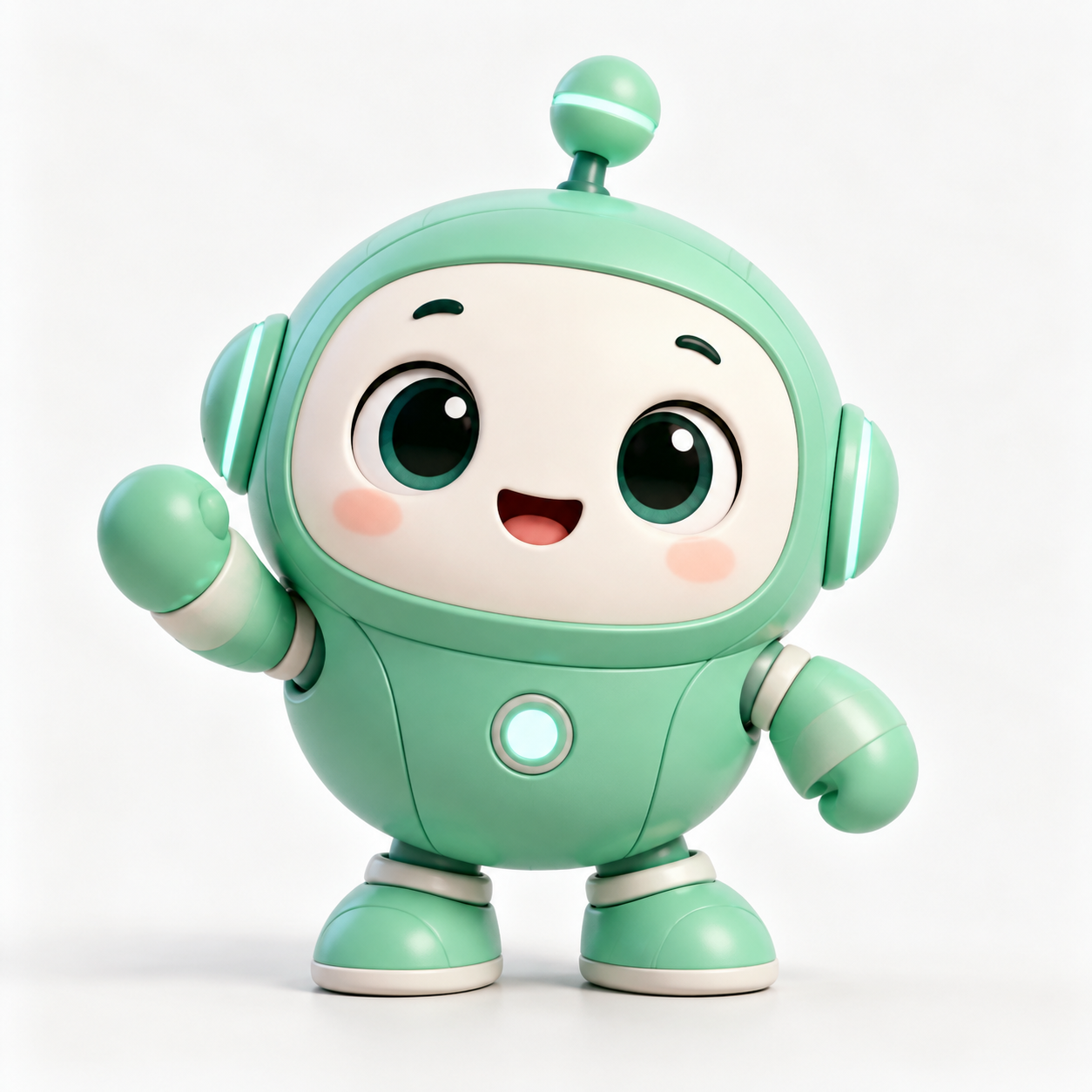
Best for: repeatable campaign assets where a character has to stay exactly on-model across every clip — the thing hand-animation and plain text-to-video both struggle with.
Reference image in:
Real output (square, 4s):
{
  "model": "vidu-q3-ad/reference-to-video",
  "input": {
    "prompt": "The mint-green round robot mascot from reference image 1 stands centered, waves its left hand at the camera, gives a happy little bounce and a cheerful nod, then raises a thumbs-up. Clean soft-white studio background, bright even lighting, bouncy springy animation, its shape, colors and face stay exactly on-model the whole time. Upbeat, friendly brand-mascot ad.",
    "reference_image_urls": ["https://static.hiapi.ai/blog/vidu-q3-ad-reference-to-video-prompt-recipes/refs/mascot.jpg"],
    "duration": 4,
    "size": "1280*1280"
  }
}
Why it works: the phrase "its shape, colors and face stay exactly on-model the whole time" tells the model its job is consistency, not reinterpretation — and q3-ad holds the mascot's proportions, antenna and face through the full motion. Chain a few simple, nameable actions ("waves… bounce… nod… thumbs-up") instead of one vague "be lively"; the model has something concrete to key each beat to. We used a square 1280*1280 (still a 720-class size, ~$0.60 for 4s) so the asset drops straight into a feed post or app splash.
Recipe 3 — UGC "product in hand" (two references)
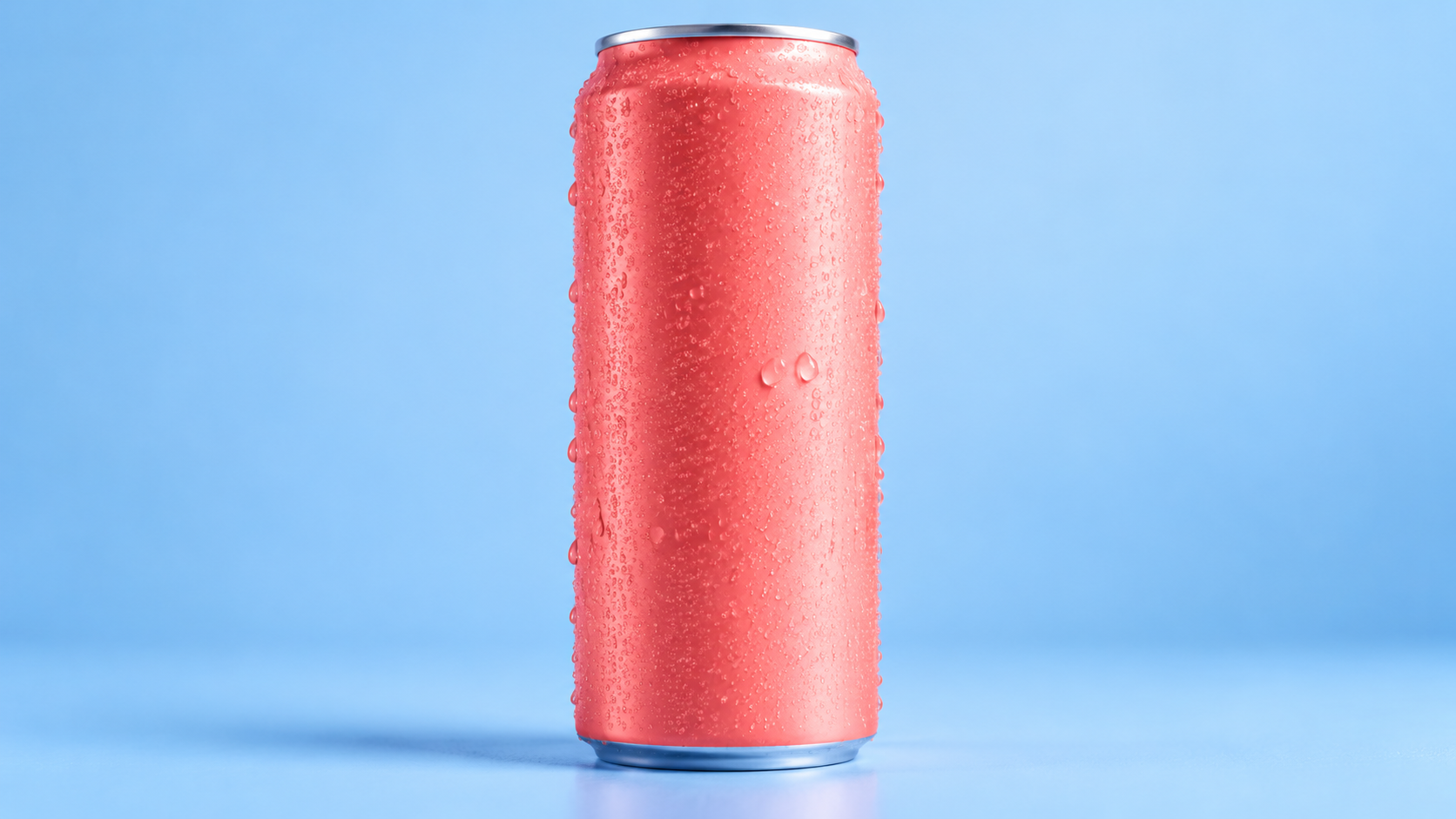
Best for: scroll-stopping social ads — a product lifted into frame by a real hand in a real setting. This is where reference-to-video beats image-to-video: you compose two separate stills into one shot.
References in (product + scene):

Real output (vertical 9:16, 5s):
{
  "model": "vidu-q3-ad/reference-to-video",
  "input": {
    "prompt": "Vertical social ad clip: on the wooden cafe table from reference image 2, the coral-pink sparkling-water can from reference image 1 stands with fresh cold condensation. A hand enters from the bottom of the frame, picks up the can and lifts it up toward the camera, water droplets glistening. Natural handheld motion, warm cafe bokeh behind, soft window light, lively authentic UGC commercial feel.",
    "reference_image_urls": ["https://static.hiapi.ai/blog/vidu-q3-ad-reference-to-video-prompt-recipes/refs/can.jpg", "https://static.hiapi.ai/blog/vidu-q3-ad-reference-to-video-prompt-recipes/refs/hand_cafe.jpg"],
    "duration": 5,
    "size": "720*1280"
  }
}
Why it works: each reference gets a role — image 1 is the product, image 2 is the environment — so the model knows which still is the hero and which is the backdrop. Spelling out the action and the camera ("a hand enters from the bottom… lifts it toward the camera… natural handheld motion") is what produces the UGC feel; without it you get a static product-on-table. A vertical 720*1280 size at 5s (~$0.75) gives you a ready-to-post Reels/TikTok/Shorts aspect.
Recipe 4 — Multi-reference retail scene (three references)
Best for: catalog- and lifestyle-style compositions assembled from separate product and prop stills — the kind of flat-lay that is a pain to stage physically.
References in (product + prop + surface):
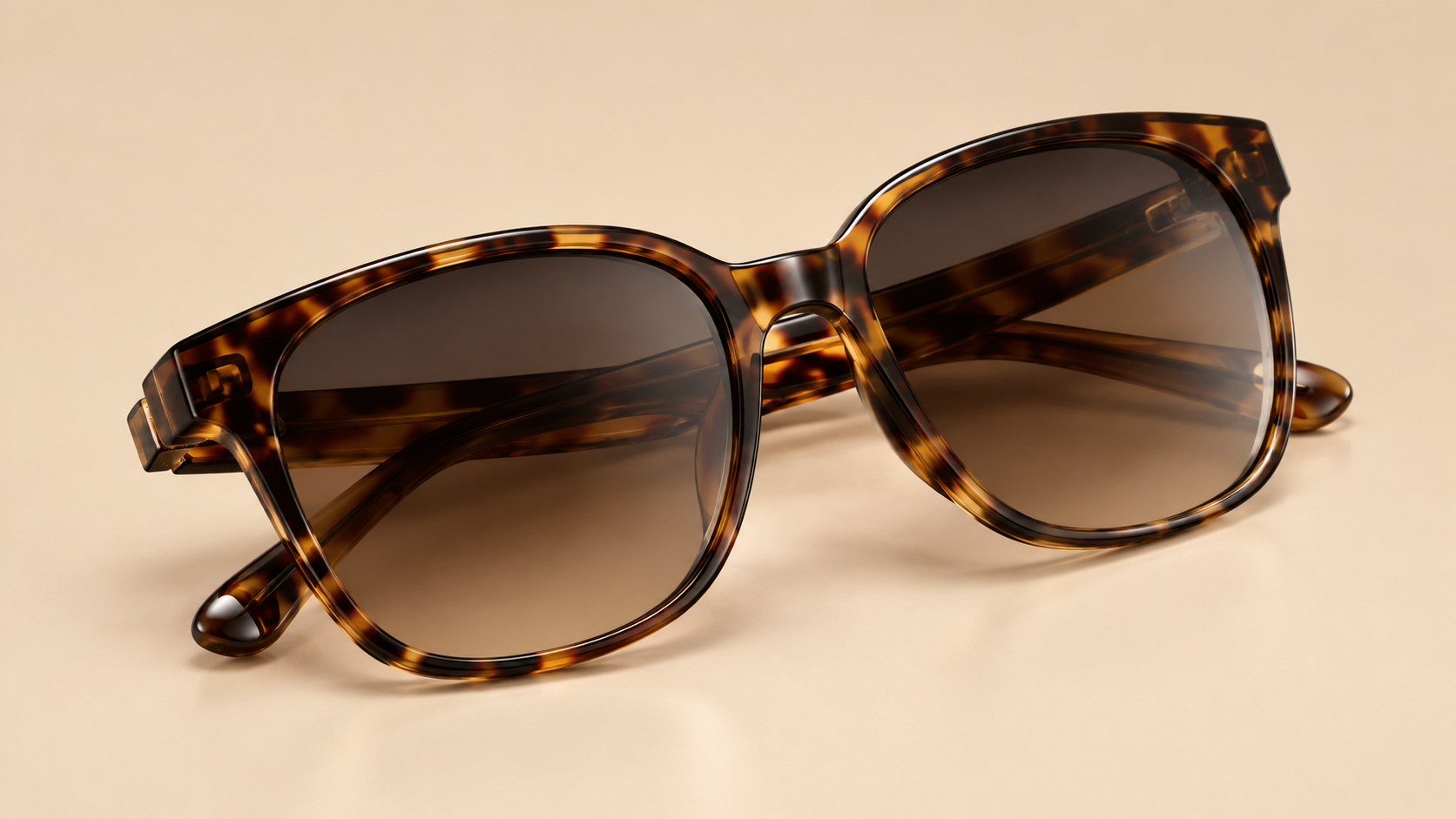
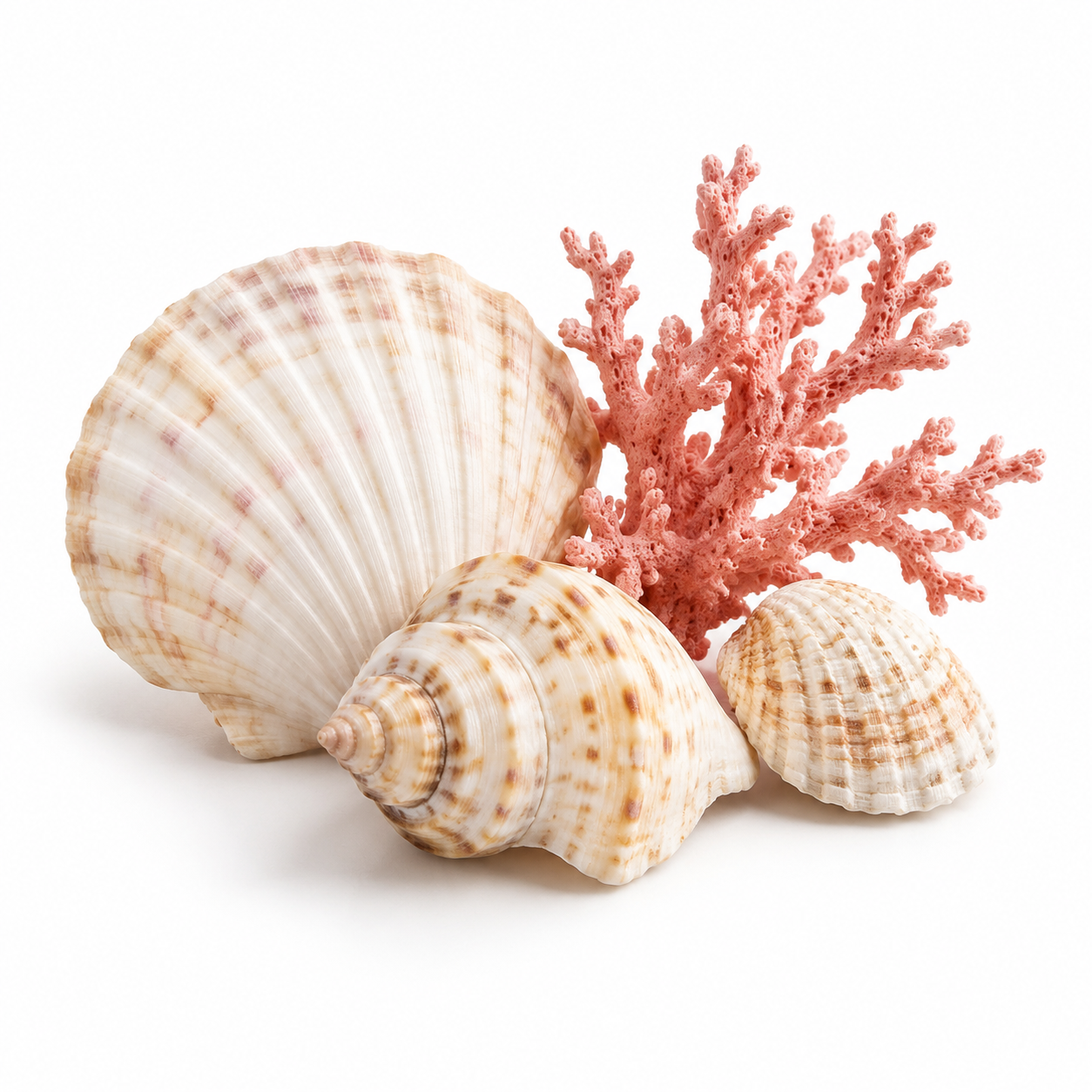

Real output (1080p, 4s):
{
  "model": "vidu-q3-ad/reference-to-video",
  "input": {
    "prompt": "Compose a bright summer retail ad scene: place the tortoiseshell sunglasses from reference image 1 open on the warm travertine stone surface from reference image 3, with the seashells and dried coral from reference image 2 arranged neatly beside them. Slow cinematic push-in, bright natural sunlight casting soft moving shadows, a gentle breeze, premium eyewear commercial look, shallow depth of field.",
    "reference_image_urls": ["https://static.hiapi.ai/blog/vidu-q3-ad-reference-to-video-prompt-recipes/refs/sunglasses.jpg", "https://static.hiapi.ai/blog/vidu-q3-ad-reference-to-video-prompt-recipes/refs/seashells.jpg", "https://static.hiapi.ai/blog/vidu-q3-ad-reference-to-video-prompt-recipes/refs/travertine.jpg"],
    "duration": 4,
    "size": "1920*1080"
  }
}
Why it works: three clean, isolated stills — each subject on a plain background — give the model unambiguous parts to assemble. The prompt states the spatial layout explicitly ("on the travertine… beside them") and names each image by its exact index; blends drift when references are busy or when you just say "combine these." This is also where you cash in the 1080p tier — at $0.18/s a 4-second take is about $0.72, and because you proved the composition is sound, the only thing you are paying extra for is resolution. q3-ad takes up to 7 references, so you have room to add a second prop or a logo card to this same scene.
The "Native Audio" reality (read before you ship)
The q3-ad model page is tagged "Native Audio" and markets ad video "with smart cuts, camera moves and sound." In practice, every clip we generated for this page came back as a video-only mp4 with no audio track — we confirmed it with ffprobe, and the platform's own example clip for this model is silent as well.
So treat q3-ad as a silent ad-video generator today: the four clips above all need a music bed or voiceover added in post. That is not a blocker for most product and social ads (you were probably going to drop in licensed music anyway), but it does mean you should not rely on the model to produce a finished sound mix, and there is no reference_audio_urls field to feed it a voice. If a spoken, lip-synced presenter is what you need, that is a Q4 Preview job — see the voice-reference recipe there.
Prompt rules that actually moved the output
- Number your references. "The can from reference image 1 … on the table from reference image 2" binds subjects to indices far more reliably than "the can and the table."
- Assign a role to each still in multi-reference shots — hero vs. backdrop vs. surface — and state the spatial layout ("on," "beside," "behind").
- Write the camera as one continuous move (rotate + push-in, enter + lift). q3-ad renders a single take; stacking cuts in one prompt muddies it.
- Say "stays exactly on-model" for mascots and characters to push the model toward consistency over reinvention.
- Keep clean reference stills — one subject, plain background. Busy references are the number-one cause of drift.
- Iterate at a 720-class
size, finalize at 1080p. The prompt is identical; only the per-second rate changes.
FAQ
Can I use a photo of my real product? Yes — any publicly reachable image URL works as a reference. We generated ours with gpt-image-2/text-to-image only so the examples are reproducible; a hosted product photo is actually ideal because the subject is already exactly what you sell.
How many reference images can I pass? Between 1 and 7. Nine would fail with a maxItems error; one is enough for a hero spin.
Why did my request 400 with "additional properties not allowed"? You almost certainly sent aspect_ratio, resolution, or reference_audio_urls. q3-ad uses a single size enum and has no audio input — drop those fields.
Does it output 4K? No. q3-ad tops out at 1080p. If you need 4K, use Vidu Q4 Preview.
How long can a clip be? 3 to 15 seconds, as a whole number. Longer narrative cuts are better assembled from several short takes.
Start generating
Grab your key, copy any recipe above, swap in your own product URLs, and POST it to /v1/tasks. The model details and live limits are on the vidu-q3-ad/reference-to-video page, the step-by-step call flow is in the quickstart, and you can browse the rest of the video lineup in the model catalog. Prove a prompt at 720p, then re-run your favorite at 1080p — that is the whole workflow.