TL;DR
- Muse Image 1.0 is Meta's image model, released August 27, 2026, with two entries on HiAPI:
muse-image-1.0/text-to-imageandmuse-image-1.0/image-to-image(1–10 reference images). Try it on the model page. - $0.015 per image for both entries. Every image is about 2.5 MP, with no resolution setting.
- Fastest path:
POST /v1/taskswith apromptand anaspect_ratio, poll untilsuccess, then downloadoutput[0].url. Treat bothfailandfailedas failure.
What Muse Image is good at
- Plans before it renders. Meta describes Muse Image as working out the picture before drawing it. In practice, layout instructions like "generous negative space" and short brand words like "DAWN" come through.
- Illustration, posters, and product visuals, at a price ($0.015) that suits high-volume content.
- Large images by default: about 2.5 MP every time, for example 1920×1280 at 3:2 or 1600×1600 at 1:1.
- Ranked 8th on the Artificial Analysis text-to-image leaderboard.
One description, one finished picture, 3:4:
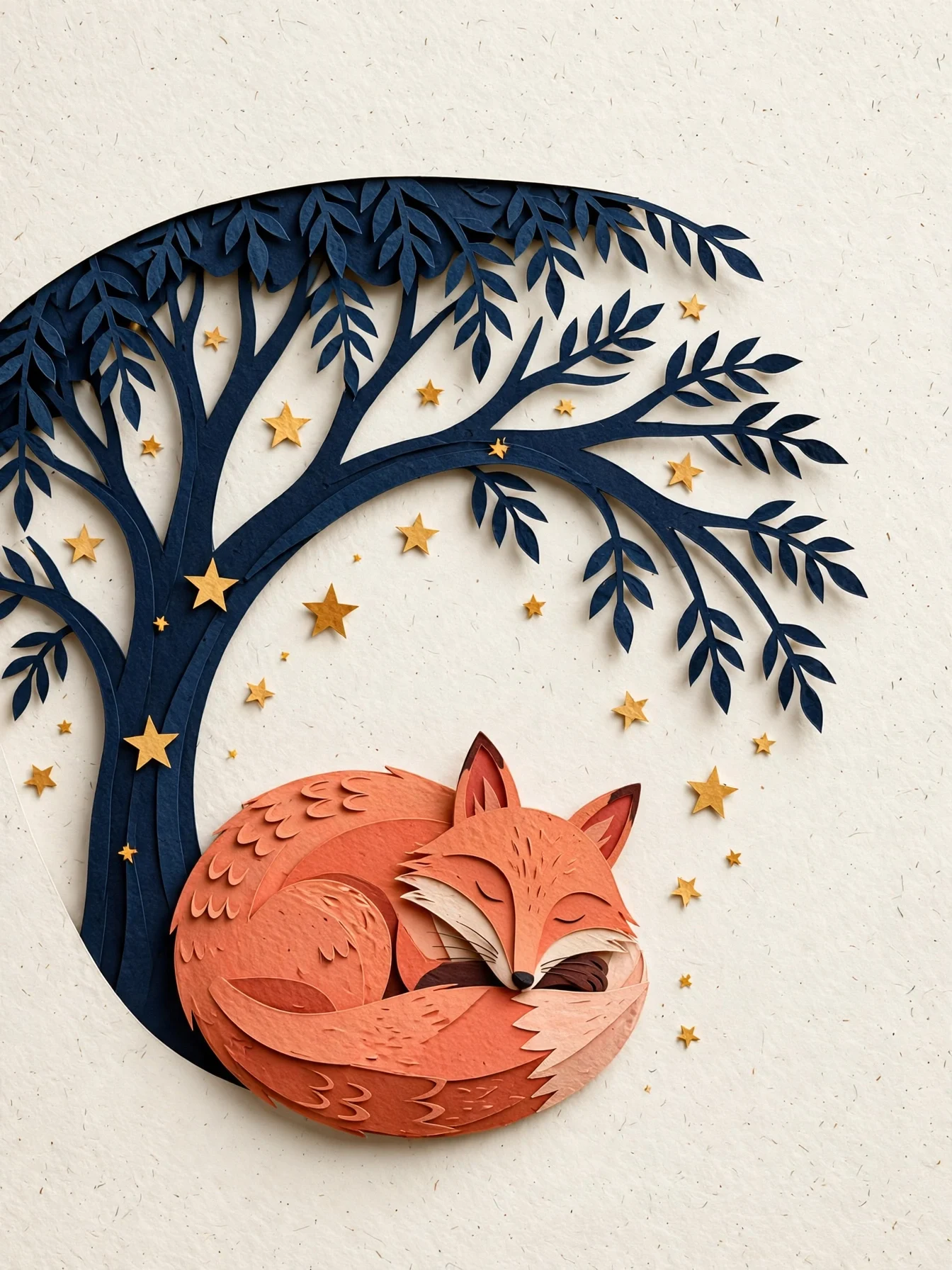
Editorial paper-cut illustration of a coral fox curled beneath a midnight-blue
tree, scattered warm stars, layered tactile paper edges, clear silhouette and
generous negative space, quiet book-cover composition, no text.
Generate with this prompt → (3:4)
muse-image-1.0/text-to-image, 3:4, $0.015.
Two ways to start
In the browser (no code):
- Open the text-to-image page or the image-editing page and sign in (new accounts get 200 free credits).
- Paste a prompt and pick an aspect ratio. For editing, upload 1–10 images.
- Generate, then download the result.
Through the API:
- Create an API key in the dashboard.
- Send
POST /v1/taskswith one of the two model ids. - Poll
GET /v1/tasks/{taskId}or receive a callback, then saveoutput[0].url.
curl: your first image
curl -X POST https://api.hiapi.ai/v1/tasks \
  -H "Authorization: Bearer $HIAPI_KEY" \
  -H "Content-Type: application/json" \
  -d '{
    "model": "muse-image-1.0/text-to-image",
    "input": {
      "prompt": "Editorial paper-cut illustration of a coral fox curled beneath a midnight-blue tree, warm stars, generous negative space, no text",
      "aspect_ratio": "3:4",
      "output_format": "png"
    }
  }'
The response returns data.taskId. Poll GET /v1/tasks/{taskId} until status is success, then download output[0].url.
Python: generate and edit
# pip install requests; export HIAPI_KEY=your-key
import os, time, uuid, requests

API = "https://api.hiapi.ai/v1/tasks"
H = {"Authorization": f"Bearer {os.environ['HIAPI_KEY']}"}

def run(model, timeout_s=300, **inp):
    # Reuse the same Idempotency-Key if you retry this submission, so it is billed once
    r = requests.post(API, json={"model": model, "input": inp},
                      headers={**H, "Idempotency-Key": str(uuid.uuid4())}, timeout=30)
    r.raise_for_status()
    task_id = r.json()["data"]["taskId"]
    deadline = time.time() + timeout_s
    while time.time() < deadline:
        d = requests.get(f"{API}/{task_id}", headers=H, timeout=30).json()["data"]
        if d["status"] == "success":
            return d["output"][0]["url"]
        if d["status"] in ("fail", "failed"):
            raise RuntimeError(d)
        time.sleep(5)
    raise TimeoutError(task_id)

# Text-to-image, 16:9 header ($0.015)
header = run("muse-image-1.0/text-to-image",
             prompt="A sophisticated editorial illustration of a terracotta desert observatory under an oversized pale moon, winding turquoise river, no text",
             aspect_ratio="16:9", output_format="png")

# Edit the result into a night scene ($0.015)
night = run("muse-image-1.0/image-to-image",
            prompt="Turn the illustration into night: deep indigo sky, silver crescent moon, warm amber windows. Keep the buildings and river.",
            image_urls=[header], aspect_ratio="16:9", output_format="png")

with open("night.png", "wb") as f:
    f.write(requests.get(night).content)
Feeding the first result's URL straight into the edit works because it's still a live public link. For anything you keep, download it first.
Editing with reference images
On muse-image-1.0/image-to-image, image_urls is required (1–10 images). Give each image a role. Here Image 1 supplies the whale artwork and Image 2 supplies only the layout, and all old text is replaced:
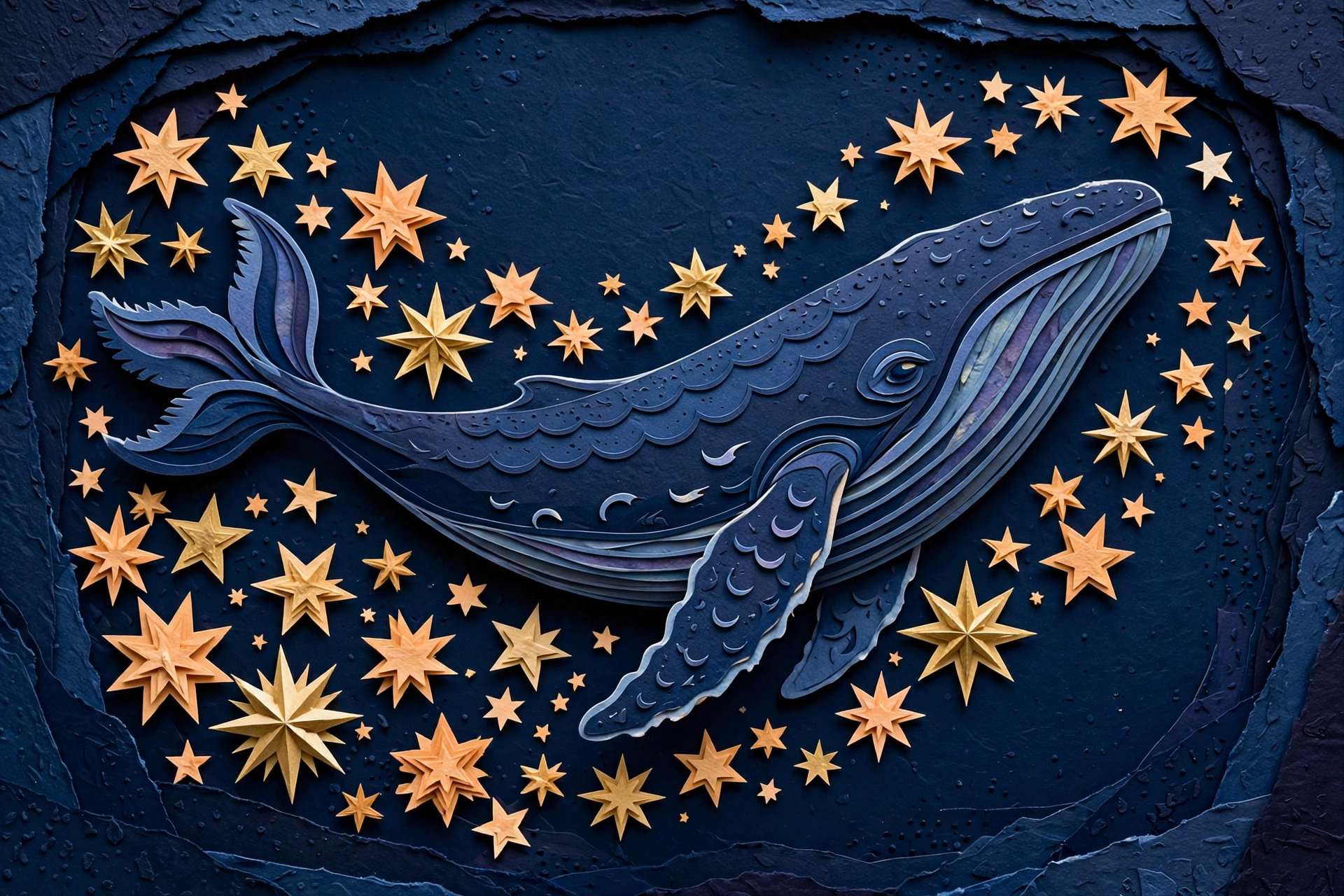
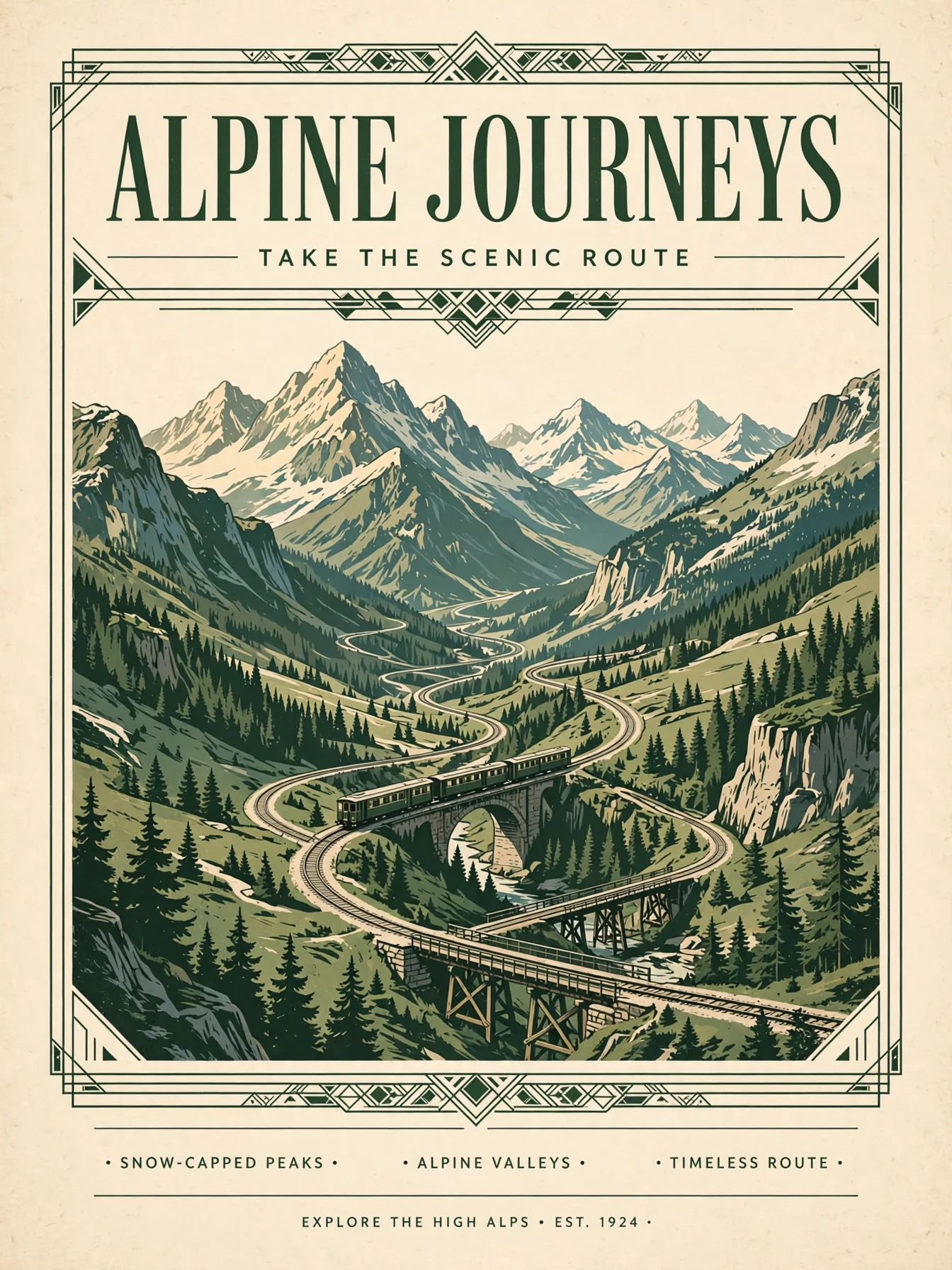
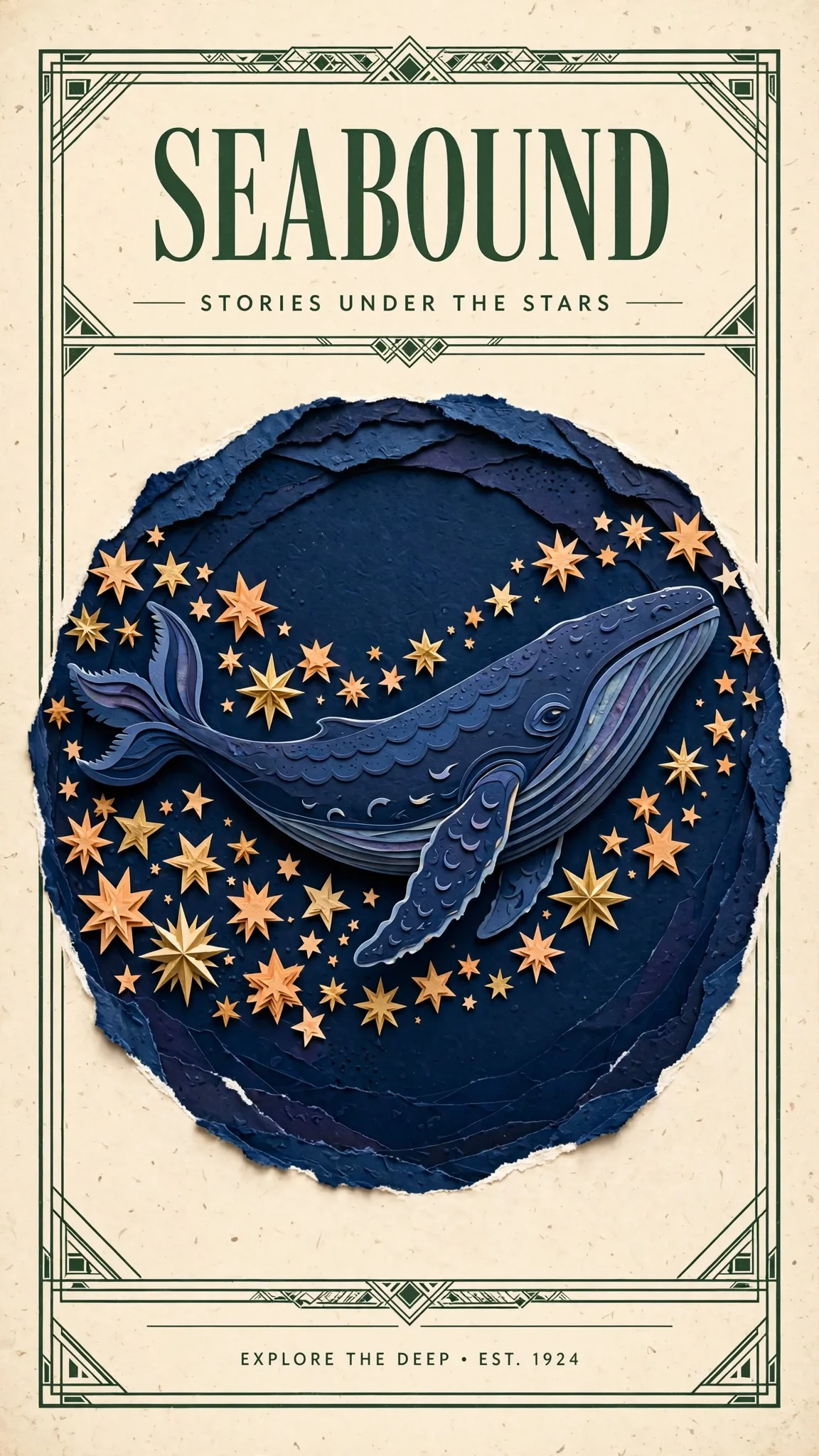
Design a polished illustrated travel poster using the indigo whale and warm
stars from Image 1 as the central artwork. Borrow the cream paper, forest-green
framing and clean heading hierarchy from Image 2. Replace all old poster text
with a single large heading SEABOUND at the top and the smaller line STORIES
UNDER THE STARS below. Keep the whale recognizable, use balanced spacing and
delicate layered paper detail.
Open the editing page with this prompt → (upload your two images)
muse-image-1.0/image-to-image, two references, $0.015.
The heading and subline came out exactly as written, but Muse also added a small footer line that wasn't requested. Add "no other text" when the copy must be exact.
Input reference
| Field | Values | Notes |
|---|---|---|
prompt | string, required, up to 5,000 characters | Scene, or what to change and keep |
image_urls | 1–10 public URLs | Required on image-to-image; not used on text-to-image |
aspect_ratio | 1:1 4:3 3:4 16:9 9:16 3:2 2:3 21:9 9:21 | Optional; when omitted, the model picks the framing |
output_format | jpeg / png / webp, default webp | Same price for all three |
There's no resolution field. Every image is about 2.5 MP, and its width and height follow the aspect ratio.
Before you ship
- Set
aspect_ratiofor fixed placements. Leaving it out lets the model choose, which is fine for exploration but not for a banner slot. - Check both
failandfailed. The docs listfailed; matching both keeps your loop safe. - Use a callback instead of polling: add
"callback": {"url": "https://your-app.example.com/hiapi/callback"}next toinputand deduplicate bytaskId. - Save outputs right away.
output[0].urlexpires; download it or request permanent storage. - Send an
Idempotency-Keyheader so a retried request creates the task only once.
FAQ
How many images does one task return?
One. Submit separate tasks for variations.
Can I get a bigger or smaller image?
No. Muse Image always returns about 2.5 MP. For 4K, use FLUX.3 Image or Nano Banana 2.1.
Can I edit without a reference image?
No. The edit entry needs 1–10 images. To start from text, use muse-image-1.0/text-to-image.
Am I charged for failed tasks?
No. You pay only for images that generate successfully.
Pricing is in Muse Image API pricing, more prompts in Muse Image prompt recipes, and a same-prompt test in Muse Image vs Nano Banana 2.1. Or generate the paper-cut fox on the model page.