TL;DR
- FLUX.3 Image is Black Forest Labs' October 2026 image model, model id
flux-3-image. One id handles both text-to-image and editing with up to 10 reference images. Try it on the model page. - Billed per image: $0.048 at 1K (the default), $0.10 at 2K, $0.607 at 4K. Each task returns one image.
- Fastest path:
POST /v1/taskswith aprompt, poll untilsuccess, then downloadoutput[0].url. Setresolutionexplicitly, and treat bothfailandfailedas failure.
What's new in FLUX.3 Image
- Generate and edit on one id. Without
image_urlsit generates from text; with 1–10 references it edits around them, and you assign each image a role in the prompt. - Five resolution tiers, from 768 ($0.041) to 4K ($0.607), across 15 aspect ratios from 21:9 to 9:21, plus
auto. - Web grounding. With
groundingon (the default), the model can search the web and images before generating to fill in visual details. - Ranked 9th on the Artificial Analysis text-to-image leaderboard.
A 1.5K, 3:2 interior:
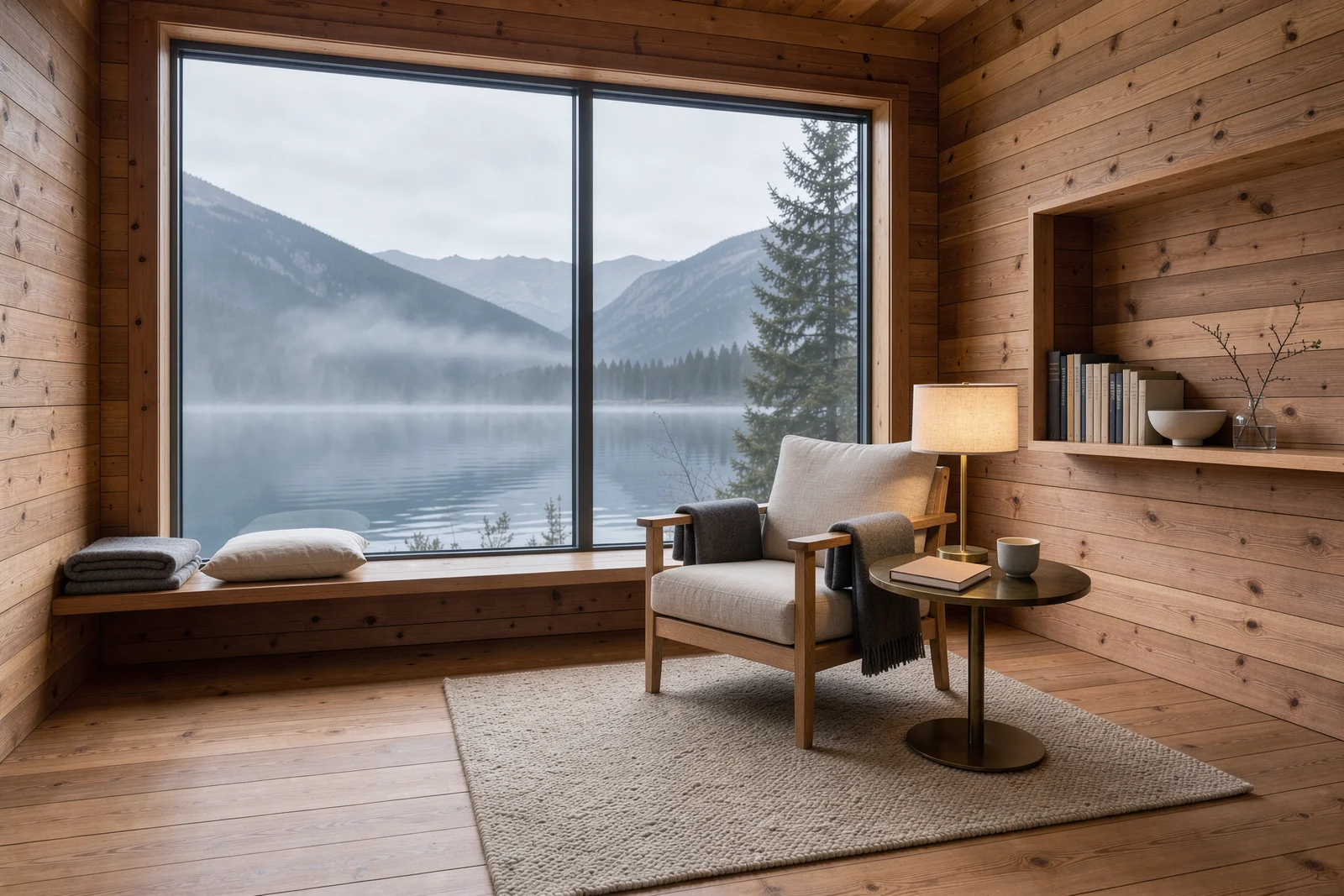
Architectural interior photograph of a cedar alpine reading cabin,
floor-to-ceiling window opening onto a misty mountain lake, linen armchair and a
small brass lamp, warm wood grain, quiet morning atmosphere, restrained
Scandinavian design, no text.
Generate with this prompt → (1.5K, 3:2)
flux-3-image, 1.5K, 3:2, $0.07.
Two ways to start
In the browser (no code):
- Open the FLUX.3 Image model page and sign in (new accounts get 200 free credits).
- Paste a prompt, pick a resolution and aspect ratio, and optionally upload reference images.
- Generate, then download the result.
Through the API:
- Create an API key in the dashboard.
- Send
POST /v1/taskswith"model": "flux-3-image". - Poll
GET /v1/tasks/{taskId}or receive a callback, then saveoutput[0].url.
curl: your first image
1K, 4:3, $0.048:
curl -X POST https://api.hiapi.ai/v1/tasks \
  -H "Authorization: Bearer $HIAPI_KEY" \
  -H "Content-Type: application/json" \
  -d '{
    "model": "flux-3-image",
    "input": {
      "prompt": "A refined still life of a terracotta architectural model on ivory paper, brass desk lamp, olive leaves, soft late-afternoon sunlight, no text",
      "resolution": "1K",
      "aspect_ratio": "4:3"
    }
  }'
The response returns data.taskId. Poll GET /v1/tasks/{taskId} until status is success, then download output[0].url.
Python: submit, poll, download
# pip install requests; export HIAPI_KEY=your-key
import os, time, uuid, requests

API = "https://api.hiapi.ai/v1/tasks"
H = {"Authorization": f"Bearer {os.environ['HIAPI_KEY']}"}

def generate(timeout_s=300, **inp):
    # Reuse the same Idempotency-Key if you retry this submission, so it is billed once
    r = requests.post(API, json={"model": "flux-3-image", "input": inp},
                      headers={**H, "Idempotency-Key": str(uuid.uuid4())}, timeout=30)
    r.raise_for_status()
    task_id = r.json()["data"]["taskId"]
    deadline = time.time() + timeout_s
    while time.time() < deadline:
        d = requests.get(f"{API}/{task_id}", headers=H, timeout=30).json()["data"]
        if d["status"] == "success":
            return d["output"][0]["url"]
        if d["status"] in ("fail", "failed"):
            raise RuntimeError(d)
        time.sleep(5)
    raise TimeoutError(task_id)

url = generate(
    prompt="A cinematic rainy Tokyo side street at blue hour, a small bookstore with warm amber windows, a red bicycle outside, no readable signs",
    resolution="2K", aspect_ratio="16:9",
)
ext = url.split("?")[0].rsplit(".", 1)[-1]  # keep the returned file type
with open(f"street.{ext}", "wb") as f:
    f.write(requests.get(url).content)
Editing with reference images
Pass image_urls (1–10 public URLs) and say in the prompt what each image contributes and what to leave out. This three-image edit takes the subject from Image 1, the setting from Image 2, and only the palette from Image 3:
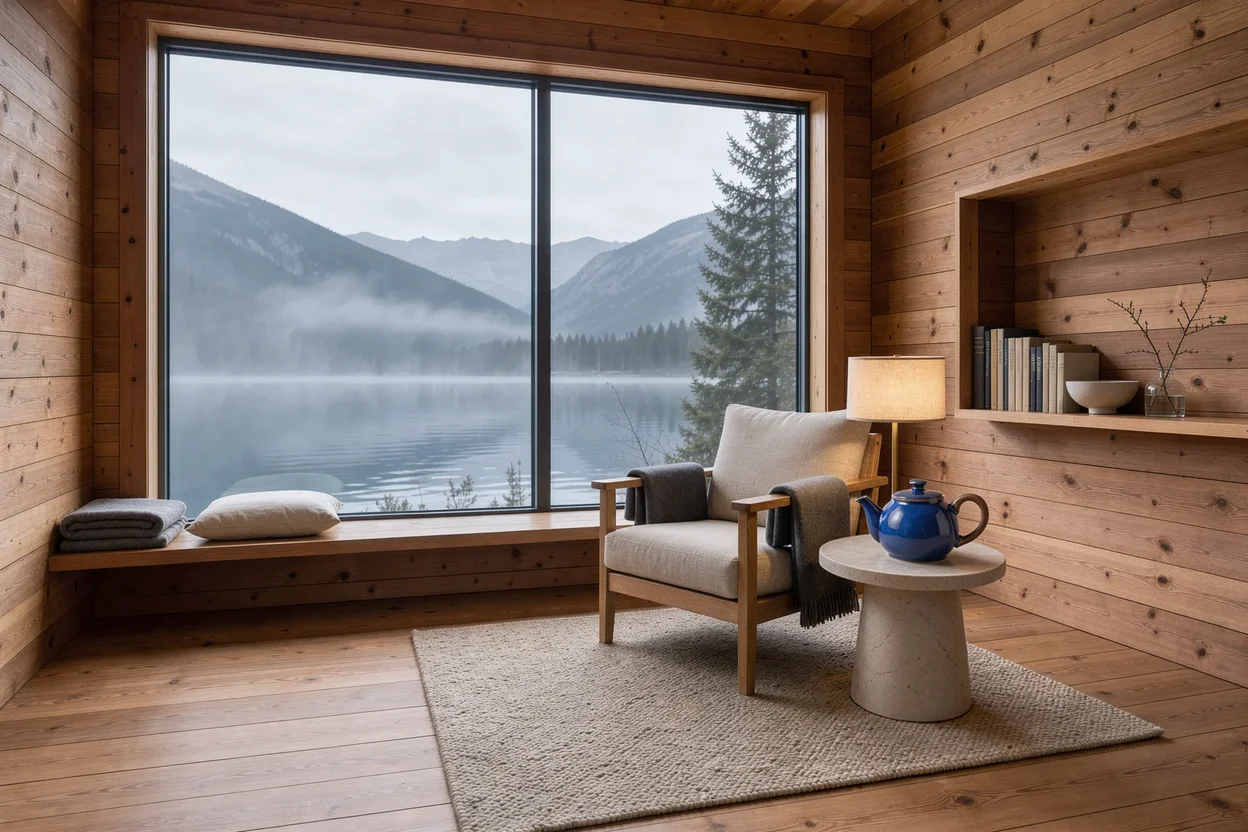
Create a refined product photograph. Use the cobalt blue ceramic teapot and
walnut handle from Image 1 as the main subject, place it on a pale stone side
table inside the cedar reading cabin from Image 2. Borrow only the subtle teal
and amber lighting palette from Image 3. Preserve the teapot shape and glaze,
keep the lake window visible in the background, realistic scale, no lettering.
url = generate(
    prompt=open("teapot_prompt.txt").read(),
    image_urls=[
        "https://your-cdn.example.com/teapot.jpg",   # Image 1: subject
        "https://your-cdn.example.com/cabin.jpg",    # Image 2: setting
        "https://your-cdn.example.com/street.jpg",   # Image 3: palette only
    ],
    resolution="1K", aspect_ratio="3:2",
)
flux-3-image, three references, 3:2, $0.048. References don't add to the price.
Input reference
| Field | Values | Notes |
|---|---|---|
prompt | string, required, up to 5,000 characters | Scene, or what to change and keep |
image_urls | 1–10 public URLs, optional | Omit for text-to-image |
resolution | 768 / 1K / 1.5K / 2K / 4K, default 1K | Sets the price; actual width and height follow the ratio |
aspect_ratio | 21:9 2:1 16:9 3:2 7:5 4:3 5:4 1:1 4:5 3:4 5:7 2:3 9:16 1:2 9:21 auto, default auto | Set a ratio for fixed placements |
safety_tolerance | 0–4, default 2 | 0 is strictest |
grounding | boolean, default true | Searches the web and images before generating |
Before you ship
- Set
resolutionevery time. A stray4Kcosts $0.607 instead of $0.048. - Check both
failandfailed. The docs listfailed; matching both keeps your loop safe. - Use a callback instead of polling: add
"callback": {"url": "https://your-app.example.com/hiapi/callback"}next toinputand deduplicate bytaskId. - Save the output right away.
output[0].urlexpires; download it or request permanent storage. - Send an
Idempotency-Keyheader so a retried request creates the task only once.
FAQ
How many images does one task return?
One. Submit separate tasks for variations.
Can I choose PNG or JPEG?
Not on this model. Convert after download if you need a specific format.
When should I turn off grounding?
When you already have your own references and a closed creative direction. Set grounding: false; the price doesn't change.
Am I charged for failed tasks?
No. You pay only for images that generate successfully.
Prices for every tier are in FLUX.3 Image API pricing, more prompts in FLUX.3 Image prompt recipes, and a same-prompt test against the previous generation in FLUX.3 Image vs FLUX.2. Or generate the cabin interior on the model page.