TL;DR
- Bria Eraser: Upload an image and a black-and-white mask to erase selected areas. No prompt is needed.
- Each image costs $0.0575, with one PNG per request. See pricing and budgets
- Budget $5.75 for 100 images. Check the edit on one set of inputs before scheduling a batch.
What does one image cost?
Bria Eraser costs $0.0575 per output image on HiAPI. Each request returns one result, so multiply the number of planned outputs by the unit price. Price checked on October 28, 2026.
| Model | Per image | 100 images | 1,000 images |
|---|---|---|---|
bria-eraser | $0.0575 | $5.75 | $57.50 |
The source image and mask define the edit. mask_type identifies the mask source, and preserve_alpha controls transparency handling. These settings do not form separate price tiers.
How much should you budget each month?
| Planned outputs | Calculation | Image charges |
|---|---|---|
| 100 images | 100 × $0.0575 | $5.75 |
| 1,000 images | 1,000 × $0.0575 | $57.50 |
| 10,000 images | 10,000 × $0.0575 | $575.00 |
Count every generated candidate when planning a budget, rather than counting only the images you eventually use. For example, three candidate images for each of 100 products means 300 outputs and $17.25 in image charges. The table covers the generation charges for those images.
What should you check before submitting?
Define the area to clean up before drawing a black-and-white mask. White covers the object to erase and black marks what to keep. Match the mask aspect ratio to the source image. For a transparent PNG, enable preserve_alpha and inspect the downloaded result’s alpha channel.
Eraser does not accept a prompt field. A sentence such as “remove the passer-by” cannot replace the mask. Use manual for a brush-drawn mask and automatic for a mask produced by a segmentation tool.
A source image and its result
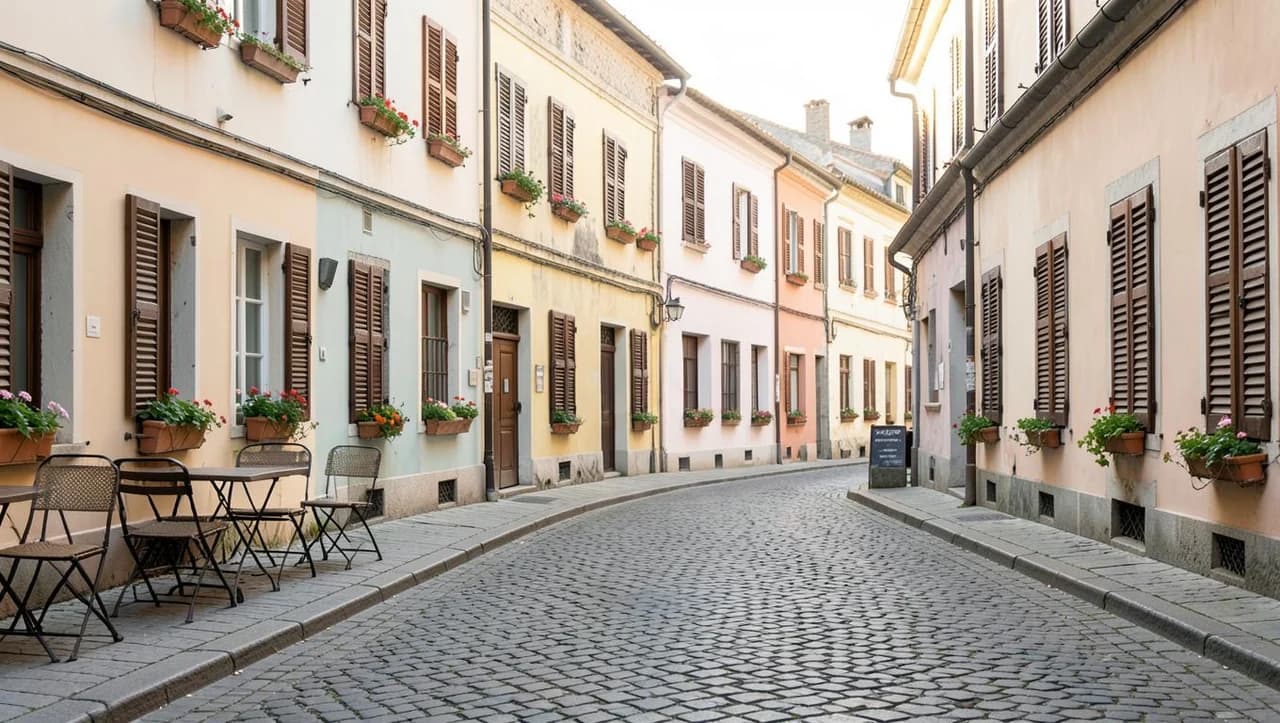
Street photo: remove a passer-by
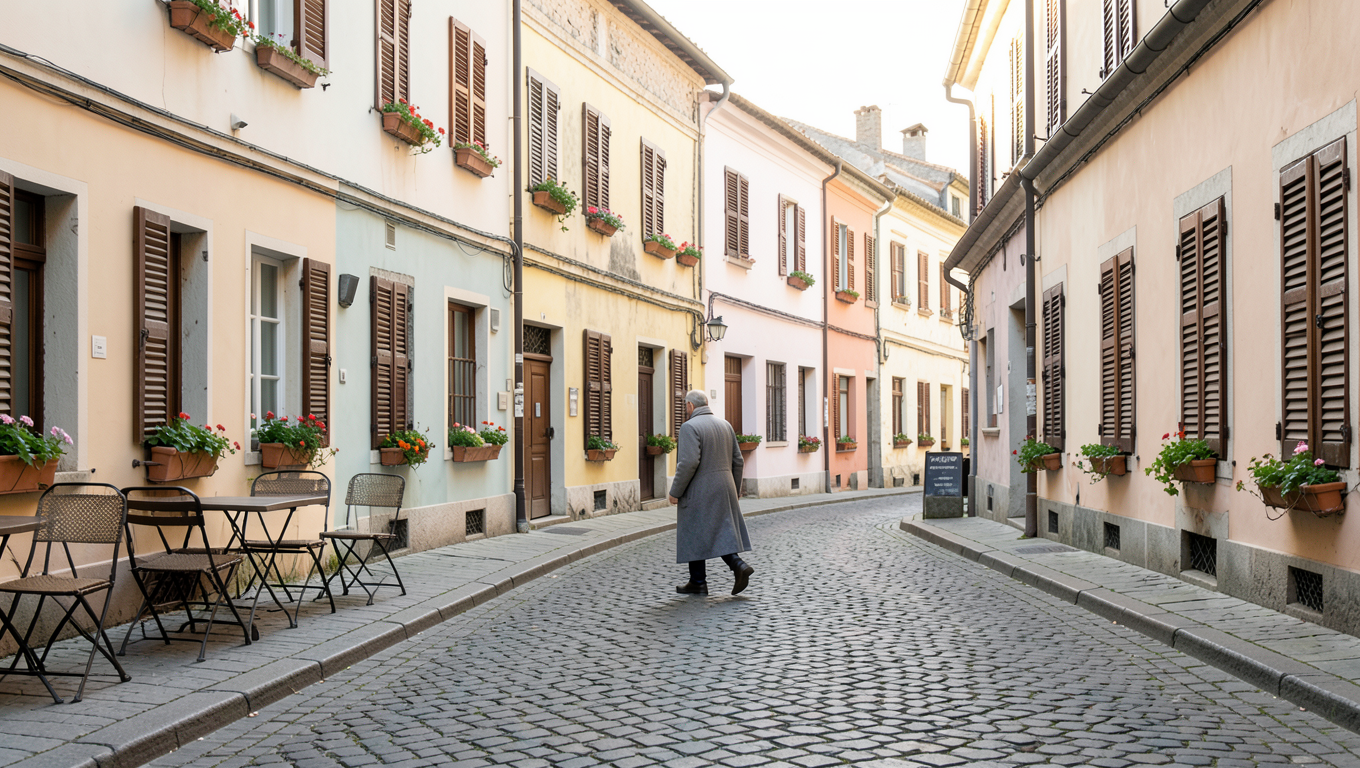
Open the model page to upload inputs, then upload the matching mask; no prompt is required.
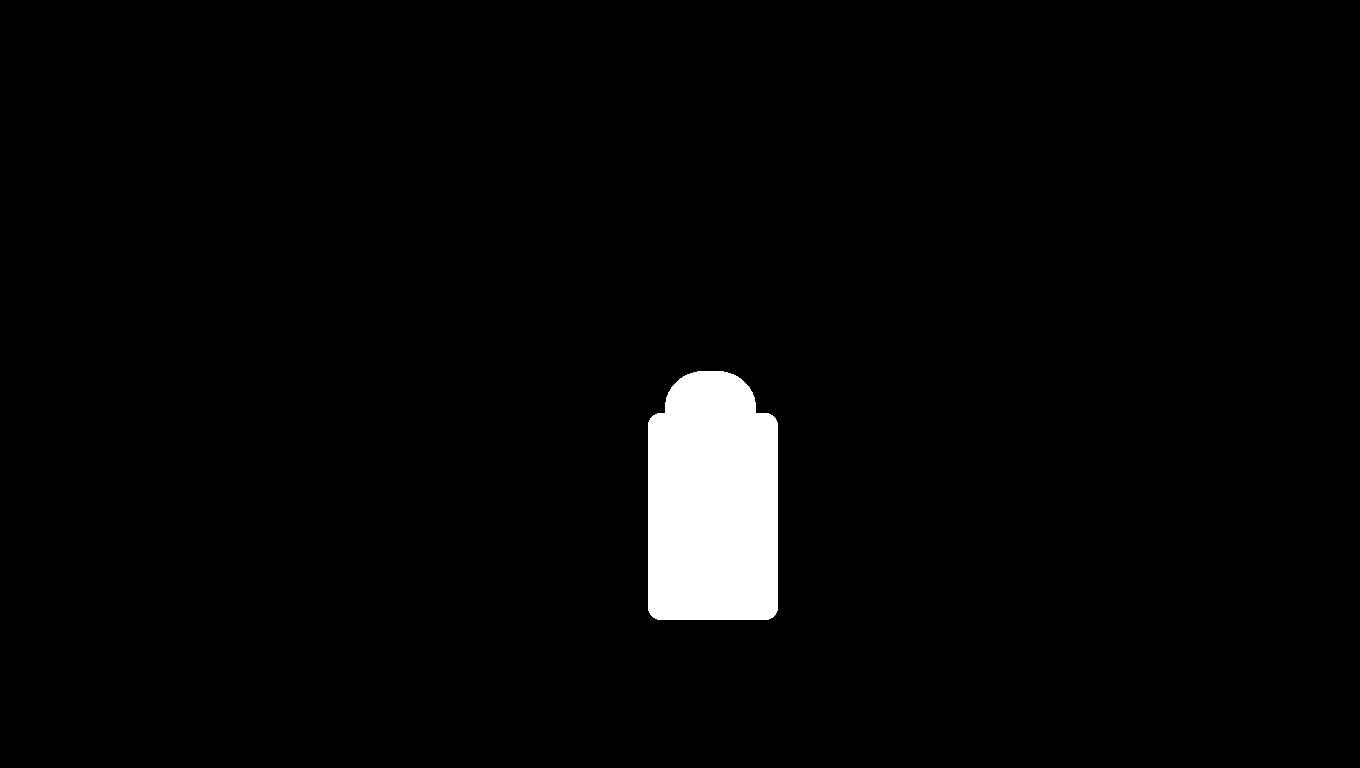
Open the model page to upload inputs, then upload the matching mask; no prompt is required.
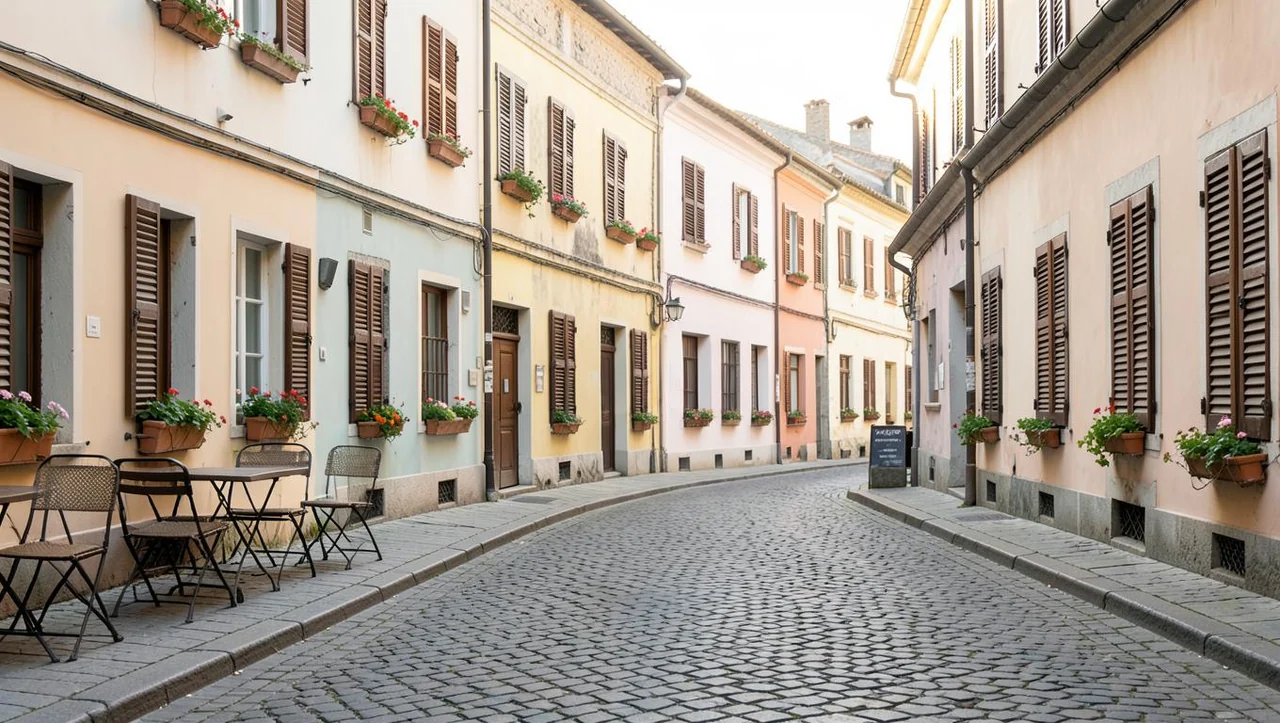
Open the model page to upload inputs, then upload the matching mask; no prompt is required.
A passer-by in a long coat occupies the center of the source image, and the white mask covers the person. In the result, paving fills that area while the buildings remain visible on both sides.
Cover the entire person in white and check the shoes and outer edges. Keep the tables and chairs you want to retain in the black area.
bria-eraser returns one image per request at $0.0575 per image.
Cleanup or a new product scene?
| Task | HiAPI model | Per image |
|---|---|---|
| Erase a selected object with a mask | bria-eraser | $0.0575 |
| Create a product scene from text or a reference | bria-product-shot | $0.0575 |
The models solve different tasks. Eraser needs a source image and mask. Product Shot needs a product photo plus a text scene or reference image. Start with your inputs and desired edit, then estimate the number of outputs.
FAQ
How many images does one request return?
One image, priced at $0.0575.
How much do 100 images cost?
100 × $0.0575 = $5.75; 1,000 images cost $57.50.
How should I budget for multiple candidates?
Count every candidate output. Three candidates for each of 100 products means 300 images and a $17.25 budget.
Where can I start?
Open the Bria Eraser model page and upload a source image and a black-and-white mask.