A garment flat lay can become an on-body preview with one person photo and one garment image. Google Virtual Try-On returns one image per request, so its image budget is straightforward to calculate.
TL;DR
The price is $0.1075 per image, billed by the requested image count; see pricing and budgets on this page. Set num_images to 1. For additional garments, people or candidates, submit separate requests. There is no prompt field: the two input images define the try-on.
Unit price and budgets
| Planned result images | Calculation | Budget |
|---|---|---|
| 1 | 1 × $0.1075 | $0.1075 |
| 10 | 10 × $0.1075 | $1.075 |
| 100 | 100 × $0.1075 | $10.75 |
| 1,000 | 1,000 × $0.1075 | $107.50 |
For example, 10 tops shown on 3 people produce 30 combinations. One result per combination costs $3.225. A second candidate for each combination brings the plan to 60 images and $6.45. These budgets multiply the image count by the unit price; they do not include the work of selecting results or preparing assets.
What one result shows
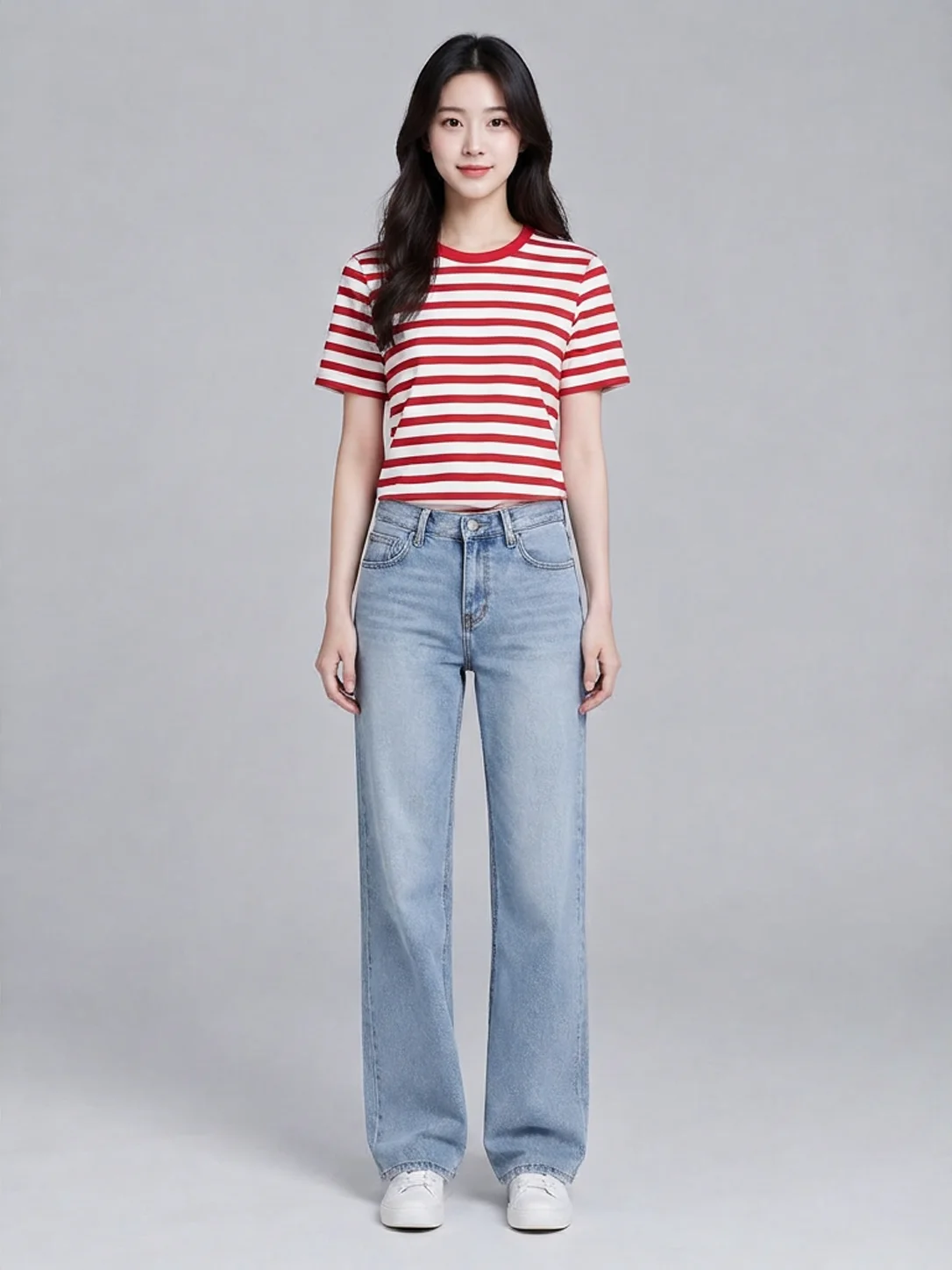
Upload images to try it →; no prompt required.
This result keeps the gray background, jeans and white shoes while replacing the white tank top with the striped T-shirt. It lets you inspect the color, sleeve length and overall outfit. Judging physical fit still requires the garment's measurements. The examples page shows the person, garment and result together so changes are easier to locate.
Keep the first round small
Start with a person photo that shows the body clearly and a flat-lay or hanging garment photo with complete edges. Request one result with num_images: 1, inspect the neckline, hem and areas around the hands, then decide whether another candidate is useful. Repeating the same inputs adds to the planned image count, so include those candidates in your budget.
The input has no prompt field and no resolution or quality tier for choosing a price. The integration guide covers the fields and request format.
FAQ
Can I request several images at once?
The supported value of num_images is currently 1. Submit separate tasks for additional candidates.
Is pricing based on the number of uploads?
Pricing follows the requested result count. The person and garment images are the two inputs needed for one try-on.
Can I use it without a prompt?
Yes. It takes a person image and a garment image, with no prompt field.
Can the result measure garment fit?
Use it to inspect the appearance of an outfit. Sizing decisions still need garment measurements and physical fit information.
Further reading
Pricing and budgets · API integration · Examples and input selection · Google Virtual Try-On