TL;DR
- Bria Product Shot: Upload a product photo and choose an English scene description or a scene reference image.
- Each image costs $0.0575, with one PNG per request. See pricing and budgets
- Budget $5.75 for 100 images. Check the edit on one set of inputs before scheduling a batch.
What does one image cost?
Bria Product Shot costs $0.0575 per output image on HiAPI. Each request returns one result, so multiply the number of planned outputs by the unit price. Price checked on October 28, 2026.
| Model | Per image | 100 images | 1,000 images |
|---|---|---|---|
bria-product-shot | $0.0575 | $5.75 | $57.50 |
Text scenes and reference-image scenes use the same unit price. Both fast settings cost the same; placement and original_quality control composition and size without creating separate price tiers.
How much should you budget each month?
| Planned outputs | Calculation | Image charges |
|---|---|---|
| 100 images | 100 × $0.0575 | $5.75 |
| 1,000 images | 1,000 × $0.0575 | $57.50 |
| 10,000 images | 10,000 × $0.0575 | $575.00 |
Count every generated candidate when planning a budget, rather than counting only the images you eventually use. For example, three candidate images for each of 100 products means 300 outputs and $17.25 in image charges. The table covers the generation charges for those images.
What should you check before submitting?
Choose either an English prompt or reference_image_url. With a scene reference, omit optimize_description entirely; sending it as false is still not allowed.
Use manual_placement for a preset position. To retain the original placement, select original and omit manual_placement_selection. original_quality is available only with original. Keep the product image and placement fixed while adjusting a scene so that each change has a clear purpose.
A source image and its result
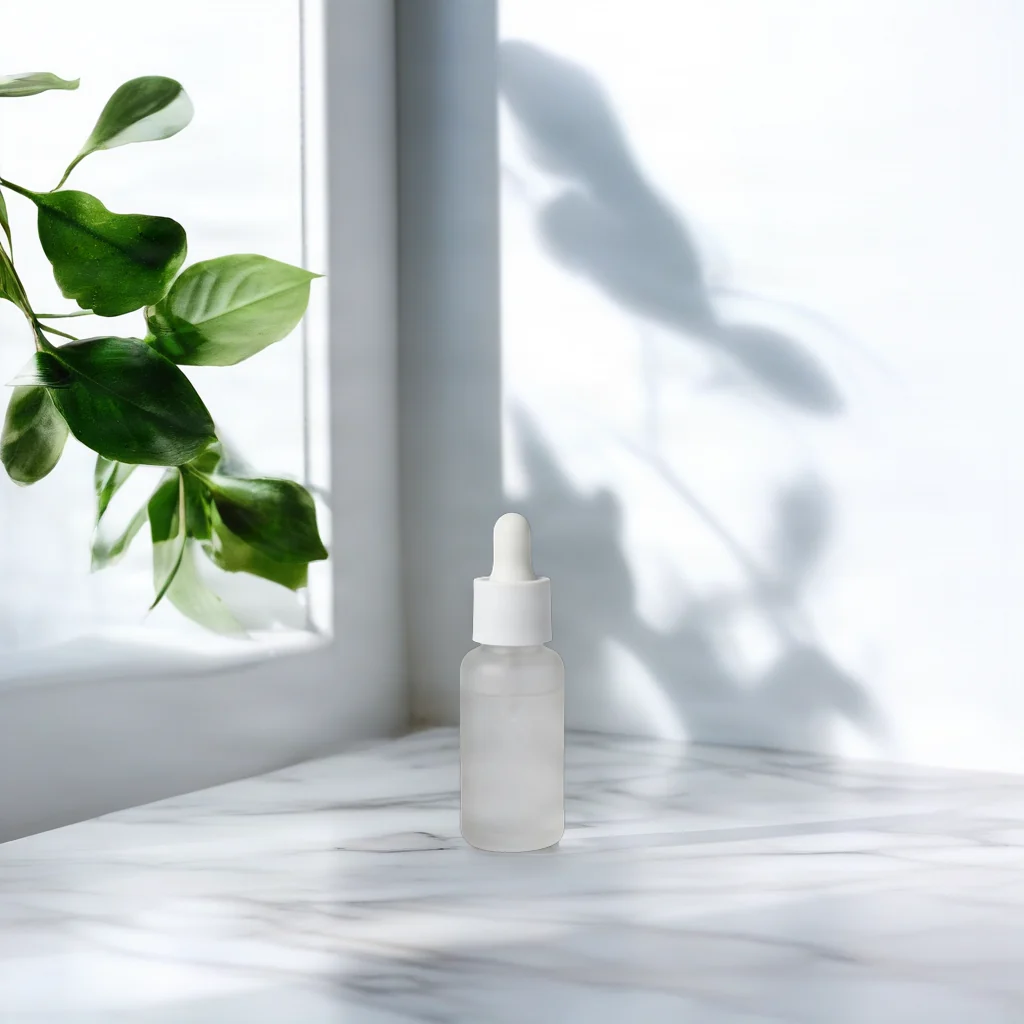
Skincare: a countertop by a window
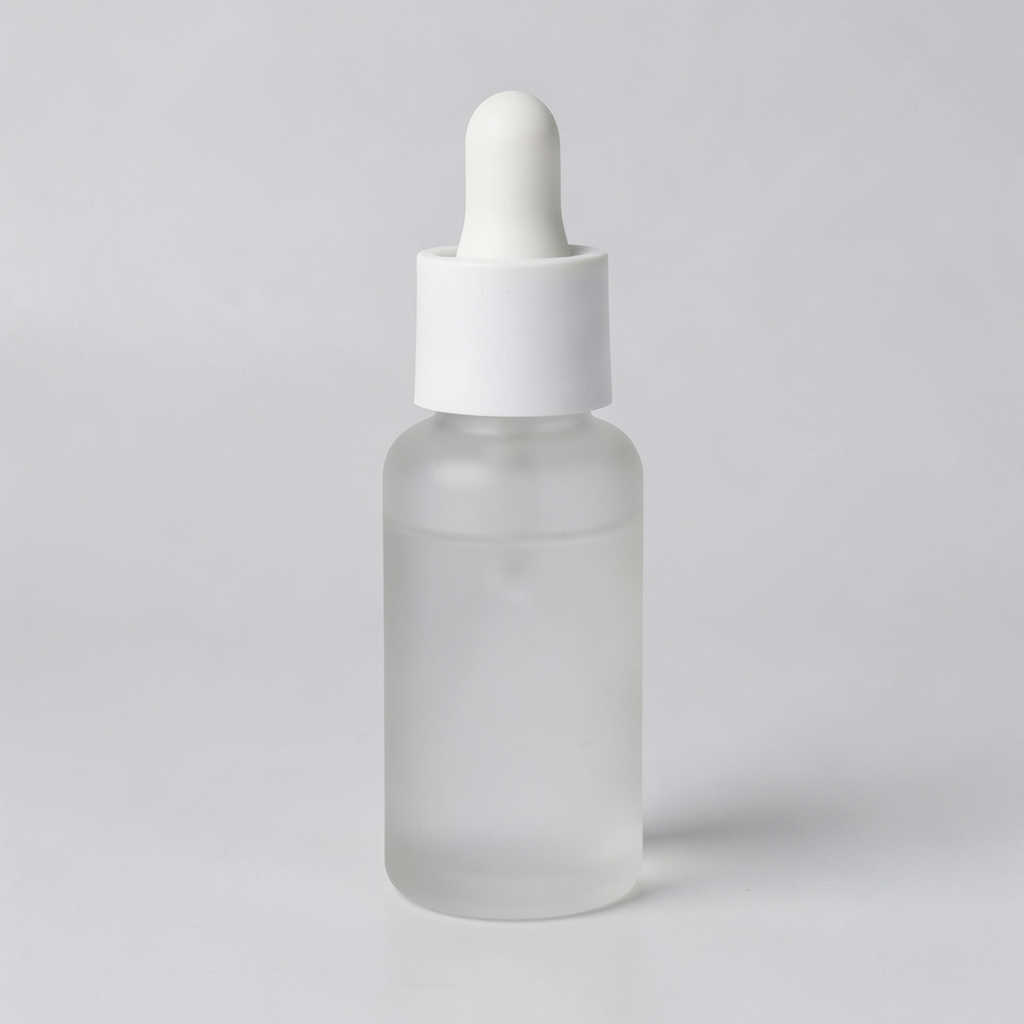
Open this scene description in the model page; also upload the product image and choose placement.
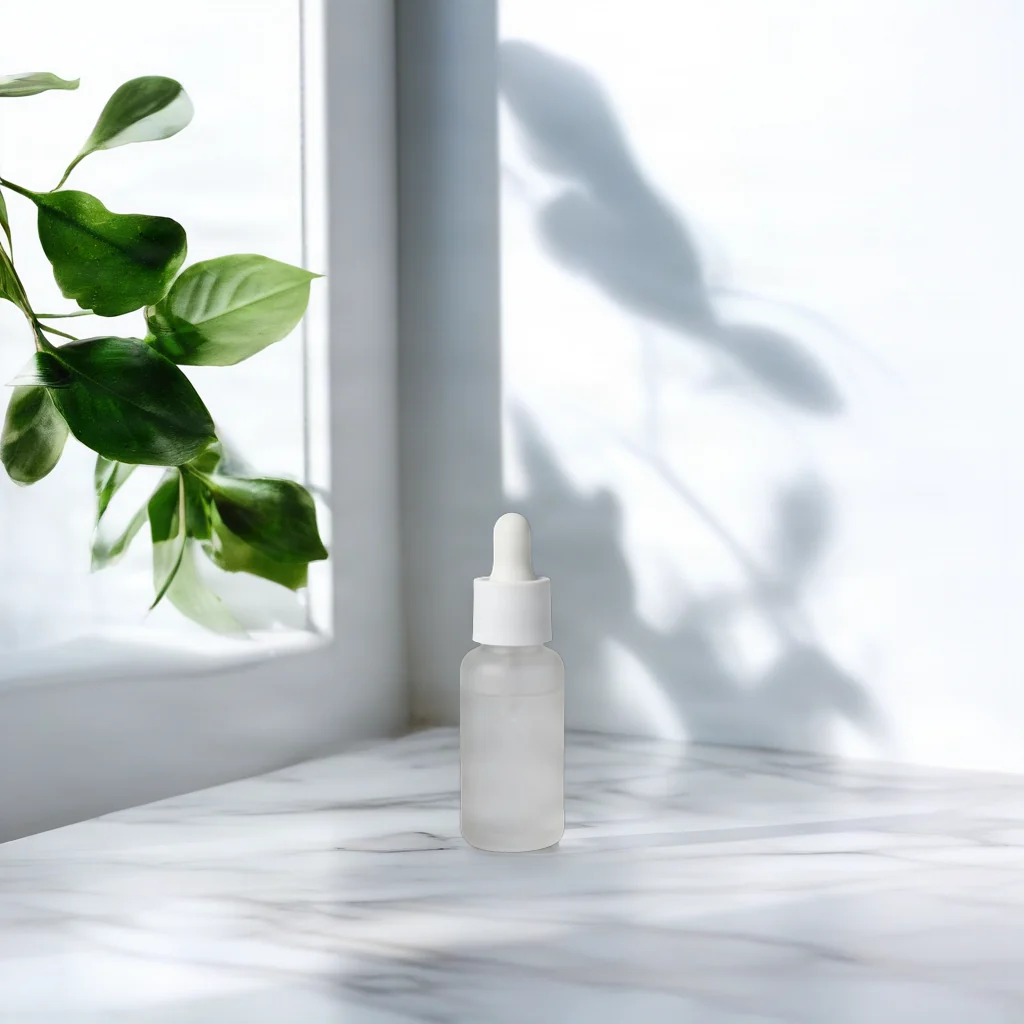
Open this scene description in the model page; also upload the product image and choose placement.
The source shows a dropper bottle against a pale background. In the result, the bottle sits low in the frame, with a window frame, green leaves and a veined pale surface around it.
On a white marble countertop beside a window, soft morning light, a few green leaves in the background
The description specifies the surface, light and background objects. bottom_center controls placement; you still need to upload the product image.
bria-product-shot returns one image per request at $0.0575 per image.
Cleanup or a new product scene?
| Task | HiAPI model | Per image |
|---|---|---|
| Erase a selected object with a mask | bria-eraser | $0.0575 |
| Create a product scene from text or a reference | bria-product-shot | $0.0575 |
The models solve different tasks. Eraser needs a source image and mask. Product Shot needs a product photo plus a text scene or reference image. Start with your inputs and desired edit, then estimate the number of outputs.
FAQ
How many images does one request return?
One image, priced at $0.0575.
How much do 100 images cost?
100 × $0.0575 = $5.75; 1,000 images cost $57.50.
How should I budget for multiple candidates?
Count every candidate output. Three candidates for each of 100 products means 300 images and a $17.25 budget.
Where can I start?
Open the Bria Product Shot model page and upload a product image, then choose an English scene description or a reference image.