TL;DR
- For a lower image-to-video budget, start with Grok Imagine 1.5: a requested 6-second clip at 720p costs $0.1284, versus $0.273 on Grok Imagine 1.5 Lite including its $0.015 image fee—about 2.13×. See the Lite pricing guide and Grok 1.5 pricing guide for the full tiers.
- Both offer 1080p and integer durations of 1–15 seconds. Image inputs, image counts, and defaults are the more useful migration differences.
- The surf and latte examples below use the same input image and prompt within each pair. Open the Lite image-to-video page or Grok 1.5 image-to-video page to try the same photo.
At a glance
| Item | Lite: grok-imagine-1.5-lite/image-to-video | Grok 1.5: grok-imagine-1.5/image-to-video |
|---|---|---|
| 480p per second | $0.029 | $0.0114 |
| 720p per second | $0.043 | $0.0214 |
| 1080p per second | $0.20 | $0.057142 |
| Requested 6 seconds at 720p | $0.273, including the $0.015 image fee per clip | $0.1284, with no separately listed image surcharge |
| Input images | image_url string, one image | image_urls array, 1–7 images; 1080p accepts one |
| Requested duration | Integer 1–15 seconds; default 6 | Integer 1–15 seconds; default 8 |
| Prompt | Required, 1–4096 characters | Optional, up to 4096 characters |
| Output aspect ratio | Follows the image, with size rounding | Also follows the image for a single input; aspect_ratio applies only to multiple images |
Lite defaults to 720p; Grok 1.5 defaults to 480p. Set both resolution and duration explicitly when comparing the same tier. Prices checked October 27, 2026; charges use the requested duration, and a final failed task automatically refunds its reserved charge.
Same input image, same prompt, real clips
The two input files in each pair are byte-for-byte identical with matching SHA-256 hashes, and the English prompts match exactly. Each model is represented by one existing clip. The original English prompts below retain their sound instructions. The input ratios are approximately 16:9 and 9:16; captions give the actual output dimensions.
Pair A: Surfer (1672×941 input)
Shared input image for both models · 1672×941
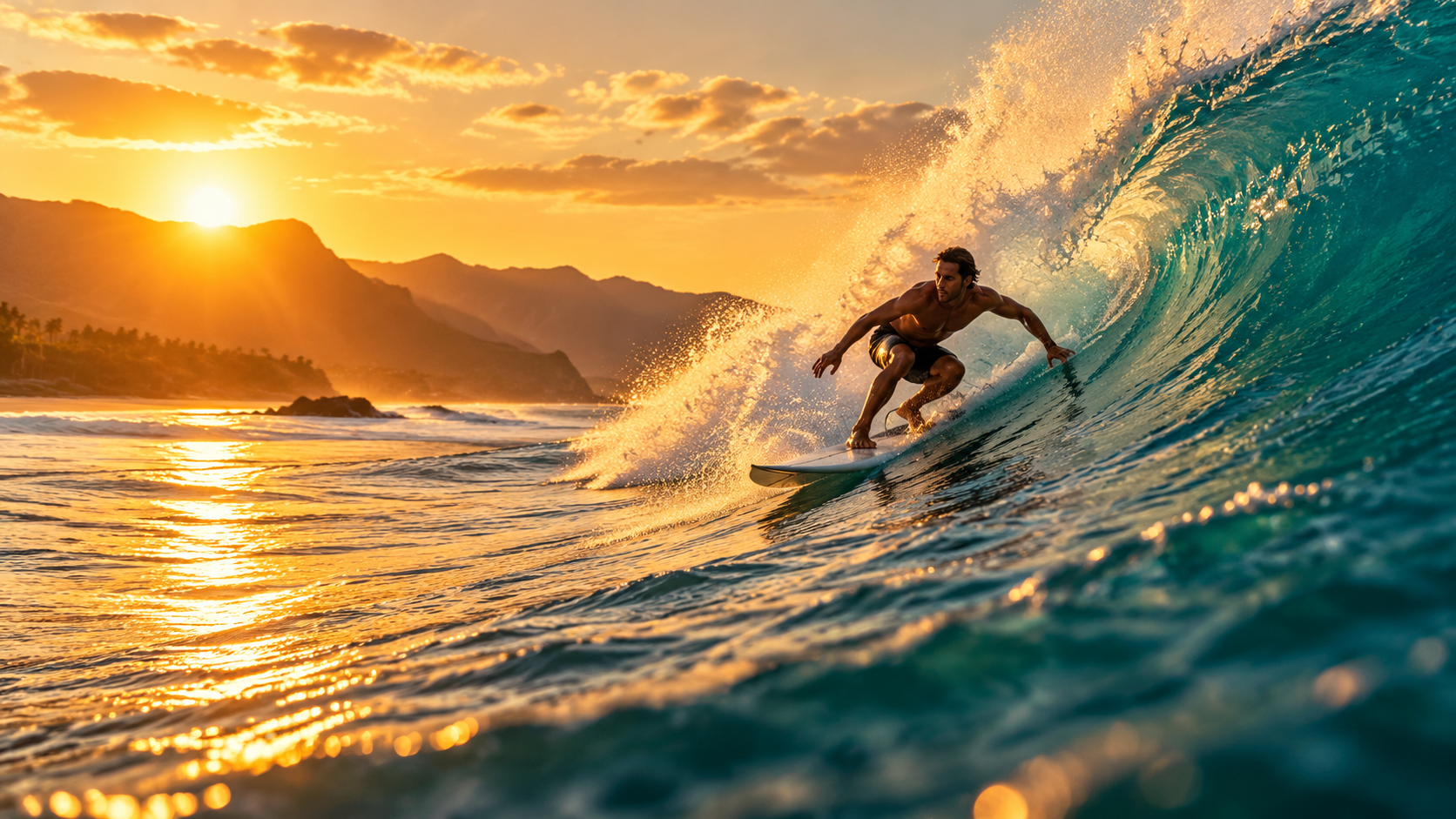
The wave curls and breaks behind the surfer as he carves down its face, white spray bursts and sparkles in the golden backlight, water rushes past. Smooth tracking camera following the surfer. Loud ocean surf and rushing water. Keep the photo realistic. No text, no logos.
| Lite: $0.273 including the image fee | Grok 1.5: $0.1284 |
|---|---|
| Play the Lite surfer output (MP4) | Play the Grok 1.5 surfer output (MP4) |
Both requested 720p and 6 seconds. Both native outputs are 1264×720, 24fps, and 145 frames, with a 6.042-second file duration, in MP4 format. Prices use the requested 6 seconds.
Use this prompt on Lite → · Use this prompt on Grok 1.5 →. Upload the input image above, then select 720p and 6 seconds.
Pair B: Latte art (941×1672 input)
Shared input image for both models · 941×1672
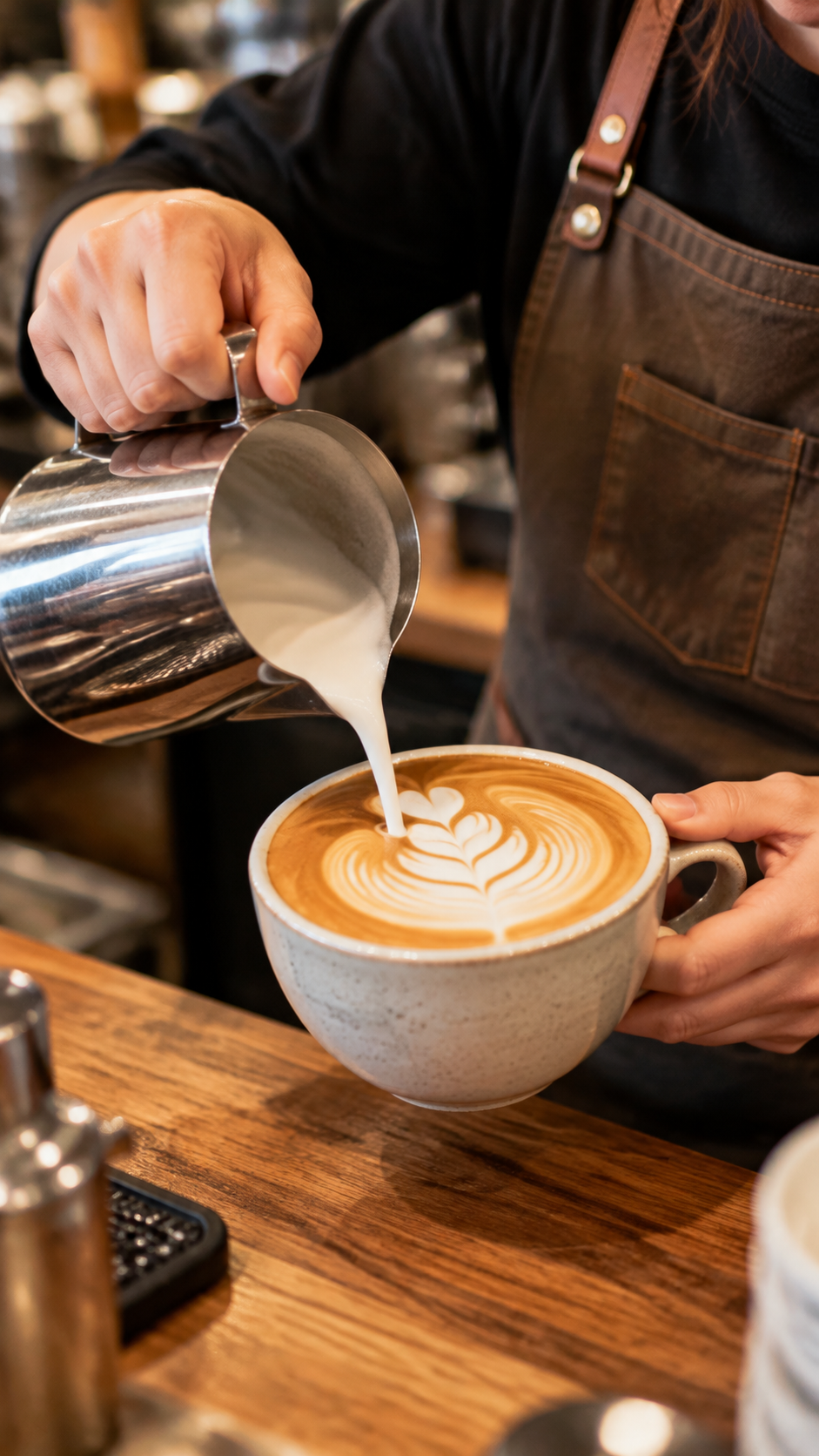
Steamed milk pours in a thin stream into the espresso and a rosetta pattern slowly blooms on the surface, light steam rises, the barista's hand moves steadily. Slow push-in close-up. Soft cafe ambience, gentle pouring sound, quiet chatter in the background. No text, no logos.
| Lite: $0.273 including the image fee | Grok 1.5: $0.1284 |
|---|---|
| Play the Lite latte art output (MP4) | Play the Grok 1.5 latte art output (MP4) |
Both requested 720p and 6 seconds. Both native outputs are 720×1264, 24fps, and 145 frames, with a 6.042-second file duration, in MP4 format. Prices use the requested 6 seconds.
Use this prompt on Lite → · Use this prompt on Grok 1.5 →. Upload the input image above, then select 720p and 6 seconds.
Visible differences:
- Surf: both show movement along the wave and backlit spray. In the middle and later samples, the Lite surfer raises the board's nose and turns toward the camera earlier; Grok 1.5 keeps a sideways line along the wave longer.
- Latte: the input image already contains a rosetta. Both clips continue the pour and change the pattern. Grok 1.5 has a visible mid-clip pause in the stream before pouring resumes; Lite's stream is more continuous. This pair does not show a pattern starting from a blank coffee surface.
- All four clips have non-silent audio tracks, with lower overall levels in the latte pair. Track presence does not establish every requested sound; this comparison makes no judgment about surf, pouring, chatter, or audiovisual synchronization.
Choosing by scenario
- Budget-first 720p image-to-video batches: Grok 1.5 costs $0.1284 for a requested 6 seconds, $0.1446 less than Lite.
- 1080p delivery: both offer it. A requested 6 seconds costs $1.215 on Lite including its image fee, or $0.342852 on Grok 1.5. The clips shown here are 720p outputs.
- An existing Lite single-image workflow: keep using
image_url, or check input types and defaults before switching to reduce cost. Compare outputs with your own images. - Multiple reference images: Grok 1.5 accepts 1–7 at 480p or 720p; 1080p remains limited to one. Both pairs on this page use a single image.
Switching: input types, defaults, and aspect ratio
The examples below retain the surf prompt, 720p resolution, and 6-second request. The Lite example is assembled from the case parameters. The Grok 1.5 request preserves the recorded input URL and aspect_ratio: "16:9". The two URLs contain the same image file.
{
  "model": "grok-imagine-1.5-lite/image-to-video",
  "input": {
    "prompt": "The wave curls and breaks behind the surfer as he carves down its face, white spray bursts and sparkles in the golden backlight, water rushes past. Smooth tracking camera following the surfer. Loud ocean surf and rushing water. Keep the photo realistic. No text, no logos.",
    "image_url": "https://static.hiapi.ai/gallery/2026/10/3f75ff28db9e0070.png",
    "resolution": "720p",
    "duration": 6
  }
}
{
  "model": "grok-imagine-1.5/image-to-video",
  "input": {
    "prompt": "The wave curls and breaks behind the surfer as he carves down its face, white spray bursts and sparkles in the golden backlight, water rushes past. Smooth tracking camera following the surfer. Loud ocean surf and rushing water. Keep the photo realistic. No text, no logos.",
    "image_urls": [
      "https://static.hiapi.ai/model-covers/2026/10/19/1792426689343-54aa29a700fa9530-1792144202117-54aa29a700fa9530-surf-in.png"
    ],
    "resolution": "720p",
    "duration": 6,
    "aspect_ratio": "16:9"
  }
}
Change the image_url string to an image_urls array, and explicitly retain resolution and duration. For a single image, Grok 1.5's aspect_ratio does not change the output ratio. auto is a valid default, but the example preserves the 16:9 value in this clip's request. Lite has no aspect_ratio field.
For task submission and result retrieval, see the Lite image-to-video API guide. For more reusable motion descriptions, see the image-to-video prompt guide.
FAQ
Does every Lite image-to-video clip include an image fee?
Yes, $0.015 per clip. A requested 6 seconds at 720p totals $0.273, versus $0.1284 on Grok 1.5. Lite is about 2.13 times that price.
Are 1080p and integer durations of 1–15 seconds exclusive to Lite?
No, both offer them. At 1080p, Lite costs $0.20 per second and Grok 1.5 costs $0.057142 per second; Lite also adds its image fee.
Can I switch by changing only model?
No. Lite uses a single-image image_url string; Grok 1.5 uses an image_urls array. Default resolution, default duration, and whether a prompt is required also differ. Set 720p and 6 seconds explicitly for this comparison.
Do all four videos on this page contain sound?
All four contain non-silent audio tracks, with lower levels in the latte pair. This establishes an audio signal in these files, not that every requested effect is present or that every future output is guaranteed to contain audio.
Are failed generations charged?
When a task reaches its final failed state, the amount reserved at creation is automatically refunded in full.
Next: copy an original English prompt above, upload its input image, and select 720p and 6 seconds on both model pages. Compare the motion and framing you need.