Blog
AI Image & Video API Guides
Hands-on model tests, production tutorials, prompt techniques, and current API pricing for generative media teams.

Ideogram 3.0 Character vs Nano Banana 2.1: Which Should You Use?
Lock one character across scenes with ideogram-v3-character (TURBO $0.09); pay less per image with resolution options and multiple references on gemini-nano-banana-2.1 (1K $0.022). Two same-prompt, same-reference comparisons: a night market (illustrated) and a barista (photoreal), one render each. One /v1/tasks endpoint — swap reference_image_urls for image_input and the rest of the code stands.

Wan 3.0 Prime vs Wan 3.0 Video: Which Route Should You Use?
Wan 3.0 Prime is the accelerated route in the Wan 3.0 family; both routes share the same prompt, first/last-frame, reference image and audio fields, so switching changes only the model ID. Prime costs $0.0875 per second at 480P, $0.18 at 720P and $0.36 at 1080P; the standard route costs $0.04, $0.08 and $0.16, or $0.175 versus $0.08 for a 2-second 480P clip. Wan 3.0 Video accepts reference video; Prime does not, so reference-driven work stays on the standard route.

How to Use Imagen 4 API: First Image in 5 Minutes
The Imagen 4 family splits across three model IDs: imagen-4.0-fast at $0.03 for high-volume drafts, imagen-4.0 at $0.06 for everyday production, imagen-4.0-ultra at $0.09 for finished detail — one calling convention. All three run on HiAPI /v1/tasks: submit for a taskId, poll to success, then download from output[0].url (temporary — persist it). aspect_ratio is required with six options; seed types differ by tier (integer on Fast, string on standard and Ultra); each call returns one image.

Imagen 4 Prompts: 5 Ready-to-Use Templates with Real Outputs
Five scenes, all real Imagen 4 outputs: product stills (standard $0.06), documentary portraits (standard), event posters (standard), luxury macro (Ultra $0.09), and vertical social (Fast $0.03). Every template links to a pre-filled prompt — open it, pick the aspect ratio, generate. Draft on Fast, produce on standard, finalize on Ultra; switching tiers is just the model field.
How to Use Ideogram 3.0 Character API: First Image in 5 Minutes
Ideogram 3.0 Character takes one character reference and generates the same face and outfit in new scenes; a masked edit endpoint, ideogram-v3-character/edit, completes the series. Both run on HiAPI /v1/tasks: submit for a taskId, poll to success, then download from output[0].url (a temporary URL — persist it). The curl and Python examples run as-is; parameters and error messages are taken verbatim from the API.

Ideogram 3.0 Character API Pricing: $0.09 per Image at TURBO
Ideogram 3.0 Character is billed per image on HiAPI, tiered by rendering_speed: TURBO $0.09, BALANCED $0.13, QUALITY $0.18; omitting the field bills at BALANCED. Reference images, source images and masks are free; you pay for successful images and failed tasks refund in full. TURBO at $0.09 yields about 111 images for $10; a TURBO-drafts + QUALITY-finals mix of 1,000 images runs about $99.00 a month.
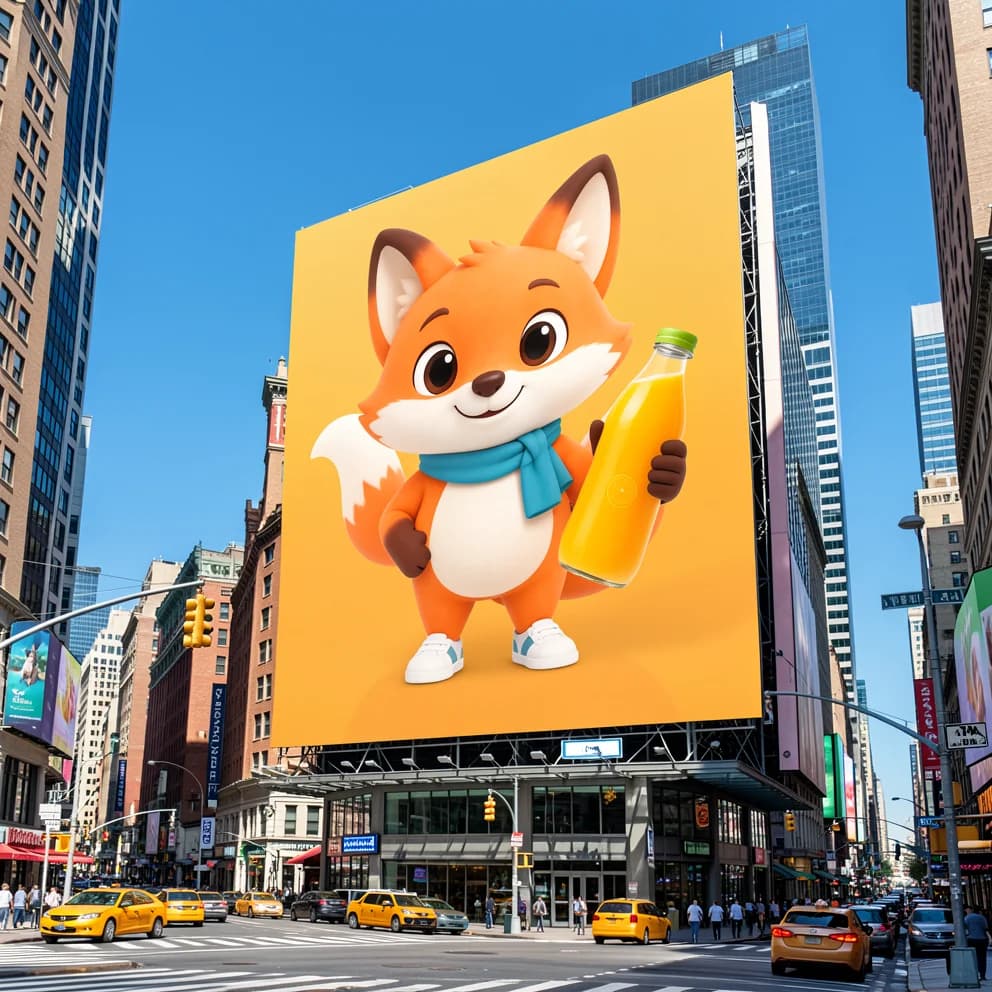
Ideogram 3.0 Character Prompts: 5 Templates with Real Outputs
Five scenes, all real ideogram-v3-character outputs: brand mascot ads, a four-page storybook series, a photographed person in new scenes, an illustrated character across scenes, and masked character insertion. Every template has a pre-filled-prompt link — open it and swap in your own character reference. TURBO is $0.09 per image, and one reference can be reused across scenes indefinitely.

How to Use the krea-2-medium-turbo Text-to-Image API (curl + Python)
A copy-paste curl and Python walkthrough for the krea-2-medium-turbo text-to-image API on hiapi, covering the /v1/tasks flow, the full five-field input schema, and live-tested timing, errors, and seed behaviour.

How to Use the grok-imagine-1.5-lite Text-to-Video API (curl + Python)
grok-imagine-1.5-lite/text-to-video turns one text prompt into a 1-15 second MP4 with audio already mixed in, and is the only Grok text-to-video tier on hiapi that reaches 1080P. It runs on the async /v1/tasks API: create a task, poll (or use a callback) for the taskId, then read data.output[0].url before its ~7-day temp TTL expires.
Ideogram v4.5 Prompt Recipes: Copy-Paste Typography Prompts With Real Outputs
ideogram-v4.5/text-to-image is a text-to-image model built for in-image typography — logos, posters, banners and packaging where the lettering has to be correct. The t2i schema is small and specific: prompt, quality (low/medium/high), num_images (1-8), seed, and an image_size preset — no aspect_ratio or resolution field, unlike ideogram-v4. Core habit: put the exact text you need in double quotes; v4.5 reliably renders short quoted strings but invents (and sometimes misspells) copy you leave to it. Across the same prompt and seed, medium ($0.086) gave the cleanest text-dense output; high ($0.3145) sharpened display type but hallucinated body paragraphs — a higher tier is not automatically better. Six copy-paste recipes with real, untouched outputs you adapt by swapping the quoted strings.
Build with the models you just read about.
Compare image, video, and audio models, then use the same API workflow in production.