TL;DR
Choose Bria Eraser when you want a black-and-white selection to define the removal area. Choose Nano Banana 2.1 when you want to describe the cleanup in words. Eraser costs $0.0575 per image; the Nano Banana 2.1 2K setting used here costs $0.018. See Eraser pricing and budgets.
Bria Eraser is available on HiAPI. Prepare a source photo and a mask to get started. A street photo and a cluttered desk show how the two approaches differ in preparation, visible results, and integration, using the same source image and cleanup goal in each pair.
Differences that affect your choice
| Decision | Bria Eraser | Nano Banana 2.1 |
|---|---|---|
| Editing task | Remove a masked area and fill the background | Edit a reference image with instructions |
| Inputs here | Source image + black-and-white mask | Same source image + prompt |
| Removal area | White selection; black marks areas to keep | Describe the objects and preservation requirements |
| Prompt | No prompt field | Required |
| Settings here | manual, preserve_alpha=false | 16:9, 2K, PNG |
| Output size | Keeps input dimensions; street is 1360×768 | Both examples are 2752×1536 |
| Price per image | $0.0575 | $0.018 at 2K |
| Preparation | Draw and inspect the mask boundary | Describe the target and what to keep |
In Eraser, mask_type=automatic identifies a mask made by a segmentation tool. It still requires mask_url. A retouching workflow with an existing selection tool can reuse that selection; Nano Banana 2.1 removes the mask preparation step when you have only a photo and written instructions, but you must check changes to objects you wanted to keep.
Two pairs with the same source and cleanup goal
The models express the goal differently, so these are not identical-prompt or identical-parameter tests. View the results at the same display width. Each caption discloses dimensions and formats; pixel count is not used to rank retouching quality.
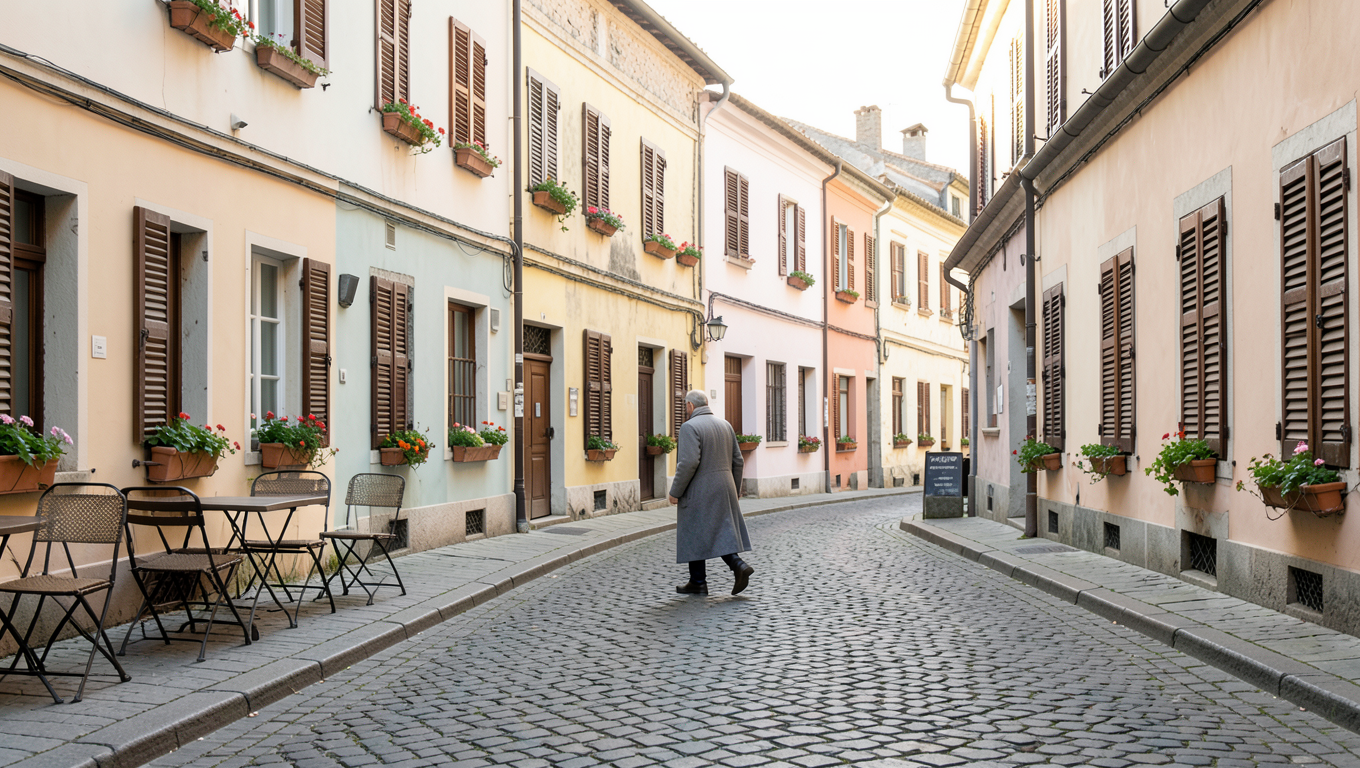
Street: remove the passer-by and reconnect the paving
| Bria Eraser | Nano Banana 2.1 |
|---|---|
 |  |
| Open Eraser and prepare the source and mask; no prompt is needed. | Use the original Nano Banana prompt |
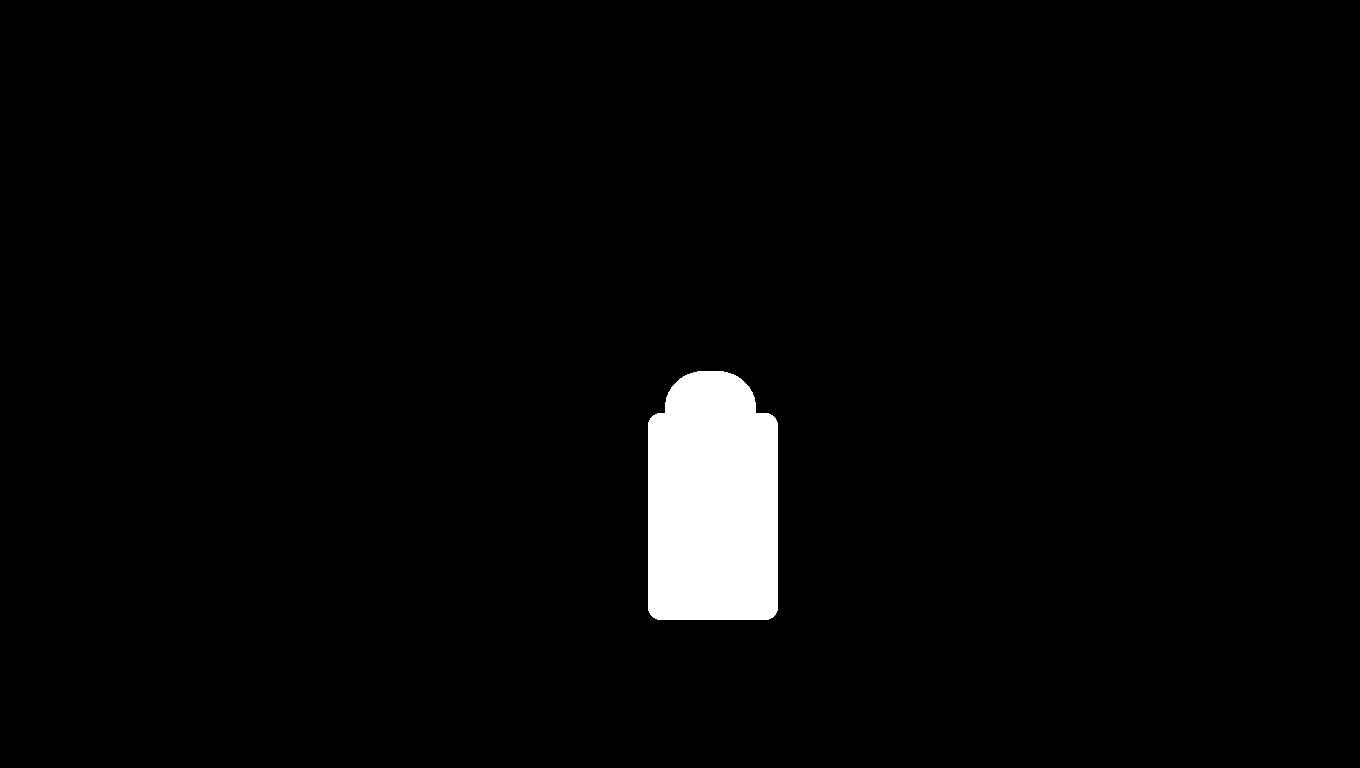
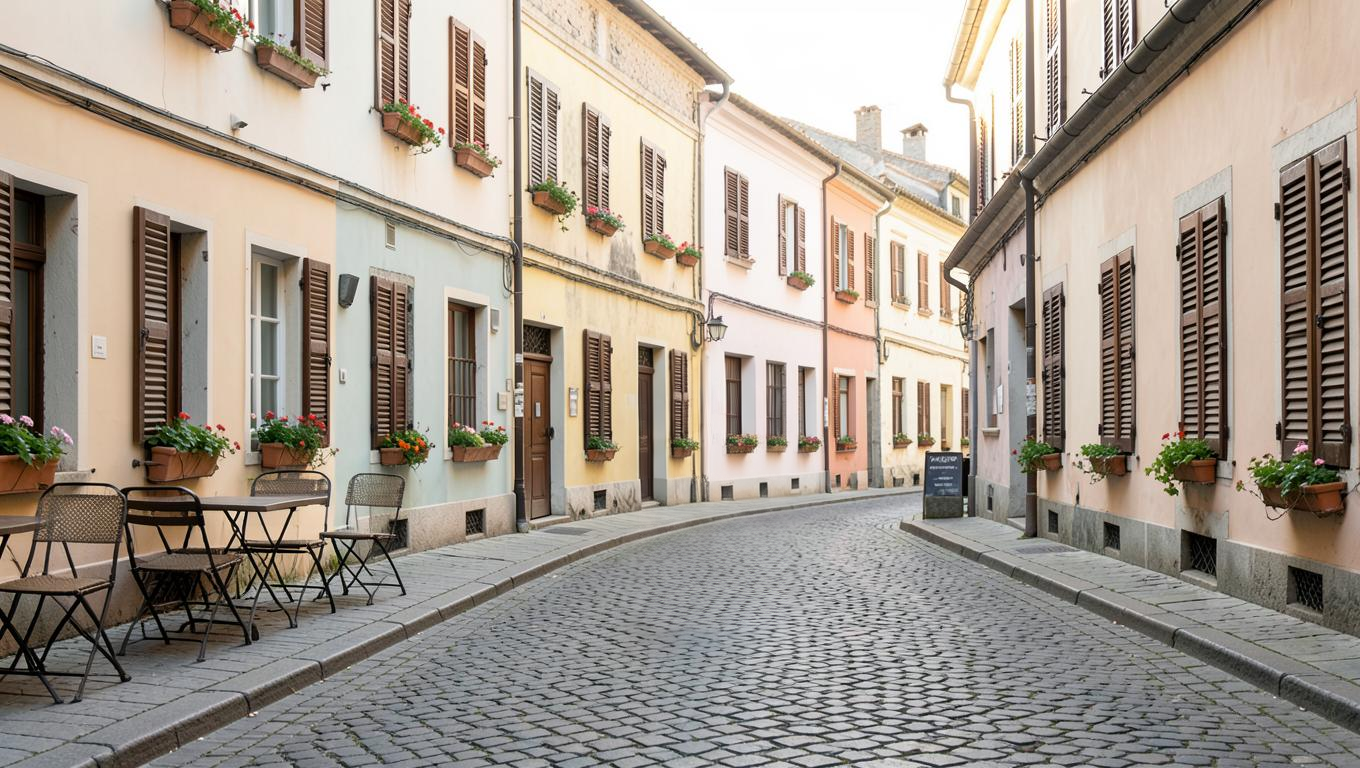
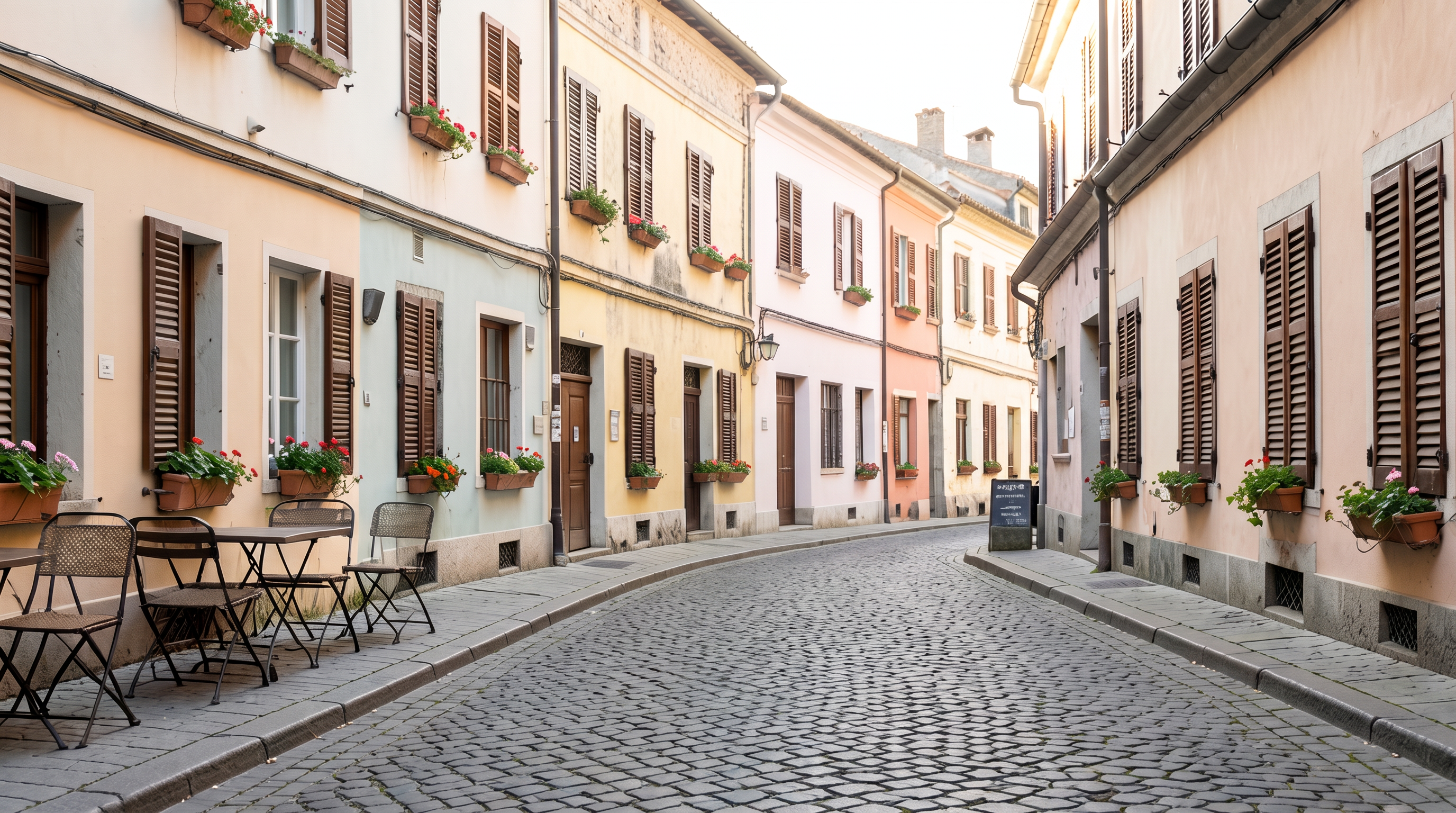
Shared input: 1360×768 PNG; mask: 1360×768. Eraser: full 1360×768 PNG, manual, preserve_alpha=false, $0.0575. Nano Banana 2.1: 16:9, 2K, PNG; actual output 2752×1536, priced at $0.018 at the current rate.
The person in the long coat is no longer visible in either result; paving fills the former position. The cafe furniture on the left, shutters and flower boxes on both sides, and the sign on the right remain recognizable. The reconstructed paving patterns differ.
The white Eraser selection covers the person and a small surrounding area, giving you a boundary to inspect. The Nano Banana prompt also asks for no people anywhere in the frame and names buildings and furniture to preserve. Check the joins around the former position, then fine lines such as chair legs. These scaled views do not establish pixel identity outside the edit or recover the verifiable arrangement of stones hidden behind the person.
Original Nano Banana 2.1 prompt:
Remove the walking man from this photo completely and rebuild the cobblestone street behind him so the road surface is continuous. Keep the buildings, shutters, flower boxes, cafe furniture, the sign and the lighting exactly as they are. The final photo must contain no people at all.
Requests for both sides (prefill links carry only text; upload the source and set the parameters separately):
{
  "model": "bria-eraser",
  "input": {
    "image_url": "https://static.hiapi.ai/model-covers/2026/10/22/1792651217019-46c31ddb2b52110d-1792546025379-46c31ddb2b52110d-e1-street-src.png",
    "mask_url": "https://static.hiapi.ai/model-covers/2026/10/22/1792651218718-e5d2a17ae1d12d41-1792546025861-e5d2a17ae1d12d41-e1-street-mask.png",
    "mask_type": "manual",
    "preserve_alpha": false
  }
}
{
  "model": "gemini-nano-banana-2.1",
  "input": {
    "prompt": "Remove the walking man from this photo completely and rebuild the cobblestone street behind him so the road surface is continuous. Keep the buildings, shutters, flower boxes, cafe furniture, the sign and the lighting exactly as they are. The final photo must contain no people at all.",
    "image_input": [
      "https://static.hiapi.ai/model-covers/2026/10/22/1792651217019-46c31ddb2b52110d-1792546025379-46c31ddb2b52110d-e1-street-src.png"
    ],
    "aspect_ratio": "16:9",
    "resolution": "2K",
    "output_format": "png"
  }
}
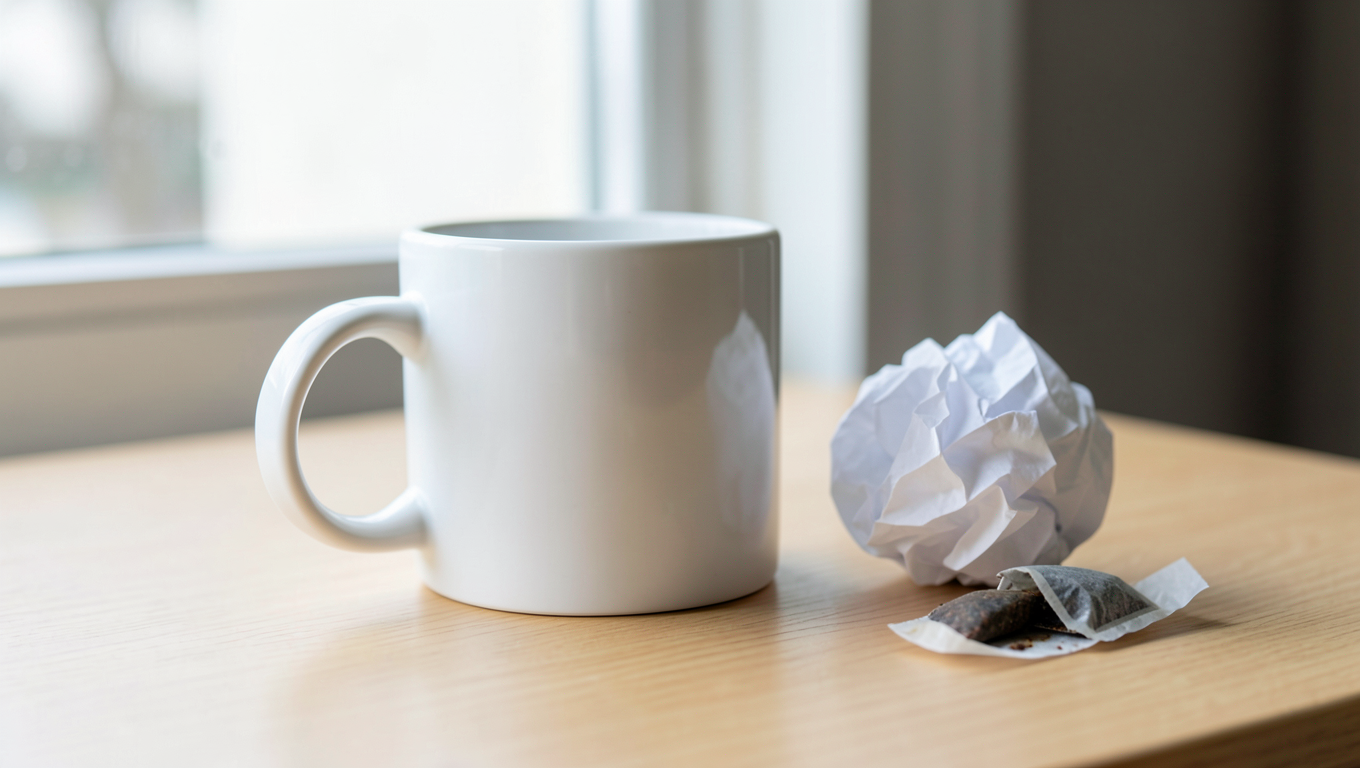
Desk: remove paper and a tea bag while keeping the mug
| Bria Eraser | Nano Banana 2.1 |
|---|---|
 |  |
| Open Eraser and prepare the source and mask; no prompt is needed. | Use the original Nano Banana prompt |
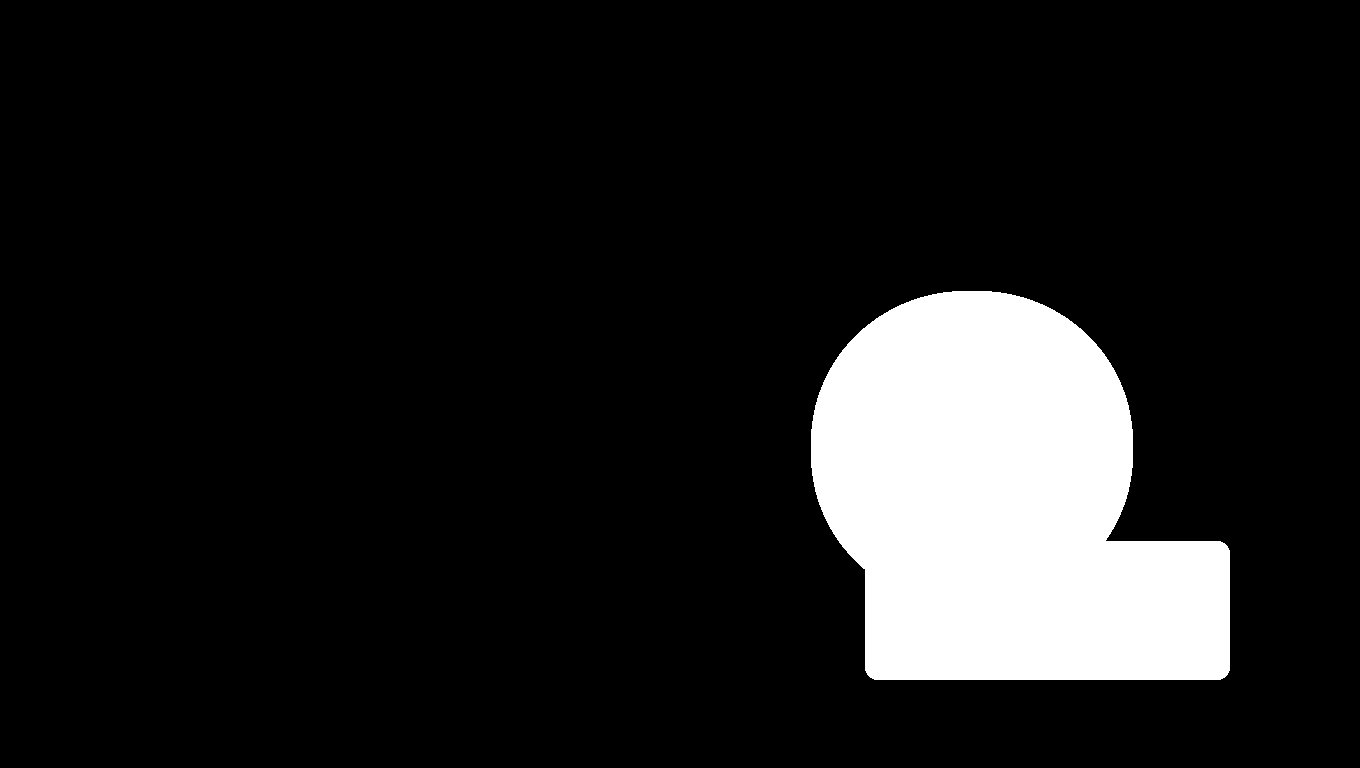
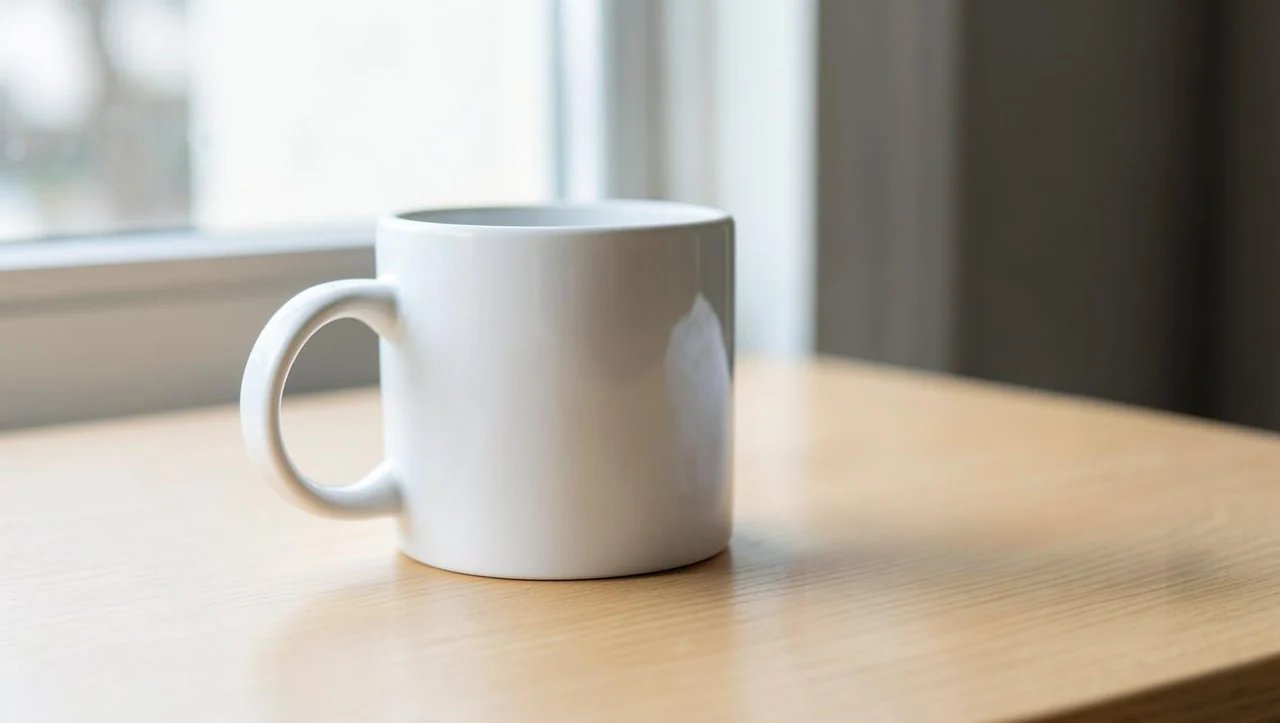
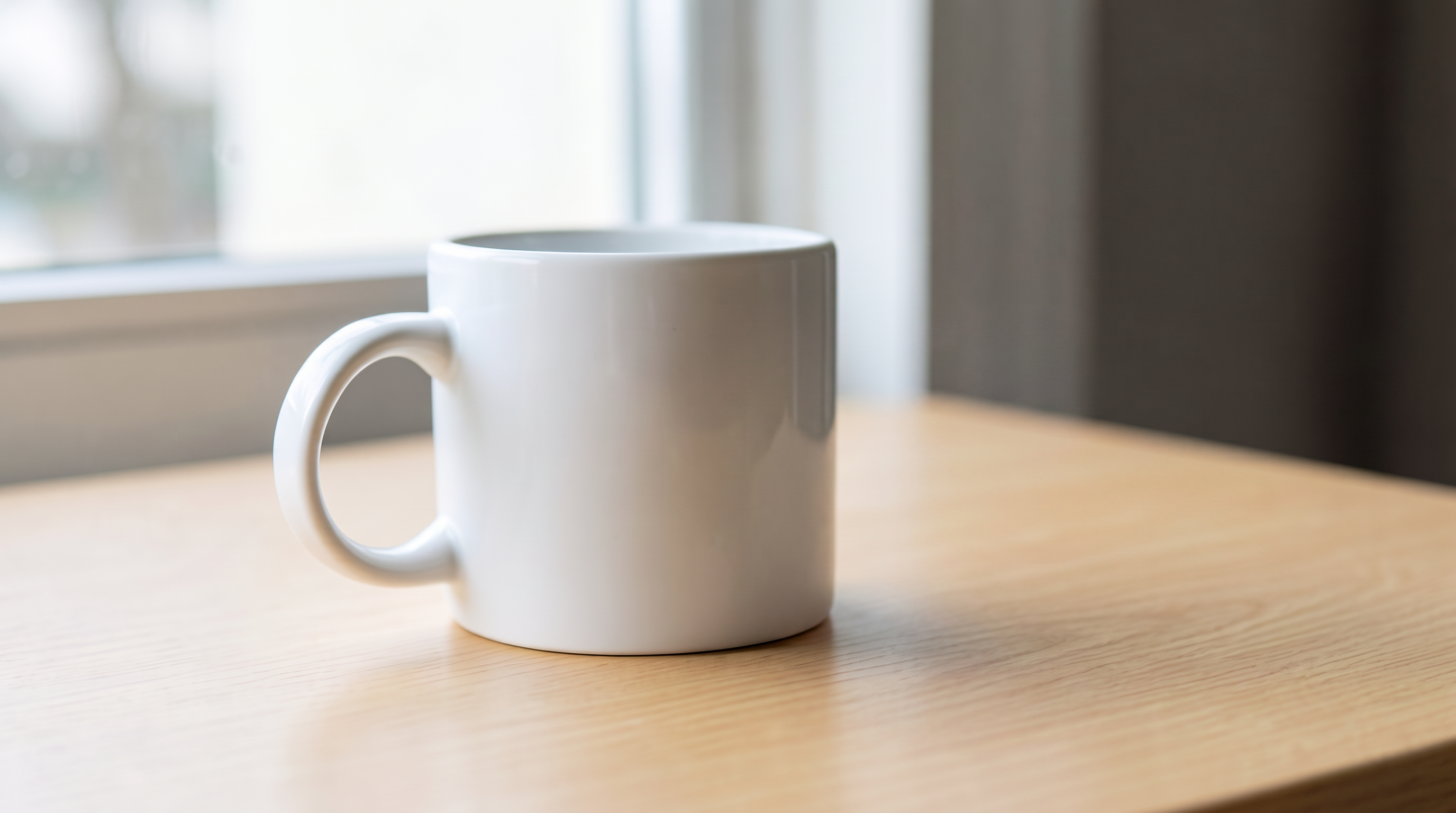
Shared input and mask: 1360×768 PNG. Eraser uses manual and preserve_alpha=false, at $0.0575 per image; only a 1280×723 display WebP is available here, with no full PNG supplied. Nano Banana 2.1 uses 16:9, 2K, PNG, with an actual 2752×1536 result at $0.018. Compare appearance at the same display size; the Eraser preview cannot establish full-output pixel detail.
Both results remove the crumpled paper and tea bag to the right of the mug, replacing them with tabletop. In the Eraser display preview, the paper-shaped reflection on the right side of the mug remains visible from the source. The Nano Banana result changes the shape of that reflection. This difference concerns a reflection on the mug, not paper left on the table.
With Eraser, decide whether the reflection also belongs in the cleanup target: this mask covers the clutter while leaving the mug black. With Nano Banana, check whether the changed reflection fits your preservation requirements. Removing an object, handling its reflection, and preserving a product are related acceptance conditions; an empty tabletop alone does not settle them.
Original Nano Banana 2.1 prompt:
Remove the crumpled paper ball and the tea bag from this desktop photo completely and rebuild the wooden tabletop beneath them so the surface is clean and continuous. Keep the white mug, the window light, the shadow and the table edge exactly as they are.
Requests for both sides (prefill links carry only text; upload the source and set the parameters separately):
{
  "model": "bria-eraser",
  "input": {
    "image_url": "https://static.hiapi.ai/model-covers/2026/10/22/1792651221006-aa722fbf0b20a05d-1792546026337-aa722fbf0b20a05d-e2-desk-src.png",
    "mask_url": "https://static.hiapi.ai/model-covers/2026/10/22/1792651221809-62ffea31d7a220c4-1792546026769-62ffea31d7a220c4-e2-desk-mask.png",
    "mask_type": "manual",
    "preserve_alpha": false
  }
}
{
  "model": "gemini-nano-banana-2.1",
  "input": {
    "prompt": "Remove the crumpled paper ball and the tea bag from this desktop photo completely and rebuild the wooden tabletop beneath them so the surface is clean and continuous. Keep the white mug, the window light, the shadow and the table edge exactly as they are.",
    "image_input": [
      "https://static.hiapi.ai/model-covers/2026/10/22/1792651221006-aa722fbf0b20a05d-1792546026337-aa722fbf0b20a05d-e2-desk-src.png"
    ],
    "aspect_ratio": "16:9",
    "resolution": "2K",
    "output_format": "png"
  }
}
Choose around your cleanup workflow
Start with Eraser when you already have a precise selection and need to inspect the editing boundary. The white mask communicates the area to remove. Consider edges, shoes, and shadows separately when preparing it; a selection that covers only the object does not express every related requirement.
Start with Nano Banana 2.1 when you have a photo and want to name the objects to remove. Both targets here can be described by object names. Review the retained objects too: the changed mug reflection is a reason to compare against the source.
For batch work, record time spent drawing masks, revising prompts, and reviewing results separately. These two pairs provide neither a batch acceptance rate nor comparable timings, so a lower image price cannot establish a faster overall retouching process.
Budget for the same number of outputs
| Output images | Eraser | Nano Banana 2.1, 2K |
|---|---|---|
| 1 | $0.0575 | $0.018 |
| 100 | $5.75 | $1.80 |
| 1,000 | $57.50 | $18 |
One output per model for each of the two cases means 4 images and a budget of $0.151 at these rates. This covers output charges only, excluding mask preparation, review, and additional candidates. Nano Banana 2.1 also costs $0.011 at 1K and $0.029 at 4K. The cleanup examples use 2K, so their captions use the 2K price. See Nano Banana 2.1 pricing.
What changes when you switch APIs
Both models use the HiAPI /v1/tasks interface: submit a task, receive a taskId, then query the result. The JSON after each pair provides copyable request bodies. Send either body to POST https://api.hiapi.ai/v1/tasks with your own API key for authentication.
To switch from Eraser to Nano Banana 2.1, replace image_url with the image_input array, remove mask_url, mask_type, and preserve_alpha, and add prompt, aspect_ratio, resolution, and output_format. Changing only model is insufficient: the text-driven request does not reuse the mask, so describe and review the removal boundary again.
To switch back, first prepare a mask with the same aspect ratio as the source, then use the Eraser fields. automatic describes a mask already made by a segmentation tool; it does not remove the mask requirement. Once the task succeeds, download and inspect dimensions, the target, and retained areas. The Eraser API guide provides submission and polling code.
FAQ
Can Eraser work with only a source image and no mask?
No. Both image_url and mask_url are required, including with automatic. White marks areas to erase and black marks areas to keep.
Why do the models use different prompts?
Eraser has no prompt field; Nano Banana 2.1 requires instructions. Each pair shares the source and cleanup goal while using different input methods and output dimensions.
Can the desk pair establish original pixel detail?
No. The Eraser side is only a 1280×723 display WebP. It shows object removal and reflections, but cannot replace inspection of the full PNG.
Does the same request guarantee unchanged pixels elsewhere?
These cases establish no pixel-identity guarantee. Compare retained content with the source; in the desk example, decide whether changes to the mug reflection are allowed.
Further reading and your first edit
More mask examples · Eraser pricing and budgets · API integration.
Choose the street or desk case, prepare its source and mask, and open Bria Eraser. To describe the cleanup in words, use the original Nano Banana 2.1 prompt link under the corresponding result.