TL;DR
Choose Bria Product Shot when you need placement controls for a product scene. Choose Nano Banana 2.1 when you want to describe the product and surroundings together. Product Shot costs $0.0575 per image; the Nano Banana 2.1 1K setting used here costs $0.011. See Product Shot pricing and budgets.
Bria Product Shot is available on HiAPI. Start with a product image, then specify the scene and placement. The serum bottle and ceramic cup pairs below share their respective source images and scene goals, showing how product scale, empty space, light, and detail affect image selection.
Differences that affect your choice
| Decision | Bria Product Shot | Nano Banana 2.1 |
|---|---|---|
| Editing task | Create a new background and scene for a product | Edit a reference image with instructions |
| Product input | image_url | image_input array |
| Scene input | English prompt or reference_image_url; choose one | prompt with reference image |
| Placement | manual_placement presets or original | Described in words here; no matching placement field |
| Settings here | bottom_center, optimize_description=true, fast=true | 1:1, 1K, PNG |
| Files shown | Full serum PNG; display WebP for cup | Full PNGs for both |
| Price per image | $0.0575 | $0.011 at 1K |
| Reuse | Manage product, scene, and placement separately | Express the scene and preservation requirements in text |
Product Shot separates the scene and placement into dedicated fields, which suits a product workflow with established layouts. Nano Banana 2.1 can describe the product and environment together, but has no matching manual_placement_selection field. Re-express the composition when switching models.
Two pairs with the same product and scene goal
Product Shot uses an English scene description. The actual Nano Banana 2.1 prompts add instructions to use the reference product and preserve details. The product input and scene goal are shared, while prompts and parameters differ. View the images at the same display width; captions identify settings and available files.
Serum bottle: a marble counter beside a window
| Bria Product Shot | Nano Banana 2.1 |
|---|---|
 |  |
| Use the original Bria scene prompt | Use the original Nano Banana prompt |
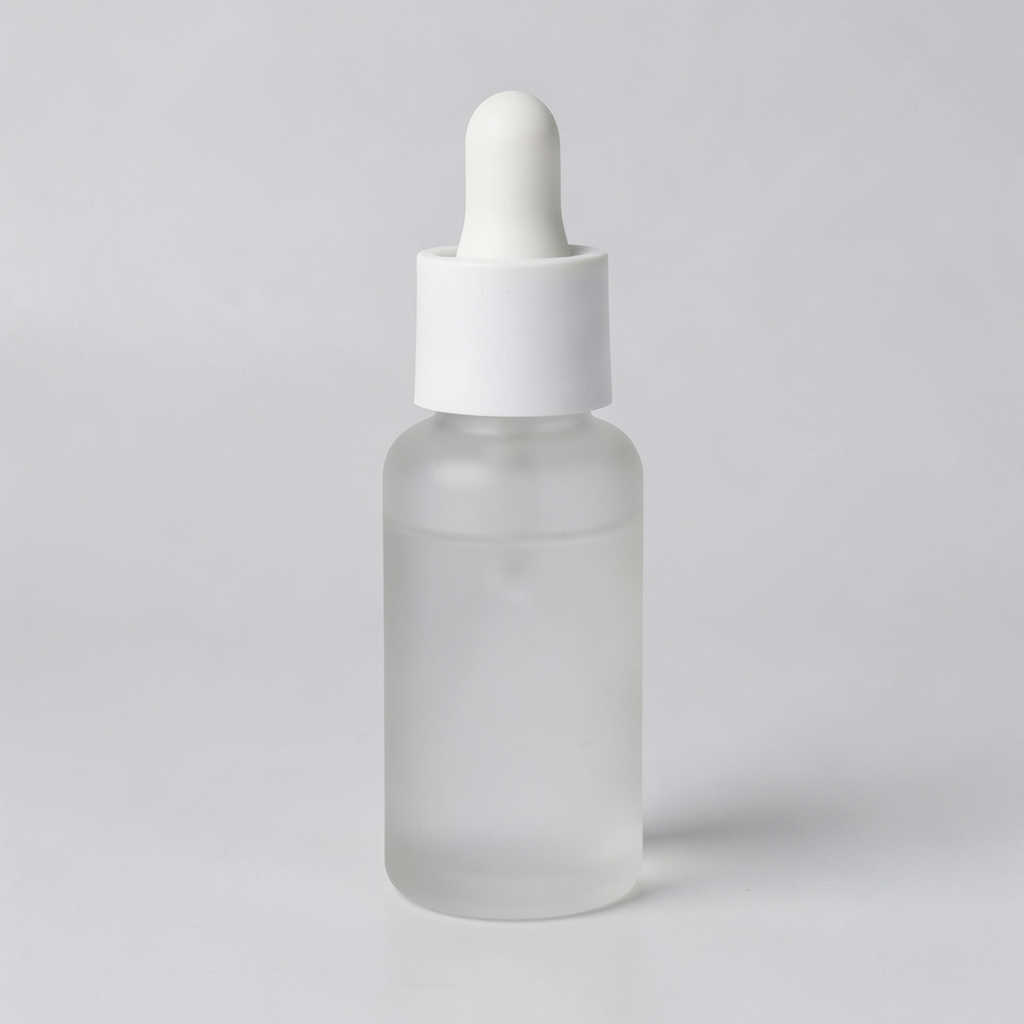
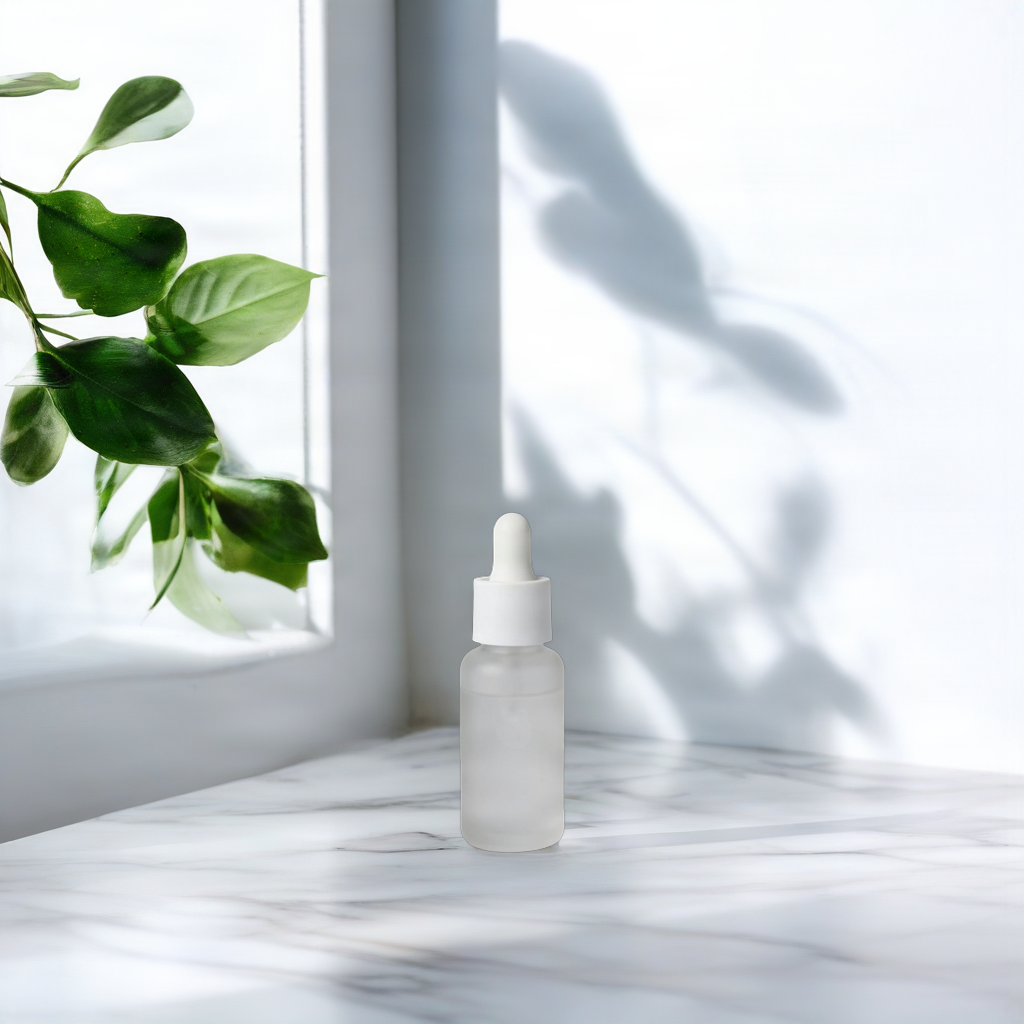
Shared source: 1024×1024 PNG. Product Shot: manual_placement, bottom_center, optimize_description=true, fast=true; full 1024×1024 PNG, $0.0575. Nano Banana 2.1: 1:1, 1K, PNG; full 1024×1024 PNG, $0.011. Matching dimensions do not mean matching parameters; both original prompts appear below.
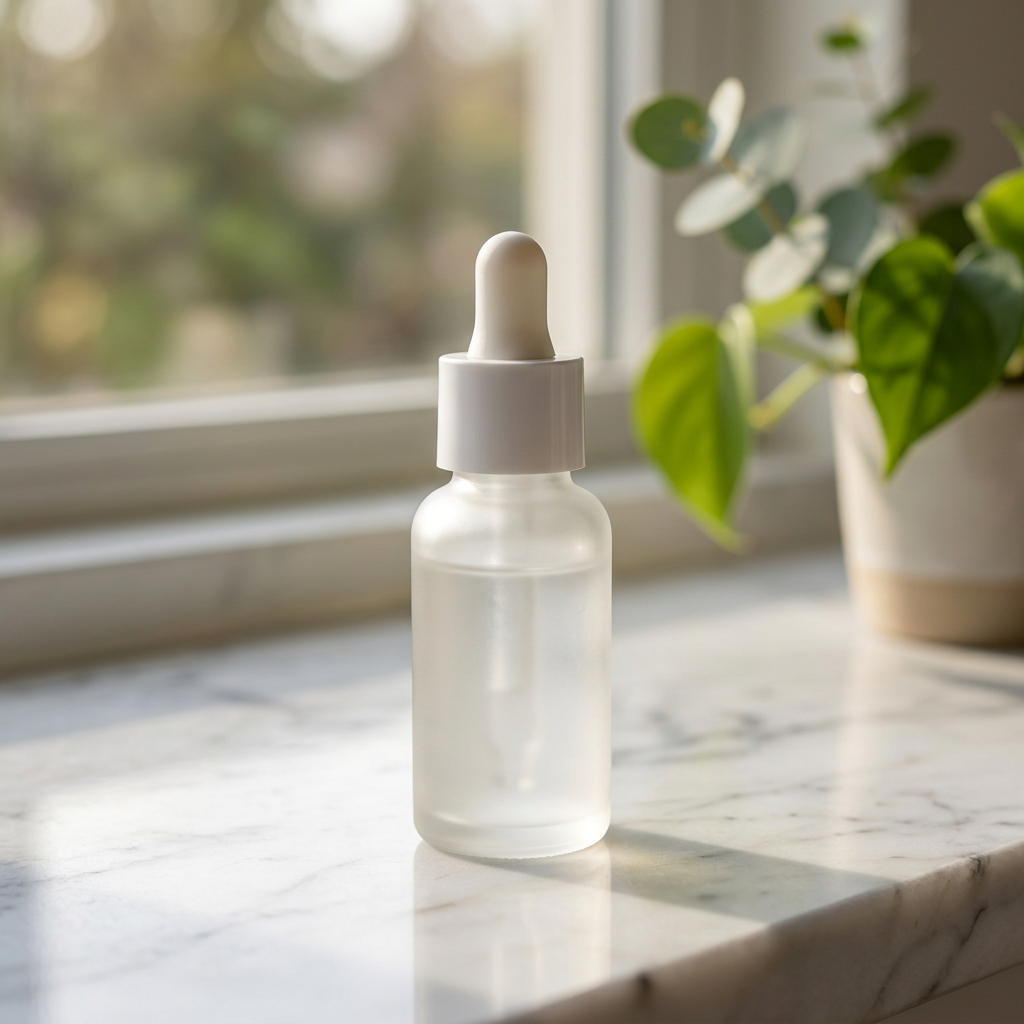
Product Shot places a smaller bottle at the bottom center, with leaves to the left and ample space for window and leaf shadows behind it. Nano Banana makes the bottle larger, adds a potted plant on the right, blurs the view beyond the window, and shows the counter edge. Inspect space for copy in the first image and product prominence in the second; your layout determines which matters more.
Product details also need review. The Nano Banana bottle looks more translucent, and its cap has more distinct vertical ridges. The source cap is smoother and the bottle looks frosted. Both results retain a white dropper and cylindrical bottle, but those similarities do not establish unchanged material or color. The source has no readable label: even though the prompt asks to preserve a label, this pair cannot establish packaging-text fidelity.
Original Bria Product Shot scene prompt:
On a white marble countertop beside a window, soft morning light, a few green leaves in the background
Original Nano Banana 2.1 prompt:
Place the serum bottle from the reference image on a white marble countertop beside a window, soft morning light, a few green leaves in the background. Keep the product shape, label and color unchanged.
Requests for both sides (prefill links carry only text; upload the source and set the parameters separately):
{
  "model": "bria-product-shot",
  "input": {
    "image_url": "https://static.hiapi.ai/model-covers/2026/10/22/1792653491040-98cf020f23ff79b2-1792546029235-98cf020f23ff79b2-p1-serum-src.png",
    "prompt": "On a white marble countertop beside a window, soft morning light, a few green leaves in the background",
    "optimize_description": true,
    "placement_type": "manual_placement",
    "manual_placement_selection": "bottom_center",
    "fast": true
  }
}
{
  "model": "gemini-nano-banana-2.1",
  "input": {
    "prompt": "Place the serum bottle from the reference image on a white marble countertop beside a window, soft morning light, a few green leaves in the background. Keep the product shape, label and color unchanged.",
    "image_input": [
      "https://static.hiapi.ai/model-covers/2026/10/22/1792653491040-98cf020f23ff79b2-1792546029235-98cf020f23ff79b2-p1-serum-src.png"
    ],
    "aspect_ratio": "1:1",
    "resolution": "1K",
    "output_format": "png"
  }
}
Ceramic cup: wood shelving, linen, and dried flowers
| Bria Product Shot | Nano Banana 2.1 |
|---|---|
 |  |
| Use the original Bria scene prompt | Use the original Nano Banana prompt |
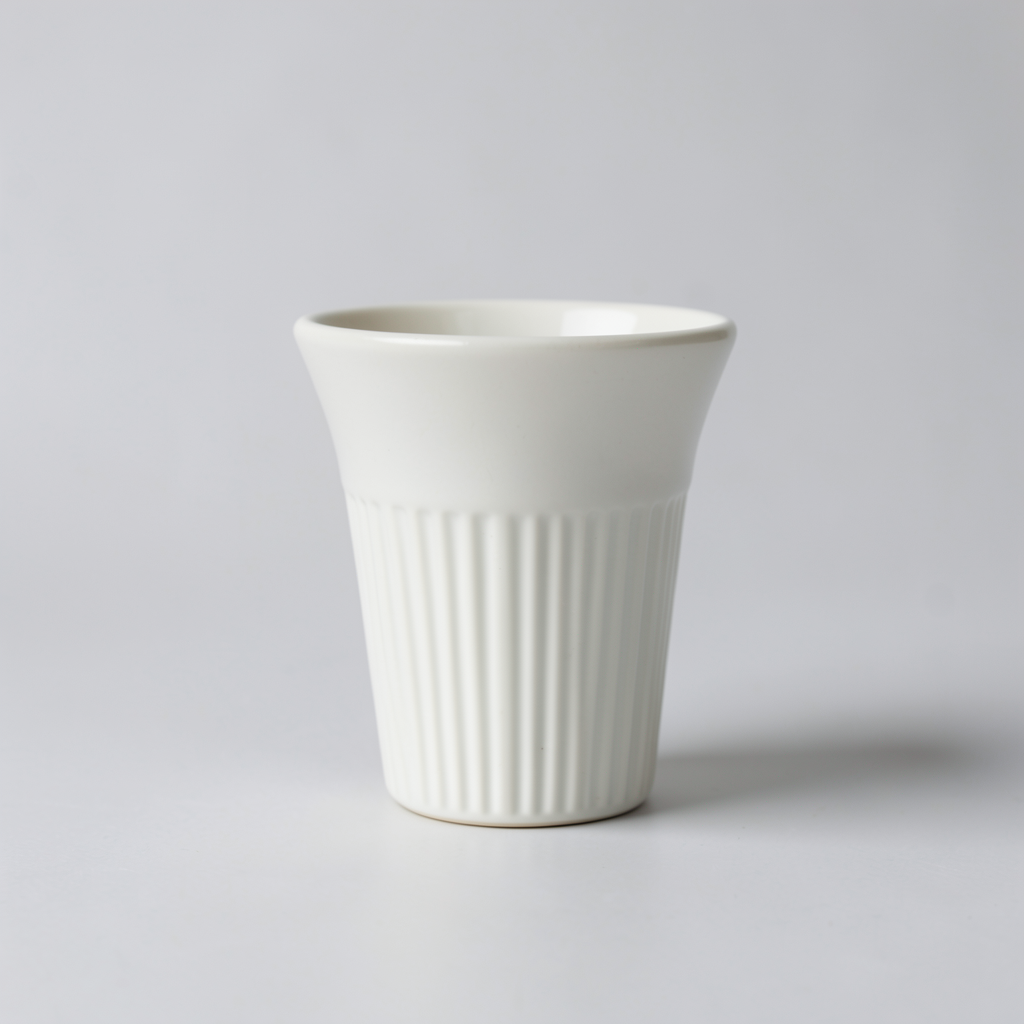
Shared source: 1024×1024 PNG. Product Shot: manual_placement, bottom_center, optimize_description=true, fast=true, $0.0575; only a 1024×1024 display WebP is supplied, with no full PNG. Nano Banana 2.1: 1:1, 1K, PNG; full 1024×1024 PNG, $0.011. Compare appearance at the same display size; do not treat the preview as a full-output pixel-quality comparison.
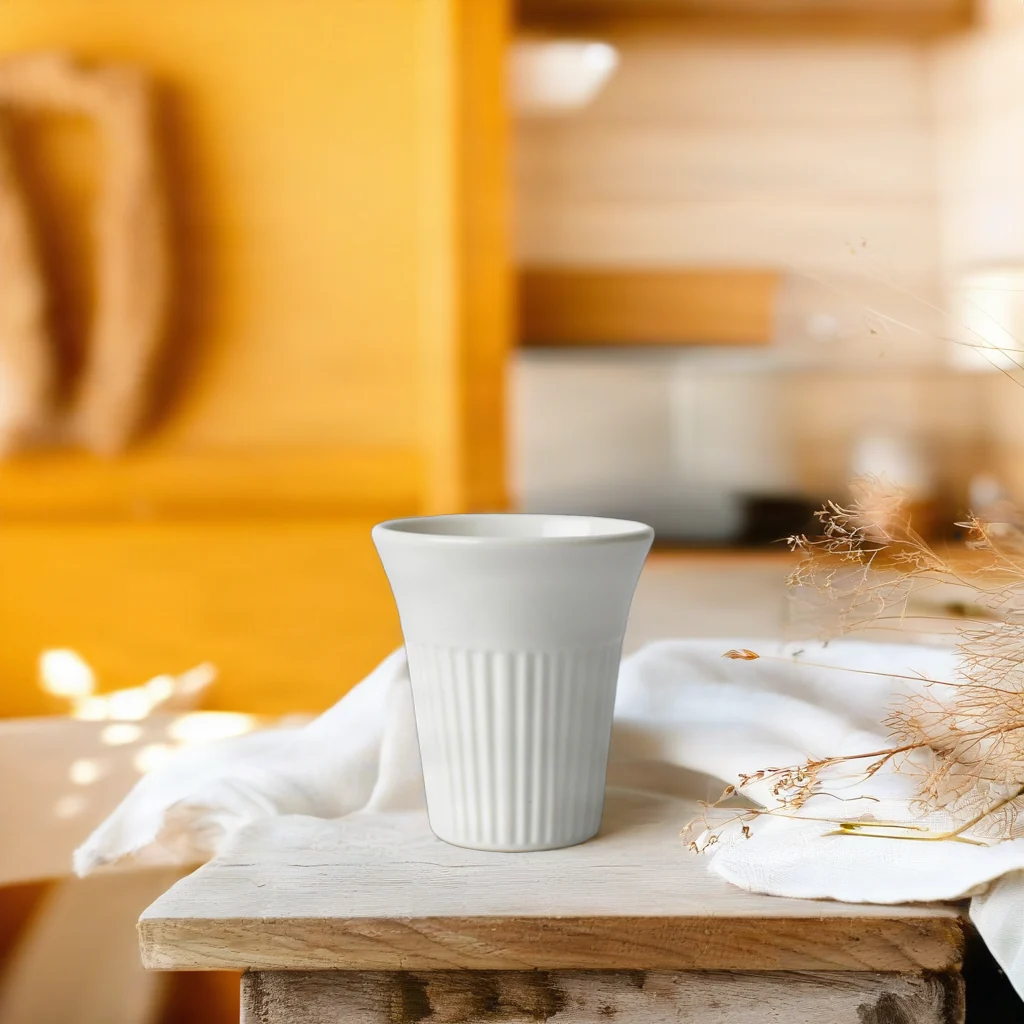
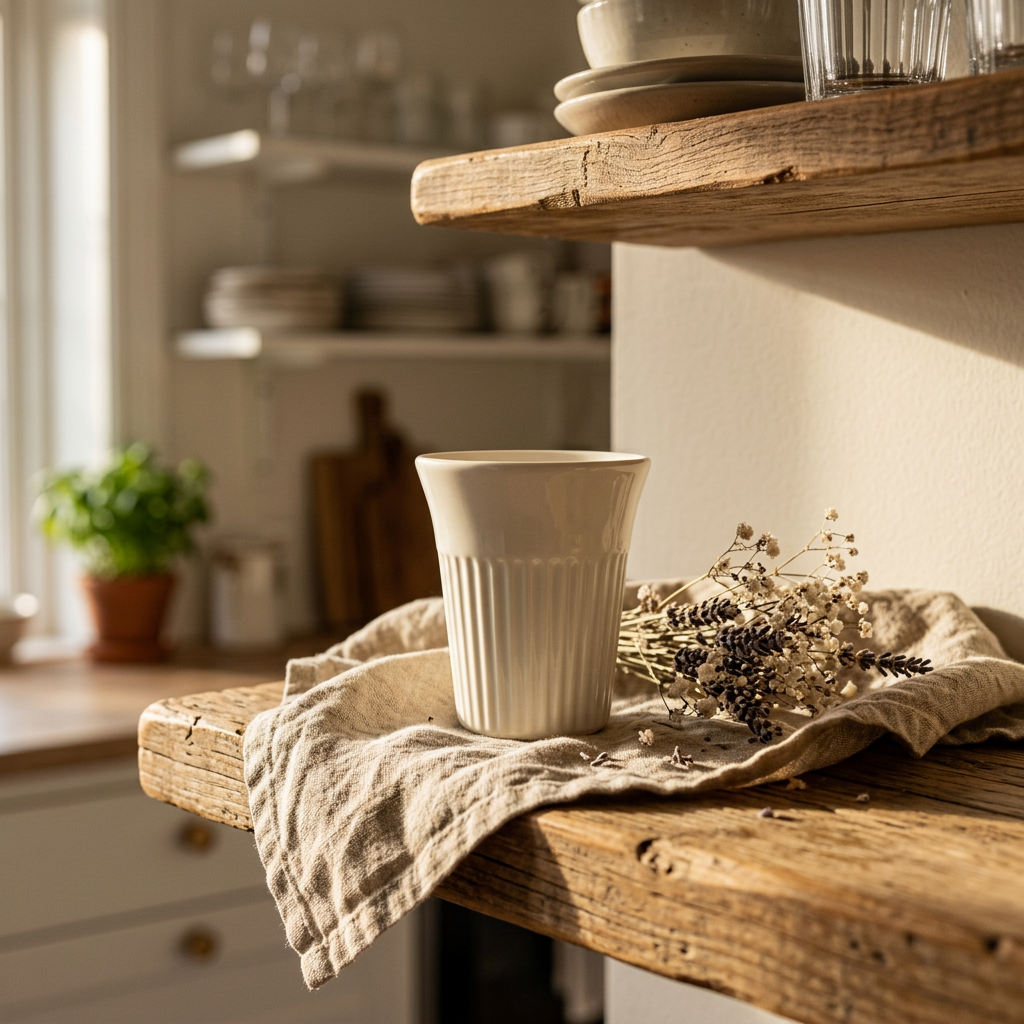
Product Shot puts the cup at the bottom center against a bright yellow-toned kitchen setting, with pale fabric and fine dried stems around it. Nano Banana shows more distinct upper and lower wooden shelves, places the cup on linen, and groups dried flowers on the right; its lighting is warmer. Both show a flared rim and vertical fluting on the lower cup, while scene lighting affects its apparent color.
For a product detail image, inspect the rim, sidewall, and fluting before checking whether props obscure the outline. For a campaign layout, check background brightness and space for text. Only a display preview is available for Product Shot here: it supports composition and prop placement observations, not comparison of full-output fine texture or compression artifacts.
Original Bria Product Shot scene prompt:
On a rustic wooden kitchen shelf with linen cloth and dried flowers, warm afternoon sunlight, cozy Scandinavian kitchen in the background
Original Nano Banana 2.1 prompt:
Place the ceramic cup from the reference image on a rustic wooden kitchen shelf with linen cloth and dried flowers, warm afternoon sunlight, cozy Scandinavian kitchen in the background. Keep the product shape, color and details unchanged.
Requests for both sides (prefill links carry only text; upload the source and set the parameters separately):
{
  "model": "bria-product-shot",
  "input": {
    "image_url": "https://static.hiapi.ai/model-covers/2026/10/22/1792653495587-1ca0aee6e567e540-1792546029664-1ca0aee6e567e540-p2-dripper-src.png",
    "prompt": "On a rustic wooden kitchen shelf with linen cloth and dried flowers, warm afternoon sunlight, cozy Scandinavian kitchen in the background",
    "optimize_description": true,
    "placement_type": "manual_placement",
    "manual_placement_selection": "bottom_center",
    "fast": true
  }
}
{
  "model": "gemini-nano-banana-2.1",
  "input": {
    "prompt": "Place the ceramic cup from the reference image on a rustic wooden kitchen shelf with linen cloth and dried flowers, warm afternoon sunlight, cozy Scandinavian kitchen in the background. Keep the product shape, color and details unchanged.",
    "image_input": [
      "https://static.hiapi.ai/model-covers/2026/10/22/1792653495587-1ca0aee6e567e540-1792546029664-1ca0aee6e567e540-p2-dripper-src.png"
    ],
    "aspect_ratio": "1:1",
    "resolution": "1K",
    "output_format": "png"
  }
}
Choose around the deliverable
Consider Product Shot first when product images feed into a fixed template. It keeps product input, scene description, and placement separate for reuse. manual_placement offers 10 preset positions; original retains the product position. To keep the input dimensions, also set original_quality=true, which is valid only with original. These examples show only bottom_center, so they do not promise a consistent composition across every placement.
Start with Nano Banana 2.1 if you want to describe subject scale, environment, and atmosphere together. The larger serum bottle and blurred background provide one composition to assess. Still review material, color, and outline: asking for preservation does not verify the result.
Define the use first for either model. A detail page that must reproduce packaging needs another acceptance check with real labels, texture, and edges. An unlettered bottle and ceramic cup cannot establish small packaging-text accuracy. For scene concepts, select a composition and then review product details. The pairs provide no batch acceptance rate, comparable timings, or manual retouching time, and cannot support an overall quality ranking.
Budget for the same number of outputs
| Output images | Product Shot | Nano Banana 2.1, 1K |
|---|---|---|
| 1 | $0.0575 | $0.011 |
| 100 | $5.75 | $1.10 |
| 1,000 | $57.50 | $11 |
One output per model for each of the two cases means 4 images and a budget of $0.137 at these rates. This covers output charges only, excluding source preparation, review, and additional candidates. Nano Banana 2.1 costs $0.018 at 2K and $0.029 at 4K. These product scenes use 1K, so a higher-resolution price would not describe their settings. See Nano Banana 2.1 pricing.
What changes when you switch APIs
Both models use the HiAPI /v1/tasks interface: submit a task, receive a taskId, then query the result. Each pair includes complete JSON request bodies. Send either body to POST https://api.hiapi.ai/v1/tasks with your own API key for authentication.
To switch from Product Shot to Nano Banana 2.1, replace image_url with the image_input array, remove placement_type, manual_placement_selection, optimize_description, and fast, then add aspect_ratio, resolution, and output_format. The scene description is a starting point, but placement and preservation requirements need to be expressed in words and reviewed again. The examples preserve the actual prompt used on each side; they do not paste one identical description into both models.
To switch back, choose either an English prompt or reference_image_url for the scene; use only one. Both examples use a prompt. Scene-reference mode must omit optimize_description, even if its value would be false. Set placement_type=manual_placement before supplying manual_placement_selection. With original, omit manual_placement_selection; add original_quality=true if you need to keep the input dimensions. optimize_description=true and fast=true are the Product Shot settings used here; Nano Banana has no matching switches. Once the task succeeds, download the result and compare product outline, material, and occlusion with the source. The Product Shot API guide covers submission and polling.
FAQ
Do these examples send the same prompt to both models?
No. Product Shot uses a scene description; the actual Nano Banana 2.1 instructions also specify using the reference product and preserving details. The product input and scene goal are shared.
Can Product Shot accept scene text and a scene reference image together?
No. Choose either prompt or reference_image_url. Both examples here use a prompt.
Can the cup pair compare full-output fine detail?
No. The Product Shot side is a 1024×1024 display WebP with no full PNG supplied. It supports composition and prop-placement observations, not full-output pixel comparisons.
Do these examples prove unchanged product color, labels, and material?
No. Scene lighting affects appearance, and the serum outputs show material differences. The source bottle has no readable label, so label fidelity is not established. Check each requirement against the actual product image before publication.
Further reading and your first scene
More product scene examples · Product Shot pricing and budgets · API integration.
Prepare a product image with a clear outline, choose a scene above, and open Bria Product Shot to set placement. To describe the whole image in words, use the original Nano Banana 2.1 prompt link under the corresponding result.