
Guide
Seedream 5.0 Pro Image-to-Image Prompts: 6 Copy-Paste Recipes With Real Outputs
Six edit recipes for seedream-5.0-pro/image-to-image — multi-reference composites, an outfit transfer, a precision recolor, a background swap, a style transfer and a chained cinematic grade — each with the exact prompt and the real output it produced.

- Price per edit
- $0.15
- Reference images
- up to 10
- Output resolution
- 1K / 2K
Text-to-image gets the demos, but the work that actually ships — product shots dropped into scenes, outfits swapped onto models, one stubborn colour fixed without touching anything else — is image-to-image. seedream-5.0-pro/image-to-image is the pro tier of ByteDance's Seedream 5.0 family, and its headline skill is multi-reference editing: you hand it up to 10 images and a prompt that tells each one what role to play.
This post is six editing recipes we ran against the live API — multi-reference composites, an outfit transfer, a precision recolor, a background swap, a style transfer, and a chained cinematic grade. Every prompt below is the exact string we sent, and every output image is the real, unretouched file the API returned. Three of the six landed on the first submit; the other three hit an opaque TASK_FAILED and went through on a resubmit — more on that in the gotchas.
The request shape (and its strict schema)
seedream-5.0-pro/image-to-image runs on the async tasks endpoint. Exactly four input fields, all required:
curl -X POST https://api.hiapi.ai/v1/tasks \
  -H "Authorization: Bearer $HIAPI_KEY" \
  -H "Content-Type: application/json" \
  -d '{
    "model": "seedream-5.0-pro/image-to-image",
    "input": {
      "prompt": "Recolor the ceramic pour-over mug to a matte black glaze with a thin brushed-gold rim along the lip. Preserve the identical mug shape, camera angle, soft studio lighting, contact shadow and warm off-white backdrop. Everything else in the frame stays untouched.",
      "image_urls": ["https://your-cdn.example.com/mug.jpg"],
      "aspect_ratio": "1:1",
      "resolution": "2K"
    }
  }'
The response gives you a taskId; poll GET /v1/tasks/{taskId} until status is success, then download output[0].url immediately — output URLs carry an expireAt and go stale.
The schema is strict, and the validator tells you exactly how. What we got back while testing:
- Omit anything →
missing required field "prompt"; ... "image_urls"; ... "aspect_ratio"; ... "resolution" - Ask for 4K →
resolution: value must be one of '1K', '2K' - Sneak in an extra field like
n→additional properties 'n' not allowed - Send 11 references →
image_urls: maxItems: got 11, want 10
So: 1K or 2K output, up to 10 reference images, no extras. The image_urls must be publicly fetchable — the platform pulls them server-side. Price is $0.15 per image on the pricing page, which is why our workflow below generates cheap reference images with gpt-image-2/text-to-image at $0.03 and saves the pro budget for the edits themselves.
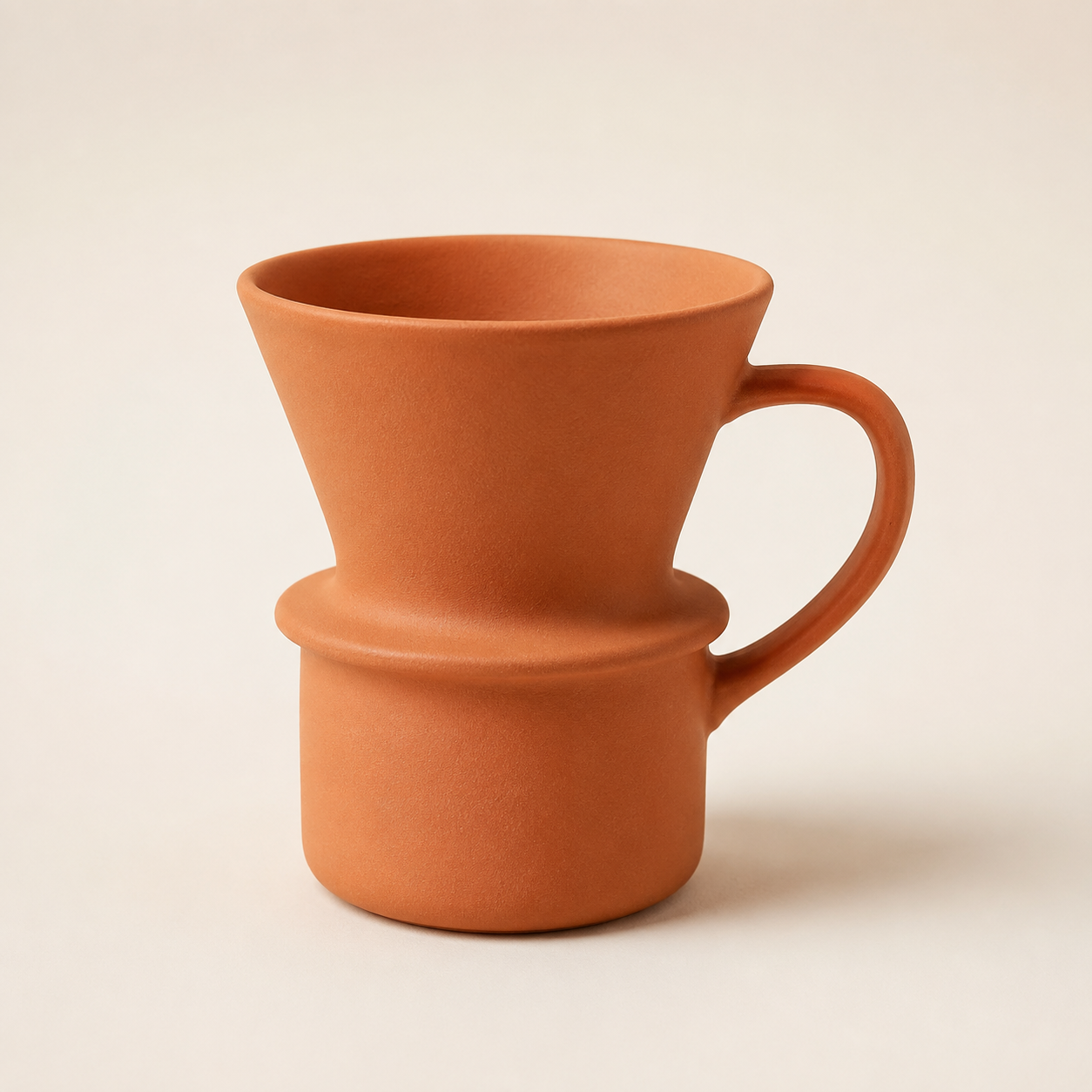
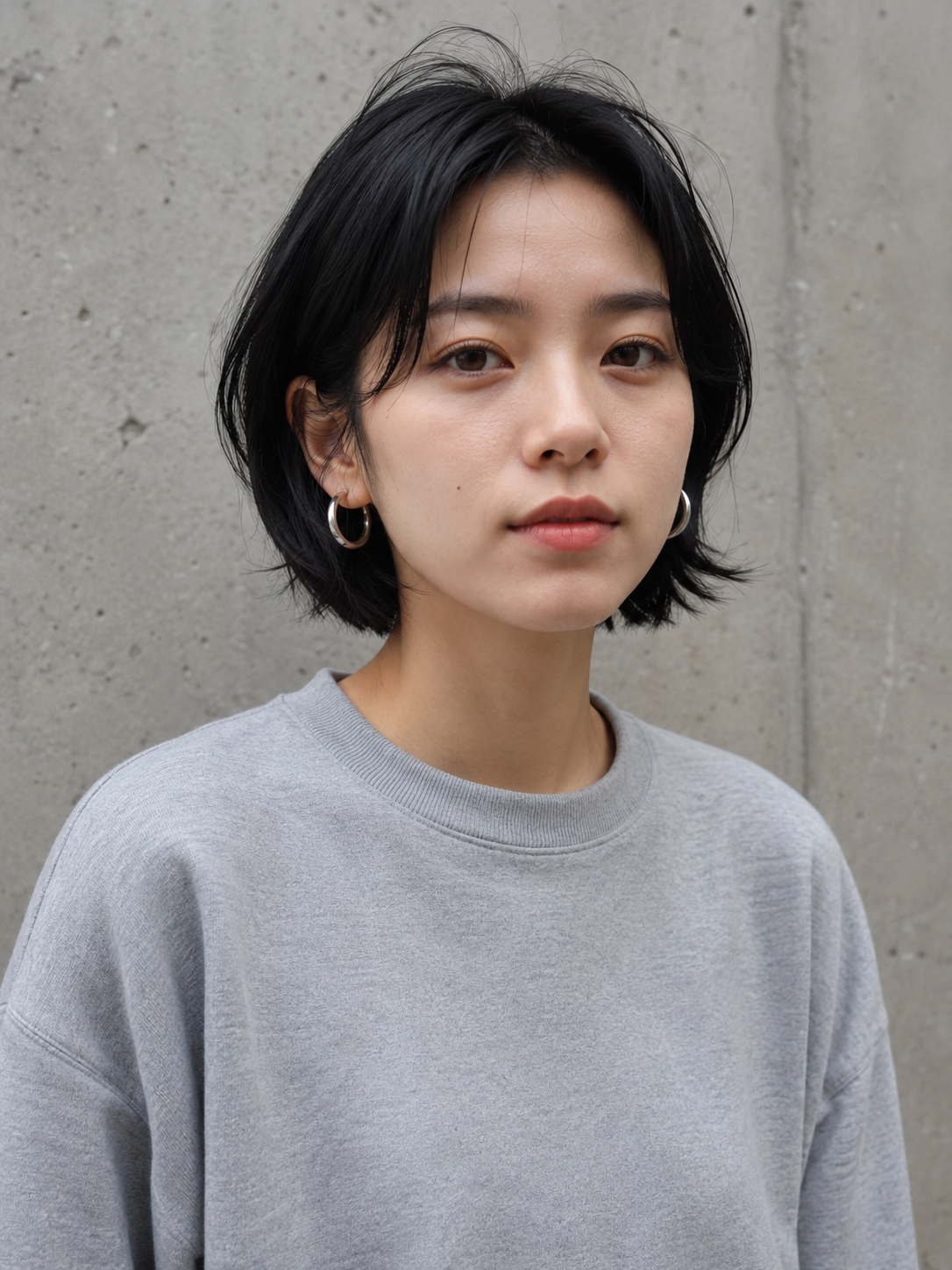
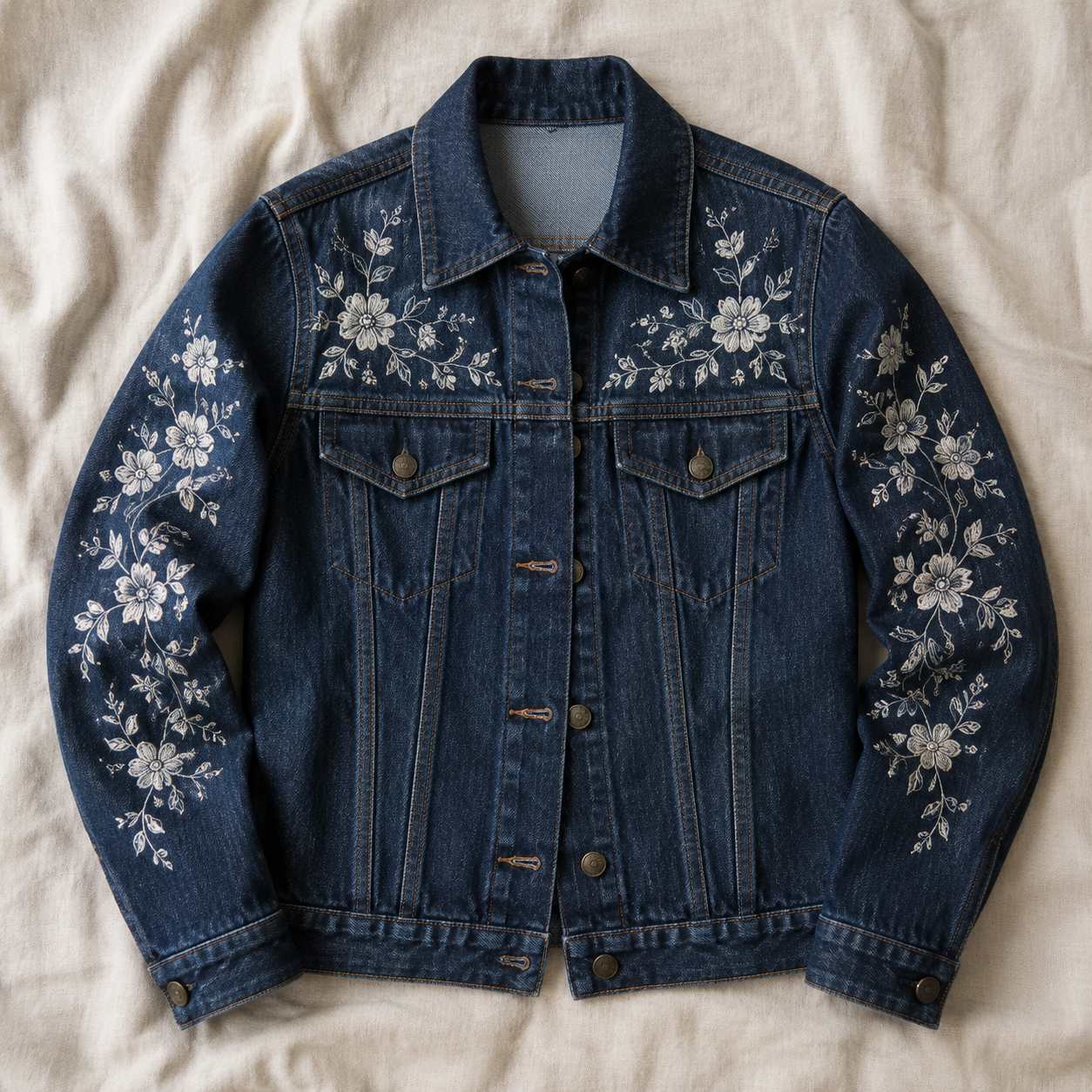
The four reference images
All four were generated with gpt-image-2 (prompts omitted for space — they're ordinary product/portrait descriptions). These are the inputs every recipe below refers to.

Recipe 1 — Multi-reference composite: put the product in the scene
Two references: the mug first, the kitchen second. The prompt names each one's role — that's the core multi-reference trick, because the model resolves "the first image" and "the second image" by their order in image_urls.
Place the terracotta pour-over coffee mug from the first image onto the empty oak
counter in the foreground of the second image. The mug sits naturally on the wood
surface, matching the warm golden sunrise lighting, with a soft window-light shadow
falling to the right. Keep the mug's shape, colour and matte ceramic material exactly
as in the reference. Keep the kitchen scene otherwise unchanged. Photorealistic
product photography.
aspect_ratio: "3:2" (matching the scene, not the product), resolution: "2K". First take:

It didn't just paste the mug — it re-lit it. The shadow direction follows the window, the rim catches the sunrise, and the ceramic stays matte instead of inheriting the scene's glow.
Recipe 2 — Multi-reference outfit transfer
Portrait first, garment second. The keep-list here is doing heavy lifting: face, hair, earrings, pose, background all pinned.
Dress the woman from the first image in the embroidered indigo denim jacket from the
second image, worn open over her grey sweatshirt. Keep her face, short black hair,
silver hoop earrings, expression, pose and the concrete wall background completely
unchanged. Match the overcast soft daylight and preserve the jacket's white floral
stitching details on the chest and sleeves.
aspect_ratio: "3:4", resolution: "2K":
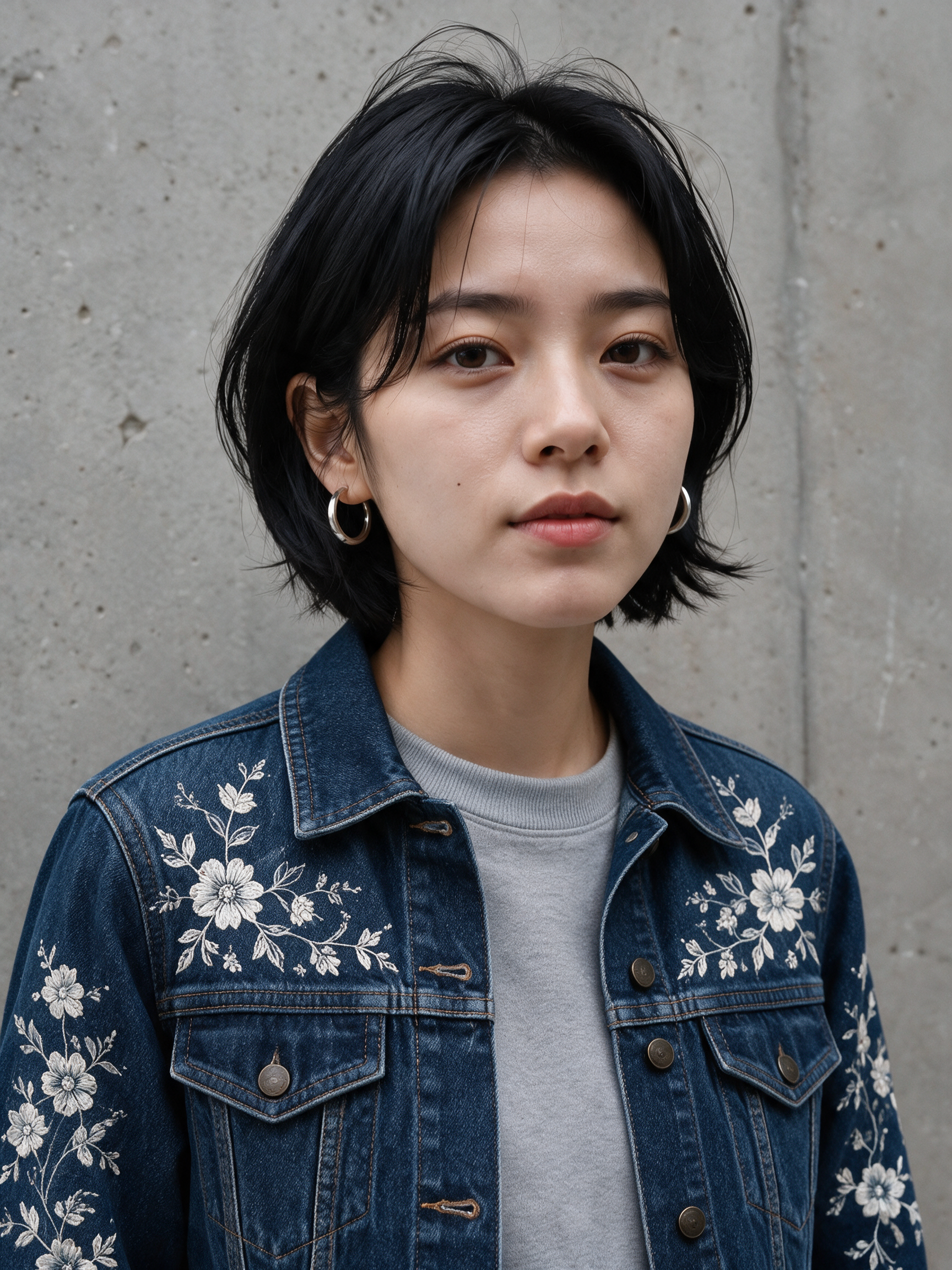
The embroidery pattern survives the transfer from flat-lay to worn — sleeves, chest placement, even the button hardware. This is the recipe where the pro tier earns its price: identity preservation plus garment detail in one pass.
Recipe 3 — Precision recolor: the keep-list pattern
Single reference. The change is one sentence; everything after it is a keep-list. This is the pattern to steal for any "change X, touch nothing else" job.
Recolor the ceramic pour-over mug to a matte black glaze with a thin brushed-gold rim
along the lip. Preserve the identical mug shape, camera angle, soft studio lighting,
contact shadow and warm off-white backdrop. Everything else in the frame stays
untouched.
aspect_ratio: "1:1", resolution: "2K":
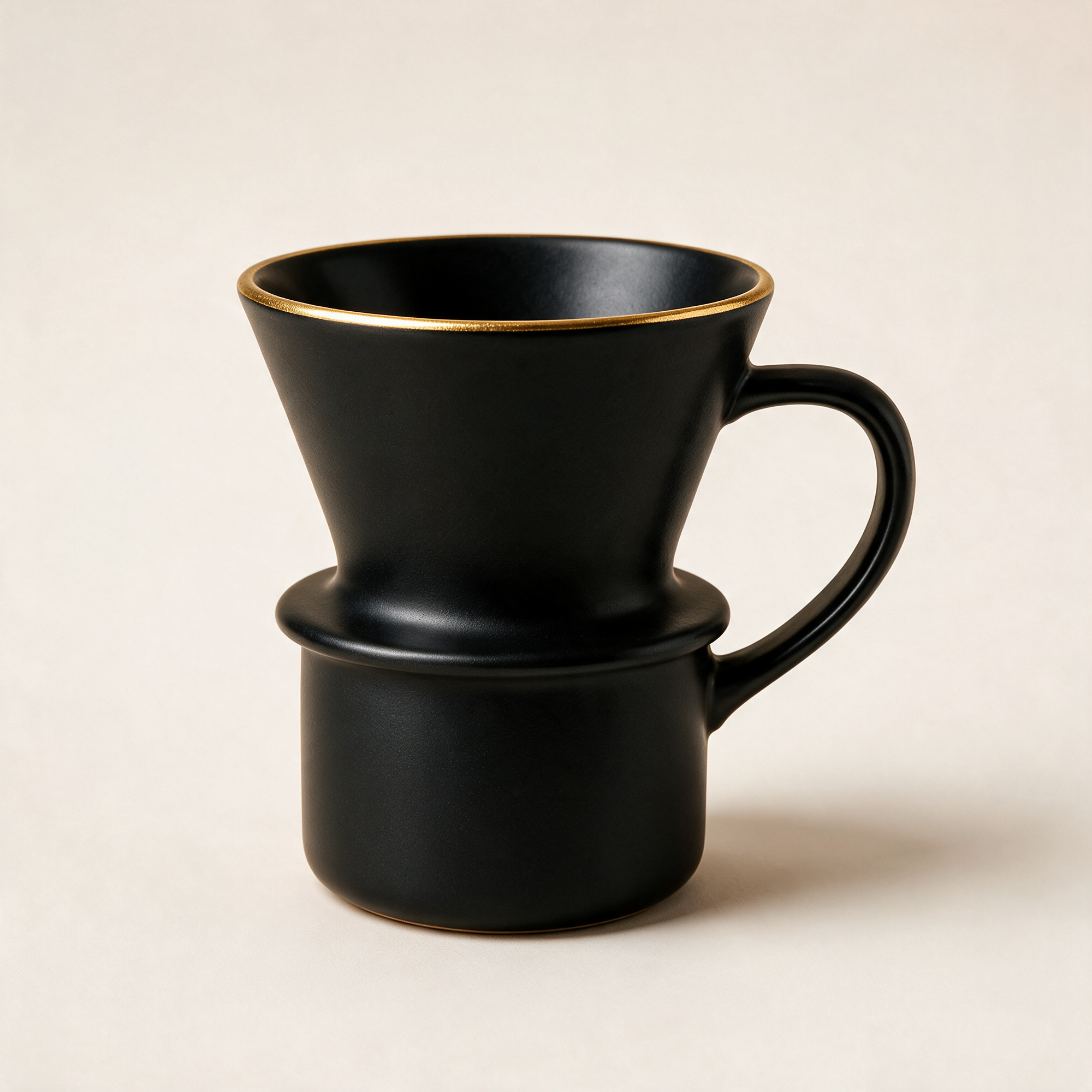
Same silhouette, same shadow, same backdrop — the only thing that moved is the glaze. It even added a tasteful gold foot ring to match the rim, which we didn't ask for but kept.
Recipe 4 — Background swap with a relight clause
Swapping a background without relighting the subject is how you get cardboard-cutout composites. The fix is asking for the relight explicitly while pinning identity:
Swap the plain concrete wall behind the woman for a rain-soaked city street at night
glowing with neon signs, cyan and magenta reflections and soft distant bokeh. The
woman herself — face, short black hair, silver hoop earrings, expression, pose, grey
sweatshirt — stays exactly as she is, identity preserved. Add a subtle cool neon rim
light so she blends naturally into the night scene.
aspect_ratio: "3:4", resolution: "2K":
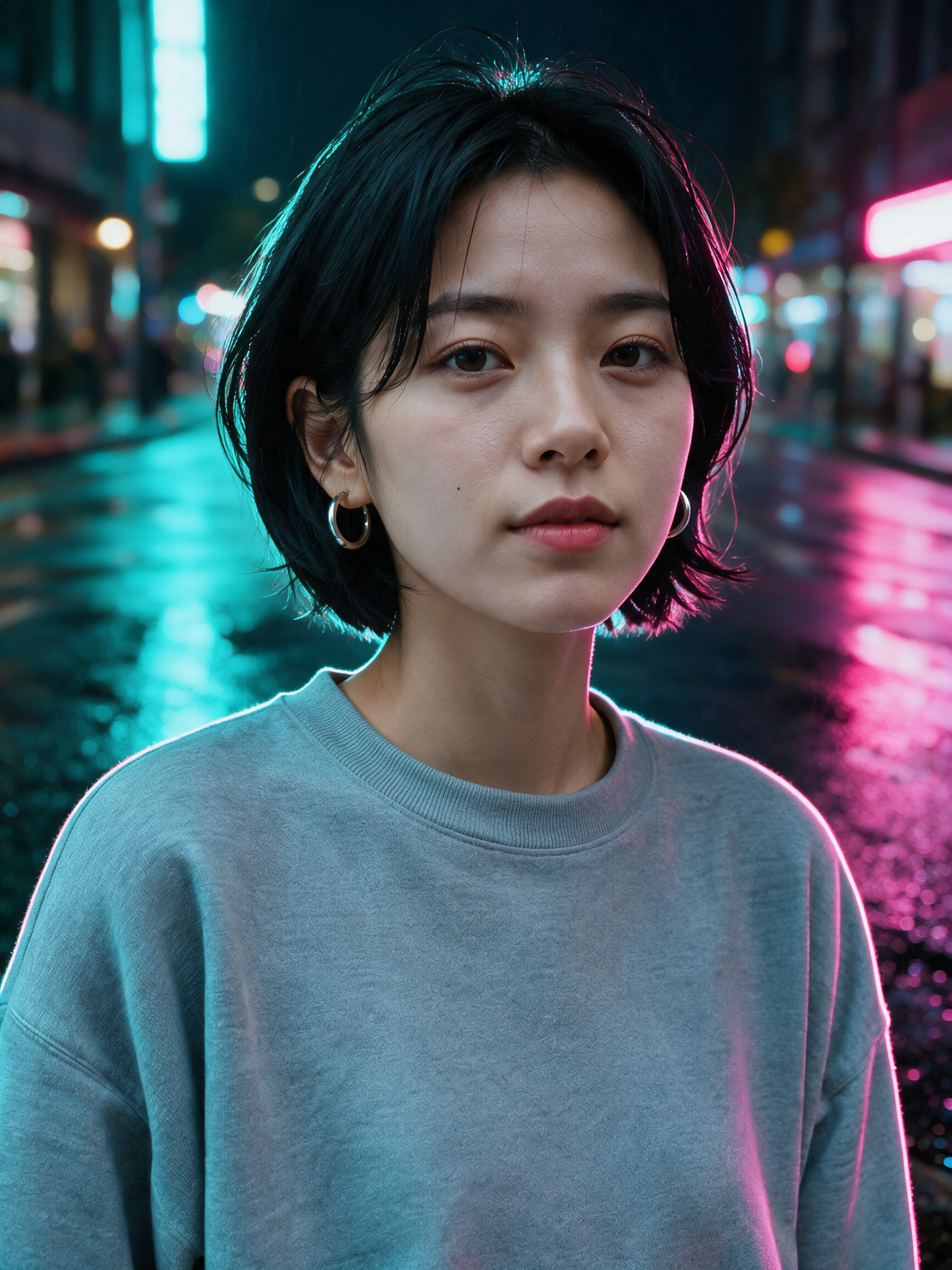
Note the magenta spill on her right side and the cyan edge on the sweatshirt — that's the relight clause working. Same face, same earrings, completely different world.
Recipe 5 — Style transfer: photo to watercolor
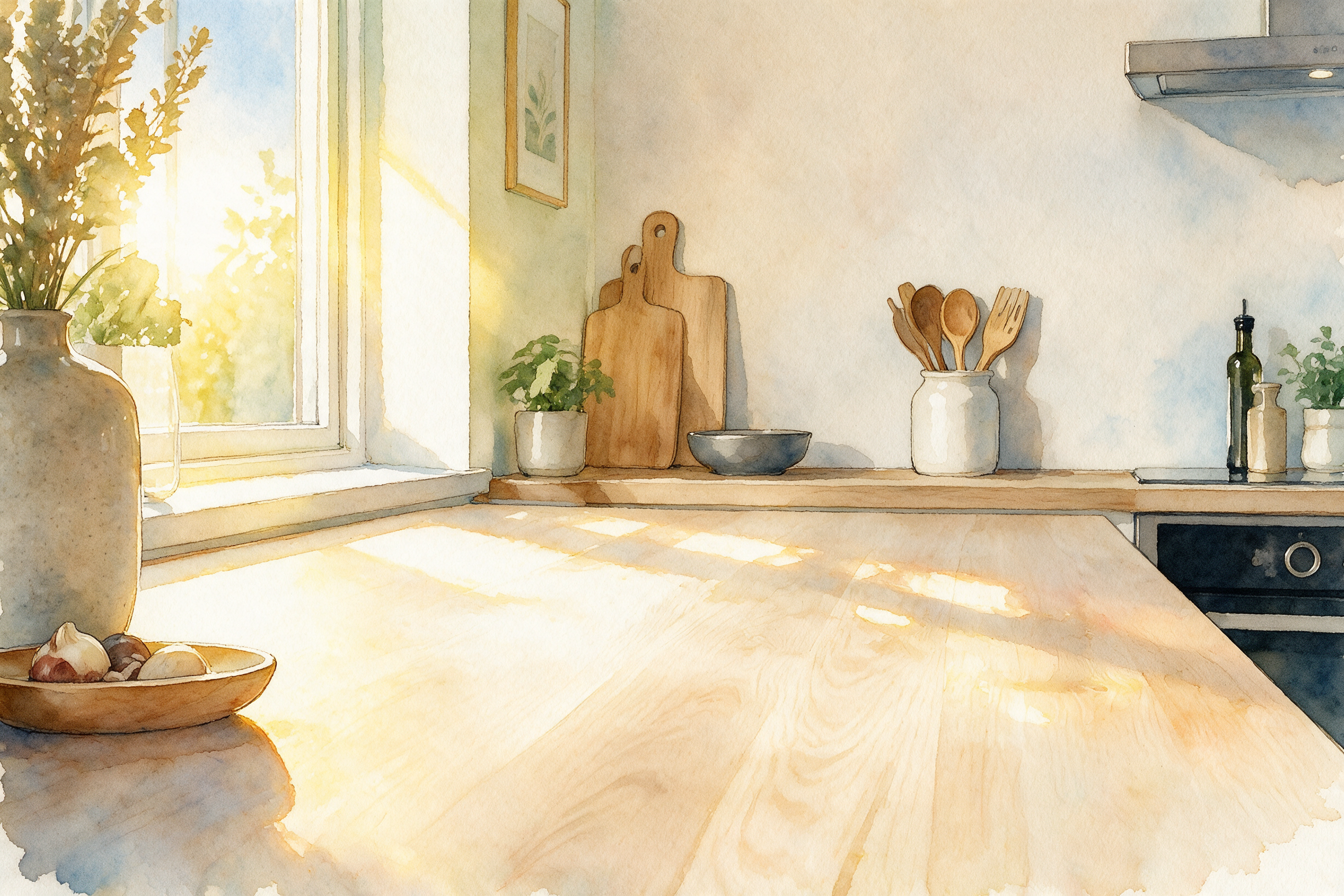
Stylization is the loosest edit type, so the prompt spends its budget on what to keep: composition and mood.
Repaint this photograph as a loose watercolor illustration: visible paper grain, soft
pigment bleeds, delicate hand-drawn ink outlines. Keep the composition, the window,
the vase and the morning-light mood. Pastel palette dominated by warm yellows and
soft blues.
aspect_ratio: "3:2", resolution: "2K". First take:
Recipe 6 — Chain your edits: cinematic grade on top of Recipe 3
Outputs are inputs. We took Recipe 3's black-and-gold mug — already uploaded to our own CDN — and fed it straight back as the reference for a mood pass:
Turn this product photo into a moody cinematic hero shot: dramatic low-key lighting,
background falling off into deep shadow, a gentle wisp of steam rising from the mug,
subtle film grain, teal-and-orange colour grade. Keep the mug's black-and-gold design,
shape and camera angle exactly identical.
aspect_ratio: "1:1", resolution: "2K". First take:

One change per step beats one giant prompt: the recolor stayed locked from step one, and the grade pass only had to think about light. Chaining costs another $0.15, but each step is independently retryable — and reusable.
The three prompt patterns that did all the work
- Role-name your references. "The mug from the first image", "the counter in the second image" — order in
image_urlsis the order the prompt refers to. Ambiguity here is the #1 cause of the model editing the wrong thing. - Target → change → keep-list. Name what you're editing, state the one change, then enumerate everything that must not move. The keep-list is what pins identity, lighting and framing — skip it and the model "improves" things you didn't ask about.
- Add a relight clause when moving subjects between worlds. "Relight her subtly with a cool neon rim light" is the difference between a composite and a photograph.
Gotchas we hit for real
TASK_FAILEDwith no detail is usually transient. Three of our six recipes failed this way on the first submit — same payload went through on a retry (one identical resubmit, two lightly reworded). Resubmit before you rewrite.- The schema means it. No
n, noseed, nosize— four fields exactly, extras are a 400. If you're porting code from a looser model, strip the payload down. - 1K/2K only. If you need 4K output from this family, that's a text-to-image-tier feature, not this endpoint.
- Reference URLs must be public. The platform fetches them server-side; presigned URLs that expire mid-poll will bite you.
- Download outputs immediately.
output[0].urlexpires. Pull the bytes and put them on your own storage before you do anything else.
FAQ
When is Pro worth 4× the price of Lite? seedream-5.0-lite/image-to-image at $0.035 handles single-subject local edits well. In our runs, Pro pulled ahead on multi-reference jobs — garment detail surviving an outfit transfer, identity holding through a full background swap. If the edit involves two or more references or a face you can't afford to drift, use Pro.
How does it compare to other editing models? We ran the same edit across three models in our image-to-image API comparison — different post, real side-by-sides.
Can I generate the reference images through the same API? Yes — every reference in this post came from gpt-image-2/text-to-image at $0.03 through the same /v1/tasks endpoint. One key, both stages of the workflow.
Total spend for every edit in this post: six pro edits at $0.15 plus four $0.03 references — just over a dollar. Grab a key, check the four-field schema in the docs, and steal the keep-list pattern from Recipe 3 first — it's the one you'll use every day. The full parameter reference lives on the seedream-5.0-pro/image-to-image model page.
Related articles
View all articles →-

Guide
Getting Started with seedream-5.0-pro/image-to-image: Capabilities, Pricing, and Integration Essentials
Capability boundaries, billing model, and engineering integration practices for ByteDance's image editing model
-
Guide
seedream-5.0-pro Text-to-Image Getting Started Guide: Capability Boundaries, API Integration, and Cost Control
A hands-on developer perspective: from key parameters to a cost estimate of $0.05 per image
-
Guide
Hailuo 2.3 Fast Image-to-Video Getting Started Guide: Capability Boundaries, Pricing, and Integration Practices
MiniMax image-to-video model selection and integration key points for developers