
Guide
FLUX.2 Image-to-Image Prompts: 5 Copy-Paste Recipes With Real Outputs
- Copy-paste prompt recipes
- 5
- Cost per 1K edit
- $0.035
- Reference images merged in recipe 2
- 2
FLUX.2's image-to-image endpoint doesn't just "regenerate" a photo from a text prompt -- it edits the pixels you already have, keeps what you tell it to keep, and can pull in more than one reference image at once. That last part is the one most people miss: you can hand it a product shot and a scene shot and ask it to merge them, not just restyle one image in isolation.
Below are five prompt recipes we wrote and ran ourselves against flux-2/image-to-image, each with the exact prompt (copy-paste ready) and the real output it produced. No stock renders, no cherry-picked examples from someone else's thread -- these are first-take results from our own account, at 1K resolution, $0.035 per edit as of August 2026 (see current pricing).
Summary
- FLUX.2 image-to-image accepts multiple
image_urlsin one call, which is what makes recipe #2 (merging two separate references into one scene) possible. - Vague edit instructions ("make it nicer") produce vague results. The prompts below work because they say precisely what to keep unchanged and what to change.
- Prompts that read like "reproduce this logo/label exactly" can trip the platform's content-safety filter even for a fictional brand -- phrase text-preservation requests as ordinary photo-consistency instructions instead (recipe #5 has the before/after of that fix).
- All five recipes ran at 1K / $0.035 per image; 2K is available at $0.05 if you need larger output.
- These are edit recipes, not generation recipes -- if you're starting from a blank page instead of an existing photo, see our FLUX.2 image-to-image API walkthrough for the base request shape.
Two source photos, five edits
Every recipe below starts from one of these two original photos, which we generated ourselves (not AI-upscaled stock) specifically to test editing behavior:
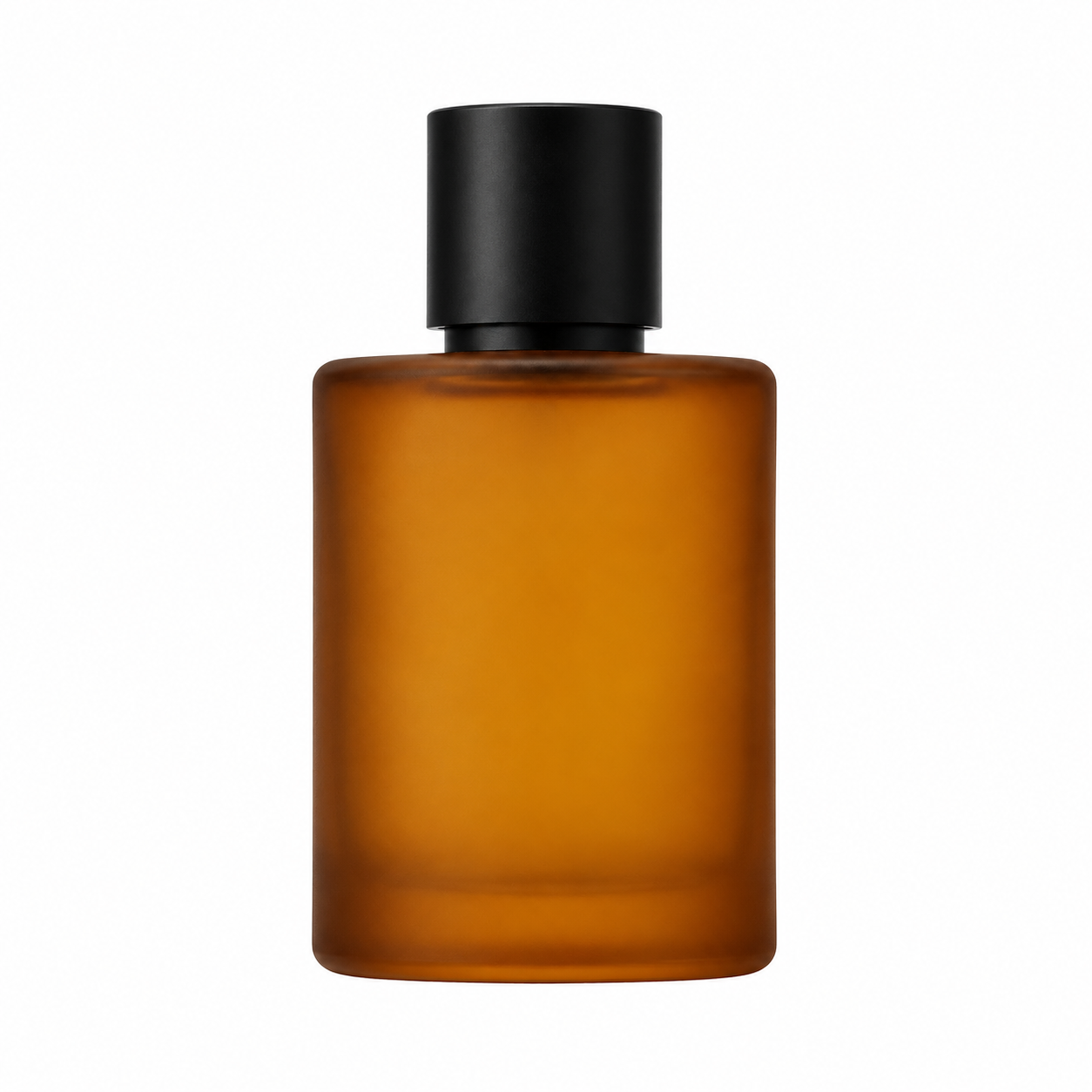
Source photo A -- plain white background, used in recipes 1, 3, and 4.
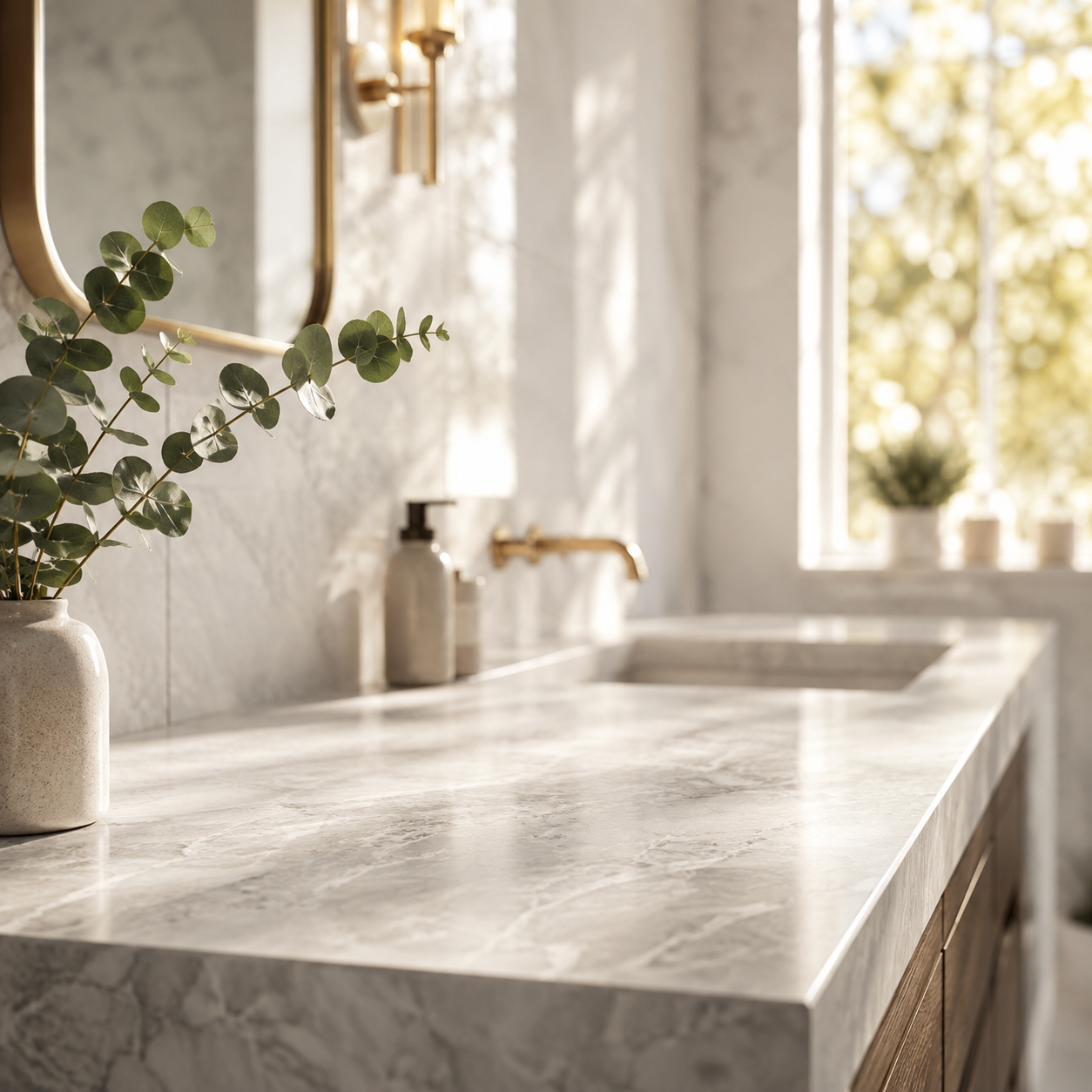
Source photo B -- an empty scene, used only in recipe 2 as a second reference.
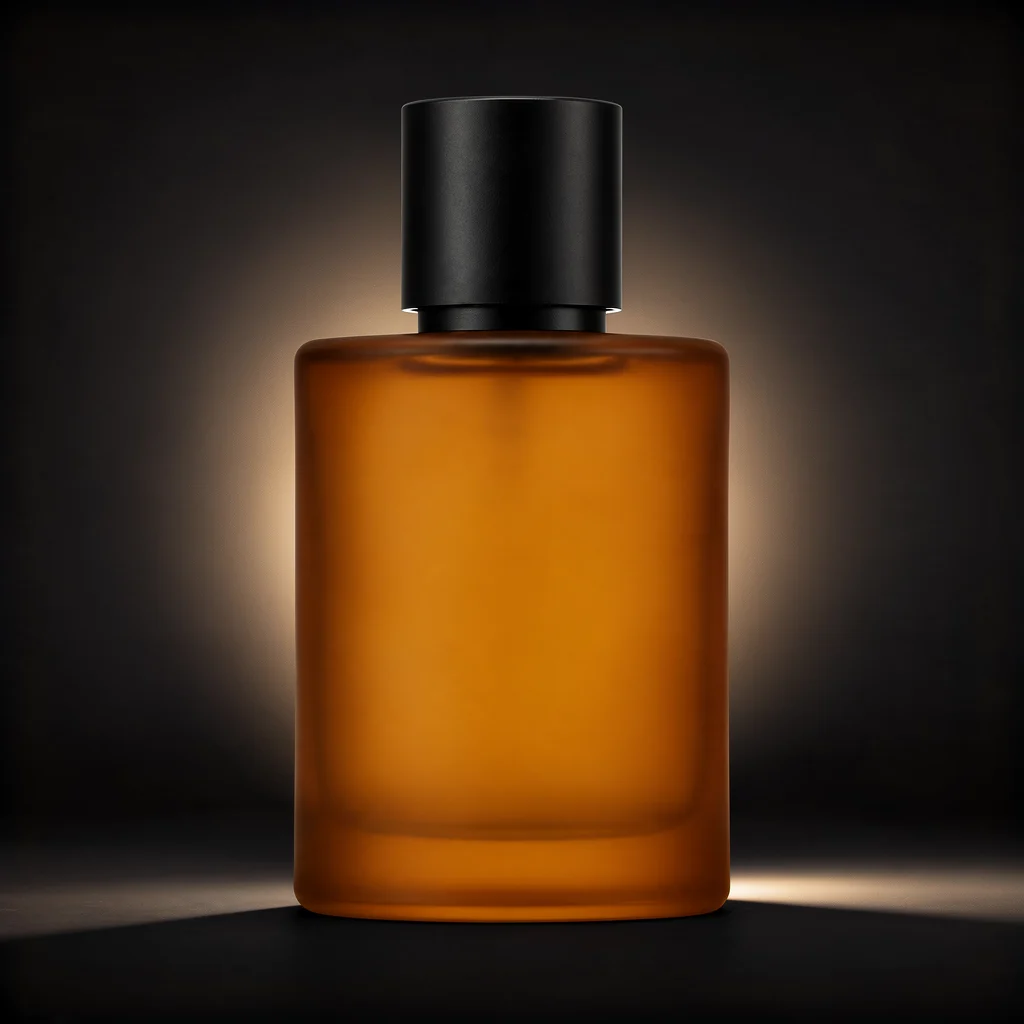
Recipe 1: Background swap, keep the product untouched
Use case: you have one clean product photo and need it on three different backgrounds for different placements (ad creative, PDP, social) without re-shooting.
Prompt:
Keep the perfume bottle exactly as is -- same shape, cap, glass color, and
reflections -- but replace the plain white background with a deep charcoal
photography studio backdrop that fades to black at the edges. Add a soft rim
light tracing the right edge of the bottle and a subtle warm gradient glow
behind it. Keep the bottle centered and in sharp focus.
Result:
The bottle's proportions, cap, and reflections carried over exactly -- only the backdrop and lighting changed. This is the recipe to reach for whenever the ask is "same product, different backdrop."
Recipe 2: Merge two reference images into one scene
Use case: you shot (or generated) a product in isolation and a lifestyle scene separately, and need them combined -- without re-shooting the product in the scene.
Prompt:
Take the perfume bottle from the first reference image and place it naturally
on the marble bathroom countertop from the second reference image, next to the
eucalyptus branch. Match the bottle's lighting and shadow direction to the
warm morning light in the countertop scene. Keep the bottle's proportions,
glass color, and cap unchanged.
Result:
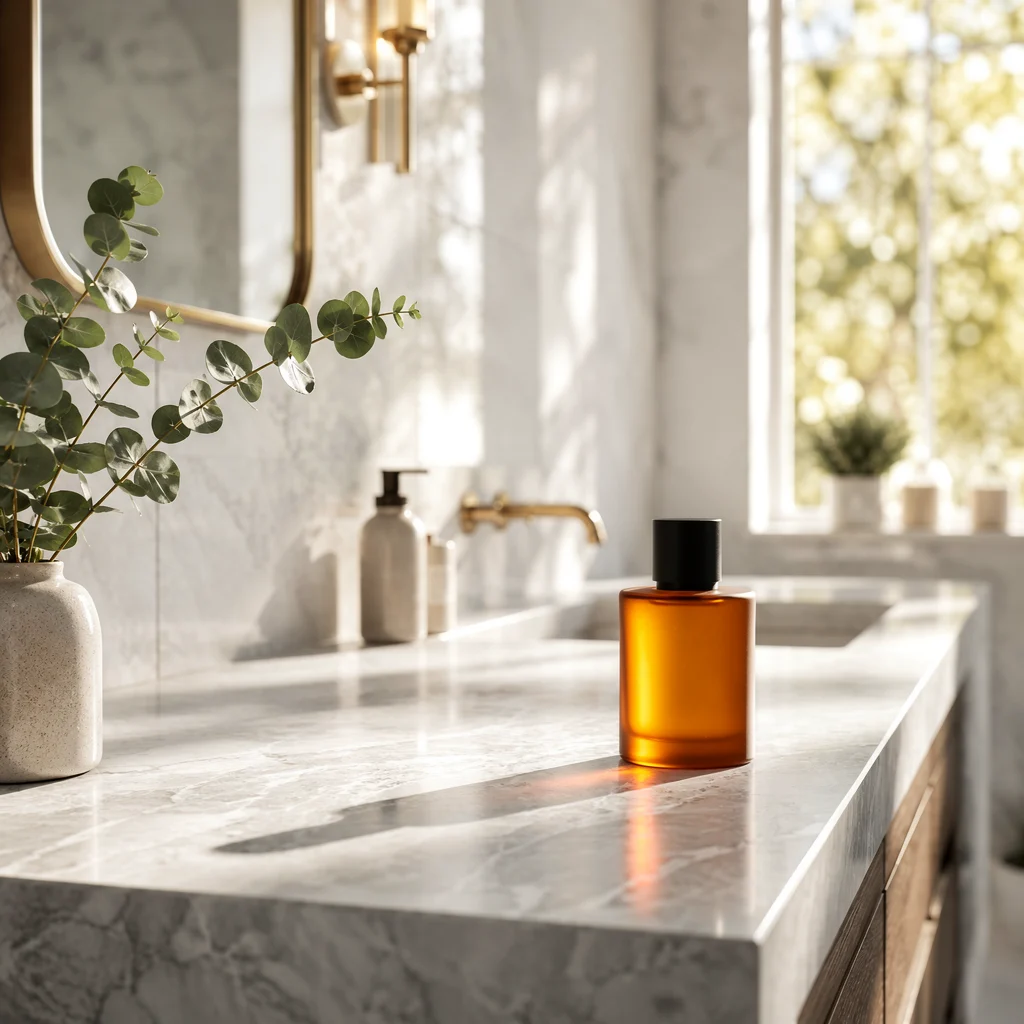
This is the recipe worth testing first if you're evaluating FLUX.2 specifically -- it's the multi-reference behavior that a single-image editor can't do. Order matters in the prompt: naming which image supplies the product and which supplies the scene keeps the model from blending the two instead of compositing them.
Recipe 3: Detail retouch without changing composition
Use case: the shot is right -- angle, background, framing -- but it needs to look sharper and more "macro" for a hero image or zoom-in crop.
Prompt:
Enhance this exact photo without changing the composition, camera angle, or
background: sharpen the glass edge highlights, add fine micro-texture to the
frosted glass surface, deepen the cap's matte black finish, and remove any
soft blur so the product looks like a macro studio shot. Do not add any new
elements or change the bottle's shape.
Result:
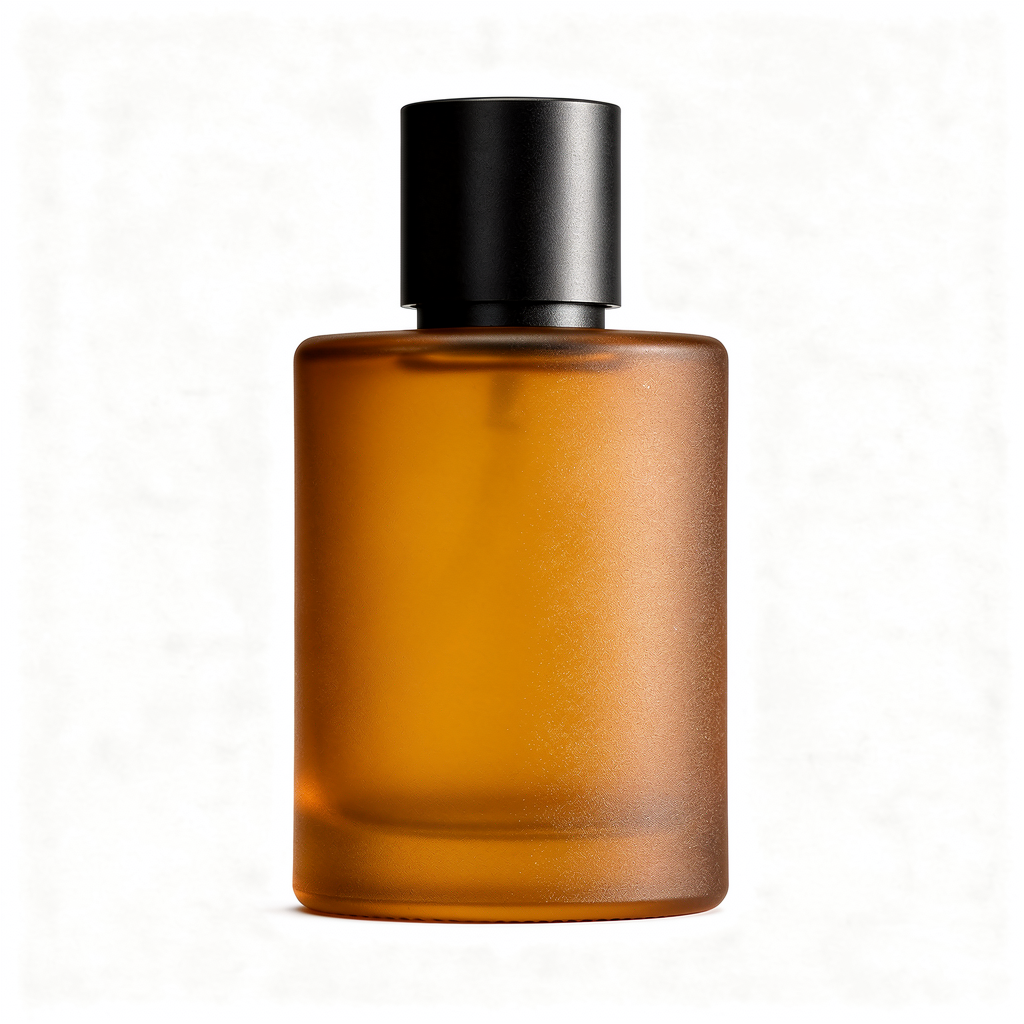
The two explicit constraints -- "without changing composition" and "do not add any new elements" -- are doing the real work here. Drop them and FLUX.2 will happily reinterpret the whole shot instead of just retouching it.
Recipe 4: Style transfer, same product and framing
Use case: turning a photographic product shot into an illustrated asset for a landing page, packaging mockup, or editorial placement -- without commissioning separate artwork.
Prompt:
Redraw this exact product photo as a hand-painted gouache illustration: keep
the bottle's silhouette, cap, and centered composition identical, but render
it with visible brush strokes, a warm pastel color palette, and flat stylized
studio lighting typical of editorial packaging illustration.
Result:
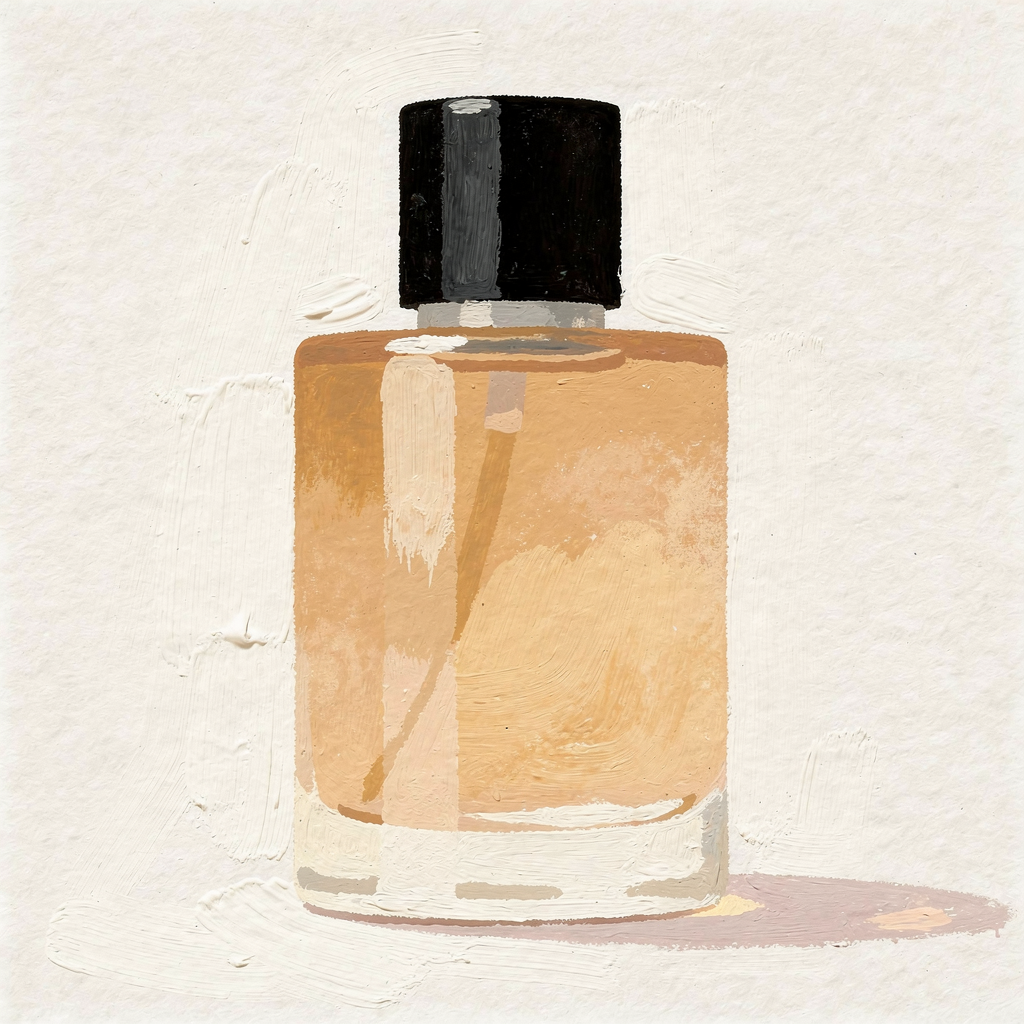
Silhouette and composition held steady across the style change, which is the part worth checking before you trust this recipe for a batch job -- some image-to-image models drift the product shape when the rendering style changes drastically.
Recipe 5: Keep printed text/label consistent across a scene change
Use case: moving a labeled product into a new environment for a seasonal or campaign shot, without the label text warping, reflowing, or disappearing.
Result:
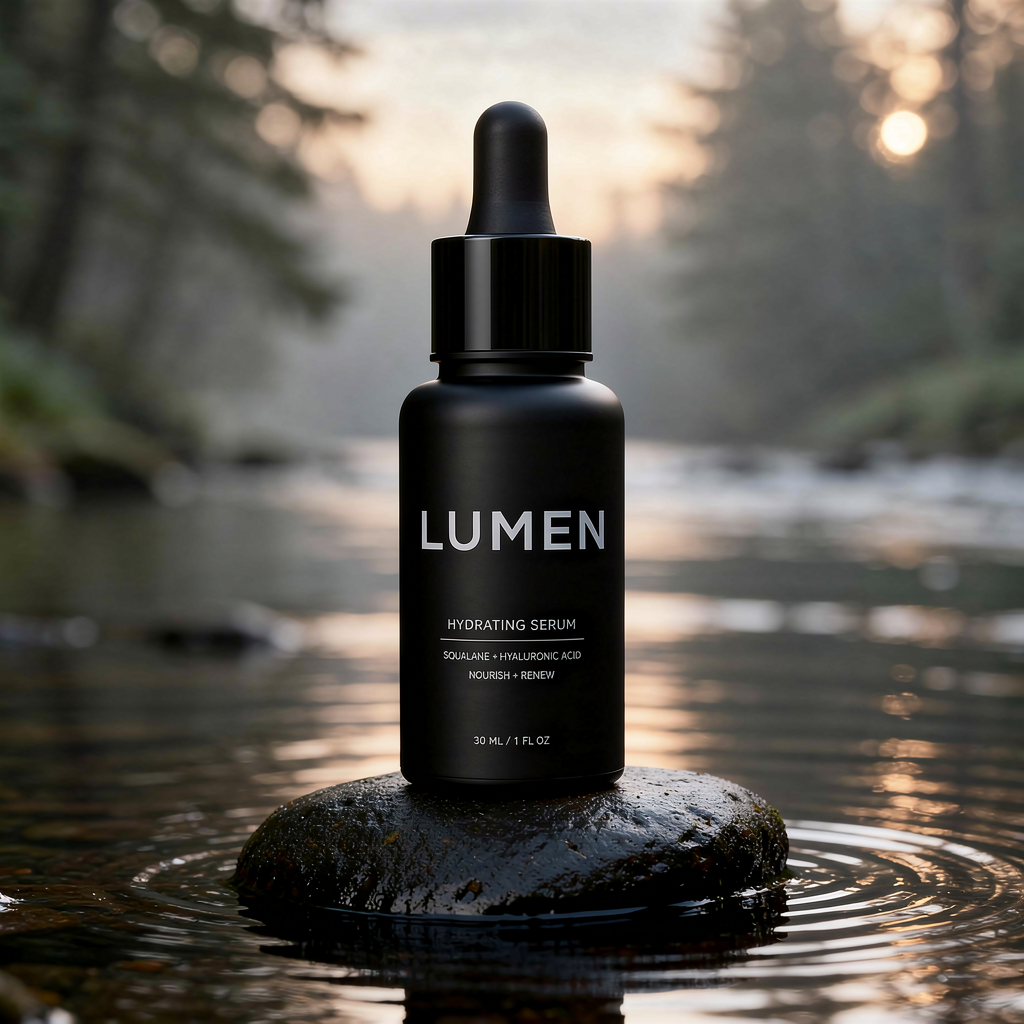
Prompt (working version):
Photograph this exact serum bottle placed on a wet river stone in a misty
forest setting at dawn, soft diffused natural light, shallow depth of field.
Keep the bottle's shape, matte black finish, and the printed lettering on its
front unchanged -- same size and position as in the reference photo.
One thing worth flagging since it cost us a retry: our first version of this prompt said "keep the label text exactly as printed... do not distort or restyle the logo." That got rejected by the platform's content-safety filter, even though the label is a fictional placeholder brand -- "logo" and "do not distort/restyle" read as brand-reproduction instructions to the filter. Rewriting it as an ordinary photo-consistency request ("keep the printed lettering on its front unchanged") kept the same intent and passed on the first retry. If you hit a content-policy rejection on a text-preservation prompt, this is the first thing to try.
FAQ
Can flux-2/image-to-image edit more than one reference image in a single call?
Yes -- pass multiple URLs in the image_urls array (recipe 2 above uses two). The model treats the first reference as the primary subject/frame by default unless your prompt specifies otherwise.
How much does flux-2/image-to-image cost per edit? $0.035 per image at 1K resolution, $0.05 at 2K, as of August 2026. See current pricing for the live rate.
Why did my prompt get rejected with a content-policy error? Instructions that read like "reproduce this logo/brand exactly, don't distort it" can trigger the safety filter even for fictional brand names. Rephrase as a standard photo-consistency instruction (see recipe 5) instead of using words like "logo" or "restyle."
Does flux-2/image-to-image support resolutions above 2K? No -- the endpoint accepts 1K or 2K output. If you need a larger final asset, upscale after the edit rather than requesting a higher resolution directly.
Takeaways
Start with the recipe that matches your actual bottleneck, not the flashiest one -- most product-photo workflows only need recipe 1 or 3, and the multi-reference merge in recipe 2 is worth the extra prompt complexity only when you're genuinely compositing two separate shoots.
Try these prompts against your own product photos on the flux-2/image-to-image model page, or see the full request/response shape in our API walkthrough.
Related articles
View all articles →-

Guide
Getting Started with seedream-5.0-pro/image-to-image: Capabilities, Pricing, and Integration Essentials
Capability boundaries, billing model, and engineering integration practices for ByteDance's image editing model
-
Guide
seedream-5.0-pro Text-to-Image Getting Started Guide: Capability Boundaries, API Integration, and Cost Control
A hands-on developer perspective: from key parameters to a cost estimate of $0.05 per image
-
Guide
Hailuo 2.3 Fast Image-to-Video Getting Started Guide: Capability Boundaries, Pricing, and Integration Practices
MiniMax image-to-video model selection and integration key points for developers